
1. Introduction
This manual provides essential information for the safe and effective use of your Lepro HeadLamp Model 320015-2. Please read these instructions thoroughly before operation and retain for future reference.
What's in the Box:
- 2 x Lepro HeadLamps
2. Key Features
- Super Bright LED: Equipped with a powerful XPG2 LED, providing up to 1300 lux illumination and a beam distance of up to 400 feet (120 meters).
- Multiple Lighting Modes: Features 6 distinct lighting modes including spot light (high/low), flood light (high/low), and red light (stay on/flash) for various needs.
- Adjustable Headband: Removable, washable, and elastic headband ensures a comfortable fit for adults and children, and can be worn over hard hats or helmets.
- 45° Tilt Function: Ergonomic design allows for a 45-degree adjustable angle, reducing neck strain and ensuring light is directed where needed.
- Durable and Weather-Resistant: IPX4 water-resistant rating protects against splashing water from any angle. Impact-resistant construction withstands drops, rain, cold, and heat.
- Lightweight Design: Weighs only 1.94 ounces (without batteries), making it ideal for extended wear during activities like running and hiking.

Image: Overview of Lepro HeadLamps highlighting Cree XP-G2 LEDs, IPX4 resistance, protective coating, 6 lighting modes, and adjustable head.
3. Setup
3.1 Battery Installation
The Lepro HeadLamp requires 3 AAA batteries (not included). Follow these steps to install the batteries:
- Locate the battery compartment on the back of the headlamp unit.
- Gently open the battery compartment cover.
- Insert 3 AAA batteries, ensuring correct polarity (+/-) as indicated inside the compartment.
- Close the battery compartment cover securely until it clicks into place.
Video: Demonstrates the process of installing 3 AAA batteries into the Lepro HeadLamp.
3.2 Adjusting the Headband
The elastic headband is adjustable to fit various head sizes, from children to adults, and can accommodate hard hats or helmets.
- Place the headlamp on your head.
- Use the adjustable buckles on the sides of the headband to tighten or loosen it until a comfortable and secure fit is achieved.

Image: Illustrates the versatility of the adjustable headband, fitting various users including adults, children, and over a hard hat.
4. Operating Instructions
Your Lepro HeadLamp features two buttons on the top for controlling the lighting modes.

Image: Close-up view of the headlamp's top, indicating the 'General Switch' for ON/OFF and output selection, and the 'Functional Switch' for red/green/strobe modes.
4.1 Power On/Off and White Light Modes
Use the General Switch (typically the larger button) to control the white light modes:
- Press once for Spot Light - Low.
- Press again for Spot Light - High.
- Press a third time for Flood Light - Low.
- Press a fourth time for Flood Light - High.
- Press a fifth time to turn the headlamp OFF.
4.2 Red Light Modes
Use the Functional Switch (typically the smaller button) to access the red light modes:
- Press once for Red Light - Stay On.
- Press again for Red Light - Flash (emergency signal).
- Press a third time to turn the red light OFF.
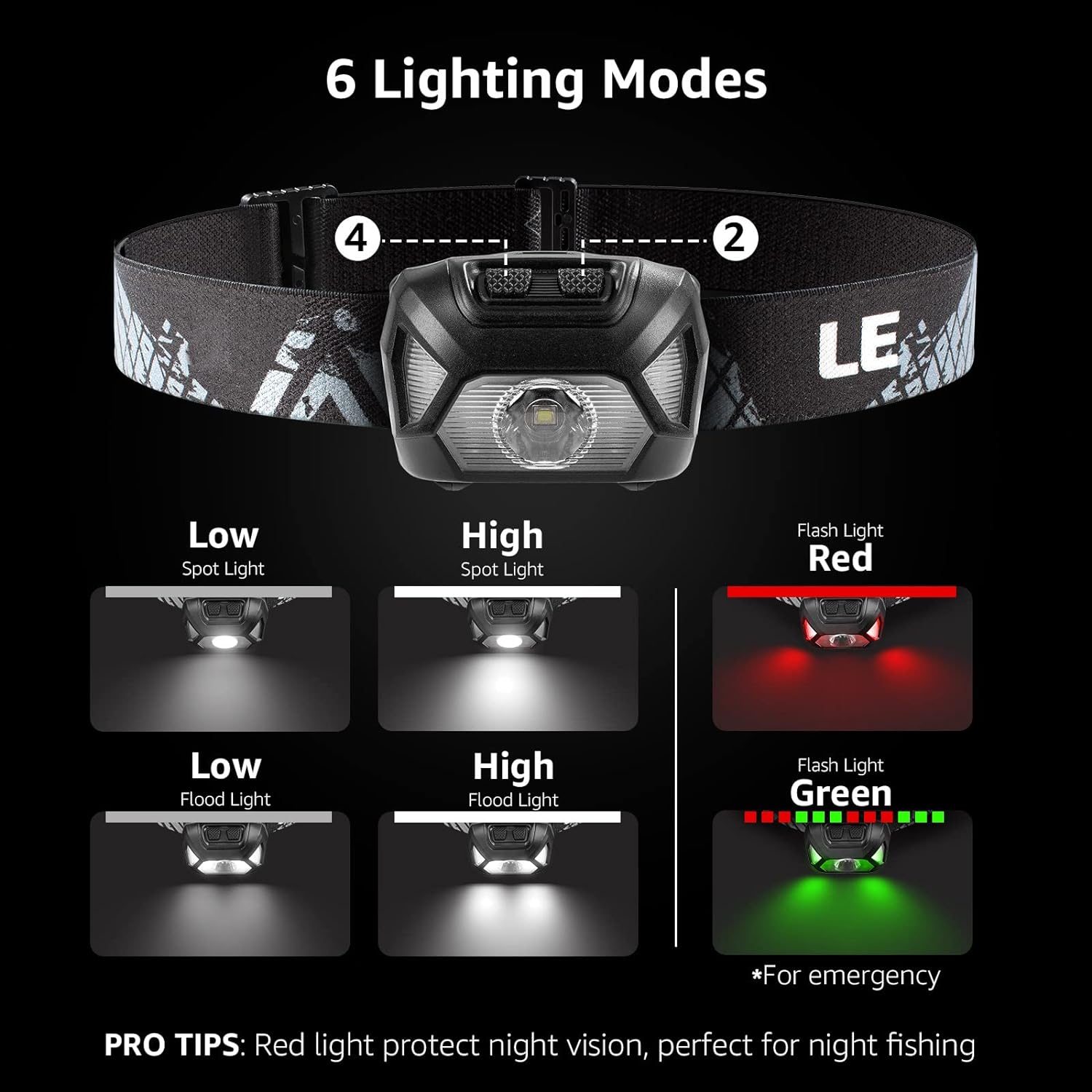
Image: Visual representation of the six available lighting modes: Spot Light (Low/High), Flood Light (Low/High), and Red Light (Stay On/Flash).
4.3 Tilt Function
The headlamp unit can be tilted up to 45 degrees to adjust the beam direction without needing to reposition your head. Simply grasp the headlamp unit and gently pivot it to the desired angle.

Image: Detailed view of the headlamp's adjustable headband, 45-degree tilt mechanism, and shockproof rubber coating.
Video: Demonstrates the various lighting modes and the 45-degree tilt function of the Lepro HeadLamp.
5. Maintenance
5.1 Cleaning
To clean the headlamp, wipe it with a soft, damp cloth. Do not use abrasive cleaners or solvents. The headband is removable and washable.
5.2 Storage
When not in use for extended periods, remove the batteries to prevent leakage and store the headlamp in a cool, dry place.
5.3 Water Resistance
The headlamp is IPX4 water-resistant, meaning it is protected against splashing water from any direction. It is not designed for submersion in water.
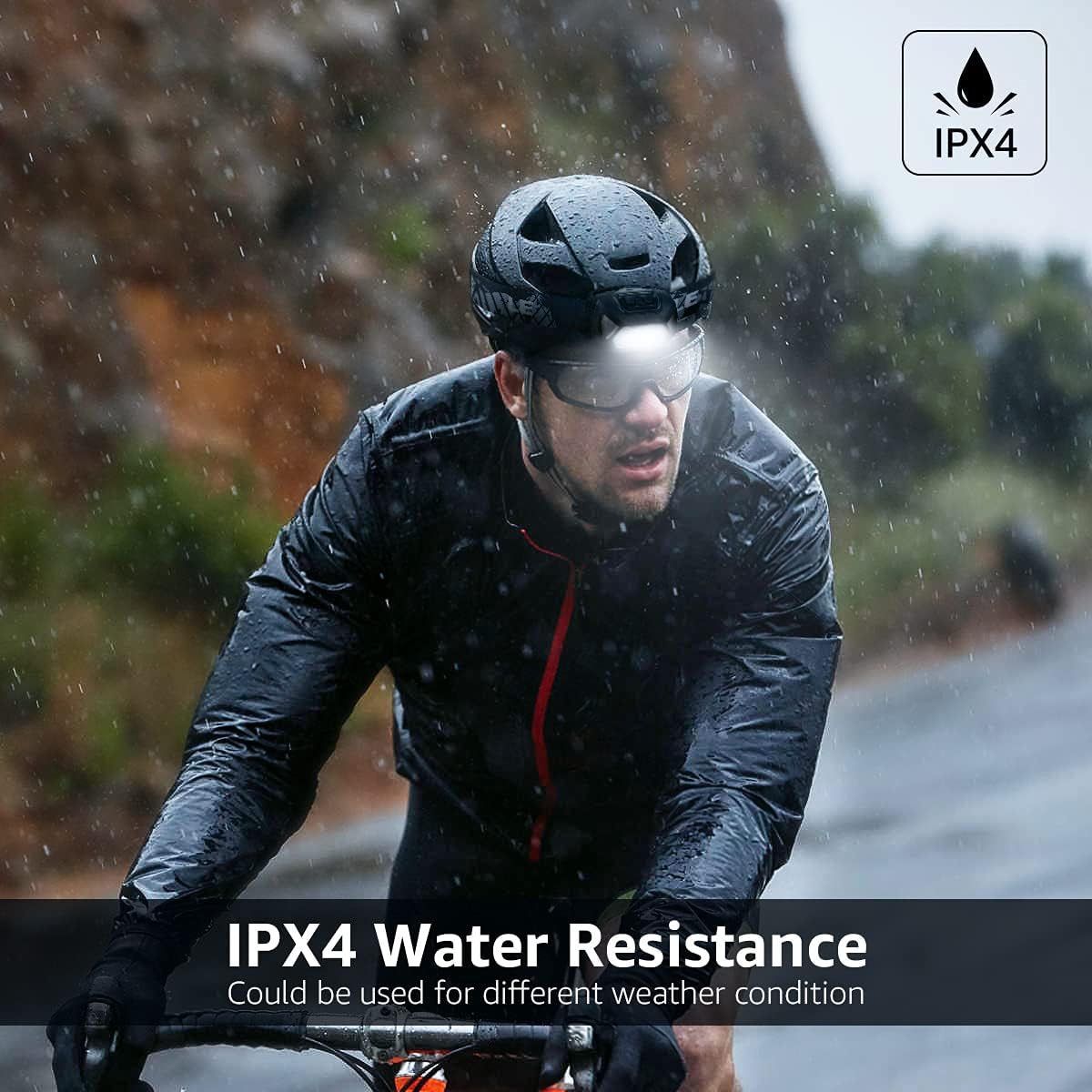
Image: A person cycling in the rain demonstrates the IPX4 water resistance of the Lepro HeadLamp, suitable for various weather conditions.
6. Troubleshooting
6.1 Light Not Turning On
- Ensure batteries are inserted correctly with the proper polarity.
- Replace old batteries with new ones.
- Check for any visible damage to the battery compartment or contacts.
6.2 Dim Light Output
- Batteries may be low. Replace with fresh batteries.
- Ensure the lens is clean and free from dirt or obstructions.
7. Specifications
| Feature | Specification |
|---|---|
| Model Number | 320015-2 |
| Brand | Lepro |
| Light Source Type | LED (XPG2) |
| Brightness | Up to 1300 lux (200 Lumens White Brightness) |
| Beam Distance | Up to 400 FT / 120m (Spot Light) |
| Lighting Modes | 6 (Spot High/Low, Flood High/Low, Red Stay On/Flash) |
| Power Source | Battery Powered (3 AAA batteries required, not included) |
| Battery Life (Low Setting) | Up to 22 hours |
| Water Resistance Level | IPX4 (Water Resistant) |
| Special Features | 45° Tilt, Impact Resistant |
| Material | ABS Polycarbonate |
| Item Weight | 1.94 ounces (without batteries) |
| Product Dimensions | 2.48"D x 1.77"W x 1.38"H |
8. Warranty and Support
8.1 Warranty Information
This product comes with a manufacturer and seller combination warranty. For specific details regarding warranty coverage and duration, please refer to the documentation included with your purchase or contact Lepro customer service.
8.2 Customer Support
For any questions, technical assistance, or support needs, please visit the official Lepro website or contact their customer service department. Contact information can typically be found on the product packaging or the brand's official website.


