
Introduction
The Sennheiser GSP 600 is engineered for professional-grade gaming, delivering exceptional audio performance and clear communication. This headset features ergonomic ear pads and an adjustable headband designed for comfort during extended use. The advanced speaker system provides high-quality audio with genuine, authentic sound, allowing users to perceive subtle in-game details. Its durable construction ensures longevity, making it a reliable choice for dedicated gamers.
What's in the Box
- Sennheiser GSP 600 Gaming Headset
- PC Cable (with separate audio/mic jacks)
- Console Cable (single 3.5mm jack)
Setup
- Connect the Headset:
- For PC: Use the provided PC cable with separate 3.5mm jacks for audio (green) and microphone (pink). Plug them into the corresponding ports on your computer.
- For Consoles/Mobile: Use the provided console cable with a single 3.5mm jack. Plug it into your controller or device's audio port.
- Adjust the Headband: The headband features adjustable contact pressure. Slide the adjusters on the top of the headband to find a comfortable fit that distributes weight evenly across your head.
- Position the Microphone: Gently bend the microphone boom to position it approximately 2 inches from your mouth for optimal voice clarity. Ensure it is not directly in front of your mouth to avoid plosive sounds.
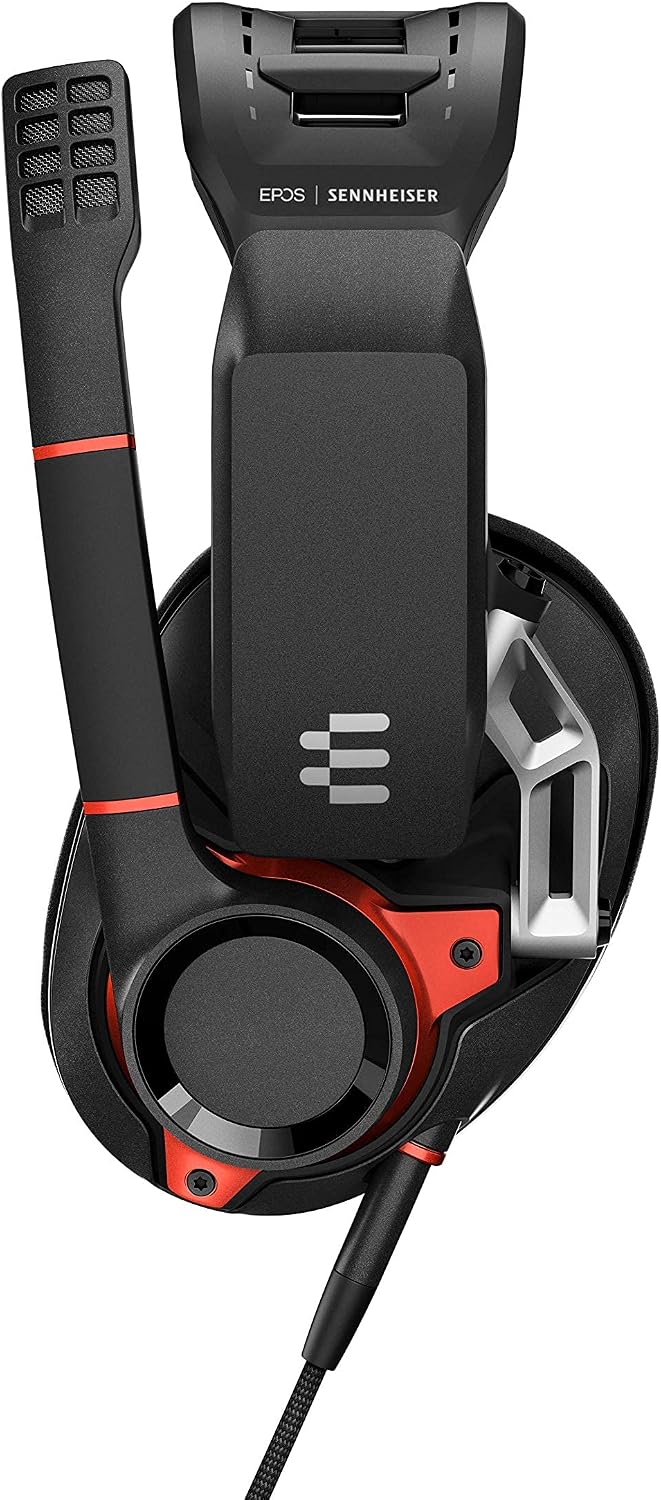
Image: Sennheiser GSP 600 headset with the microphone extended. The microphone boom is flexible for precise positioning near the user's mouth.
Operating Instructions
- Volume Control: The volume dial is conveniently located on the right earcup. Rotate the dial clockwise to increase volume and counter-clockwise to decrease it.
- Microphone Mute Function: The GSP 600 features a lift-to-mute microphone. To mute your microphone, simply swing the boom arm upwards. You will hear a distinct click, indicating the microphone is muted. To unmute, swing the boom arm back down until you hear a click.
- Comfort Adjustment: In addition to the adjustable headband, the earcups are designed to pivot and conform to your head shape, providing excellent passive noise attenuation and comfort.

Image: Close-up of the right earcup showing the integrated volume dial for easy audio adjustments.
Video: Official product overview of the Sennheiser GSP 600 Professional Gaming Headset, demonstrating key features and design elements.
Maintenance
To ensure the longevity and optimal performance of your Sennheiser GSP 600 headset, regular cleaning is recommended. Use a soft, dry cloth to wipe down the earcups and headband. Avoid using harsh chemicals or abrasive materials. The ear pads are designed for durability; however, if replacement is needed, contact Sennheiser support for genuine parts.
Troubleshooting
- No Sound/Microphone Not Working:
- Ensure all cables are securely plugged into the correct audio and microphone jacks on your device.
- Verify that the microphone boom is in the down (unmuted) position.
- Check your device's audio settings to ensure the headset is selected as the default input/output device and volume levels are not muted.
- If using a PC, ensure the correct drivers are installed and updated.
- Sound Quality Issues (e.g., low bass, distorted audio):
- Adjust the volume dial on the earcup and your device's volume settings.
- Ensure the microphone is not too close to your mouth, as this can cause distortion from breathing or plosives.
- Test the headset with another device to rule out device-specific audio issues.
- Comfort Issues:
- Adjust the headband's contact pressure sliders to find a more comfortable fit.
- Ensure earcups are properly positioned over your ears.
Specifications
| Feature | Detail |
|---|---|
| Brand | Sennheiser |
| Model Number | GSP 600 |
| Connectivity Technology | Wired |
| Ear Placement | Over Ear |
| Form Factor | Over Ear |
| Noise Control | Active Noise Cancellation |
| Microphone | Advanced noise-cancelling broadcast quality |
| Audio Driver Type | Dynamic Driver |
| Item Weight | 1.5 pounds (approx. 0.68 kg) |
| Product Dimensions | 5.67 x 3.54 x 7.45 inches |
| Material | Plastic, Silicone, or Thermoplastic Elastomer (TPE) and potentially Memory Foam |
| Compatible Devices | Music Production Equipment, Laptops, Desktops, Gaming Consoles, Tablets, Cellphones |
Warranty and Support
For warranty information, technical support, or to purchase replacement parts, please visit the official Sennheiser website or contact their customer service directly. Refer to the product packaging for specific warranty terms and conditions applicable to your region.