
Cambridge Soundworks OontZ True Wireless BudZ
Cambridge Soundworks BudZ Bluetooth Headphones User Manual
Model: OontZ True Wireless BudZ
Introduction
Welcome to the Cambridge Soundworks BudZ Bluetooth Headphones user manual. These true wireless earbuds are designed to provide a high-quality audio experience with the convenience of wireless connectivity. Featuring IPX5 water resistance, they are suitable for various activities, including exercise. This manual will guide you through the setup, operation, and maintenance of your new earbuds.
What's in the Box
- OontZ True Wireless BudZ Earbuds (Left and Right)
- Compact Charging Case
- Type C USB Charging Cable
- 3 Pairs of In-Ear BudZ (Small, Medium, and Large)

Product Overview
Familiarize yourself with the components of your Cambridge Soundworks BudZ earbuds.

The earbuds feature an easy-access button for controls and are designed for a comfortable, secure fit.
Setup
1. Charging the Earbuds and Case
Before first use, fully charge the earbuds and the charging case.
- Place the earbuds into the charging case. Ensure they are properly seated in their respective slots.
- Connect the Type C USB charging cable to the charging port on the case and the other end to a USB power source (e.g., computer USB port, wall adapter).
- The indicator light on the case will show charging status. Once fully charged, the light will change or turn off.
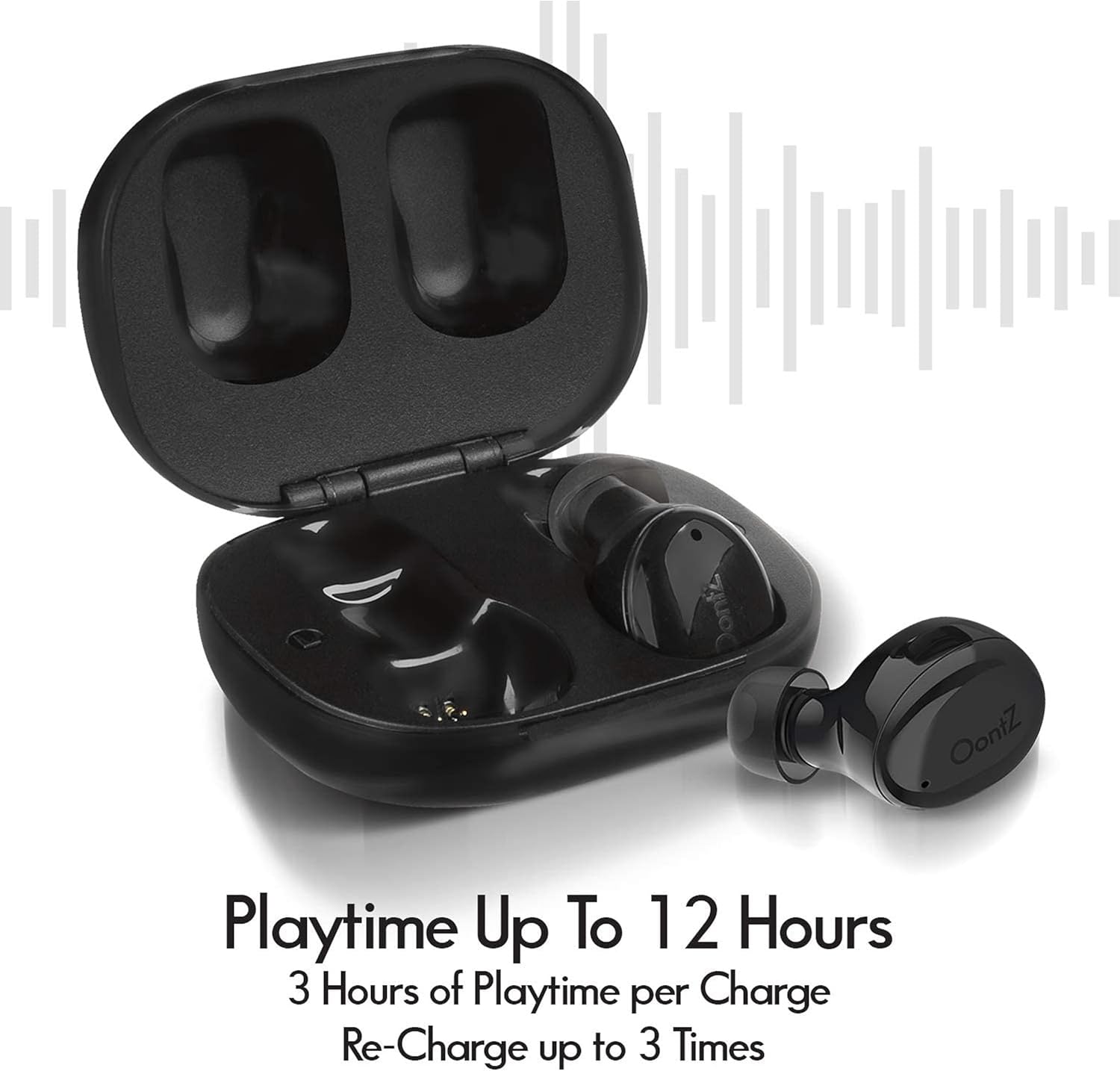
A full charge provides approximately 3 hours of playtime for the earbuds, with the charging case providing an additional 9 hours of playtime (up to 3 full recharges).
2. Bluetooth Pairing
The earbuds utilize Bluetooth 5.0 technology for a stable connection.
- Open the charging case. The earbuds will automatically enter pairing mode.
- On your device (smartphone, tablet, laptop), go to Bluetooth settings and turn Bluetooth on.
- Look for "OontZ True Wireless BudZ" in the list of available devices and select it to connect.
- Once connected, you will hear an audible confirmation, and the indicator light on the earbuds may change.
The earbuds will automatically reconnect to the last paired device when removed from the case, if Bluetooth is enabled on the device.
3. Fitting the Earbuds
Proper fit is crucial for sound quality and comfort.
- Experiment with the three included sizes of in-ear BudZ (ear tips) to find the most comfortable and secure fit for your ears.
- Gently insert each earbud into your ear canal and twist slightly to ensure a snug seal.

Operating Instructions
Basic Controls
The earbuds feature physical buttons for easy control of your audio and calls.
| Function | Action |
|---|---|
| Play/Pause | Press the button on either earbud once. |
| Next Track | Press the button on the right earbud twice. |
| Previous Track | Press the button on the left earbud twice. |
| Answer/End Call | Press the button on either earbud once during an incoming call or active call. |
| Reject Call | Press and hold the button on either earbud for 2 seconds during an incoming call. |
Voice Assistant
Activate your device's voice assistant (e.g., Siri, Google Assistant) directly from the earbuds.
- To activate the voice assistant, press and hold the button on either earbud for 2 seconds.
- You will hear a prompt, then you can speak your command.
Maintenance
Cleaning
Regular cleaning helps maintain optimal performance and hygiene.
- Gently wipe the earbuds and charging case with a soft, dry, lint-free cloth.
- Remove ear tips and clean them with mild soap and water if necessary. Ensure they are completely dry before reattaching.
- Do not use abrasive cleaners, alcohol, or chemical solvents.
Storage
When not in use, store the earbuds in their charging case to protect them and keep them charged.
Water Resistance (IPX5)
The earbuds are IPX5 certified, meaning they are protected against sweat and splashes of water. They are suitable for workouts and light rain.
- Do not submerge the earbuds in water.
- Do not expose them to running water for extended periods.
- Ensure the earbuds are dry before placing them back into the charging case to prevent damage to the charging contacts.

Troubleshooting
No Sound or Intermittent Connection
- Ensure the earbuds are charged.
- Make sure Bluetooth is enabled on your device and the earbuds are paired.
- Try unpairing and re-pairing the earbuds with your device.
- Ensure the earbuds are within the Bluetooth range of your device (typically up to 33 feet or 10 meters).
- Check for interference from other wireless devices.
Earbuds Not Charging
- Ensure the charging cable is securely connected to both the case and the power source.
- Verify the power source is active.
- Clean the charging contacts on both the earbuds and inside the case with a dry cotton swab.
Only One Earbud Playing Sound
- Place both earbuds back into the charging case, close the lid, wait a few seconds, then open the lid and remove them. This often re-syncs them.
- Ensure both earbuds are charged.
- Try resetting the earbuds (refer to specific reset instructions if available in a quick start guide, otherwise, a full charge and re-pairing often resolves this).
Specifications
| Feature | Detail |
|---|---|
| Model Name | OontZ True Wireless BudZ |
| Connectivity Technology | Wireless, Bluetooth 5.0 |
| Water Resistance Level | IPX5 (Sweatproof, Splashproof) |
| Earbud Battery Life | Up to 3 hours per charge |
| Total Playtime (with case) | Up to 12 hours |
| Charging Case Battery Capacity | Provides up to 9 hours additional playtime |
| Charging Interface | USB Type C |
| Frequency Range | 20 Hz - 20,000 Hz |
| Earbud Dimensions (Each) | 0.75" (L) x 1" (W) x 0.75" (H) |
| Charging Case Dimensions | 2" (L) x 1.75" (W) x 0.88" (H) |
| Earbud Weight (Each) | 4g |

Warranty and Support
Cambridge Soundworks products are designed and engineered in the USA. For specific warranty information and customer support, please refer to the official Cambridge Soundworks website or contact their customer service directly. Keep your proof of purchase for warranty claims.
For further assistance, visit the Cambridge Soundworks Store on Amazon.
Related documentsOontZ True Wireless BudZ


Ask a question about this manual
Ask about setup, troubleshooting, compatibility, parts, safety, or missing instructions. Manuals+ will review the question and use this page’s manual context to help answer it.