
1. Product Overview
The Jayron Desktop Digital Countdown Timer (Model B07XYPHMNS) is a versatile timing device designed for various applications, including kitchen use, homework, exercise, and laboratory tasks. It features multiple programmable timers, a clock function, and an adjustable alarm system, all displayed on a large, easy-to-read LCD screen. Its compact design includes magnetic and hanging options for convenient placement.

Figure 1: Front view of the Jayron Desktop Digital Countdown Timer.
2. Setup
2.1 Battery Installation
The timer requires two AAA batteries (not included). To install:
- Locate the battery compartment on the back of the timer.
- Open the battery compartment cover.
- Insert two AAA batteries, ensuring correct polarity (+/-).
- Close the battery compartment cover securely.
2.2 Placement Options
The timer offers flexible placement options:
- Magnetic Adsorption: The back of the timer features magnets, allowing it to be attached to metallic surfaces such as refrigerators, ovens, or whiteboards.
- Hanging Hole: A built-in hanging hole allows the timer to be suspended from a wall hook or bracket.
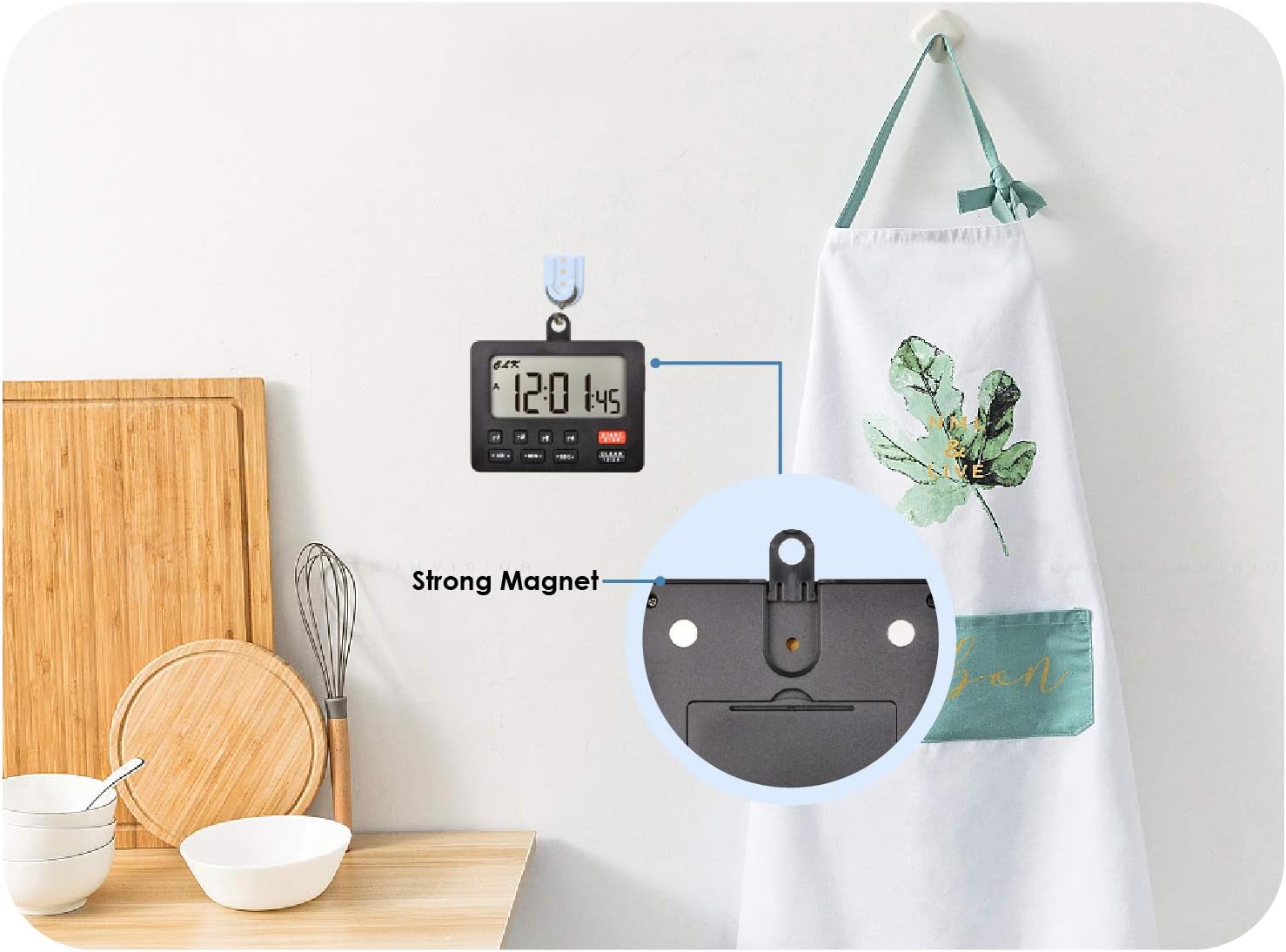
Figure 2: Back view of the timer highlighting magnetic and hanging features for versatile placement.
3. Operating Instructions
3.1 Clock Function
The timer includes a 12/24-hour clock. To set the clock:
- Press the CLEAR 12/24 button to switch between 12-hour and 24-hour formats.
- Press and hold the HR▲ button to adjust the hour.
- Press and hold the MIN▲ button to adjust the minute.
The clock continues to run even when the display is turned off.
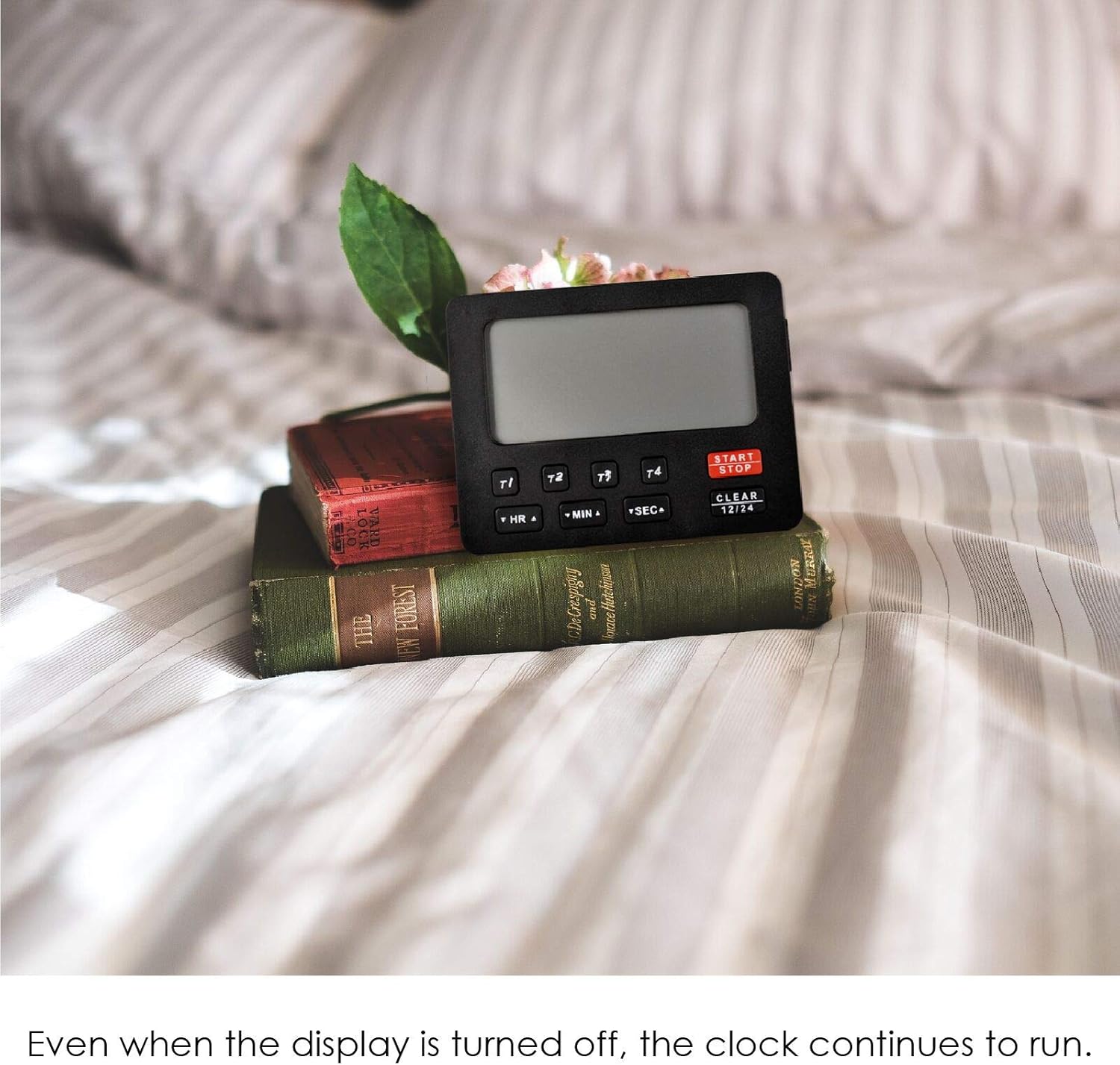
Figure 3: Timer displaying the current time, suitable for various settings.
3.2 Countdown and Count-Up Timers
The device features four independent programmable timers (T1, T2, T3, T4) with a timing range of 99 hours, 59 minutes, and 59 seconds. These timers can operate simultaneously for both countdown and count-up functions.
Setting a Countdown Timer:
- Select a timer (T1, T2, T3, or T4) by pressing its respective button. The selected timer will be indicated on the display.
- Press HR▲ to set the hours, MIN▲ for minutes, and SEC▲ for seconds.
- Press START/STOP to begin the countdown.
- To pause, press START/STOP again. Press it once more to resume.
- To clear a timer setting, select the timer and press CLEAR 12/24.
Using the Count-Up Timer (Stopwatch Function):
- Ensure the selected timer (T1, T2, T3, or T4) is cleared (set to 00:00:00).
- Press START/STOP to begin counting up.
- To pause, press START/STOP again. Press it once more to resume.
- The timer will stop and retain its data automatically when the display is turned off, allowing for direct accumulation in the next cycle.
Video 1: Demonstration of the Jayron Desktop Digital Countdown Timer's features, including countdown and count-up functions, and alarm settings.
3.3 Alarm Settings
The timer features an audible alarm with adjustable volume. Each of the four timers has a distinct sound reminder.
- Volume Control: Use the switch on the side of the timer to select between Low, High, or OFF alarm volume.
- When a countdown timer reaches zero, the buzzer will sound for 1 minute.
- To stop the alarm, press any button on the timer.

Figure 4: Timer in a kitchen environment, illustrating the alarm volume switch on the side.
4. Key Features
- Four Programmable Timers: Monitor up to four different timing events simultaneously with individual countdown and count-up capabilities (T1/T2/T3/T4).
- Wide Timing Range: Each timer can be set for up to 99 hours, 59 minutes, and 59 seconds.
- Clock Function: Integrated 12/24-hour clock with a dedicated setting button. The clock remains active even when the display is off.
- Large LCD Display: Clear and easy-to-read digits for optimal visibility.
- Adjustable Audible Alarm: Choose between Low, High, or OFF volume settings. Each timer has a unique alarm sound. The alarm sounds for 1 minute and can be stopped by pressing any button.
- Memory Function: When the display is turned off, the timer stops and retains the current data for direct accumulation in the next cycle.
- Versatile Placement: Equipped with strong magnets for attachment to metal surfaces and a hanging hole for hooks.
- Power Source: Operates on 2x AAA batteries (not included).
- CE Certification: Ensures compliance with European safety standards.

Figure 5: The timer being used for study, demonstrating its clear display and ease of use.
5. Maintenance
5.1 Cleaning
To clean the timer, wipe it with a soft, damp cloth. Do not use abrasive cleaners or immerse the device in water.
5.2 Battery Replacement
Replace the AAA batteries when the display becomes dim or the timer functions erratically. Follow the battery installation steps in Section 2.1.
6. Troubleshooting
| Problem | Possible Cause | Solution |
|---|---|---|
| Timer does not turn on or display is dim. | Low or depleted batteries; incorrect battery installation. | Replace with fresh AAA batteries, ensuring correct polarity. |
| Alarm is not audible. | Alarm volume set to OFF; low battery. | Check the alarm volume switch on the side and set it to Low or High. Replace batteries if needed. |
| Timer does not start/stop. | Incorrect button press; timer already running/paused. | Ensure you are pressing the START/STOP button for the selected timer. If paused, press again to resume. |
| Timer displays incorrect time. | Clock not set correctly. | Refer to Section 3.1 to reset the clock. |
7. Specifications
- Model: B07XYPHMNS
- Brand: Jayron
- Material: Plastic
- Color: Black
- Item Weight: 78 Grams
- Screen Size: 65 Millimeters (LCD)
- Number of Timers: 4 (T1, T2, T3, T4)
- Timing Range: 99 Hours, 59 Minutes, 59 Seconds
- Clock System: 12/24-hour switchable
- Power Source: 2 x AAA Batteries (not included)
- Certifications: CE
- UPC: 791328973809

Figure 6: Dimensions of the Jayron Desktop Digital Countdown Timer.
8. Warranty and Support
8.1 Warranty Information
This Jayron Desktop Digital Countdown Timer comes with a two-year warranty from the date of purchase. This warranty covers manufacturing defects and malfunctions under normal use. It does not cover damage caused by misuse, accidents, unauthorized modifications, or improper battery installation.
8.2 Customer Support
For technical assistance, warranty claims, or any questions regarding your product, please contact Jayron customer support through the retailer's platform or the official Jayron website. Please have your model number (B07XYPHMNS) and proof of purchase ready when contacting support.