
1. Introduction and Overview
This manual provides essential instructions for the installation, operation, and maintenance of the Red Lion Controls NT24K-8TX-PT 8-Port Gigabit Managed Industrial Ethernet Switch. This device is designed for robust industrial networking applications, offering high-speed data transmission and advanced management capabilities.
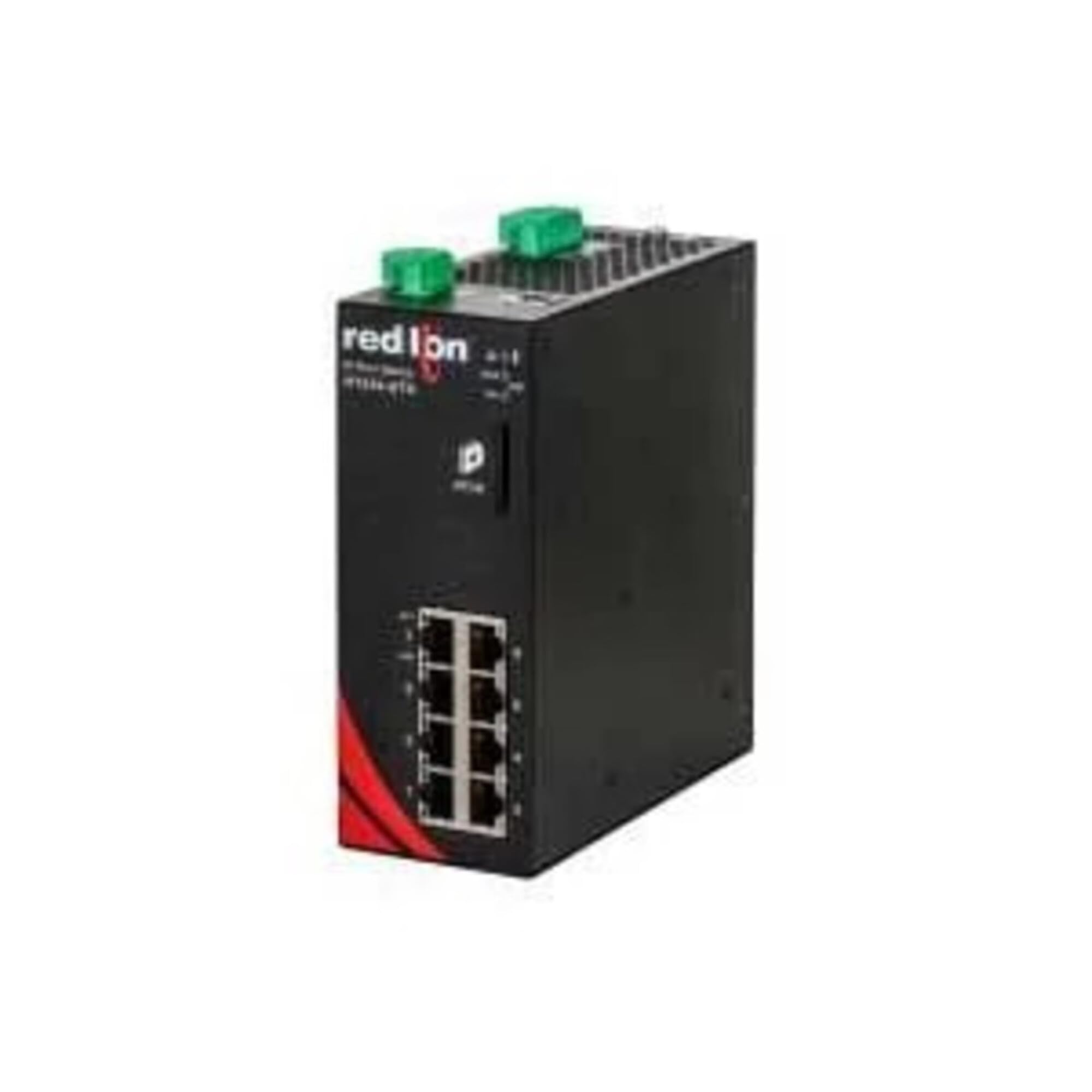
Figure 1.1: Red Lion Controls NT24K-8TX-PT Industrial Ethernet Switch. This image displays the front view of the industrial Ethernet switch, highlighting its compact design and port layout.
The NT24K-8TX-PT features eight 10/100/1000Base-T(X) RJ-45 ports, PTP (Precision Time Protocol) enablement, and operates within a wide temperature range of -40°C to 85°C. It includes ESD and surge protection on all built-in ports, ensuring reliable performance in demanding environments.
2. Key Features
- 8 Gigabit Ethernet Ports: Eight 10/100/1000Base-T(X) RJ-45 ports for high-speed connectivity.
- Wide Operating Temperature: Designed for industrial use with an operating temperature range of -40°C to 85°C.
- Robust Protection: ESD and surge protection on all ports for enhanced durability.
- Auto-Sensing Ports: Automatic detection of network speed and duplex mode.
- Advanced Security: 802.1x with RADIUS Remote Server Authentication and Port Security (MAC address based).
- DHCP Capabilities: DHCP Server, Option 82 relay, Option 61, and IP fallback support.
- Redundant Ring Technology: MultiMember NRing Technology with approximately 30ms healing time and NLink Redundant Ring.
- Network Management: Web configuration interface, IGMP Auto Configuration, 802.1Q tag VLAN, Port VLAN, 802.1p QoS, Port QoS, Port Trunking, Port Mirroring, SNTP, IEEE 1588v2 (PTP).
- Diagnostic Tools: Event Log/Syslog for monitoring and troubleshooting.
- Link Layer Discovery Protocol: 802.1AB-2005 LLDP for network topology discovery.
3. Package Contents
Verify that all items are present and undamaged upon unpacking. If any items are missing or damaged, contact your supplier immediately.
- NT24K-8TX-PT Industrial Ethernet Switch
- Light (as per product specifications, typically an indicator light or accessory)
- Documentation (Quick Start Guide, Safety Information)
4. Setup and Installation
4.1 Safety Precautions
- Ensure power is disconnected before installation or maintenance.
- Install the device in a well-ventilated area, away from heat sources and direct sunlight.
- Avoid exposing the device to moisture or extreme temperatures outside its specified operating range.
- Ground the device properly to prevent electrical hazards.
4.2 Mounting
The NT24K-8TX-PT is designed for industrial environments and typically supports DIN-rail mounting. Refer to the specific mounting instructions provided with the device for secure installation.
- Attach the DIN-rail clip to the rear of the switch (if not pre-attached).
- Hook the top of the DIN-rail clip over the DIN rail.
- Push the bottom of the switch towards the DIN rail until it clicks into place.
4.3 Power Connection
Connect the appropriate industrial power supply to the terminal block on the switch. Ensure the voltage and current ratings match the device's requirements. Observe polarity when connecting DC power.
- Connect the positive (+) wire to the V+ terminal.
- Connect the negative (-) wire to the V- terminal.
- Connect the ground wire to the FG (Frame Ground) terminal.
4.4 Network Connection
Connect standard Ethernet cables (Cat5e or better) from your network devices (e.g., PLCs, HMI, industrial PCs) to the RJ-45 ports on the switch. The ports support auto-negotiation for speed and duplex settings.
5. Operating Instructions
5.1 Powering On
After connecting the power supply, apply power. The power indicator LED on the switch should illuminate, indicating successful power-up. The switch will perform a self-test and initialize its network services.
5.2 Accessing the Web Interface
The NT24K-8TX-PT can be configured and monitored via a web-based management interface. By default, the switch may have a pre-assigned IP address (e.g., 192.168.0.1). Refer to the Quick Start Guide for the default IP address and login credentials.
- Connect a computer to any of the switch's Ethernet ports.
- Configure your computer's IP address to be in the same subnet as the switch's default IP address.
- Open a web browser and enter the switch's IP address in the URL bar.
- Enter the default username and password when prompted.
It is highly recommended to change the default login credentials immediately after initial access for security purposes.
5.3 Monitoring Status (LED Indicators)
The switch features various LED indicators to provide real-time status information:
- Power LED: Indicates power status (On/Off).
- System Status LED: Indicates overall system health.
- Port Link/Activity LEDs: Indicates link status and data activity for each Ethernet port.
Consult the detailed product documentation for a complete description of LED behavior and their meanings.
5.4 Advanced Configuration (via Web Interface)
The web interface allows configuration of advanced features such as:
- VLANs (Virtual Local Area Networks): To segment network traffic.
- QoS (Quality of Service): To prioritize critical network traffic.
- Redundant Ring Protocols: To ensure network uptime.
- PTP (Precision Time Protocol): For accurate time synchronization across the network.
- Port Mirroring: For network traffic analysis.
- Security Settings: MAC address filtering, 802.1X authentication.
Refer to the comprehensive user manual (available from Red Lion Controls website) for detailed instructions on configuring these features.
6. Maintenance
6.1 Cleaning
Periodically clean the exterior of the switch with a soft, dry cloth. Do not use liquid or aerosol cleaners. Ensure ventilation openings are free from dust and debris to maintain proper airflow.
6.2 Firmware Updates
Check the Red Lion Controls website regularly for firmware updates. Firmware updates can provide new features, performance improvements, and security enhancements. Follow the instructions provided with the firmware update package carefully.
6.3 Environmental Considerations
Ensure the operating environment remains within the specified temperature and humidity ranges to prevent damage to the device and ensure optimal performance.
7. Troubleshooting
This section provides solutions to common issues encountered with the NT24K-8TX-PT switch.
7.1 No Power
- Verify that the power supply is correctly connected and providing the correct voltage.
- Check the power source (outlet, circuit breaker).
- Ensure the power terminal block is securely fastened.
7.2 No Network Connectivity
- Check the Ethernet cable connections at both ends.
- Observe the Port Link/Activity LEDs. If they are off, check the cable and the connected device.
- Verify IP address settings on connected devices and the switch.
- Ensure no VLAN or security settings are blocking communication.
7.3 Slow Network Performance
- Check for network loops (ensure redundant ring protocols are correctly configured if used).
- Verify cable quality and length.
- Check for high network utilization or broadcast storms.
- Review QoS settings to ensure critical traffic is prioritized.
7.4 Unable to Access Web Interface
- Confirm your computer's IP address is in the same subnet as the switch.
- Verify the switch's IP address.
- Try pinging the switch's IP address.
- Clear your browser's cache or try a different browser.
- If all else fails, consider performing a factory reset (refer to the full manual for instructions, as this will erase all configurations).
8. Specifications
| Attribute | Value |
|---|---|
| Brand | Red Lion Controls |
| Model | NT24K-8TX-PT |
| Ports | 8 x 10/100/1000Base-T(X) RJ-45 |
| Operating Temperature | -40°C to 85°C |
| International Protection Rating | IP24, IP54 |
| Color | Multicolor |
| Unit Count | 1.0 Count |
| Number of Items | 1 |
| Manufacturer | Red Lion Controls |
| UPC | 725330378314 |
| ASIN | B07XYHZF82 |
| GTIN | 725330378314 |
9. Warranty Information
According to the product specifications, this product is sold with No Warranty. Please consult your vendor or Red Lion Controls for any specific terms or conditions that may apply at the point of purchase.
10. Support Information
For technical assistance, additional documentation, or to report issues, please contact Red Lion Controls customer support or visit their official website. Ensure you have your product model number (NT24K-8TX-PT) and any relevant purchase information ready when seeking support.
Red Lion Controls Official Website: www.redlion.net


