
1. Product Overview
The Masterbuilt Gravity Series 560 Digital Charcoal Grill + Smoker offers versatile cooking options including smoking, grilling, searing, baking, and roasting. Featuring a digital control panel and smart device connectivity, it allows for precise temperature management. The GravityFed charcoal hopper ensures continuous fuel supply for extended cooking times.
Key Features:
- Reaches 225°F in 7 minutes or 700°F in 13 minutes.
- Control temperature and cook time with the digital control panel or a smart device via Wi-Fi or Bluetooth.
- DigitalFan for precise temperature control.
- Built-in temperature gauge and meat probe thermometer for accurate cooking.
- GravityFed hopper holds 10 lbs. of lump charcoal or 16 lbs. of briquettes for 12-15 hours of use.
- Includes reversible smoke + sear cast-iron grates.
- Two porcelain-coated warming/smoking racks provide 560 total square inches of cooking space.

Figure 1: Masterbuilt Gravity Series 560 Digital Charcoal Grill and Smoker.
2. Setup and Assembly
Proper assembly is crucial for the safe and efficient operation of your Masterbuilt Gravity Series 560. Follow the steps carefully as outlined in the assembly video and accompanying instructions.
Assembly Video Guide:
Video 1: Masterbuilt Gravity Series 560 Digital Charcoal Grill + Smoker Assembly. This video provides a step-by-step visual guide for assembling your grill and smoker.
Initial Steps:
- Unpack Components: Carefully remove all parts from the packaging. Ensure all components listed in the manual are present.
- Assemble Base and Legs: Attach the legs and bottom shelf to the main grill body using the provided hardware.
- Install Hopper and Fan Assembly: Secure the GravityFed hopper and digital fan to the side of the grill.
- Attach Side Shelf and Control Panel: Mount the side shelf and digital control panel, ensuring all wiring connections are secure.
- Insert Grates and Heat Manifold: Place the cast-iron grates, warming racks, and heat manifold inside the cooking chamber.
- Connect Power and Probes: Plug in the power cord and connect any temperature probes.

Figure 2: Dimensions and Capacity of the Gravity Series 560. This image illustrates the overall size and cooking area of the unit.
3. Operating Instructions
The Masterbuilt Gravity Series 560 is designed for ease of use, allowing you to achieve precise cooking temperatures with minimal effort.
Digital Control Panel and App Connectivity:
- Set Temperature: Use the digital control panel or the Masterbuilt App on your smart device to set your desired cooking temperature. The DigitalFan will automatically adjust to maintain this temperature.
- Monitor Cook Time: The control panel and app allow you to monitor and set cook times.
- Meat Probe: Utilize the built-in meat probe thermometer for accurate internal temperature readings of your food.

Figure 3: Digital Control Panel. Set desired temperature and cook time directly on the unit.

Figure 4: WiFi + Bluetooth Capability. Control your grill with the Masterbuilt App from your smart device.
Charcoal Loading and Lighting:
- Load Charcoal: Fill the GravityFed hopper with up to 10 lbs. of lump charcoal or 16 lbs. of briquettes.
- Light Charcoal: Place a fire starter in the designated area at the bottom of the hopper and ignite.
- Close Hopper: Ensure the hopper lid is securely closed once charcoal is lit.

Figure 5: Loading Charcoal. Fill the GravityFed hopper with your preferred charcoal type.

Figure 6: Lighting Charcoal. Ignite a fire starter at the base of the hopper to begin the cooking process.
Video 2: Masterbuilt Charcoal Man - Gravity Series. This video demonstrates the process of loading and lighting charcoal, and setting the temperature for smoking.
Video 3: Let Gravity Do the Work. This video highlights the ease of use with the GravityFed hopper and digital temperature control.
4. Cooking Versatility
The Gravity Series 560 is equipped to handle a wide range of cooking styles, from low-and-slow smoking to high-heat searing.
- Smoke + Sear Grates: The reversible cast-iron grates allow you to choose between a ribbed side for smoking and a flat side for searing.
- Warming/Smoking Racks: Utilize the two porcelain-coated racks for additional cooking space or to keep food warm.

Figure 7: Cooking Versatility. Reversible cast-iron smoke + sear grates provide flexibility for various cooking methods.
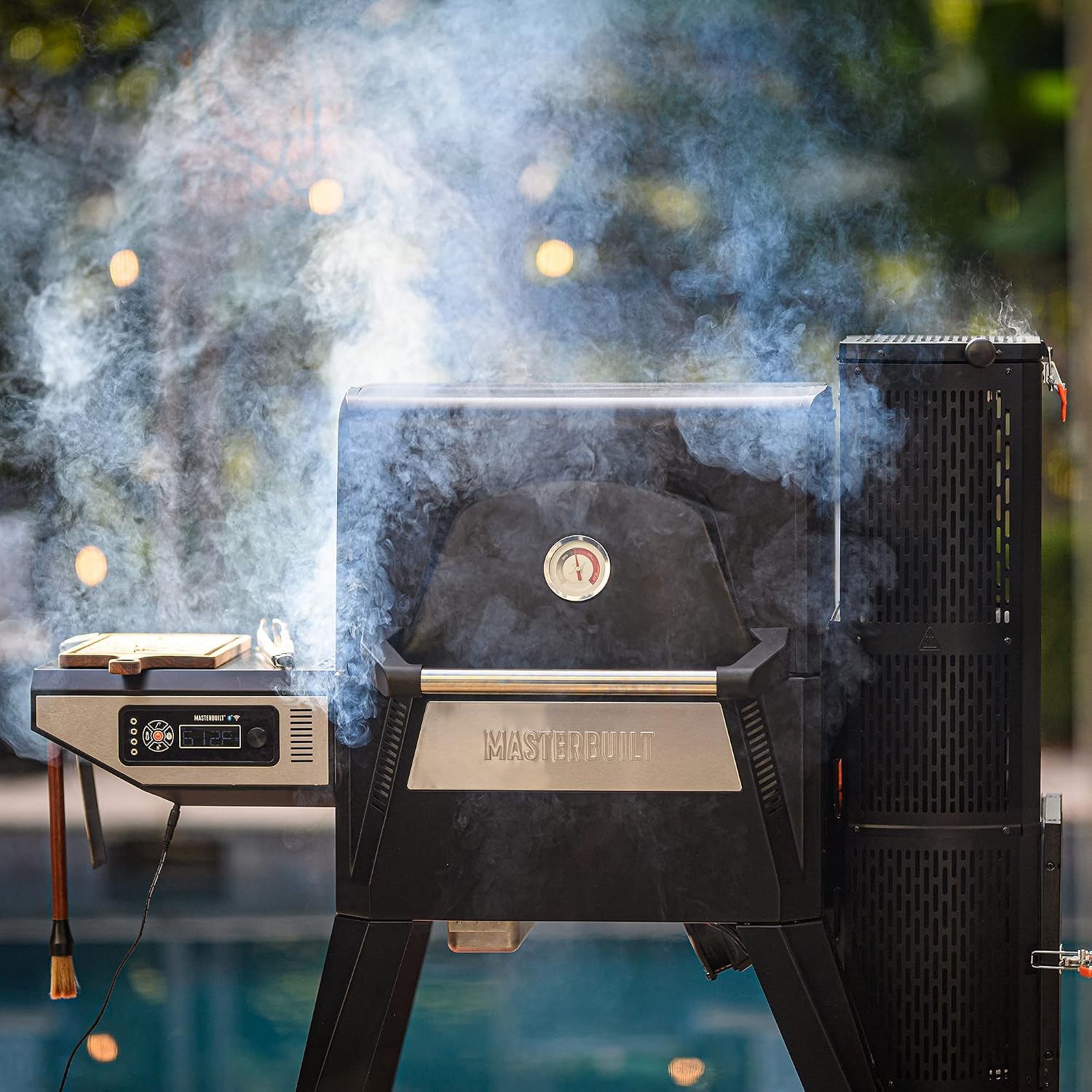
Figure 8: Smoking Food. Achieve rich, smoky flavors with precise temperature control.

Figure 9: Grilling. High heat capabilities allow for perfect searing of meats.
Video 4: Pulled Turkey Sliders - Masterbuilt Gravity Series. This video demonstrates a recipe cooked on the Gravity Series, showcasing its versatility.
5. Maintenance
Regular cleaning and maintenance will ensure the longevity and optimal performance of your grill and smoker.
- Clean Grates: After each use, clean the cast-iron grates to remove food residue.
- Ash Removal: Regularly empty the ash tray located at the bottom of the hopper.
- Exterior Cleaning: Wipe down the exterior surfaces with a damp cloth.
- Cover When Not in Use: Protect your grill from the elements with a suitable grill cover.
6. Troubleshooting
If you encounter issues with your Masterbuilt Gravity Series 560, consider the following common troubleshooting tips:
- Temperature Fluctuations: Ensure the hopper lid and ash door are securely closed. Check for sufficient charcoal supply.
- App Connectivity Issues: Verify your grill is within range of your Wi-Fi network or Bluetooth device. Restart the app and the grill's control panel if necessary.
- Fan Not Operating: Check all electrical connections and ensure the power cord is securely plugged in.
- Charcoal Not Lighting: Ensure fire starters are properly placed and ignited. Check for any blockages in the charcoal chute.
For more detailed troubleshooting, refer to the full product manual or contact Masterbuilt customer support.
7. Specifications
| Brand | Masterbuilt |
| Model Name | Gravity Series 560 |
| Model Number | MB20040220 |
| Power Source | Charcoal |
| Color | Black |
| Outer Material | Iron |
| Item Weight | 147 pounds |
| Product Dimensions | 24"D x 51"W x 53"H |
| Fuel Type | Charcoal |
| Cooking Space | 560 total square inches |
8. Warranty and Support
For detailed warranty information, product registration, and customer support, please visit the official Masterbuilt website or contact their customer service department. Keep your purchase receipt for warranty claims.
Online Resources: Visit the Masterbuilt Store on Amazon


