
EKSA ET04
Contents
EKSA Bluetooth 5.0 Adapter User Manual
Model: ET04
Introduction
This manual provides detailed instructions for the EKSA Bluetooth 5.0 Adapter, Model ET04. This versatile device functions as a Bluetooth transmitter, receiver, and bypass unit, designed to enhance your audio experience with various devices such as TVs, PCs, home theater systems, headphones, and speakers.
Please read this manual thoroughly before using the product to ensure proper operation and to maximize its capabilities.

Figure 1: EKSA Bluetooth 5.0 Adapter (Model ET04) with dual antennas.
Package Contents
Verify that all items are present in the package:
- 1 x EKSA BT04 Bluetooth Transmitter/Receiver
- 1 x Optical Digital Cable
- 1 x USB Charging Cable
- 1 x 3.5mm Audio Cable
- 1 x RCA Audio Cable
- 1 x User Manual
- 1 x Product Box

Figure 2: Included accessories and main unit in the package.
Key Features
- 3-in-1 Functionality: Operates as a Bluetooth Transmitter (TX), Bluetooth Receiver (RX), or a direct Bypass unit.
- Extended Range: Class 1 Bluetooth technology provides up to 50 meters (164 feet) outdoors and 20 meters (65 feet) indoors.
- aptX Low Latency: Minimizes audio delay for synchronized sound with video, ideal for watching movies. (Note: Receiving device must also support aptX Low Latency for optimal performance).
- High-Quality Audio: Supports aptX HD for 24-bit, 48 kHz audio, delivering lossless sound quality.
- Dual Link: Connects two Bluetooth headphones or speakers simultaneously in Transmitter mode.
- Multiple Audio Inputs/Outputs: Supports Optical (TOSLINK), RCA, and 3.5mm AUX audio connections.
- Advanced Chipset: Utilizes the Qualcomm CSR8675 chip for stable and efficient Bluetooth 5.0 connectivity.
- NFC Pairing: Simplifies pairing with compatible devices.

Figure 3: Multifunctional 3-in-1 Bluetooth Adapter modes: Transmitter (TX), Bypass, and Receiver (RX).
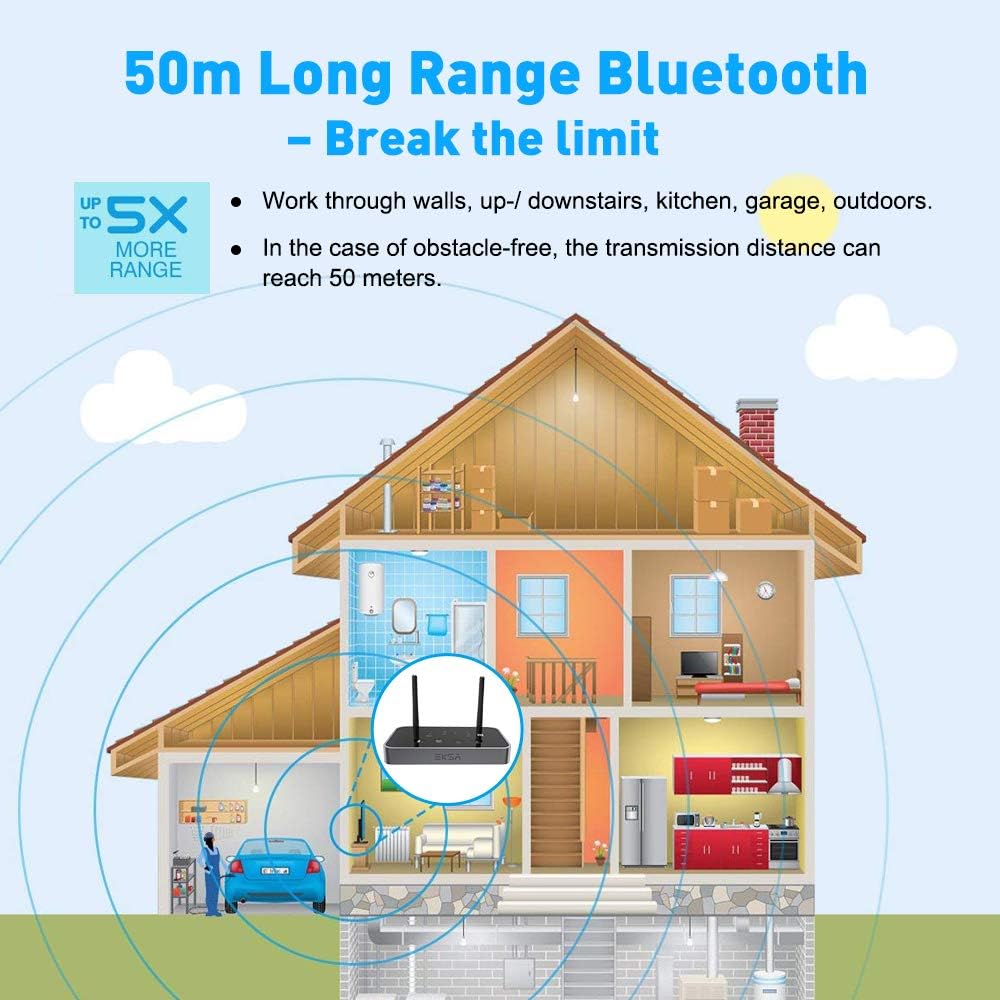
Figure 4: The adapter's extended range, capable of transmitting through obstacles up to 50 meters in open areas.
Setup Guide
Device Overview

Figure 5: Front and rear views of the adapter, highlighting the AUX/OPT switch, volume controls, quick pairing mode button, and input/output ports (TOSLINK, AUX, RCA).
Powering On the Device
- Connect the provided USB charging cable to the adapter's power input port.
- Connect the other end of the USB cable to a 5V USB power adapter (not included) or a USB port on your device (e.g., TV, PC).
- The device will power on automatically.
Connecting Audio Cables
The EKSA adapter supports Optical (TOSLINK), RCA, and 3.5mm AUX audio connections. Choose the appropriate cable based on your source and destination devices.
- Optical (TOSLINK): For high-quality digital audio transmission. Connect the optical cable to the "Optical In" or "Optical Out" port on the adapter and your audio device. Note: Ensure your TV's audio settings are set to PCM format, as the adapter does not support Dolby/DTS in optical mode.
- RCA: For analog audio transmission, typically used with older TVs or audio receivers. Connect the RCA cable to the "RCA In" or "RCA Out" ports.
- 3.5mm AUX: For standard analog audio connections, common with headphones, smartphones, and computers. Connect the 3.5mm AUX cable to the "AUX In" or "AUX Out" port.
Operating Modes
The EKSA adapter features three operating modes: Transmitter (TX), Receiver (RX), and Bypass. Use the mode switch on the side of the device to select the desired mode.
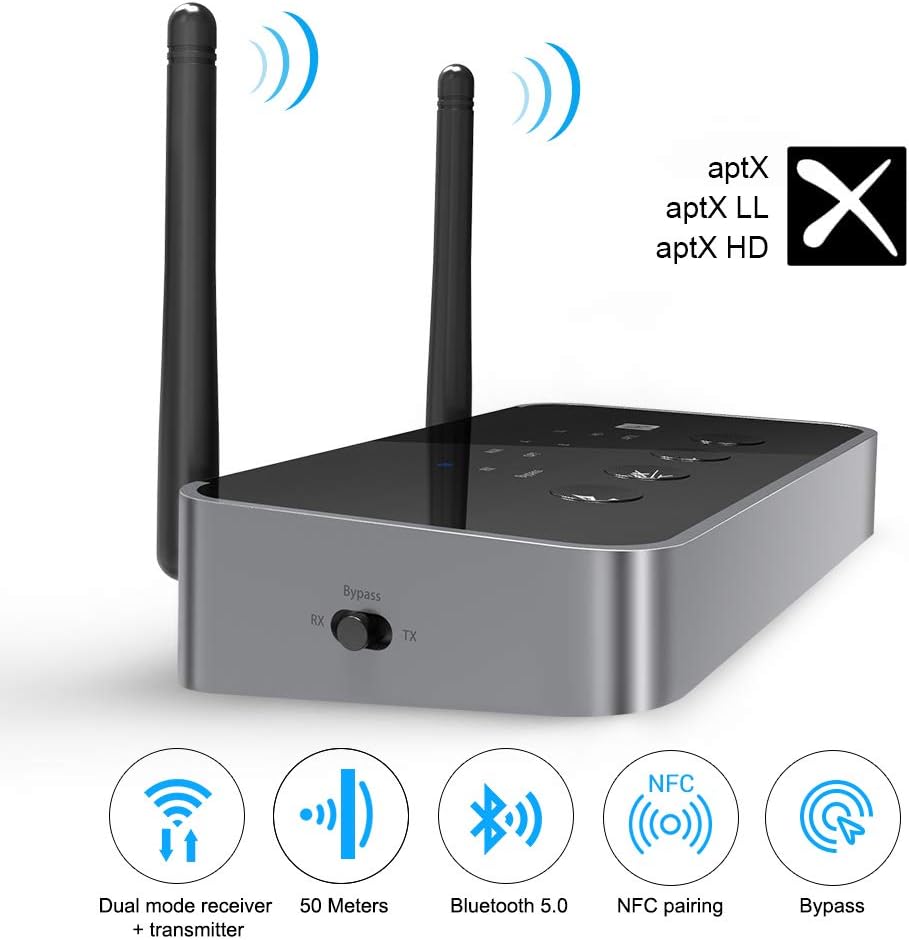
Figure 6: Key features of the adapter including dual mode, extended range, Bluetooth 5.0, NFC, and bypass.
1. Transmitter (TX) Mode
In TX mode, the adapter transmits audio wirelessly from a non-Bluetooth device (e.g., TV, PC) to Bluetooth-enabled headphones or speakers.
- Set the mode switch to TX.
- Connect the adapter's audio input (Optical, RCA, or AUX) to your non-Bluetooth audio source (e.g., TV's audio output).
- Press the quick pairing mode button (Bluetooth icon) on the adapter to enter pairing mode. The indicator light will flash.
- Put your Bluetooth headphones or speakers into pairing mode.
- The adapter will automatically search for and connect to your Bluetooth device. Once connected, the indicator light will turn solid.
- To connect a second device, press the quick pairing mode button again and put the second device into pairing mode.

Figure 7: Dual Link feature in Transmitter mode, allowing two Bluetooth headphones to connect simultaneously for shared audio experience.

Figure 8: Demonstrates the use of the adapter for high-quality audio streaming (24-bit 48 kHz aptX HD) from a TV to Bluetooth headphones.
2. Receiver (RX) Mode
In RX mode, the adapter receives Bluetooth audio from your smartphone, tablet, or PC and outputs it to non-Bluetooth speakers or a home stereo system.
- Set the mode switch to RX.
- Connect the adapter's audio output (Optical, RCA, or AUX) to your non-Bluetooth audio system (e.g., speakers, AV receiver).
- Press the quick pairing mode button (Bluetooth icon) on the adapter to enter pairing mode. The indicator light will flash.
- On your smartphone, tablet, or PC, enable Bluetooth and search for "EKSA ET04" (or similar).
- Select "EKSA ET04" to pair. Once connected, the indicator light will turn solid.
- You can now stream audio from your Bluetooth device to your connected speakers.
3. Bypass Mode
Bypass mode allows a direct wired connection between your audio source and destination, passing audio through the adapter without Bluetooth conversion. This is useful if you want to switch between wired and wireless audio without re-plugging cables.
- Set the mode switch to Bypass.
- Connect your audio source (e.g., TV) to the adapter's input port (Optical, RCA, or AUX).
- Connect the adapter's output port (Optical, RCA, or AUX) to your audio destination (e.g., soundbar, speakers).
- Audio will now pass directly from the source to the destination via the adapter's wired connection.
Using the AUX/OPT Switch
The AUX/OPT switch on the front panel allows you to select between the analog (AUX/RCA) and digital (Optical) audio inputs/outputs when in TX or RX mode.
- Press the button to toggle between AUX/RCA and Optical.
- Ensure the correct input/output type is selected for your connected cables.
Volume Control
Use the '+' and '-' buttons on the front panel to adjust the volume of the audio output. These buttons can also function as track navigation controls (Next Track/Previous Track) depending on the connected device and mode.
Maintenance and Care
- Keep the device dry. Avoid exposure to water or excessive humidity.
- Do not expose the device to extreme temperatures.
- Clean the device with a soft, dry cloth. Do not use harsh chemicals or abrasive cleaners.
- Avoid dropping or subjecting the device to strong impacts.
- Do not attempt to disassemble or repair the device yourself. This will void the warranty.
- Store the device in a cool, dry place when not in use for extended periods.
Troubleshooting
| Problem | Possible Cause | Solution |
|---|---|---|
| No power/Device not turning on. | USB cable not connected properly or power source issue. | Ensure the USB cable is securely connected to both the adapter and a working 5V USB power source. Try a different USB port or power adapter. |
| Cannot pair with Bluetooth device. | Adapter not in pairing mode; Bluetooth device too far; Interference; Bluetooth device already connected to another unit. |
|
| No audio output/input. | Incorrect mode selected; Wrong audio cable connected; Incorrect AUX/OPT selection; TV audio settings (for Optical). |
|
| Audio delay (lip sync issues). | Receiving device does not support aptX Low Latency. | For minimal delay, both the adapter and your Bluetooth headphones/speakers must support aptX Low Latency. If not, a slight delay (70-220ms) may be noticeable. |
| Limited range or intermittent connection. | Obstacles (walls, people); Interference from other wireless devices (Wi-Fi routers); Receiving device has short internal antenna. |
|
Specifications
| Feature | Detail |
|---|---|
| Model Number | ET04 |
| Bluetooth Version | 5.0 |
| Bluetooth Chipset | Qualcomm CSR8675 |
| Bluetooth Profiles | A2DP, AVRCP |
| Audio Codecs | aptX HD, aptX Low Latency, aptX, SBC |
| Operating Range | Up to 50m (164ft) outdoors, 20m (65ft) indoors (Class 1) |
| Audio Inputs/Outputs | Optical (TOSLINK), RCA, 3.5mm AUX |
| Audio Output Mode | Stereo |
| Surround Sound Channel Configuration | 5.1 (Note: This refers to pass-through capability, actual Bluetooth audio is stereo) |
| Dimensions (L x W x H) | 13.5 x 7 x 2.64 cm (5.31 x 2.76 x 1.04 inches) |
| Weight | 125 grams (0.28 lbs) |
| Power Input | DC 5V (via USB) |
| Compatible Devices | TVs, PCs, Home Stereo Systems, Headphones, Speakers, Smartphones, Tablets |
Important Note on 5.1 Surround Sound: While the device may list 5.1 channel configuration, this typically refers to its ability to pass through a 5.1 signal via wired connections (Optical/RCA). Bluetooth audio transmission is generally limited to stereo (2.0 channels).
Warranty and Support
EKSA products are designed for reliability and performance. For warranty information and technical support, please refer to the contact details provided on the EKSA official website or the warranty card included with your product.
If you encounter any issues not covered in this manual, please contact EKSA customer support for assistance. Provide your model number (ET04) and a detailed description of the problem.
For the latest information and support, visit the official EKSA store: EKSA Store on Amazon
Documents and downloads
Ask a question about this manual
Ask about setup, troubleshooting, compatibility, parts, safety, or missing instructions. Manuals+ will review the question and use this page’s manual context to help answer it.