
Phomemo PM-M110-3020
Phomemo Thermal Labels Instruction Manual
Model: PM-M110-3020 (1.18" x 0.79", 320 Labels/Roll, Black on White)
1. Introduction
This manual provides essential information for the proper use and care of Phomemo Thermal Labels, model PM-M110-3020. These labels are designed for use with compatible Phomemo thermal label printers, offering a convenient and inkless printing solution for various applications.

Image 1.1: Phomemo thermal label roll (1.18" x 0.79") and its packaging, indicating high quality thermal label paper.
2. Product Features
- Dimensions: 1.18 inches x 0.79 inches (30mm x 20mm).
- Quantity: 320 labels per roll.
- Color: Black print on white labels.
- Durability: Water resistant, oil resistant, and abrasion resistant.
- Adhesion: Features strong self-adhesive backing.
- Safety: BPA free material.
- Printing Technology: Direct thermal print, requiring no ink or toner.
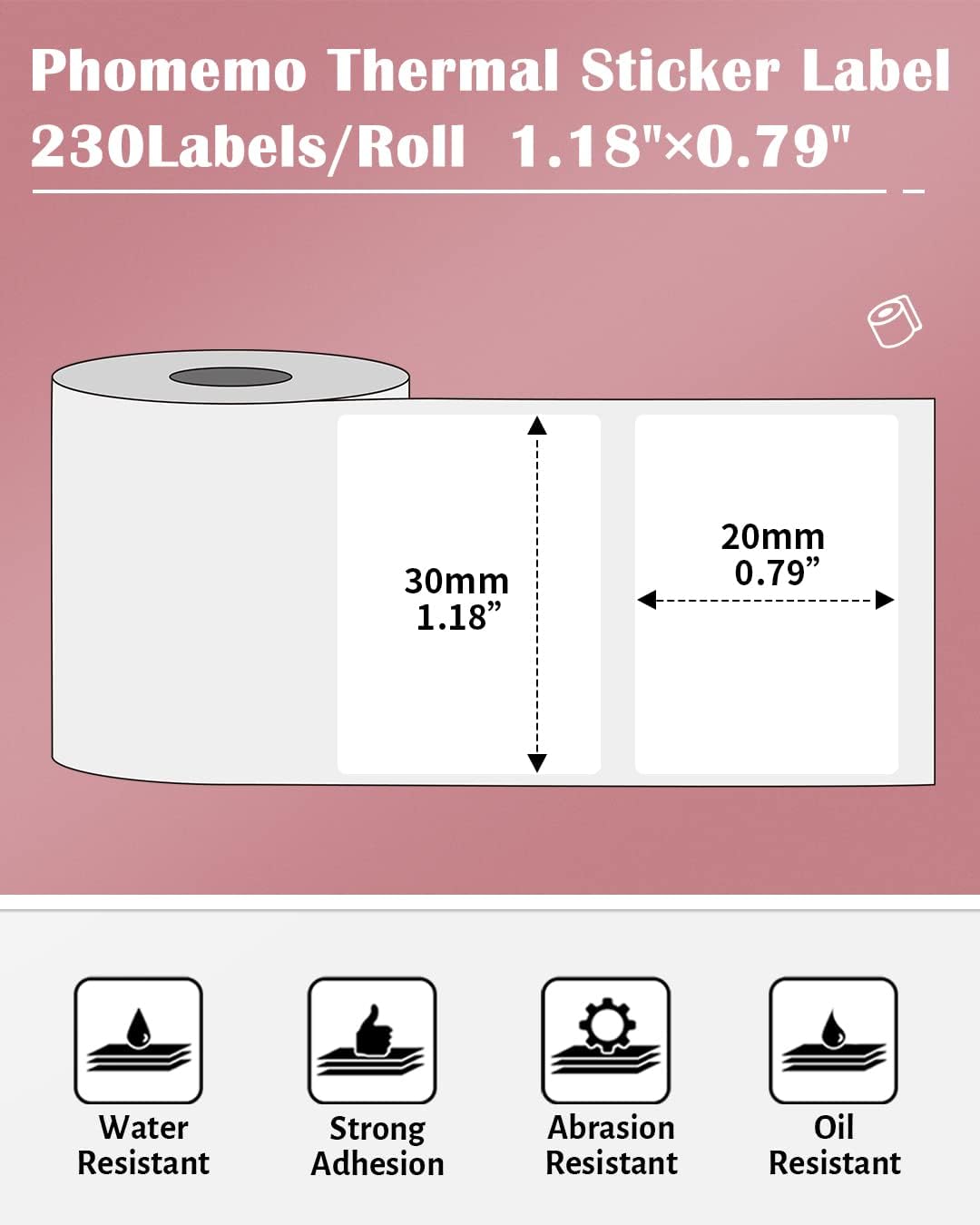
Image 2.1: Diagram illustrating the dimensions (30mm x 20mm) and key features of Phomemo thermal labels: water resistant, strong adhesion, abrasion resistant, and oil resistant.

Image 2.2: Illustration of inkless thermal label technology, showing the colorless thermal coating and flexible label material, highlighting oil resistance, strong adhesion, abrasion resistance, and water resistance.
3. Compatibility
These thermal labels are compatible with the following Phomemo mini thermal label printers:
- Phomemo M110
- Phomemo M220
- Phomemo M221
- Phomemo M200
- Phomemo M120
- Phomemo M150
- Phomemo M250
- Phomemo M260
- Phomemo M100
- Phomemo M108
- Phomemo M160

Image 3.1: Various Phomemo label printers compatible with these thermal labels, including models M110, M100, M220, M108, M260, M250, M150, M160, M120, and M221.
4. Usage Instructions
4.1. Setup and Loading
- Open Printer Cover: Gently open the cover of your compatible Phomemo thermal label printer.
- Insert Label Roll: Place the label roll into the printer's label compartment. Ensure the labels are facing the correct direction for printing (usually with the printable side facing up or towards the print head, as indicated by your printer's specific instructions).
- Feed Labels: Pull a small section of the labels out past the print head and close the printer cover. The printer should automatically detect the label gap and calibrate.
- Connect to App: Ensure your Phomemo printer is connected to its dedicated mobile application via Bluetooth.
4.2. Operating
- Design Label: Use the Phomemo app to design your label. You can add text, images, barcodes, and other elements.
- Select Label Size: In the app settings, select the correct label size (1.18" x 0.79" or 30x20mm) to ensure proper alignment and printing.
- Print: Send the print command from the app to your printer.
- Peel and Apply: Once printed, carefully peel the label from its backing and apply it to your desired surface. The strong adhesive ensures secure attachment.

Image 4.1: Examples of multipurpose label applications, including address labels, jar labels, business product labels, and thank you card tags.
5. Maintenance
These thermal labels require minimal maintenance. Ensure they are handled with clean, dry hands to prevent smudges or damage to the thermal coating.

Image 5.1: Visual representation of the labels' durability, demonstrating their waterproof, oil-proof, and scratch-resistant properties.
6. Storage
Proper storage is crucial to maintain the quality and longevity of your thermal labels. Refer to the guidelines below:
- Store in a cool and ventilated area.
- Avoid direct sunlight exposure.
- Application environment: Indoor.
- Labeling temperature: -5°C to 40°C (23°F to 104°F).
- Optimal storage humidity: 20% - 85%.
- The expected shelf life is up to 20 years under normal temperature and away from light.

Image 6.1: A close-up of the label packaging, detailing important storage notes regarding temperature, humidity, and light exposure for optimal label longevity.
7. Specifications
| Attribute | Detail |
|---|---|
| Brand | Phomemo |
| Model Number | PM-M110-3020 |
| Label Size | 1.18" x 0.79" (30mm x 20mm) |
| Labels per Roll | 320 |
| Color | Black print on White labels |
| Material Type | Paper, Polyvinyl Chloride, Rubber |
| Shape | Rectangular |
| Item Weight | 1.44 ounces |
| Ink Color (Print Color) | Black |
8. Troubleshooting
If you encounter issues while using your Phomemo thermal labels, consider the following common solutions:
- Faint or Incomplete Print:
- Ensure your printer's battery is sufficiently charged or connected to power. Low battery can affect print quality.
- Check if the label roll is inserted correctly with the thermal side facing the print head.
- Clean the print head of your printer according to its specific maintenance instructions.
- Labels Not Feeding Correctly:
- Verify the label roll is properly seated in the compartment and not jammed.
- Ensure the printer cover is fully closed.
- Check for any obstructions in the label path.
- Incorrect Label Size Detected:
- Confirm that the label size selected in the Phomemo app matches the physical labels being used.
- Some printers require manual calibration or a specific feeding sequence to detect new label sizes. Refer to your printer's manual.
9. Support and Contact Information
For further assistance or inquiries, please contact Phomemo customer support:
- Manufacturer: Zhuhai QUIN Graphics Co., LTD
- Address: No.1, Cuizhu 4th Street, Qianshan, Xiangzhou District, Zhuhai City, Guangdong, P.R. China
- Email: support@phomemo.com
- Website: www.phomemo.com

Image 9.1: The back of the label packaging, displaying manufacturer details, address, email, and website for support.
Related documentsPM-M110-3020


Ask a question about this manual
Ask about setup, troubleshooting, compatibility, parts, safety, or missing instructions. Manuals+ will review the question and use this page’s manual context to help answer it.