
Introduction
Thank you for purchasing the Technical Pro BOOM4 Portable Bluetooth Companion Speaker. This manual provides essential information for the safe and efficient operation of your device. Please read it thoroughly before use and retain it for future reference.
Safety Instructions
- Do not expose the speaker to extreme temperatures, direct sunlight, or high humidity.
- Avoid dropping or subjecting the speaker to strong impacts.
- Do not disassemble or attempt to repair the speaker yourself. Refer all servicing to qualified personnel.
- Keep the speaker away from water and other liquids. This product is not waterproof.
- Use only the specified charging accessories.
- Clean the speaker with a soft, dry cloth. Do not use abrasive cleaners.
Package Contents
- Technical Pro BOOM4 Portable Bluetooth Speaker
- USB Charging Cable
- User Manual (this document)
Product Overview
The Technical Pro BOOM4 is a compact and portable Bluetooth speaker designed for versatile audio playback. It features Bluetooth connectivity, FM radio, USB and MicroSD card inputs, and an integrated LED woofer.
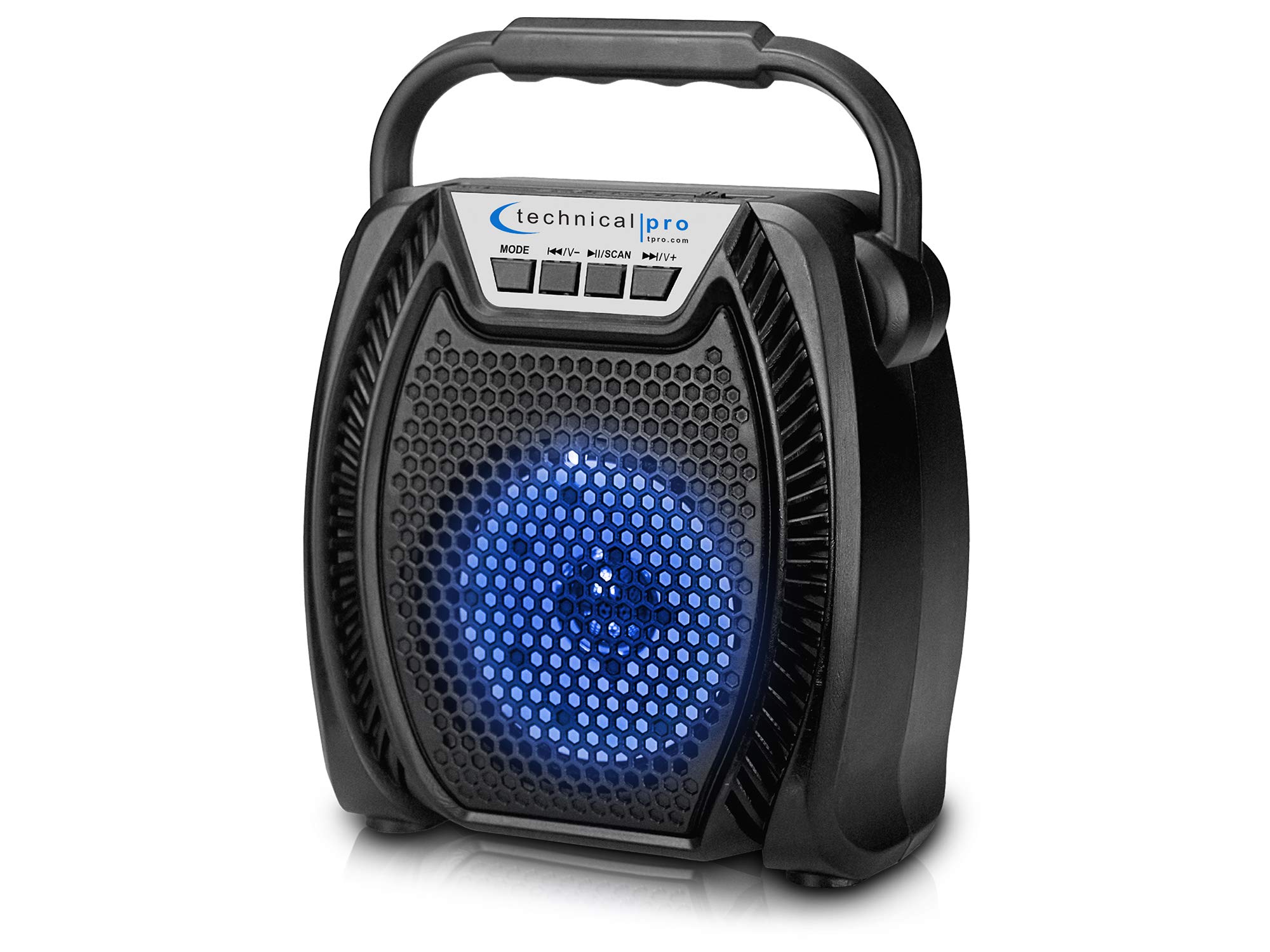
Image: The Technical Pro BOOM4 speaker, showcasing its portable design and illuminated green LED woofer, set against a beach background. This image highlights the speaker's aesthetic and portability.
Setup
1. Charging the Speaker
Before initial use, fully charge the BOOM4 speaker. Connect the supplied USB charging cable to the speaker's charging port and the other end to a USB power adapter (not included) or a computer's USB port.
- The charging indicator light will illuminate during charging.
- The indicator light will change or turn off once charging is complete.
- A full charge typically takes approximately 2-3 hours.
2. Power On/Off
- To power on the speaker, press and hold the POWER button until the LED lights illuminate and you hear an audible prompt.
- To power off the speaker, press and hold the POWER button again until the LED lights turn off.
Operating Instructions
1. Control Panel Overview

Image: A detailed view of the Technical Pro BOOM4's control panel, showing the buttons for MODE, previous track/volume down, play/pause/scan, and next track/volume up. The speaker's woofer is illuminated with a purple LED light.
- MODE Button: Press to switch between Bluetooth, FM Radio, USB, MicroSD, and Auxiliary input modes.
- K/V- Button: Press briefly for previous track (Bluetooth/USB/MicroSD) or previous station (FM). Press and hold to decrease volume.
- ►► /SCAN Button: Press briefly to play/pause (Bluetooth/USB/MicroSD). In FM mode, press and hold to auto-scan and save available radio stations.
- ►► /V+ Button: Press briefly for next track (Bluetooth/USB/MicroSD) or next station (FM). Press and hold to increase volume.
2. Bluetooth Pairing
- Power on the BOOM4 speaker. It will automatically enter Bluetooth pairing mode, indicated by a flashing LED light and an audible prompt.
- Enable Bluetooth on your mobile device (smartphone, tablet, etc.).
- Search for available Bluetooth devices and select "BOOM4" from the list.
- Once paired, the LED light will stop flashing, and you will hear a confirmation sound.
- You can now play audio from your device through the BOOM4 speaker.
3. FM Radio Operation
- Press the MODE button to switch to FM Radio mode.
- Press and hold the ►► /SCAN button to automatically scan and save all available FM radio stations. This process may take a few minutes.
- Once scanning is complete, use the K/V- and ►► /V+ buttons to navigate between saved stations.
4. USB/MicroSD Playback
- Insert a USB flash drive or MicroSD card (with MP3 audio files) into the corresponding port on the speaker.
- The speaker will automatically switch to USB or MicroSD mode and begin playing audio. If not, press the MODE button to select the correct input.
- Use the K/V- and ►► /V+ buttons to skip tracks and the ►► /SCAN button to play/pause.
5. Auxiliary Input (AUX)
- Connect an external audio device (e.g., MP3 player, smartphone) to the speaker's AUX input port using a 3.5mm audio cable (not included).
- Press the MODE button to switch to AUX mode.
- Control playback and volume from your connected audio device.
6. LED Lights
The BOOM4 features an integrated LED woofer that illuminates during operation. The LED lights cycle through various colors automatically. There is no specific control for the LED light patterns or to turn them off independently.
Maintenance
- Cleaning: Use a soft, dry cloth to wipe the exterior of the speaker. Do not use liquid cleaners or solvents.
- Storage: When not in use for extended periods, store the speaker in a cool, dry place, away from direct sunlight and extreme temperatures.
- Battery Care: To prolong battery life, avoid fully discharging the battery frequently. Charge the speaker regularly, even if not in use.
Troubleshooting
| Problem | Possible Solution |
|---|---|
| Speaker does not power on. | Ensure the battery is charged. Connect the speaker to a power source using the USB cable. |
| No sound. | Check the volume level on both the speaker and the connected device. Ensure the correct input mode is selected. |
| Cannot pair via Bluetooth. | Ensure the speaker is in Bluetooth mode and discoverable. Turn off and on Bluetooth on your device. Move the speaker closer to your device. |
| FM radio reception is poor. | Relocate the speaker to an area with better signal. Perform an auto-scan again. |
Specifications
- Model: BOOM4
- Brand: Technical Pro
- Connectivity: Bluetooth, USB, MicroSD, AUX (3.5mm)
- Speaker Type: Woofer
- Woofer Diameter: 4 inches
- Power Source: Built-in Rechargeable Battery
- Control Method: Push Button
- Additional Features: FM Radio, LED Woofer
- Item Weight: 0.27 g (approx.)
Warranty and Support
For warranty information or technical support, please refer to the documentation provided at the time of purchase or visit the official Technical Pro website. Keep your proof of purchase for warranty claims.
Official Technical Pro Website: www.tpro.com