
Introduction
The IK Multimedia iRig Keys 2 Pro is a portable MIDI keyboard controller designed for musicians and producers on the go. Featuring 37 velocity-sensitive full-size keys, it offers a responsive playing experience across various platforms including iPhone, iPad, Mac, PC, and Android devices. This manual provides essential information for setting up, operating, maintaining, and troubleshooting your iRig Keys 2 Pro.
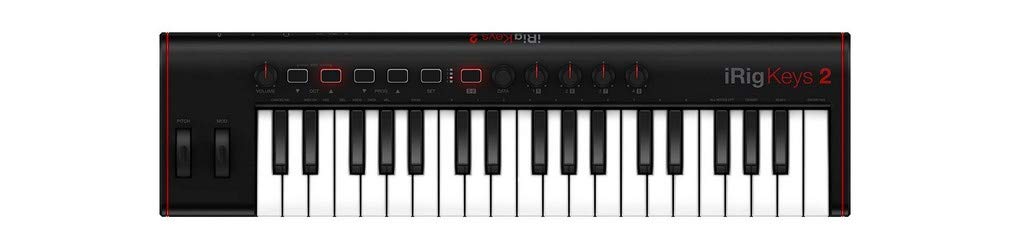
Figure 1: The IK Multimedia iRig Keys 2 Pro portable MIDI controller.
Setup
1. Unpacking and Initial Inspection
Carefully remove your iRig Keys 2 Pro from its packaging. Ensure all included components are present: the iRig Keys 2 Pro unit, USB connection cables (USB-A to Micro-USB, USB-C to Micro-USB, Lightning to Micro-USB), and a 2.5mm TRS to MIDI adapter. Inspect the unit for any signs of damage.
2. Connecting to Your Device
The iRig Keys 2 Pro is compatible with a wide range of devices. Use the appropriate cable to connect the Micro-USB port on the iRig Keys 2 Pro to your computer or mobile device.
- For Mac/PC: Use the USB-A to Micro-USB cable to connect to a standard USB port on your computer.
- For iPhone/iPad (Lightning): Use the Lightning to Micro-USB cable.
- For iPad Pro/Android (USB-C): Use the USB-C to Micro-USB cable.
- Power Bank (Optional): The iRig Keys 2 Pro can be powered by a USB power bank via its dedicated Micro-USB power input, allowing for extended use with mobile devices without draining their battery.

Figure 2: The iRig Keys 2 Pro connected to a laptop and mobile device, demonstrating its versatile connectivity.
3. Software Installation
The iRig Keys 2 Pro includes a license for SampleTank 4 SE for Mac/PC. Register your product on the IK Multimedia website to download and install the software. For mobile devices, download compatible music creation apps from your device's app store.
Video 1: Official product video demonstrating the iRig Keys 2 Pro in use, highlighting its features and connectivity.
Operating Instructions
1. Basic Operation
Once connected, the iRig Keys 2 Pro functions as a standard MIDI controller. The 37 velocity-sensitive full-size keys transmit MIDI note data to your connected device or MIDI gear.
2. Controls and Functions
- Volume Knob: Adjusts the overall output volume.
- Octave Up/Down Buttons: Shift the keyboard's octave range.
- Pitch Bend Wheel: Modifies the pitch of played notes.
- Modulation Wheel: Adds modulation effects (e.g., vibrato) to notes.
- Assignable Knobs (x4): These knobs can be assigned to control various parameters within your music software or external MIDI devices. Refer to your software's manual for MIDI learn functions.
- MIDI In/Out (2.5mm TRS): Connect external MIDI hardware using the included 2.5mm TRS to MIDI adapter. This allows the iRig Keys 2 Pro to control or be controlled by other MIDI devices.
- Headphone Output: A 3.5mm headphone jack allows for private monitoring of your audio, especially useful when connected to mobile devices.
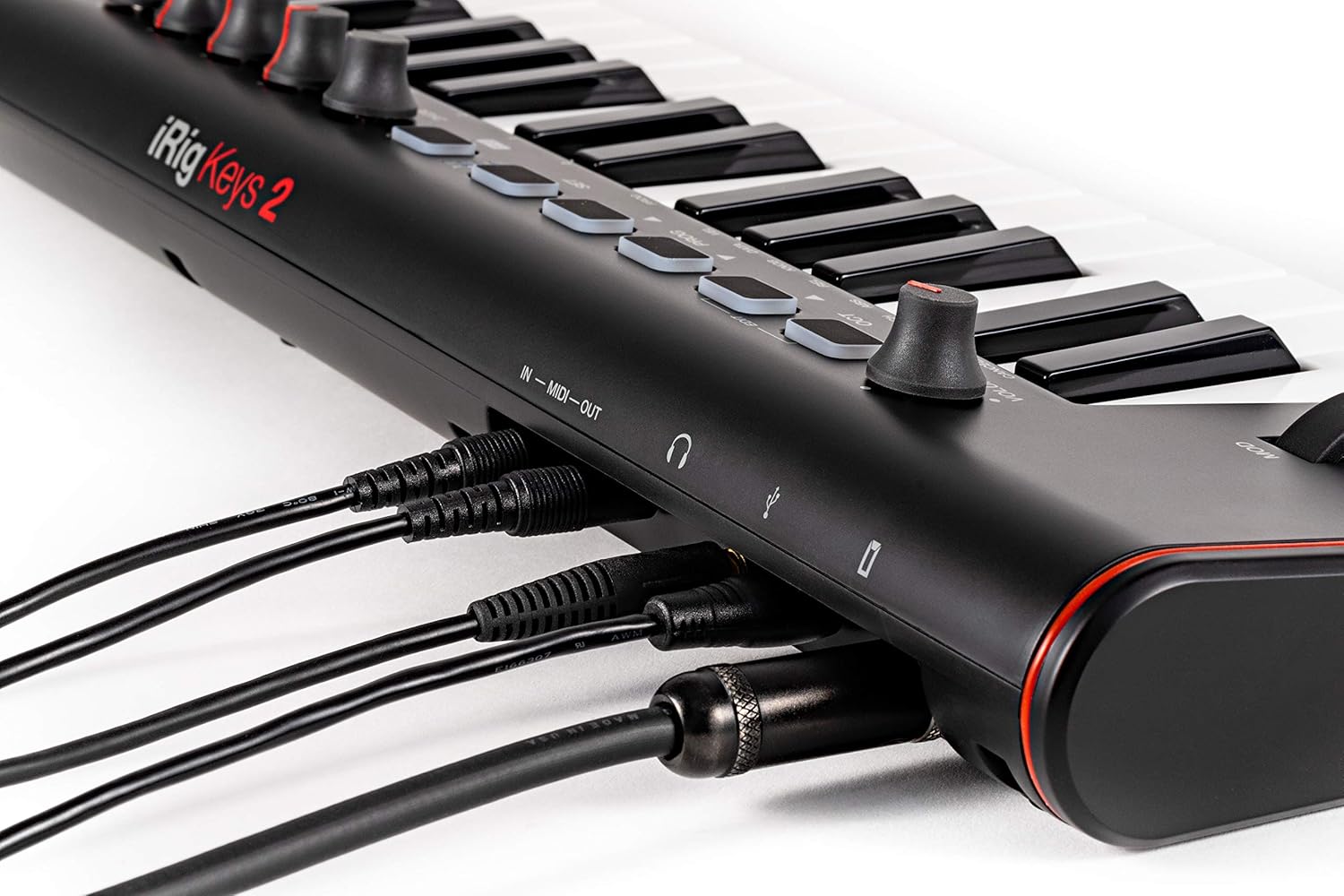
Figure 3: Detailed view of the iRig Keys 2 Pro's control panel, including knobs, buttons, and wheels.
3. Standalone Mode
The iRig Keys 2 Pro can operate in standalone mode, allowing it to control external MIDI gear without being connected to a smart device or computer. Simply connect the MIDI Out to your desired MIDI instrument and power the iRig Keys 2 Pro via a USB power supply or power bank.

Figure 4: A user playing the iRig Keys 2 Pro in a portable setup, demonstrating its versatility for on-the-go music creation.
Maintenance
To ensure the longevity and optimal performance of your iRig Keys 2 Pro, follow these maintenance guidelines:
- Cleaning: Use a soft, dry cloth to clean the surface of the unit. For stubborn dirt, a slightly damp cloth can be used, but ensure no moisture enters the ports or keys. Avoid abrasive cleaners.
- Storage: Store the unit in a cool, dry place away from direct sunlight and extreme temperatures. If transporting, use a protective case to prevent damage.
- Avoid Liquids: Keep liquids away from the device to prevent internal damage.
- Cable Care: Handle connection cables with care. Avoid bending them sharply or pulling them by the cable itself rather than the connector.
Troubleshooting
If you encounter issues with your iRig Keys 2 Pro, try the following steps:
- No Sound/No MIDI Input:
- Ensure the iRig Keys 2 Pro is properly connected to your device using the correct cable.
- Verify that your music software or app recognizes the iRig Keys 2 Pro as a MIDI input device. Check the audio/MIDI settings within your software.
- Increase the volume on the iRig Keys 2 Pro and your connected device/software.
- If using a mobile device, ensure the device's volume is not muted and headphones are properly connected to the iRig Keys 2 Pro's output.
- Keys Not Responding:
- Check if the octave buttons have been pressed, shifting the keyboard out of the audible range.
- Restart your music software/app and reconnect the iRig Keys 2 Pro.
- Ensure the device is receiving sufficient power.
- Intermittent Connectivity:
- Try a different USB cable.
- Connect to a different USB port on your computer or try a different mobile device.
- Ensure there are no other devices causing interference.
For further assistance, please visit the official IK Multimedia support website.
Specifications
| Feature | Description |
|---|---|
| Brand | IK Multimedia |
| Model Name | iRig Keys 2 Pro |
| Model Number | IP-IRIG-KEYS2PRO-IN |
| Number of Keys | 37 |
| Key Type | Velocity-sensitive full-size keys |
| Connectivity Technology | USB |
| Special Feature | Portable |
| Compatible Devices | Mac, PC, iPhone, iPad, Android and other MIDI compatible devices |
| Supported Software | Hundreds of popular music apps for iPhone, iPad, Android, and Mac/PC; Sample Tank 4 SE |
| Hardware Interface | USB |
| Control Type | Keyboard Controller |
| Human Interface Input | Keyboard |
| Item Weight | 4.2 Pounds |
| Color | Black and White |
| Included Components | Sample Tank 4 SE |
Warranty
The IK Multimedia iRig Keys 2 Pro comes with a 2-year limited warranty. Please retain your proof of purchase for warranty claims. For detailed warranty terms and conditions, refer to the documentation provided with your product or visit the official IK Multimedia website.
Support
For technical support, product registration, software downloads, and additional resources, please visit the official IK Multimedia website:
You can also find FAQs and community forums on their website for common questions and tips.