Important Safety Information
- Read all instructions thoroughly before assembly and use.
- Do not exceed the maximum weight capacity of 88 lbs (40 kg) for the television or 11 lbs (5 kg) per shelf.
- Ensure all screws and fasteners are tightened securely before placing a television on the stand or using the shelves.
- Move the stand slowly and carefully, especially on uneven surfaces. It is recommended to have two people move the unit when a television is mounted.
- Keep children and pets away from the stand during assembly and movement.
- Do not allow children to climb on the stand or shelves.
Package Contents
Verify that all components are present and undamaged. If any parts are missing or damaged, please contact customer support.
- Main Column
- Base with Pre-installed Wheels
- TV Mounting Bracket
- Shelves (3)
- Hardware Kit (various screws, bolts, spacers, Allen wrenches, Phillips head screwdriver)
- Cable Management Ties
- Instruction Manual
Assembly Instructions
Follow these steps carefully for proper assembly. It is recommended to have two people for certain steps, especially when mounting the television.
Step 1: Attach Wheels to the Base
Secure the four 360° rotating wheels to the bottom of the base. Ensure the locking wheels are positioned at the front for easy access and stability.

Image: The base of the TV stand with lockable 360-degree rotating wheels. This image emphasizes the flexibility and safety provided by the wheels.
Step 2: Assemble the Main Column and Attach Shelves
Connect the main vertical column to the base using the provided hardware. Attach the three shelves to the main column at your desired heights. The shelves are designed to hold AV components.

Image: A fully assembled mobile TV stand with a television mounted and three shelves below for media components. This provides a visual reference for the completed product.
Step 3: Attach TV Mounting Bracket
Secure the TV mounting bracket to the main column. This bracket supports VESA patterns up to 400x400mm, accommodating a wide range of televisions.

Image: A detailed diagram illustrating the TV mounting bracket's swivel capability (30 degrees left/right) and four levels of height adjustment for optimal viewing.
Step 4: Mount the TV
Attach the TV mounting arms to the back of your television using the appropriate screws and spacers from the hardware kit. Carefully lift and hang the TV onto the mounting bracket on the stand. Ensure the safety lock mechanism is engaged to prevent accidental dislodging.

Image: Product details diagram showing overall dimensions (height 44.5" to 54.7", base 29.5" x 17.7") and VESA compatibility (100x100mm to 400x400mm). It also indicates the maximum TV weight capacity of 88 lbs.
Step 5: Cable Management
Use the provided cable management ties to organize and conceal cables along the back of the main column. This helps maintain a tidy appearance and prevents tripping hazards.
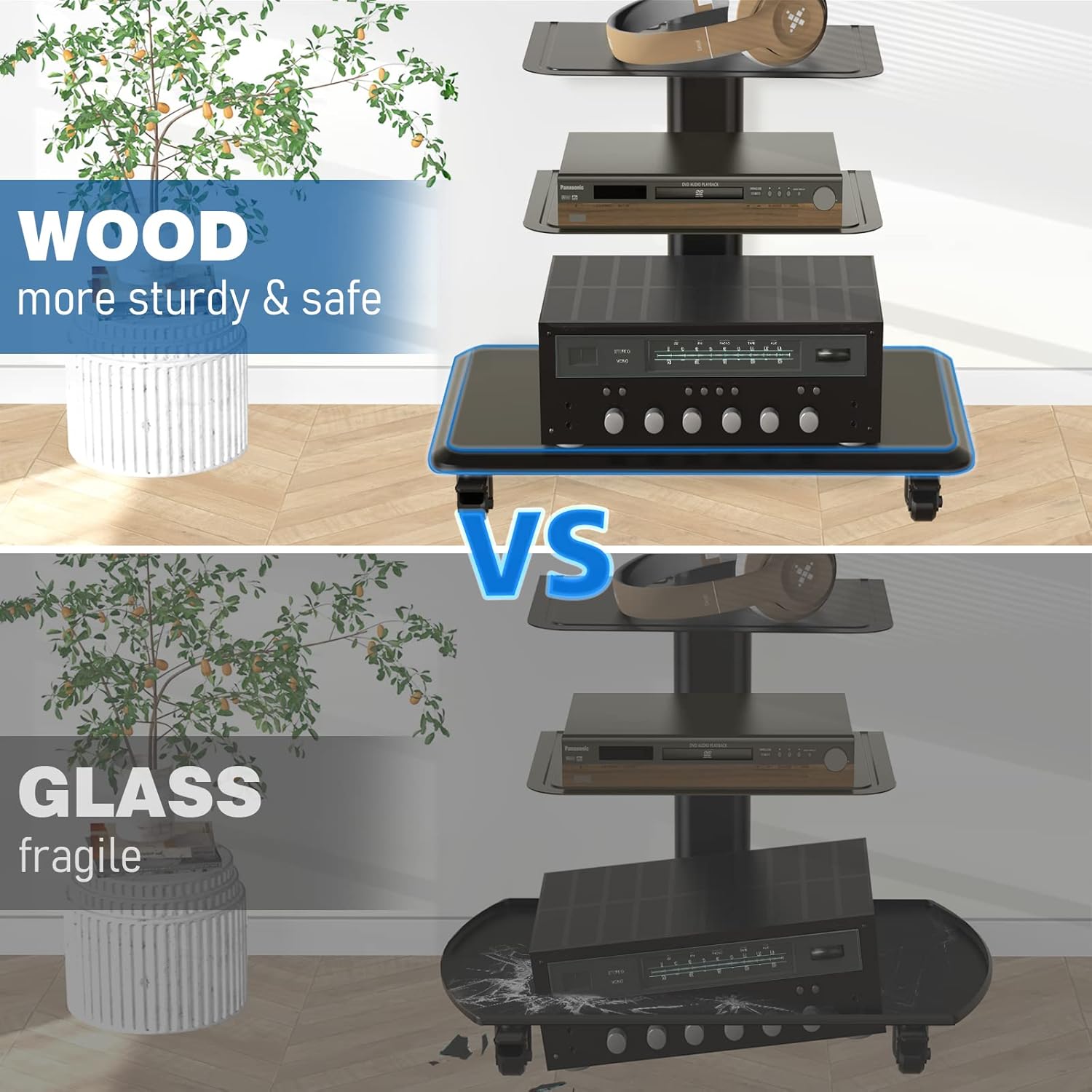
Image: A close-up diagram highlighting the safety lock mechanism to prevent TV dropping, the cable management solution for organizing wires, and the lockable 360-degree castor wheels.
Operating Instructions
Adjusting TV Height
The TV plate and hooks support different height levels. To adjust, carefully unmount the TV, reposition the hooks on the mounting arms to the desired height, and re-mount the TV. Ensure the safety lock is re-engaged after adjustment.
Swiveling the TV
The TV mount allows for a 30° swivel to the left or right. Gently push the television to achieve your desired viewing angle.
Moving the TV Stand
To move the stand, unlock the front wheels. Push the stand slowly and carefully to its new location. Once in position, lock the wheels to secure the stand. For safety, it is recommended to have two people move the stand, especially with a television mounted.
Maintenance
- Regularly check all screws and bolts to ensure they remain tight. Re-tighten as necessary.
- Clean the stand and shelves with a soft, dry cloth. Avoid using abrasive cleaners or harsh chemicals.
- Inspect the wheels periodically for any debris (e.g., hair, dust) that might hinder smooth movement and remove it.
Troubleshooting
TV is not stable or wobbles
- Ensure all assembly screws, especially those connecting the main column to the base and the mounting bracket, are securely tightened.
- Verify that the TV is properly seated on the mounting bracket and the safety lock is engaged.
- Check that the TV weight does not exceed the maximum capacity of 88 lbs (40 kg).
Wheels do not move smoothly or lock
- Check for any debris (e.g., hair, dust) caught in the wheels and remove it.
- Ensure the locking mechanism is fully disengaged when attempting to move the stand.
- Apply a light lubricant to the wheel axles if movement remains stiff.
Cables are not staying organized
- Re-secure the cable management ties. If the adhesive on the ties has worn out, replace them with new ones or use alternative cable management solutions.
Specifications
| Feature | Detail |
|---|---|
| Brand | Rfiver |
| Model Number | 3-Shelf Mobile TV Stand for 32-70 inch |
| Compatible TV Sizes | 32-70 inches |
| Maximum TV Weight Capacity | 88 lbs (40 kg) |
| VESA Compatibility | 100x100mm, 200x100mm, 200x200mm, 300x200mm, 300x300mm, 400x200mm, 400x400mm |
| Swivel Angle | ±30 Degrees |
| Height Adjustment | Adjustable TV plate and hooks |
| Number of Shelves | 3 |
| Shelf Weight Capacity | 11 lbs (5 kg) per shelf |
| Product Dimensions (L x W x H) | 29.5 x 17.7 x 44.5-58 inches |
| Item Weight | 37 lbs |
| Material | Heavy-duty steel, wood base |
Warranty and Support
Rfiver products are designed for durability and performance. For specific warranty information or technical support, please refer to the official Rfiver website or contact their customer service department. It is advisable to keep your purchase receipt for any warranty claims.
For further assistance or to explore other products, visit the Rfiver Store on Amazon.


