Introduction
Welcome to the user manual for your HUAWEI Watch GT 2. This guide provides essential information on setting up, operating, maintaining, and troubleshooting your smartwatch. The HUAWEI Watch GT 2 is designed to enhance your daily life with advanced fitness tracking, health monitoring, and smart notifications, all powered by the HUAWEI Kirin A1 chip for extended battery life.
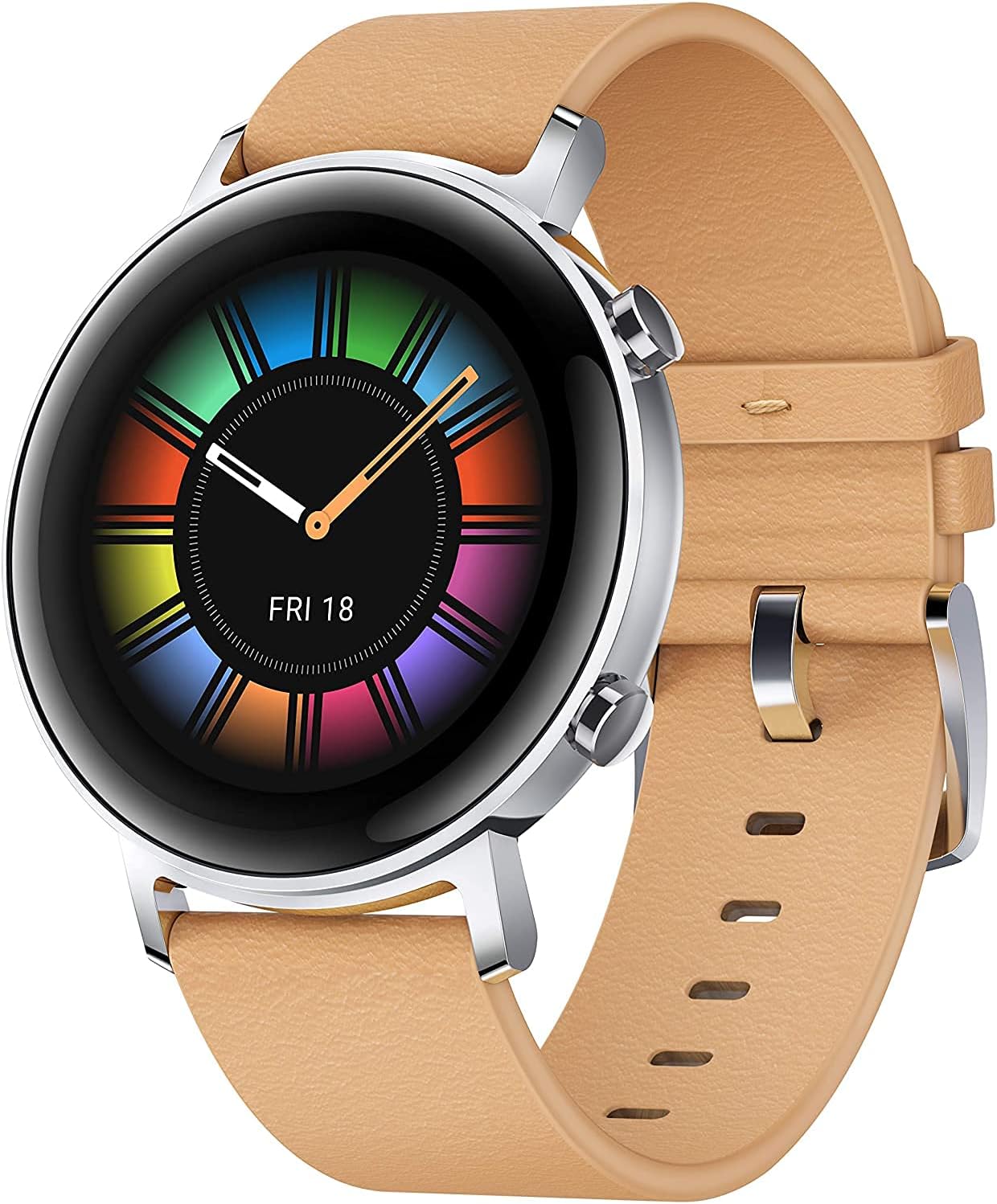
Image: The HUAWEI Watch GT 2, showcasing its vibrant display and elegant design with a light brown leather strap.
Setup
1. Charging the Device
Before first use, fully charge your HUAWEI Watch GT 2. Connect the charging cradle to a power source and place your watch onto the cradle, ensuring the charging contacts align. A charging indicator will appear on the screen.

Image: The HUAWEI Watch GT 2 highlighting its impressive one-week battery life, a key feature for extended use.
2. Pairing with Your Smartphone
- Download the HUAWEI Health app from your smartphone's app store (AppGallery, Google Play Store, or Apple App Store).
- Open the HUAWEI Health app and navigate to Devices.
- Tap Add device and select your HUAWEI Watch GT 2 from the list of available devices.
- Follow the on-screen instructions to complete the pairing process. Ensure Bluetooth is enabled on your smartphone.
Operating Instructions
Display and Navigation
The HUAWEI Watch GT 2 features a 1.2-inch AMOLED touchscreen display.
- Swipe Up/Down: Access notifications or quick settings.
- Swipe Left/Right: View various widgets like heart rate, weather, activity records, and music control.
- Press Top Button: Access the app list or return to the home screen.
- Press Bottom Button: Customize to quickly access a specific function, such as workout modes.
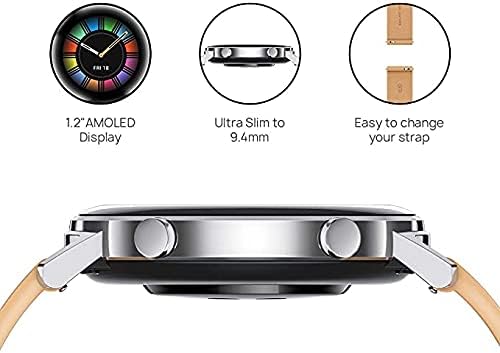
Image: A visual representation of the watch's key design elements: its 1.2-inch AMOLED display, ultra-slim profile, and user-friendly strap mechanism.
Workout Modes and Fitness Tracking
The watch supports 15 professional workout modes and provides comprehensive fitness data.
- Starting a Workout: From the app list, select "Workout" and choose your desired activity (e.g., Running, Cycling, Swimming).
- GPS Tracking: For outdoor activities, the built-in GPS and GLONASS systems provide accurate route and distance tracking.
- Real-time Data: Monitor heart rate, calories burned, duration, and other metrics during your workout.

Image: The HUAWEI Watch GT 2 in use during a workout, illustrating its capability as a professional sports trainer with various activity icons.
Health Monitoring
- Heart Rate Monitoring: The TruSeen 3.5 technology provides continuous real-time heart rate monitoring. Access your heart rate data from the watch or the HUAWEI Health app.
- Blood Oxygen (SpO2) Monitoring: The watch supports SpO2 measurement. To take a measurement, ensure the watch is worn correctly and remain still.
- Sleep Tracking: TruSleepTM 2.0 monitors your sleep stages, analyzes sleep quality, and provides suggestions for improvement.
- Stress Monitoring: TruRelax pressure monitoring helps track your stress levels throughout the day.

Image: The HUAWEI Watch GT 2, featuring its SpO2 monitoring capability, essential for tracking blood oxygen saturation levels.
Smart Features
- Message Notifications: Receive notifications for calls, messages, emails, and app alerts directly on your wrist.
- Music Playback: Store and play music directly from your watch (4GB memory) or control music playback on your phone.
- Find My Phone: Use this feature to locate your paired smartphone.
Maintenance
Cleaning and Care
- Regularly clean the watch and strap with a soft, damp cloth.
- Ensure the charging contacts on the back of the watch are clean and dry before charging.
- Avoid exposing the watch to extreme temperatures or harsh chemicals.
Battery Optimization
To maximize battery life (up to 7 days), consider the following:
- Reduce screen brightness.
- Disable continuous heart rate monitoring if not needed.
- Limit the number of apps sending notifications to the watch.
Troubleshooting
| Problem | Possible Solution |
|---|---|
| Watch not turning on/charging | Ensure the charging contacts are clean and aligned. Try a different power adapter or USB port. Allow the watch to charge for at least 10 minutes before attempting to power on. |
| Cannot pair with smartphone | Ensure Bluetooth is enabled on your phone and the watch is discoverable. Restart both the watch and the phone. Clear Bluetooth cache on your phone if issues persist. |
| Inaccurate heart rate/sleep data | Ensure the watch is worn snugly on your wrist, about one finger's width above the wrist bone. Avoid excessive movement during measurements. |
| Notifications not received | Check notification settings in the HUAWEI Health app and your phone's system settings. Ensure the app is running in the background and not optimized for battery saving. |
Specifications
| Feature | Detail |
|---|---|
| Model | Diana-B19V |
| Display | 1.2 Inches AMOLED, 454 x 454 resolution |
| Processor | HUAWEI Kirin A1 |
| Memory Storage | 4 GB |
| Operating System | Wear OS (Note: Huawei watches typically use LiteOS, but Wear OS is listed in provided specs) |
| Battery Life | Up to 7 days (typical usage) |
| Connectivity | Bluetooth, Built-in GPS/GLONASS |
| Sensors | Accelerometer, Gyroscope, Geomagnetic sensor, Optical heart rate sensor, Ambient light sensor, Air pressure sensor, Capacitive sensor |
| Water Resistance | 5 ATM (suitable for low-velocity and shallow-water activities like swimming pools) |
| Dimensions | 4.18 x 4.18 x 0.94 cm |
| Weight | Approx. 30 g (without strap) |
| Compatible Devices | Android and iOS smartphones |
Warranty and Support
Your HUAWEI Watch GT 2 comes with a standard manufacturer's warranty. For detailed warranty terms and conditions, please refer to the warranty card included with your product or visit the official HUAWEI support website for your region.
For technical support, service inquiries, or to find authorized service centers, please visit the HUAWEI Official Store on Amazon or the official HUAWEI support portal.


