
COROS WAPXs-BLK-2
COROS APEX Premium Multisport GPS Watch - User Manual
Model: WAPXs-BLK-2
1. Introduction
This manual provides essential information for the setup, operation, and maintenance of your COROS APEX Premium Multisport GPS Watch. Please read this guide thoroughly to ensure optimal performance and longevity of your device.
2. What's in the Box
Upon unboxing your COROS APEX watch, verify that all the following components are present:
- COROS APEX Premium Multisport GPS Watch (42mm Black/Grey)
- Watch Strap
- Charging Cable
- User Guide Booklet
3. Product Overview
The COROS APEX watch is designed for durability and performance, featuring a robust build and intuitive controls.
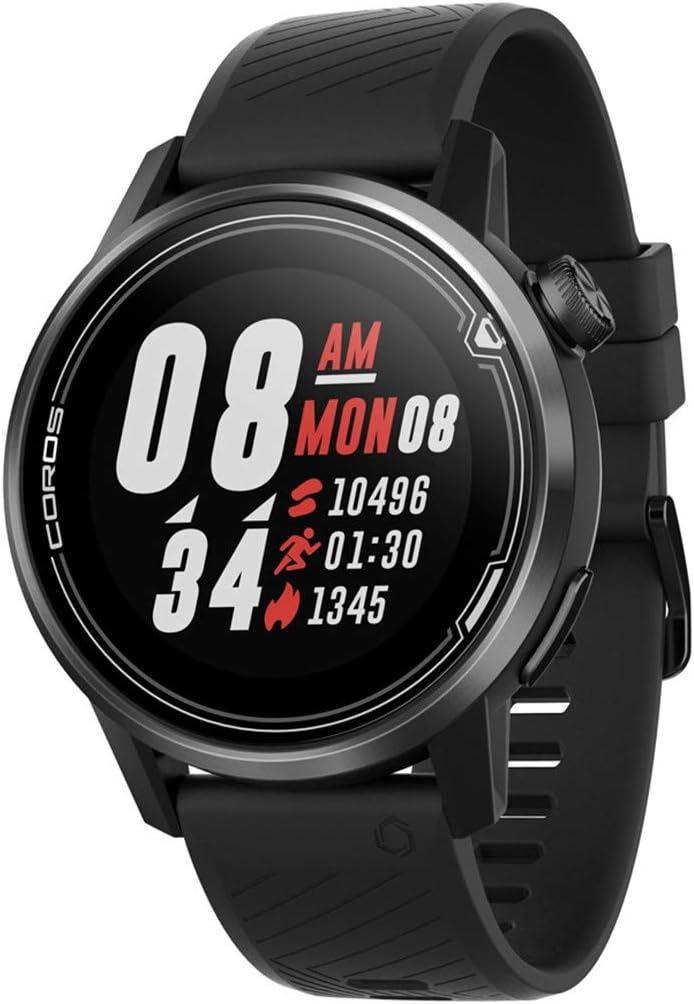
Figure 3.1: Front view of the COROS APEX watch.
3.1. Watch Components
- Digital Dial: Used for navigation through menus and data screens.
- Back Button: Returns to the previous screen or marks a lap during workouts.
- Sapphire Glass Screen: Highly scratch-resistant display for clear visibility.
- Stainless Steel Bezel: Provides enhanced durability and protection.

Figure 3.2: Side view highlighting the digital dial and back button.
3.2. Sensors
The COROS APEX is equipped with multiple sensors for comprehensive data tracking:
- Optical Heart Rate Monitor: Located on the back of the watch for continuous heart rate tracking.
- Barometric Altimeter: Measures altitude changes for accurate elevation data.
- Accelerometer: Detects motion and orientation.
- Compass: Provides directional information.
- Gyroscope: Measures angular velocity and rotation.
- Thermometer: Measures ambient temperature.

Figure 3.3: Back view showing the optical heart rate sensor.
4. Setup
4.1. Charging Your Watch
Before first use, fully charge your COROS APEX watch. Connect the provided charging cable to the charging port on the back of the watch and plug the USB end into a power source (e.g., computer USB port or wall adapter). A full charge typically takes approximately 2 hours.
4.2. Initial Pairing with the COROS App
- Download the COROS app from your smartphone's app store (iOS or Android).
- Open the COROS app and create an account or log in.
- Turn on your COROS APEX watch by pressing and holding the digital dial.
- In the COROS app, navigate to the 'Device' tab and select 'Add New Device'.
- Follow the on-screen prompts in the app to pair your watch. This typically involves confirming a code displayed on both the watch and the phone.
- Once paired, the watch will synchronize settings and data with the app.
5. Operating Your Watch
5.1. Basic Navigation
- Digital Dial: Rotate to scroll through menus and data screens. Press to select an option or confirm an action.
- Back Button: Press to return to the previous screen. Hold to access the toolbox menu or to exit a workout.
5.2. Sport Modes
The COROS APEX supports a variety of sport modes to accurately track your activities:
- Running (Indoor Run, Trail Run)
- Cycling
- Swimming
- Cardio
- Strength
- Water Sports
To start a workout, rotate the digital dial to select your desired sport mode and press the dial to confirm.
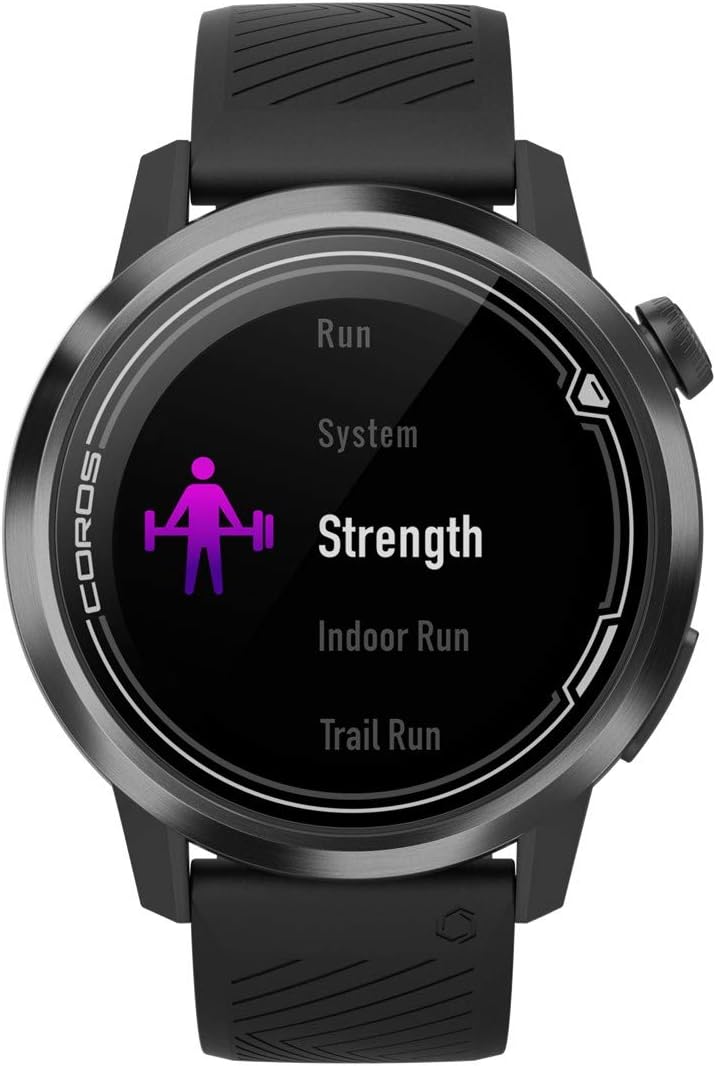
Figure 5.1: Selecting a sport mode on the COROS APEX.
5.3. GPS Functionality and Navigation
The watch utilizes GPS for accurate tracking of outdoor activities and offers route navigation features. Ensure you have a clear view of the sky for optimal GPS signal acquisition.

Figure 5.2: Route navigation display on the COROS APEX.
5.4. Heart Rate Monitoring
The optical heart rate monitor continuously tracks your heart rate throughout the day and during workouts. For accurate readings, ensure the watch is snug on your wrist.
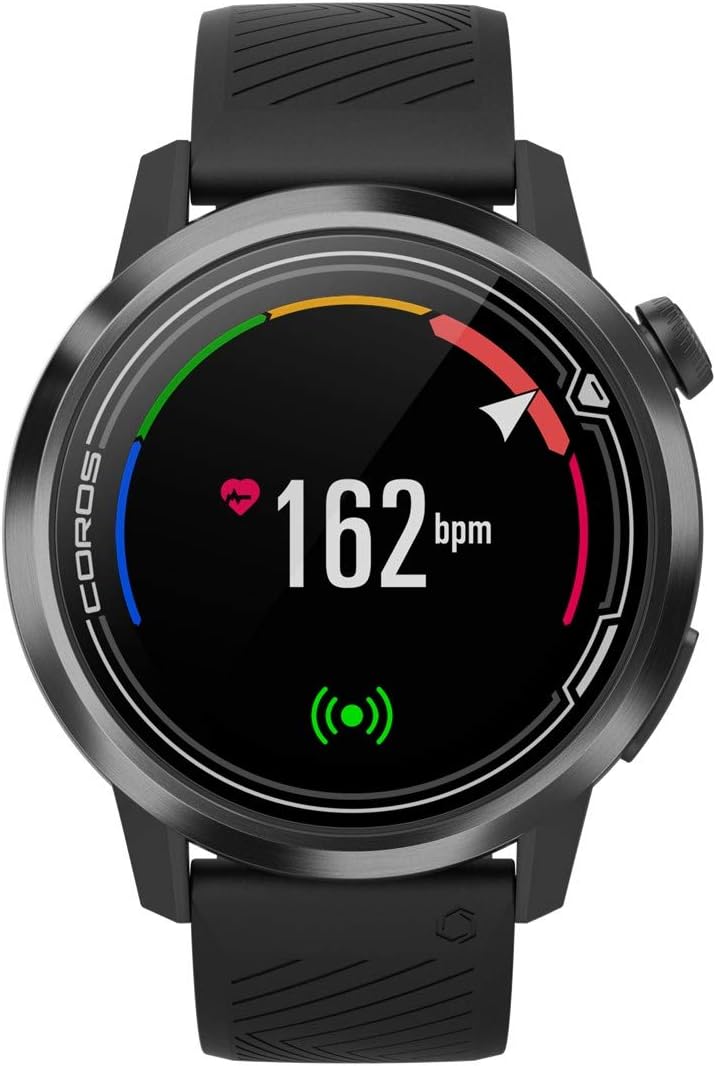
Figure 5.3: Heart rate monitoring display.
5.5. Daily Tracking
The COROS APEX automatically tracks daily metrics including steps, calories burned, and sleep patterns. This data can be viewed on the watch and in detail within the COROS app.
5.6. Alerts
The watch can provide various alerts, such as nutrition alerts during long workouts, to help you maintain performance.

Figure 5.4: Nutrition alert example.
6. Maintenance
6.1. Cleaning Your Watch
Regularly clean your watch and strap with a soft, damp cloth to prevent skin irritation and maintain device hygiene. Avoid using harsh chemicals or abrasive materials.
6.2. Battery Care
The COROS APEX is known for its extended battery life. To maximize battery longevity:
- Avoid extreme temperatures during charging and storage.
- Do not fully deplete the battery frequently.
- Charge the watch using only the provided cable.

Figure 6.1: Battery usage display.
7. Troubleshooting
If you encounter issues with your COROS APEX watch, refer to the following common solutions:
- Watch Not Pairing: Ensure Bluetooth is enabled on your phone and the watch is within range. Restart both the watch and the phone. Verify the COROS app is updated to the latest version.
- GPS Not Connecting: Move to an open area with a clear view of the sky. Wait a few minutes for the watch to acquire a signal. Ensure GPS is enabled for your activity.
- Inaccurate Altimeter Readings: Ensure the altimeter port is clean and free of debris. Perform a manual calibration if available in the watch settings.
- Watch Unresponsive: Perform a soft reset by holding down the digital dial and back button simultaneously until the COROS logo appears.
For persistent issues, consult the COROS support website or contact customer service.
8. Specifications
| Feature | Detail |
|---|---|
| Product Dimensions | 1.77 x 1.77 x 0.57 inches |
| Item Weight | 1.76 ounces |
| Model Number | WAPXs-BLK-2 |
| Batteries | 1 Lithium Polymer batteries required (included) |
| Connectivity Technologies | GPS, Bluetooth |
| Screen Size | 4 Centimeters |
| Water Resistance | 100m (Waterproof) |
| Battery Life (Full GPS Mode) | 25 Hours |
| Battery Life (Regular Use) | Up to 24 days |
| Mounting Type | Wrist Mount |
9. Warranty and Support
The COROS APEX Premium Multisport GPS Watch typically comes with a 2-year manufacturer's warranty, covering defects in materials and workmanship under normal use. For specific warranty terms and conditions, please refer to the official COROS website or the warranty information included with your product.
For technical support, product inquiries, or warranty claims, please visit the official COROS support page or contact their customer service directly. Keep your proof of purchase for warranty validation.
Official COROS Website: www.coros.com
Related documentsWAPXs-BLK-2


Ask a question about this manual
Ask about setup, troubleshooting, compatibility, parts, safety, or missing instructions. Manuals+ will review the question and use this page’s manual context to help answer it.