
1. Introduction
This instruction manual provides detailed guidance for the assembly, operation, and maintenance of your PERLESMITH Universal TV Stand (Model PSTVS15). This tabletop TV stand is designed to provide a stable and adjustable base for a wide range of flat-screen televisions.
2. Compatibility
The PERLESMITH Universal TV Stand PSTVS15 is compatible with most 32-inch to 65-inch LCD, LED, OLED, and 4K flat-screen TVs. Please verify your TV's specifications against the following:
- TV Size: Fits most TVs from 32 inches to 65 inches (including 32'', 37'', 39'', 40'', 42'', 43'', 48'', 49'', 50'', 54'', 55'', 60'', 65'').
- Maximum Weight Capacity: Supports TVs up to 88 lbs (40 kg).
- VESA Mounting Patterns: Compatible with VESA patterns ranging from 100x100mm (4''x4'') to 400x400mm (16''x16''). This includes common patterns such as 75x75mm, 100x100mm, 100x200mm, 200x100mm, 200x200mm, 200x300mm, 300x200mm, 300x300mm, 400x200mm, 400x300mm, and 400x400mm.

Figure 1: Wide Compatibility Overview. This image illustrates the TV stand's compatibility with various TV sizes (32-65 inches), maximum load capacity (88 lbs), and VESA mounting hole patterns (100x100mm to 400x400mm).

Figure 2: Compatible VESA Patterns. This diagram helps users identify the VESA mounting holes on the back of their TV, specifying the minimum and maximum dimensions supported by the stand.
3. Key Features
- Height Adjustment: Offers 6 mounting height options and 3 TV plate positions (12.05", 14.02", 15.98") to achieve optimal viewing height and accommodate soundbars or other devices.
- Cable Management: Integrated cable holders on the back of the pillar help keep wires and accessories organized and neat.
- Sturdy Tempered Glass Base: A black tempered glass base provides stability and a modern aesthetic, ensuring safety for children and pets by preventing accidental tipping.
- Durable Construction: Made with solid steel pillars and high-quality steel construction for stable and secure support of your television.
- Easy Installation: Designed for simple, one-piece installation within 10 minutes, requiring no drilling into walls.

Figure 3: Height Adjustment Options. This image details the two bracket height options (2.17" difference) and three TV plate positions, allowing for flexible TV placement.

Figure 4: Flexible Height Configuration. This image compares the stand's 9 height settings to a typical TV's 6 settings, emphasizing the enhanced adjustability.

Figure 5: Clean Cable Management. This image demonstrates how the integrated cable clips on the stand's pillar help organize and conceal TV cables for a tidy appearance.

Figure 6: Anti-Slip Pads. This close-up shows the four anti-slip pads on the tempered glass base, designed to provide stability and prevent scratches on surfaces.
4. Parts List
Before beginning assembly, ensure all parts are present and undamaged. Refer to your product packaging for a complete list of included hardware.
- 1 x TV Stand Pillar
- 1 x Tempered Glass Base
- Mounting Hardware (various screws, washers, spacers for TV attachment)
- TV Brackets (2 pieces)
- Cable Management Clips
- Assembly Tools (e.g., Allen wrench, small open-end wrench)
5. Setup & Installation
Follow these steps for quick and easy installation. It is recommended to have a second person assist with lifting the TV.
Step 1: Assemble the Base and Pillar
- Carefully place the tempered glass base on a soft, flat surface to prevent scratches.
- Attach the main pillar to the tempered glass base using the provided screws and tools. Ensure it is securely fastened.
- Attach the TV mounting plate to the top of the pillar.
Video 1: PERLESMITH Universal TV Stand Assembly. This official seller video demonstrates the step-by-step assembly process of the PSTVS15 TV stand, including attaching the pillar to the base and securing the TV mounting plate.
Step 2: Attach Brackets to Your TV
- Lay your TV face down on a clean, soft surface.
- Identify the VESA mounting holes on the back of your TV.
- Select the appropriate screws, washers, and spacers from the hardware kit that fit your TV's mounting holes.
- Attach the two vertical TV brackets to the back of your TV, ensuring they are securely tightened. The brackets should be positioned to allow for desired height adjustment on the stand.
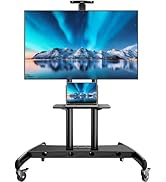
Figure 7: Attaching TV Brackets. This image shows the TV brackets being secured to the back of a television, highlighting the screw placement for VESA compatibility.
Step 3: Mount TV onto the Stand
- With assistance, carefully lift the TV and hook the attached brackets onto the horizontal bar of the stand's mounting plate.
- Ensure the TV is centered and level.
- Secure the TV to the stand using the safety screws or clips provided, typically located at the bottom of the vertical brackets, to prevent accidental dislodgement.

Figure 8: Security Features. This diagram illustrates the anti-drop edges, enhanced hooks, and security locks that ensure the TV is safely and securely attached to the stand.
Step 4: Cable Management
- Route all necessary cables (power, HDMI, etc.) along the back of the stand's pillar.
- Use the provided cable management clips to secure the cables neatly, preventing tangles and maintaining a clean appearance.
6. Operation
The PERLESMITH Universal TV Stand allows for height adjustment to optimize your viewing experience.
Adjusting TV Height:
- The stand offers 6 mounting height options on the main pillar and 3 TV plate positions on the brackets.
- To adjust the height, you will need to carefully lift the TV off the stand (with assistance) and reposition the brackets or the main mounting plate to a different set of holes.
- Always ensure the TV is securely re-attached and locked in place after any height adjustment.
7. Maintenance
To ensure the longevity and safety of your TV stand, follow these maintenance guidelines:
- Cleaning: Wipe the stand and glass base with a soft, damp cloth. Avoid abrasive cleaners or harsh chemicals that could damage the finish.
- Inspection: Periodically check all screws and connections to ensure they remain tight. Re-tighten if necessary.
- Stability: Ensure the stand is always placed on a stable, level surface.
- Weight Limit: Do not exceed the maximum weight capacity of 88 lbs (40 kg).
8. Troubleshooting
If you encounter any issues with your PERLESMITH Universal TV Stand, refer to the following common solutions:
- TV appears crooked or unstable:
- Ensure all mounting screws connecting the TV brackets to the TV are securely tightened.
- Verify that the TV brackets are properly hooked onto the stand's horizontal bar and the safety screws/clips are engaged.
- Check that the stand's pillar is firmly attached to the tempered glass base.
- Ensure the stand is placed on a perfectly level surface.
- Difficulty with assembly:
- Review the step-by-step instructions and diagrams carefully.
- Ensure you are using the correct screws and hardware for each step, especially for attaching to your specific TV's VESA holes.
- If possible, seek assistance from another person for lifting and aligning heavy components.
- Cables are messy:
- Utilize the integrated cable management clips on the back of the stand's pillar to route and secure cables.
- Additional cable ties or wraps can be used for extra organization.
9. Specifications
| Attribute | Detail |
|---|---|
| Model Number | PSTVS15 |
| Compatible TV Sizes | 32" to 65" |
| Maximum Load Capacity | 88 lbs (40 kg) |
| VESA Compatibility | 100x100mm to 400x400mm |
| Mounting Type | Tabletop Mount |
| Movement Type | Fixed (Height Adjustable) |
| Material | Tempered Glass, Steel |
| Color | Black |
| Item Weight | 9.31 pounds |
| Package Dimensions | 17.52 x 10.63 x 2.24 inches |
| UPC | 619191016471 |

Figure 9: Sturdy Tempered Glass Base. This image highlights the dimensions and key properties of the tempered glass base, emphasizing its durability and stability.

Figure 10: Stand Dimensions. This diagram provides a comprehensive view of the TV stand's dimensions, including adjustable height and base footprint, to help users verify fit for their intended location.
10. Warranty & Customer Support
PERLESMITH provides friendly US-based customer support for any issues or questions you may have regarding your TV stand. Please feel free to contact us for assistance.
For support, visit the official PERLESMITH store: PERLESMITH Store


