
Link2Home EM-PU-100E
Link2Home Space Saver Pop-Up Outlet EM-PU-100E Instruction Manual
Model: EM-PU-100E
1. Safety Information
Please read and understand all safety instructions before installation and use. Failure to follow these instructions may result in electric shock, fire, or serious injury.
- Indoor Use Only: This product is designed for indoor use in dry locations. Do not install or use in wet or damp environments, or outdoors.
- Electrical Rating: Do not exceed the electrical rating of 15A, 125VAC, 1875W. Overloading the outlet can cause fire or electric shock.
- Grounding: Ensure the product is properly grounded during installation.
- Installation: Installation should be performed by a qualified electrician or a knowledgeable individual familiar with electrical wiring and building codes.
- Water Exposure: While splash-resistant, avoid direct water exposure or submersion. Wipe any spills immediately.
- Children: Keep out of reach of children.
- Damage: Do not use if the product or power cord is damaged. Contact customer support for assistance.
2. Product Overview
The Link2Home Space Saver Pop-Up Outlet provides convenient access to power and USB charging ports in a sleek, retractable design. It is ideal for kitchens, offices, and workshops.
Features:
- 3 Grounded 15A Power Outlets
- 2 USB-A Ports (2.4A total)
- Overload Protection
- Splash-Resistant Housing
- Retractable Design for Space Saving
- Stainless Steel Top Finish
- 6-foot Power Cord (14 AWG SJT)
Components:
The unit consists of a main body with outlets and USB ports, a retractable mechanism, a stainless steel top cover, a fixing ring, and a power cord.

Figure 2.1: The Link2Home Pop-Up Outlet featuring 3 power outlets and 2 USB ports, shown in its recessed state.

Figure 2.2: The splash-resistant design of the pop-up outlet, suitable for kitchen and workspace environments.

Figure 2.3: Examples of typical installation locations for the pop-up outlet.
3. Setup and Installation
This section provides step-by-step instructions for installing your Link2Home Pop-Up Outlet. Ensure all safety precautions are followed.
Required Tools:
- Drill
- 4.0-inch Hole Saw
- Measuring Tape
- Pencil or Marker
Installation Steps:
- Prepare the Surface: Choose a suitable location on your countertop or desk. Ensure there is at least 3.9 inches of clear depth underneath for the unit to retract.
- Mark the Cutout: Use a pencil or marker to mark the center of where the outlet will be installed.
- Drill the Hole: Using a drill and a 4.0-inch diameter hole saw, carefully cut a circular hole through the surface.
- Disassemble the Unit: Remove the fixing ring from the body of the pop-up outlet.
- Insert the Body: Slide the main body of the pop-up outlet down through the drilled hole from the top of the surface.
- Secure the Unit: From underneath the surface, screw the fixing ring tightly onto the body of the outlet until it is securely fastened.
- Connect Power: Plug the power cord of the pop-up outlet into a standard 125VAC wall outlet.

Figure 3.1: Visual guide for the cutout and mounting steps.
Video 3.1: Official Link2Home video demonstrating the installation process of the Space Saver Pop-Up Outlet.
4. Operating Instructions
Using your Link2Home Pop-Up Outlet is simple and intuitive.
To Extend the Outlet:
Gently press down on the center of the stainless steel top cover. The unit will spring up, revealing the power outlets and USB ports.

Figure 4.1: Extending the retractable power socket by pressing the top.
To Retract the Outlet:
Once you are finished using the outlets, gently push down on the top cover until the unit locks into its recessed position. Ensure no cables are obstructing the retraction mechanism.
Using Power Outlets and USB Ports:
- Plug your devices into the 3 grounded AC outlets for power.
- Connect your USB-compatible devices to the 2 USB-A ports for charging. The USB ports provide a total of 2.4A.
- Do not exceed the maximum load capacity of 15 Amps or 1875 Watts for the AC outlets.
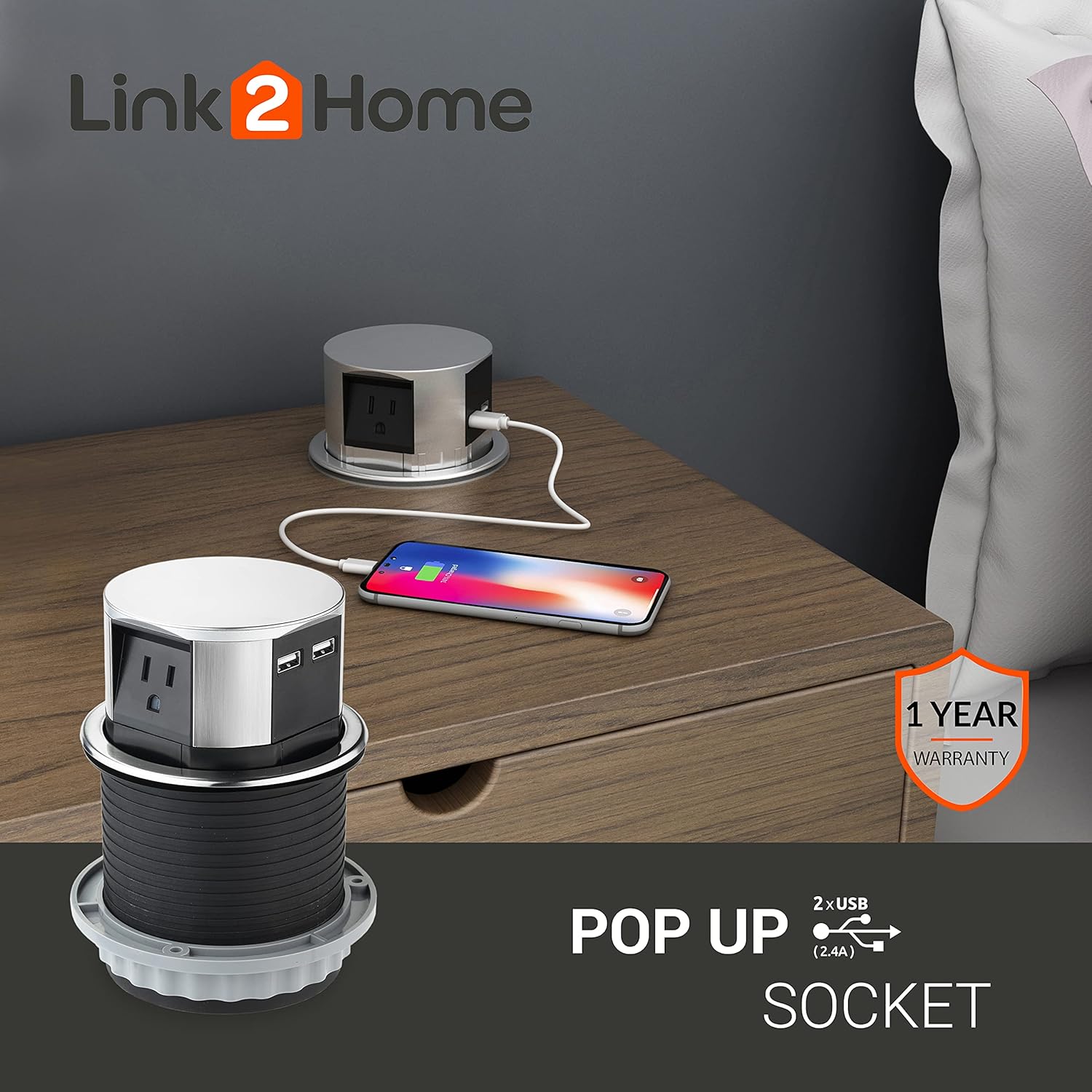
Figure 4.2: Charging a mobile device using the integrated USB ports.
5. Maintenance
Proper maintenance ensures the longevity and safe operation of your pop-up outlet.
- Cleaning: Disconnect power before cleaning. Wipe the surface with a soft, damp cloth. Do not use abrasive cleaners or immerse the unit in water.
- Inspection: Periodically inspect the unit for any signs of damage, loose connections, or wear. If any damage is found, discontinue use and contact customer support.
- Mechanism Care: Keep the retractable mechanism free from debris to ensure smooth operation.
6. Troubleshooting
If you encounter issues with your Link2Home Pop-Up Outlet, refer to the following common problems and solutions:
| Problem | Possible Cause | Solution |
|---|---|---|
| No power from outlets/USB ports. | Unit not plugged in; circuit breaker tripped; overload protection activated. | Ensure the main power cord is securely plugged into a live outlet. Check your home's circuit breaker. Reduce the load on the outlet and reset the overload protection (if applicable, by unplugging and replugging). |
| Outlet does not pop up or retract smoothly. | Obstruction in the mechanism; debris; unit not installed correctly. | Check for any objects blocking the mechanism. Clean any debris around the edges. Verify the installation is secure and the fixing ring is not overtightened or misaligned. |
| USB devices not charging. | Device not compatible; faulty USB cable; total current draw too high. | Ensure your device is USB compatible. Try a different USB cable. Reduce the number of devices charging simultaneously if the total current exceeds 2.4A. |
7. Specifications
| Feature | Detail |
|---|---|
| Model Number | EM-PU-100E |
| Power Outlets | 3 Grounded 15A AC Outlets |
| USB Ports | 2 USB-A Ports (2.4A Total) |
| Voltage | 125 Volts |
| Maximum Current | 15 Amps |
| Maximum Power | 1875 Watts |
| Cable Length | 6 Feet |
| Cable Type | 14 AWG SJT |
| Cutout Diameter | 4.0 inches |
| Minimum Installation Depth | 3.9 inches |
| Material | Stainless Steel (Top) |
| Color | Black (Body), Stainless Steel (Top) |
| UPC | 818445021029 |
8. Warranty and Support
The Link2Home Space Saver Pop-Up Outlet EM-PU-100E comes with a 1-year warranty.
- Warranty Coverage: This warranty covers defects in materials and workmanship under normal use for one year from the date of purchase.
- Exclusions: The warranty does not cover damage caused by misuse, abuse, unauthorized modification, improper installation, or natural disasters.
- Customer Support: For warranty claims, technical assistance, or any questions regarding your product, please contact Link2Home customer support.
- Contact Information: Refer to the Link2Home official website or your purchase documentation for the most current contact details.
Ask a question about this manual
Ask about setup, troubleshooting, compatibility, parts, safety, or missing instructions. Manuals+ will review the question and use this page’s manual context to help answer it.