
Amazon Echo (4th Gen)
Amazon Echo (4th Gen) User Manual
Model: Echo (4th Gen) - 2020 Release
Introduction
The Amazon Echo (4th Gen) is a versatile smart speaker designed to deliver rich, detailed sound that automatically adapts to any room. It integrates seamlessly with Alexa, allowing for voice control of music, smart home devices, and daily tasks. This manual provides essential information for setting up, operating, maintaining, and troubleshooting your Echo device.

Image: The Amazon Echo (4th Gen) in Glacier White, showcasing its spherical design.

Image: Three Amazon Echo (4th Gen) devices in different colors (blue, white, charcoal), highlighting premium audio and smart home capabilities.
Setup
Setting up your Amazon Echo (4th Gen) is a straightforward process designed for quick integration into your home network.
Initial Setup
- Download the Alexa App: Before your Echo device arrives, download the Amazon Alexa app on your Fire OS, Android, or iOS device. This app is essential for managing your Echo and its features.
- Plug In Your Echo: Connect the included glacier white power adapter (30W) to your Echo (4th Gen) and plug it into a power outlet. The light ring on the device will illuminate.
- Follow In-App Instructions: Open the Alexa app and follow the on-screen prompts to connect your Echo to your dual-band Wi-Fi network (supports 802.11a/b/g/n/ac on 2.4 and 5 GHz networks). Amazon Wi-Fi Simple Setup simplifies this process.
- Customize Settings: Once connected, you can personalize settings such as your location, preferred music services, and smart home device integrations within the Alexa app.
Smart Home Hub Integration
The Echo (4th Gen) includes a built-in smart home hub supporting Zigbee, Matter, and Thread Border Router protocols. This allows for direct voice control of compatible lights, locks, and sensors without needing a separate hub.
- To set up compatible devices, simply say, "Alexa, discover my devices," or use the Alexa app to add them.
- Easily set up compatible Zigbee and Matter devices or select Ring Smart Lighting solar lights and bulbs.

Image: An Amazon Echo (4th Gen) on a wooden shelf, illustrating the ease of setting up smart devices with its integrated hub.
Operating
The Amazon Echo (4th Gen) is designed for intuitive voice control, making daily tasks and entertainment simple.
Voice Commands and Music
- Music Streaming: Stream songs from Amazon Music, Apple Music, Spotify, SiriusXM, and more. Simply say, "Alexa, play [song/artist/genre] on [service]."
- Multi-Room Music: Play synchronized music across multiple Echo devices in different rooms. Say, "Alexa, play music everywhere."

Image: A diagram illustrating multi-room music playback with Amazon Echo devices throughout a home, activated by the command "Alexa, play music everywhere."
Daily Assistance and Communication
- Timers, Reminders, Alarms: "Alexa, set a timer for 10 minutes," or "Alexa, remind me to call mom at 5 PM."
- Information: "Alexa, what's the weather today?" or "Alexa, what time is it?"
- Routines: Create custom routines to automate actions. For example, "Alexa, good morning" could turn on lights and play your Flash Briefing.
- Hands-Free Calling: Call friends and family who have the Alexa app or an Echo device.
- Announcements: Instantly drop in on other rooms or announce to the whole house that dinner's ready. Say, "Alexa, announce 'dinner is ready'."

Image: An Amazon Echo (4th Gen) positioned on a kitchen shelf, demonstrating its announcement feature with the text "Alexa, announce 'dinner is ready.'"
Accessibility Features
The Echo (4th Gen) includes various accessibility features to personalize Alexa to your abilities. These can be managed in the Alexa App under Settings → Accessibility.
- Adaptive Listening: Provides more time to finish speaking before Alexa responds.
- Preferred Speaking Rate: Control how fast or slow Alexa speaks (e.g., "Alexa, speak slower").
- Request Sound: Plays an audible tone when you speak to Alexa (e.g., "Alexa, turn on Start of Request Sound").
- Kindle Read Aloud: Have Alexa read your Kindle books aloud.
Maintenance
To ensure the longevity and optimal performance of your Amazon Echo (4th Gen), follow these simple maintenance guidelines:
- Cleaning: Gently wipe the exterior of the device with a soft, dry, lint-free cloth. Avoid using abrasive cleaners, solvents, or harsh chemicals, as these can damage the finish.
- Software Updates: Your Echo device automatically receives software security updates. Ensure your device is connected to Wi-Fi to receive these updates, which improve performance and add new features.
- Placement: Place your Echo on a stable, flat surface away from direct sunlight, heat sources, and excessive moisture. Ensure adequate ventilation around the device.
- Power Cycle: If you experience minor issues, unplugging the power adapter for a few seconds and then plugging it back in can often resolve them.
Troubleshooting
If you encounter issues with your Amazon Echo (4th Gen), consider the following troubleshooting steps:
Common Issues and Solutions
- Alexa Not Responding:
- Ensure the microphone is not muted. The light ring will turn red if muted.
- Speak clearly and directly to the device.
- Move closer to the device or reduce background noise.
- Check your Wi-Fi connection.
- Microphone Off Button: The Echo (4th Gen) features a microphone off button for privacy. Press this button to electronically disconnect the microphones. The light ring will turn red when the microphone is off.
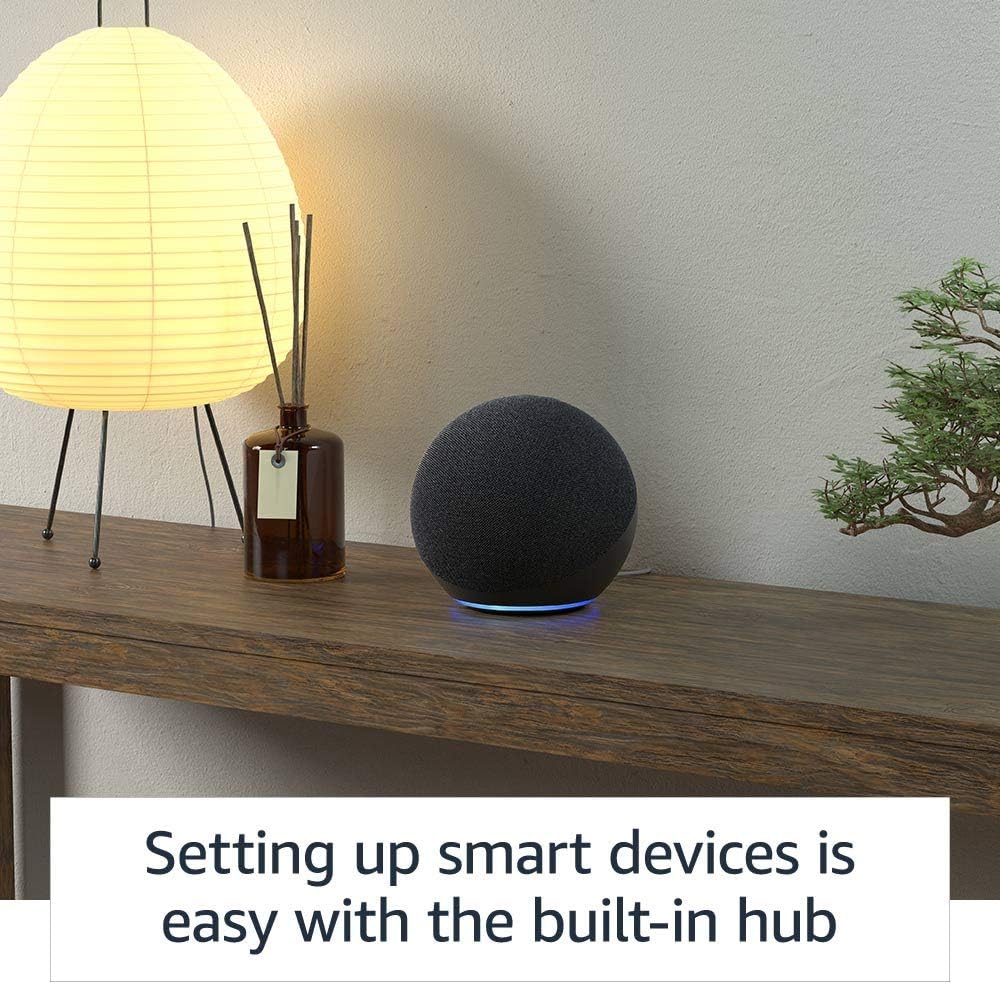
Image: The top view of an Amazon Echo (4th Gen) in Glacier White, showing the microphone off button and the red indicator light when the microphone is disconnected.
- Connectivity Issues:
- Verify your Wi-Fi network is active and within range.
- Restart your Wi-Fi router and modem.
- Ensure your Echo is not attempting to connect to an ad-hoc (peer-to-peer) network, which is not supported.
- Sound Quality Issues:
- Adjust bass, treble, and midrange settings in the Alexa app.
- Ensure the device is placed on a stable surface and not obstructed.
Privacy Controls
Amazon Echo devices are built with multiple layers of privacy controls:
- Wake Word Technology: Alexa only begins processing your request after detecting the wake word.
- Streaming Indicators: Visual indicators (light ring) show when Alexa is streaming your request to the cloud.
- Microphone Off Button: Physically disconnects the microphones.
- Voice Recording Management: You can view and delete your voice recordings through the Alexa app or the Alexa Privacy Hub.
Specifications
| Feature | Detail |
|---|---|
| Size | 5.7” x 5.7” x 5.2” (144 x 144 x 133 mm) |
| Weight | 34.2 oz (970 g) |
| Wi-Fi Connectivity | Dual-band Wi-Fi supports 802.11a/b/g/n/ac (2.4 and 5 GHz) networks. Does not support ad-hoc networks. |
| Smart Home Hub | Zigbee + Sidewalk + Matter + Thread Border Router |
| Bluetooth Connectivity | A2DP for audio streaming, AVRCP for voice control of connected mobile devices. Direct control of BLE Mesh. |
| Audio | 3.0” (76.2 mm) neodymium woofer and two 0.8” (20 mm) tweeters. |
| Included in the Box | Echo (4th Gen), glacier white power adapter (30W), Quick Start Guide. |
| Generation | Echo (4th Gen) - 2020 release |
| Language | Alexa speaks English and Spanish |

Image: An internal view of the Amazon Echo (4th Gen), highlighting its upward-firing woofer and dual tweeters for rich, detailed sound.
Warranty and Support
Warranty Information
Your Amazon Echo (4th Gen) comes with a 1-year limited warranty and service included. Optional 1-year, 2-year, and 3-year extended warranties are available for U.S. customers and are sold separately. Use of Echo is subject to Amazon's terms of service.
Software Security Updates
This device receives guaranteed software security updates until at least four years after the device is last available for purchase as a new unit on Amazon websites. For information specific to your device, visit Manage Your Content and Devices.
Customer Support
For further assistance, technical support, or to learn more about your Echo device, please visit the official Amazon support website or contact Amazon customer service directly.
Related documentsEcho (4th Gen)


Ask a question about this manual
Ask about setup, troubleshooting, compatibility, parts, safety, or missing instructions. Manuals+ will review the question and use this page’s manual context to help answer it.