
1. Introduction
Thank you for purchasing the Billboard Bluetooth 5.0 True Wireless Stereo Sport Earhooks. This manual provides detailed instructions for setting up, operating, and maintaining your new earhooks. Please read this manual thoroughly before use to ensure optimal performance and longevity of your device.
2. Product Overview
2.1 Key Features
- True Wireless Stereo (TWS) Technology: Advanced Bluetooth 5.0 for rich sound quality.
- Extended Playtime: Up to 1.5 hours of audio playback on a single charge.
- Hands-Free Communication: Built-in microphone for clear calls.
- Multi-Function Remote Control: Seamlessly switch between music and phone calls.
- Secure & Comfortable Fit: Behind-the-ear hook design for stability during activity.
- Noise Isolation: Three sizes of ear gels for advanced sound acoustics and a custom fit.
- Convenient Charging: Includes a dedicated charging stand for quick recharges.
- Portable Design: Compact and lightweight for easy transport.
2.2 What's in the Box
- Billboard Bluetooth True Wireless Sport Earhooks (Left & Right)
- Charging Stand
- USB Charging Cable
- Ear Cushions (Three sizes of noise-isolating ear gels)
2.3 Product Visuals

Image: The Billboard Bluetooth Earhooks with their charging stand, showcasing the complete product set.
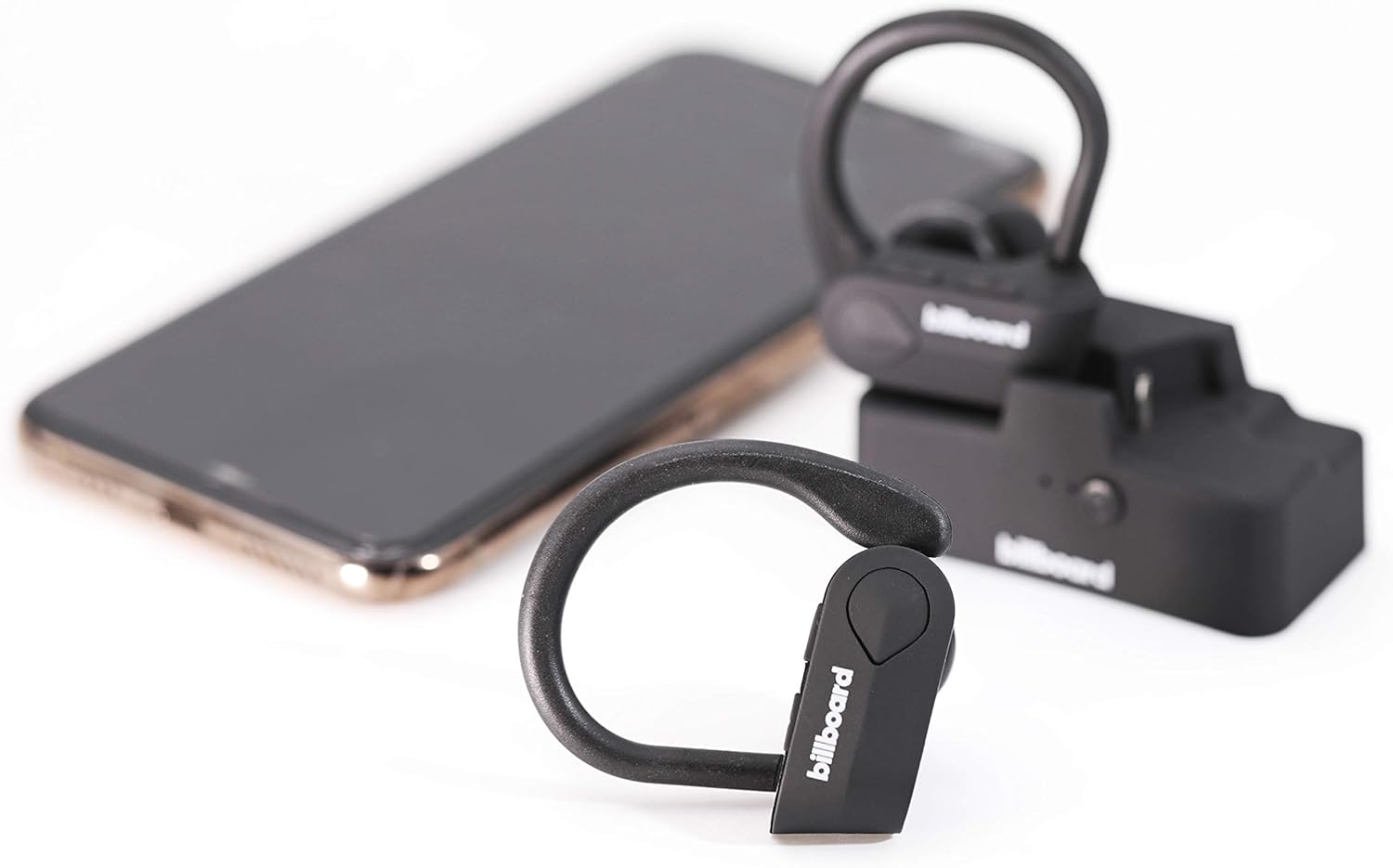
Image: The earhooks positioned near a smartphone, illustrating their wireless connectivity.

Image: Hands demonstrating how to hold the earhooks and a smartphone, indicating ease of handling and pairing.

Image: The included USB charging cable and various sizes of ear gels, highlighting the accessories for charging and customizable fit.
2.4 Official Product Video

Video: An official overview of the Billboard Bluetooth True Wireless Sport Earhooks, demonstrating key features and usage scenarios.
3. Setup Instructions
3.1 Charging the Earhooks
- Place both earhooks securely into the charging stand. Ensure they are properly seated.
- Connect the provided USB charging cable to the charging stand's port.
- Plug the other end of the USB cable into a compatible USB power source (e.g., computer USB port, USB wall adapter).
- The indicator lights on the earhooks or charging stand will illuminate to show charging status. Refer to the specific light indicators for full charge status.
- A full charge provides up to 1.5 hours of playtime.
3.2 Pairing with a Bluetooth Device
- Ensure the earhooks are charged.
- Remove both earhooks from the charging stand. They should automatically enter pairing mode (indicated by flashing LED lights).
- On your Bluetooth-enabled device (smartphone, tablet, laptop), go to the Bluetooth settings.
- Turn on Bluetooth and search for available devices.
- Select "Billboard BB2623" (or similar name) from the list of found devices.
- Once connected, the earhooks' LED lights will stop flashing and remain solid, or turn off, depending on the model. A voice prompt may also confirm successful pairing.
- The earhooks have a connection range of up to 10 meters (33 feet).
4. Operating Instructions
4.1 Wearing the Earhooks
- Identify the Left (L) and Right (R) earhooks.
- Gently place the earbud into your ear canal and loop the earhook over the top and behind your ear.
- Adjust the earhook for a secure and comfortable fit. Experiment with the three different sizes of ear gels to find the best fit for optimal sound and noise isolation.
4.2 Basic Controls (Multi-Function Remote)
The earhooks feature a multi-function remote control for easy management of audio and calls. Specific button functions may vary slightly, but generally include:
- Power On/Off: Press and hold the multi-function button.
- Play/Pause Music: Single press the multi-function button.
- Next Track: Double press the multi-function button (or specific button).
- Previous Track: Triple press the multi-function button (or specific button).
- Answer/End Call: Single press the multi-function button during an incoming call.
- Reject Call: Press and hold the multi-function button during an incoming call.
- Volume Control: Use the volume up (+) and volume down (-) buttons (if present).
5. Maintenance
5.1 Cleaning
- Regularly clean the ear gels with a soft, dry, lint-free cloth.
- If necessary, the ear gels can be removed and gently washed with mild soap and water. Ensure they are completely dry before reattaching.
- Wipe the earhooks and charging stand with a soft, slightly damp cloth. Avoid using harsh chemicals or abrasive materials.
- Do not submerge the earhooks or charging stand in water.
5.2 Storage
- When not in use, store the earhooks in their charging stand or a protective case to prevent damage.
- Store in a cool, dry place away from extreme temperatures and direct sunlight.
6. Troubleshooting
Common Issues and Solutions
| Problem | Possible Cause | Solution |
|---|---|---|
| Earhooks won't turn on | Low battery | Charge the earhooks fully using the charging stand. |
| Cannot pair with device | Bluetooth off, out of range, or already paired | Ensure Bluetooth is on, earhooks are in pairing mode, and within 10m. Forget previous pairings on your device and try again. |
| No sound or intermittent sound | Volume too low, out of range, interference | Increase volume on both earhooks and device. Move closer to the device. Avoid strong electromagnetic interference. |
| Charging stand not charging | Cable issue, power source issue | Check USB cable connection. Try a different USB port or wall adapter. |
7. Specifications
| Feature | Detail |
|---|---|
| Model Name | BB2623 |
| Connectivity Technology | Bluetooth |
| Wireless Communication Technology | Bluetooth |
| Bluetooth Version | 5.0 |
| Bluetooth Range | 10 Meters |
| Battery Life | 1.5 Hours |
| Frequency Response | 20Hz - 20kHz |
| Control Type | Remote Control |
| Ear Placement | In Ear |
| Form Factor | In Ear |
| Noise Control | Sound Isolation |
| Water Resistance Level | Water Resistant |
| Product Dimensions | 6.7 x 5.5 x 2.3 inches |
| Item Weight | 8.4 ounces |
| Color | Black |
| Manufacturer | Billboard |
| ASIN | B07XJRH9BW |
| UPC | 680988246234 |
8. Important Notices
Proposition 65 Warning: This product contains chemicals known to the State of California to cause cancer and birth defects or other reproductive harm.
9. Warranty and Support
For warranty information or technical support, please refer to the product packaging or contact Billboard customer service directly. Keep your purchase receipt as proof of purchase for any warranty claims.
For further assistance, you may visit the Billboard Store on Amazon.