
Introduction
The RovyVon Aurora A24 G2 Titanium LED Flashlight is a compact, high-performance illumination tool designed for everyday carry, outdoor activities, and emergency situations. Crafted from durable titanium, it offers exceptional brightness, multiple lighting modes, and convenient USB-C recharging. This manual provides detailed instructions for the proper use and care of your flashlight.
- Ultra Bright: Delivers up to 1000 Lumen, sweeping bright light over more than 150 meters. Features a momentary-on mode for quick access to turbo.
- Rechargeable: Conveniently recharges via a standard USB-C port. Offers 7 distinct modes: Moonlight, Low, Medium, High, Turbo, SOS, and Strobe.
- Long Lasting: Can operate for up to 152 hours in Moonlight setting. Includes a memory function to recall the last used mode.
- Durability: Waterproof and designed to withstand a 2-meter drop, suitable for use in various weather conditions.
- Dual Button UI: Upgraded metal buttons provide easier operation in low-light conditions, maintaining a pocket-friendly size.
Package Contents
Please ensure all items are present upon unboxing:
- RovyVon Aurora A24 G2 Titanium LED Flashlight
- USB-C Charging Cable
- User Manual
- Keyring / Lanyard (if included with specific package)

Image: The RovyVon Aurora A24 G2 Titanium LED Flashlight, showcasing its sleek titanium body and dual button interface.
Setup
Initial Charging
Before first use, fully charge the flashlight. The device comes with a built-in rechargeable battery.
- Locate the USB-C charging port on the flashlight.
- Connect the provided USB-C cable to the flashlight and a compatible USB power source (e.g., computer, wall adapter).
- The charging indicator light will illuminate blue during charging.
- Once fully charged, the indicator light will turn green. Disconnect the cable.
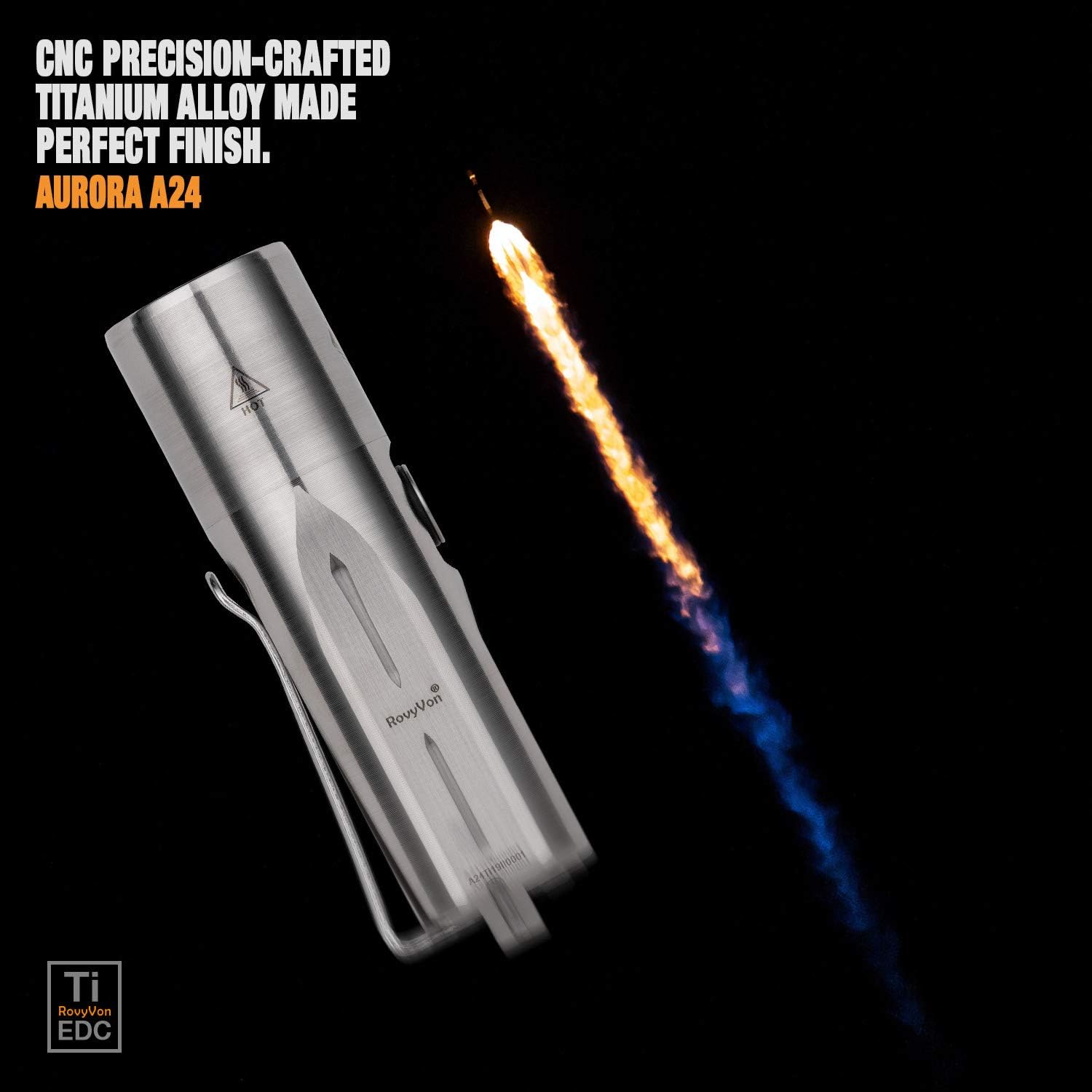
Image: Close-up view of the RovyVon Aurora A24 G2 Titanium LED Flashlight, highlighting the USB-C charging port.

Image: Illustration showing the charging indicator light on the RovyVon Aurora A24 G2 Titanium LED Flashlight, displaying blue for charging and green for fully charged.
Operating Instructions
The RovyVon Aurora A24 G2 features a dual-button user interface for intuitive control.
Button Functions
- Main Button (Top): Controls general lighting modes (Moonlight, Low, Medium, High).
- Secondary Button (Bottom): Activates momentary Turbo, SOS, and Strobe modes.
General Lighting Modes (Main Button)
- Turn On/Off: Double-click the Main Button to turn the flashlight on or off. The flashlight will remember the last used general lighting mode.
- Cycle Modes: While the flashlight is on, single-click the Main Button to cycle through Moonlight → Low → Medium → High.
Special Modes (Secondary Button)
- Momentary Turbo: Press and hold the Secondary Button for instant 1000 Lumen output. Release to turn off.
- SOS Mode: Triple-click the Secondary Button to activate SOS signaling. Single-click to turn off.
- Strobe Mode: Quadruple-click the Secondary Button to activate Strobe. Single-click to turn off.

Image: Visual representation of the RovyVon Aurora A24 G2 Titanium LED Flashlight's 7 lighting modes, including Turbo (1000 lumens), High (400 lumens), Medium (100 lumens), Low (10 lumens), Moonlight (0.5 lumens), SOS, and Strobe, with their respective runtimes.

Image: Close-up of the RovyVon Aurora A24 G2 Titanium LED Flashlight's dual buttons, indicating their distinct functions.
Maintenance
- Cleaning: Wipe the flashlight with a soft, damp cloth. Do not use harsh chemicals or abrasives.
- Charging: Recharge the battery regularly to maintain optimal performance, especially if not used for extended periods.
- Storage: Store the flashlight in a cool, dry place away from direct sunlight and extreme temperatures.
- Water Resistance: While waterproof (IPX8), avoid prolonged submersion or using the flashlight in extremely hot water. Ensure the USB-C port cover is securely closed before exposure to water.
Troubleshooting
| Problem | Possible Cause | Solution |
|---|---|---|
| Flashlight does not turn on. | Low battery; Lockout mode active. | Charge the battery; Double-click the Main Button to exit lockout mode. |
| Light output is dim. | Low battery; Incorrect mode selected. | Charge the battery; Cycle through modes to select a brighter setting. |
| Flashlight gets warm during use. | Normal operation in high/turbo modes. | This is normal. The flashlight will automatically step down brightness to prevent overheating. |
| Charging indicator not working. | Cable issue; Port issue; Already fully charged. | Try a different USB-C cable or power source; Check if the flashlight is already fully charged (green light). |
Specifications
| Feature | Detail |
|---|---|
| Model | A24-US |
| Material | Titanium |
| Light Source | LED |
| Max Output | 1000 Lumens |
| Max Runtime | 152 hours (Moonlight mode) |
| Max Throw Distance | 150 Meters |
| Battery | 850 mAh Rechargeable Lithium-Ion Polymer (included) |
| Charging Port | USB-C |
| Water Resistance | IPX8 (Waterproof) |
| Drop Test Rating | 2 Meters |
| Dimensions | 2.9"D x 0.85"W x 0.85"H (76mm x 21.5mm x 21.5mm) |
| Weight | 0.847 ounces (24g) |

Image: Infographic detailing key specifications of the RovyVon Aurora A24 G2 Titanium LED Flashlight, including max output, max runtime, max throw, battery capacity, drop test rating, and waterproof rating.

Image: Size comparison of the RovyVon Aurora A24 G2 Titanium LED Flashlight next to US quarter coins, illustrating its compact dimensions and light weight.
Warranty and Support
RovyVon products are covered by a manufacturer's warranty. For specific warranty terms and conditions, please refer to the documentation included with your product or visit the official RovyVon website.
For technical support, troubleshooting assistance, or warranty claims, please contact RovyVon customer service through their official website or the retailer from whom you purchased the product.
Official RovyVon Store: RovyVon® Direct on Amazon


