
Introduction
This manual provides essential information for the proper setup, operation, and maintenance of your Leica Q2 Digital Camera. The Leica Q2 is an advanced compact camera featuring a 47.3MP full-frame CMOS sensor and a fixed Summilux 28mm f/1.7 ASPH. lens, designed for high-resolution stills and 4K video recording.
What's in the Box
Carefully unpack your Leica Q2 camera and verify that all components are present:
- Leica Q2 Digital Camera
- Summilux 28mm f/1.7 ASPH. Lens (integrated)
- Lithium-Ion Battery Pack
- Battery Charger
- Lens Hood
- Lens Hood Cap
- Thread Protection Ring
- Accessory Shoe Cover
- Carrying Strap
- SanDisk 64GB Extreme UHS-I SDXC Memory Card
- USB SDHC Card Reader
- Hand Camera Grip
- Tripod with Carry Bag
- Camera Case
- Pro Cleaning Kit (Fibercloth, Lens Cleaning Solution Bottle, Lens Pen Brush, Dust Blower)
Setup
1. Charging the Battery
Insert the provided Lithium-Ion battery into the battery charger. Connect the charger to a power outlet. The charging indicator will show the charging status. Ensure the battery is fully charged before first use.2. Inserting the Battery and Memory Card
Open the battery compartment cover on the bottom of the camera. Insert the charged battery, ensuring correct orientation. Insert the SanDisk 64GB SDXC memory card into the designated slot until it clicks into place. Close the compartment cover securely.
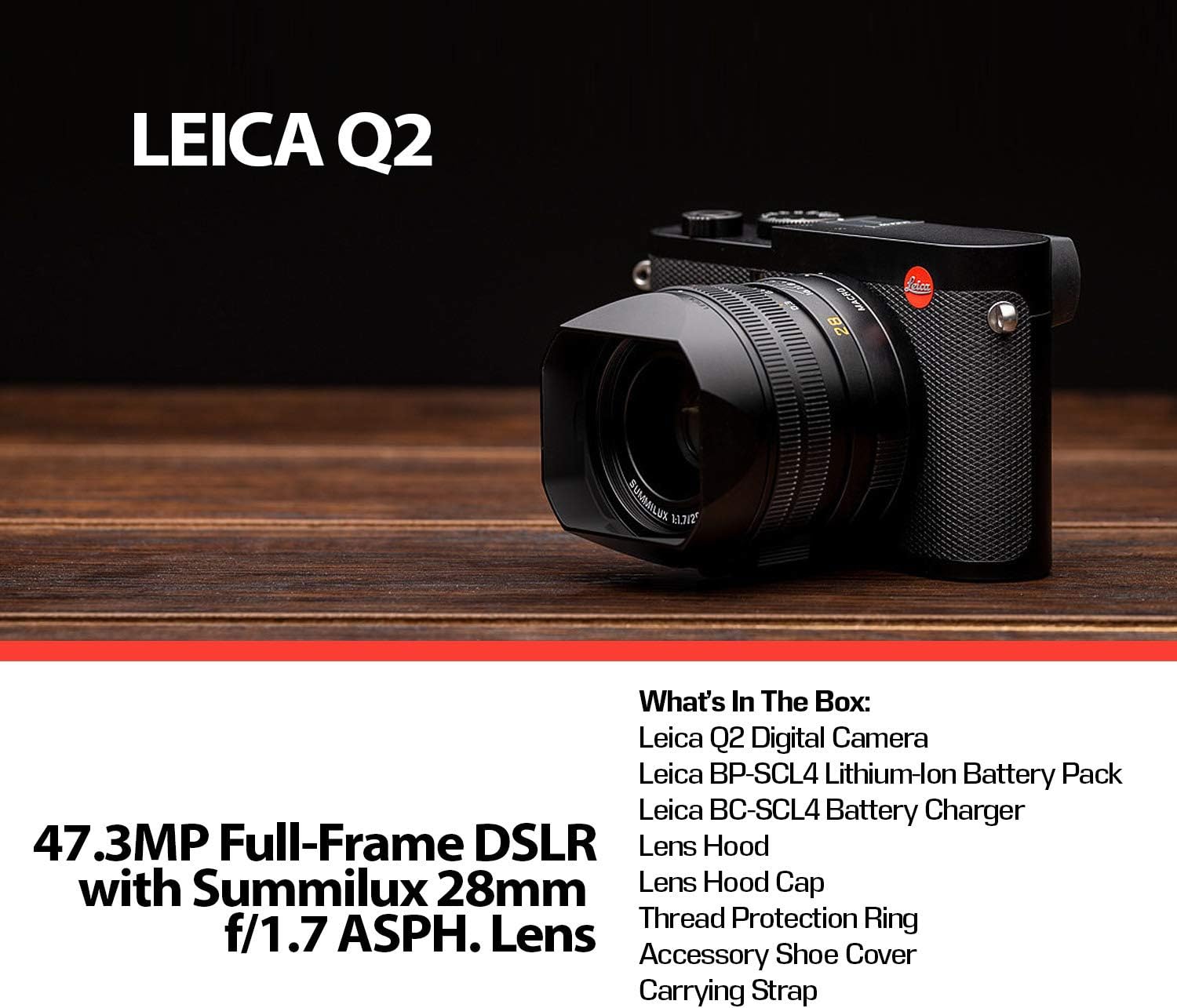
Figure 1: Rear view of the Leica Q2, showing the battery and memory card compartment location.
3. Attaching the Carrying Strap
Thread the carrying strap through the strap lugs on both sides of the camera body. Secure the strap according to the instructions provided with the strap.
4. Attaching the Lens Hood
Align the lens hood with the front of the lens and twist gently until it locks into place. The lens hood helps to reduce flare and protect the lens.
Operating the Camera
1. Powering On/Off
To power on the camera, rotate the power switch located around the shutter button to the 'ON' position. To power off, rotate it to 'OFF'.

Figure 2: Top view of the Leica Q2, highlighting the power switch and shutter button.
2. Basic Shooting Modes
The Leica Q2 offers various exposure control modes:
- Automatic (A): Camera sets all exposure parameters.
- Program (P): Camera sets aperture and shutter speed, user can shift program.
- Aperture Priority (Av or A): User sets aperture, camera sets shutter speed.
- Shutter Priority (Tv or S): User sets shutter speed, camera sets aperture.
- Manual (M): User sets both aperture and shutter speed.
These modes can be selected via the camera's menu system or dedicated dials.
3. Focusing
The camera supports both autofocus (AF) and manual focus (MF). The Summilux 28mm f/1.7 ASPH. lens features a focus ring for precise manual adjustments. The camera utilizes Contrast Detection for autofocus.

Figure 3: Top view of the Leica Q2 lens, illustrating the focus ring and aperture settings.
4. Viewfinder and LCD
The Leica Q2 features a 3.68MP OLED Electronic Viewfinder (EVF) and a 3.0" 1.04m-Dot Touchscreen LCD. Use the EVF for precise composition, especially in bright conditions, or the LCD for a larger view and touch-based controls.

Figure 4: Rear view of the Leica Q2, displaying the electronic viewfinder and the touchscreen LCD.
5. Video Recording
The Q2 supports DCI 4K24p, UHD 4K30p, and Full HD 120p video recording. Access video mode through the camera's menu or a dedicated switch if available. Ensure sufficient memory card speed for 4K recording.
6. Digital Crop Modes
The camera offers 35mm, 50mm, and 75mm digital crop modes, allowing you to simulate different focal lengths while preserving the original 47.3-megapixel resolution in DNG raw format.
Maintenance
1. Cleaning the Camera
Use the provided Pro Cleaning Kit to maintain your camera. A soft, lint-free cloth (fibercloth) can be used for general cleaning of the body. For the lens, use the lens pen brush to remove dust, followed by a lens cleaning solution and a clean lens cloth. Avoid touching the sensor directly.
2. Battery Care
Store batteries in a cool, dry place. Avoid fully discharging Lithium-Ion batteries for extended periods. Recharge them periodically if not in use.
3. Storage
When not in use, store the camera in its camera case in a dry, dust-free environment, away from extreme temperatures and humidity. Remove the battery if storing for a long duration.
Troubleshooting
- Camera does not power on: Ensure the battery is fully charged and correctly inserted.
- Memory card error: Check if the memory card is inserted correctly. Try reformatting the card (this will erase all data) or use a different card.
- Images are blurry: Verify focus settings (AF/MF). Ensure shutter speed is appropriate for the lighting conditions to avoid camera shake. Check lens for smudges.
- No image on LCD/EVF: Check display settings in the menu. Ensure the eye sensor is not obstructed if using the EVF.
- Camera freezes: Remove and reinsert the battery to perform a hard reset. If the issue persists, consult the Leica service center.
Specifications
| Feature | Specification |
|---|---|
| Sensor Type | 47.3 MP Full-Frame CMOS |
| Image Processor | Maestro II |
| Lens | Summilux 28mm f/1.7 ASPH. (Fixed) |
| Electronic Viewfinder | 3.68MP OLED (0.76x Magnification) |
| LCD Screen | 3.0" 1.04m-Dot Touchscreen LCD |
| ISO Range | 50-50000 |
| Continuous Shooting | Up to 10 fps |
| Video Recording | DCI 4K24p, UHD 4K30p, Full HD 120p |
| Image Stabilization | Digital, Optical |
| File Formats | JPEG, RAW (DNG) |
| Minimum Shutter Speed | 0.1 seconds |
| Maximum Shutter Speed | 1/2000 seconds |
| Connectivity | USB, Wi-Fi |
| Battery Type | Lithium Ion |
| Weight | Approx. 8.48 Pounds (with battery) |
| Model Number | 19050 |
| UPC | 094148182179 |
Warranty and Support
The Leica Q2 Digital Camera is covered by a manufacturer's warranty. Please refer to the warranty card included with your product for specific terms and conditions. For technical support, service, or further inquiries, please visit the official Leica website or contact your authorized Leica dealer.


