
Star Micronics PS60A-24C
Star Micronics PS60A-24C AC Adapter User Manual
1. Introduction
This manual provides essential information for the safe and effective use of your Star Micronics PS60A-24C AC Adapter. Please read it thoroughly before use and retain it for future reference.
The Star Micronics PS60A-24C AC Adapter is designed to provide reliable power to compatible devices, specifically Star Micronics mC-Print3 Series Printers.
2. Safety Information
Important Safety Instructions:
- Use only with the specified input voltage (120 V AC).
- Do not expose the adapter to moisture or extreme temperatures.
- Do not disassemble or modify the adapter.
- Ensure proper ventilation around the adapter during operation.
- Disconnect from power outlet when not in use for extended periods.
- Keep out of reach of children.
3. Package Contents
The package contains the following item:
- Star Micronics PS60A-24C AC Adapter
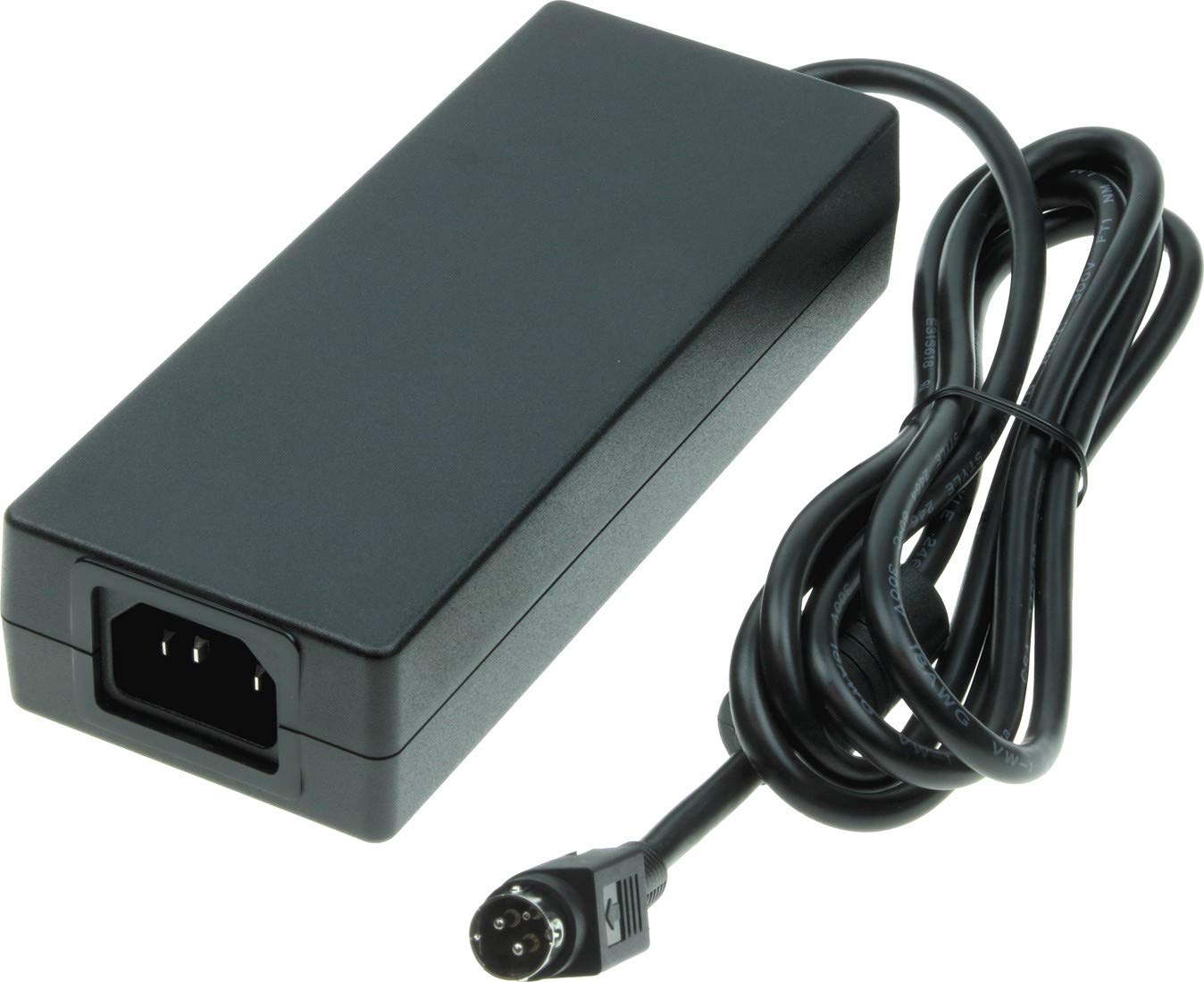
Image 1: Star Micronics PS60A-24C AC Adapter. This image shows the main adapter unit with its attached output cable, featuring a 4-pin Hosiden connector.

Image 2: Star Micronics PS60A-24C AC Adapter with power cord. This image displays the adapter unit along with both the detachable AC input power cord and the attached DC output cable.
4. Setup Instructions
- Connect the AC Power Cord: Insert the appropriate AC power cord (not always included, refer to your printer's accessories) into the AC input port of the PS60A-24C adapter. Ensure it is firmly seated.
- Connect to Power Outlet: Plug the other end of the AC power cord into a standard 120 V AC electrical outlet.
- Connect to Device: Connect the DC output cable (with the 4-pin Hosiden connector) from the adapter to the power input port of your compatible Star Micronics mC-Print3 Series Printer. Ensure the connection is secure.
- Power On: Once all connections are secure, power on your printer according to its specific instructions.
5. Operating Instructions
The Star Micronics PS60A-24C AC Adapter operates automatically once connected to a power source and a compatible device. It converts 120 V AC input to 24 V DC output, providing the necessary power for your printer.
- Ensure the adapter is placed in a well-ventilated area to prevent overheating.
- Avoid placing heavy objects on the adapter or its cables.
- If the printer is not receiving power, check all connections and the power outlet.
6. Maintenance
The PS60A-24C AC Adapter requires minimal maintenance.
- Cleaning: Disconnect the adapter from all power sources and devices before cleaning. Use a soft, dry cloth to wipe the exterior. Do not use liquid cleaners or solvents.
- Storage: When not in use, store the adapter in a cool, dry place, away from direct sunlight and moisture.
- Cable Inspection: Periodically inspect the power cords and adapter cables for any signs of damage, such as fraying or cuts. Replace damaged cables immediately.
7. Troubleshooting
If you encounter issues with your AC Adapter, refer to the following common problems and solutions:
| Problem | Possible Cause | Solution |
|---|---|---|
| Device not powering on. | No power to the adapter or loose connections. | Ensure the AC power cord is securely plugged into both the adapter and a working electrical outlet. Verify the DC output cable is firmly connected to the device. |
| Adapter feels hot. | Poor ventilation or prolonged heavy use. | Ensure the adapter is in a well-ventilated area. If overheating persists, disconnect and allow to cool, then re-evaluate usage. If it continues, discontinue use and contact support. |
| Intermittent power to device. | Damaged cable or faulty connection. | Inspect all cables for damage. Ensure connections are tight. Try a different power outlet. |
8. Specifications
- Model: PS60A-24C
- Manufacturer Part Number: 30782110
- Input Voltage: 120 V AC
- Output Voltage: 24 V DC
- Wattage: 50 watts
- Device Supported: Printer (Specifically Star Micronics mC-Print3 Series Printers)
- Connector Type: Hosiden cable (4-pin)
- Package Dimensions: 7.6 x 3.27 x 3.15 inches
- Weight: 1.06 Pounds
9. Warranty and Support
For warranty information and technical support, please refer to the official Star Micronics website or contact their customer service directly. Keep your purchase receipt as proof of purchase.
Star Micronics Official Website: Visit the Star Micronics Store on Amazon
Ask a question about this manual
Ask about setup, troubleshooting, compatibility, parts, safety, or missing instructions. Manuals+ will review the question and use this page’s manual context to help answer it.