
Yeelight YLYD04YI
Yeelight YLYD08YI Wireless Charging Nightlight User Manual
Brand: Yeelight | Model: YLYD04YI
1. Introduction
The Yeelight Wireless Charging Nightlight (Model: YLYD04YI) is an innovative and versatile device that combines a convenient wireless charging pad for smartphones with a detachable, magnetic nightlight. Designed for simplicity and functionality, it offers both illumination and power in a compact, elegant form factor, making it ideal for bedside tables, desks, or any area requiring ambient light and charging capabilities.

2. Key Features
- Wireless Charging Function: Equipped with a wireless charging pad that supports various smartphone models, allowing for convenient and cable-free charging.
- Detachable Magnetic Nightlight: The nightlight can be easily detached from the base and magnetically attached to metallic surfaces, providing flexible lighting options.
- Dual Light Colors: The nightlight offers two color temperature settings: warm white (2700K) for a cozy ambiance and cool white (5000K) for brighter illumination.
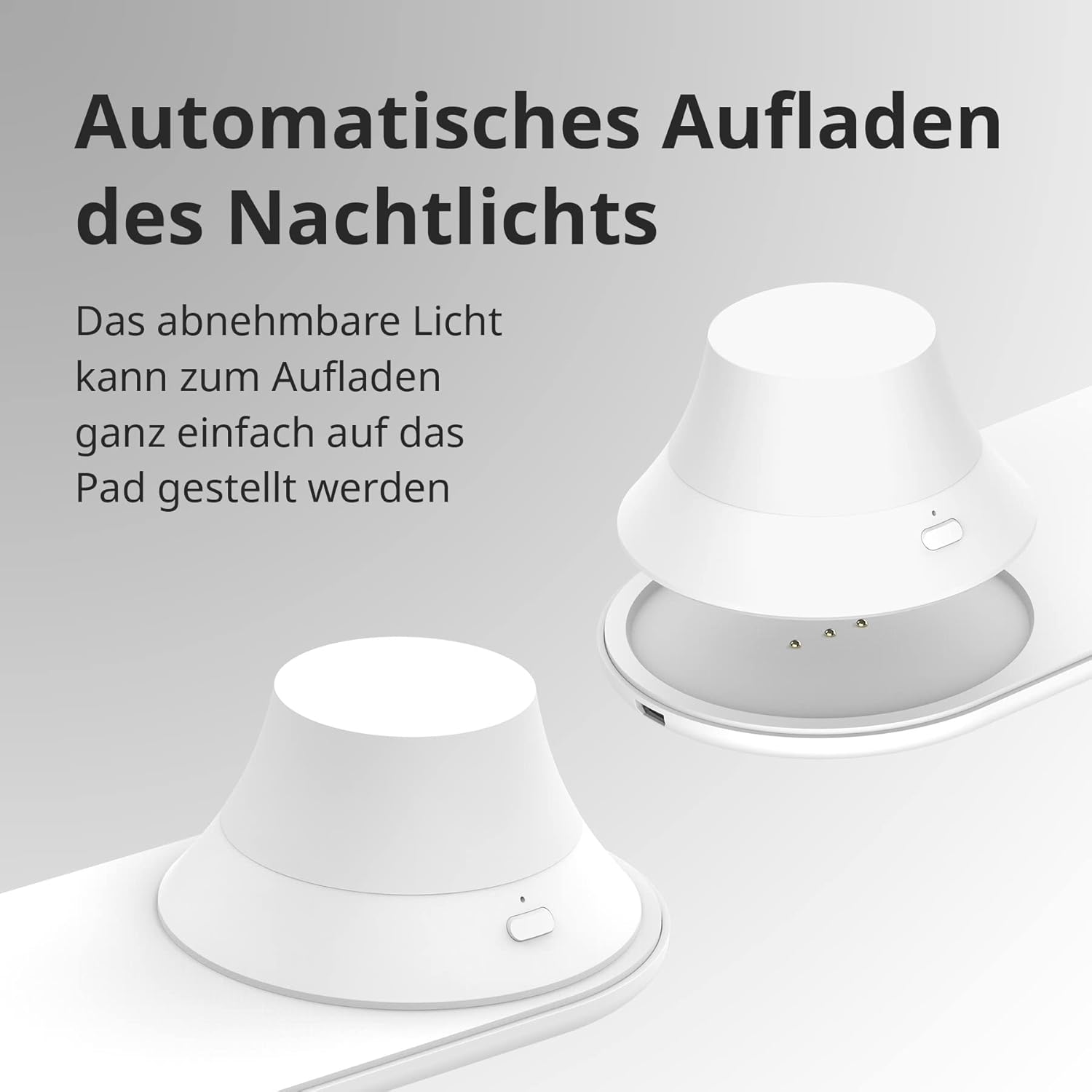
- Automatic Nightlight Charging: When placed back on the charging pad, the nightlight automatically recharges, ensuring it's always ready for use.
- Minimalist Design: Its sleek and simple design seamlessly integrates into various home decor styles.
- Smart Protection Features: Includes foreign object detection (FOD) and charging status notifications for safe and efficient use.
- Eye-Friendly Illumination: Designed to provide soft, comfortable light that is gentle on the eyes.


3. Setup
3.1 Unpacking
Carefully remove all components from the packaging. Ensure the following items are present:
- Yeelight Wireless Charging Nightlight Base
- Detachable Nightlight
- Micro USB Cable (100 cm)
3.2 Initial Setup
- Place the charging base on a stable, flat surface, such as a bedside table or desk.
- Connect the provided Micro USB cable to the charging port on the base.
- Plug the other end of the USB cable into a compatible power adapter (DC 5-12V 2A, not included) and then into a wall outlet (220-240V~ 50/60Hz).
- Place the detachable nightlight onto the designated circular area on the charging base. Ensure it is properly seated for charging.
4. Operation
4.1 Wireless Charging for Smartphones
- Ensure the charging base is connected to a power source.
- Place your Qi-compatible smartphone directly onto the flat charging area of the base.
- The charging indicator on your phone will typically show that charging has begun. The device supports fast wireless charging up to 15W.
- Remove your phone once charging is complete.
Note: For optimal charging, ensure your phone case is less than 4mm thick and there are no metallic objects between your phone and the charging pad.
4.2 Nightlight Operation
- To turn on/off: Press the button located on the side of the detachable nightlight.
- To change light color: Double-press the button to switch between warm white (2700K) and cool white (5000K).
- Detaching the nightlight: Simply lift the nightlight from the charging base. It has a built-in magnet, allowing it to be attached to any metallic surface.
- Recharging the nightlight: Place the nightlight back onto the charging base. It will automatically begin to recharge. A full charge provides over 20 hours of warm light or over 8 hours of cool light.

5. Maintenance
5.1 Cleaning
- Before cleaning, ensure the device is unplugged from the power source.
- Wipe the surface of the charging base and nightlight with a soft, dry, or slightly damp cloth.
- Do not use abrasive cleaners, solvents, or harsh chemicals, as these may damage the product's finish.
- Avoid getting moisture into any openings or ports.
5.2 Disposal and Recycling
Proper disposal of electronic products is important for environmental protection. Please adhere to local regulations for recycling and disposal of lamps and electronic devices.
- Recycling of Lamps: Information regarding the recycling of this and other types of lamps can be found through your local recycling centers or municipal waste management services.
- Disposal of Broken or Damaged Lamps: Learn more about the safe disposal of broken or damaged lamps from your local authorities to prevent environmental contamination.
6. Troubleshooting
If you encounter issues with your Yeelight Wireless Charging Nightlight, please refer to the table below for common problems and their solutions.
| Problem | Possible Cause | Solution |
|---|---|---|
| Smartphone not charging wirelessly. | 1. Device not properly aligned on the charging pad. 2. Phone case is too thick or contains metal. 3. Foreign object detected on the charging pad. 4. Power adapter is not sufficient or not connected. | 1. Realign the smartphone to the center of the charging pad. 2. Remove the phone case or use a thinner, non-metallic case. 3. Remove any objects (keys, coins, etc.) from the charging pad. 4. Ensure the power adapter is connected and meets the specifications (DC 5-12V 2A). |
| Nightlight does not turn on. | 1. Battery is depleted. 2. Button not pressed correctly. | 1. Place the nightlight on the charging base to recharge it. Allow sufficient time for charging. 2. Press the button firmly. |
| Nightlight not charging on the base. | 1. Nightlight not properly seated on the base. 2. Charging base not powered. | 1. Ensure the nightlight is correctly placed on the circular charging area. 2. Check if the USB cable is securely connected to the base and the power adapter, and if the adapter is plugged into a live outlet. |
| Light color does not change. | Button not double-pressed. | Double-press the button quickly to toggle between warm and cool white light. |
7. Specifications
Below are the detailed technical specifications for the Yeelight Wireless Charging Nightlight.
| Feature | Specification |
|---|---|
| Model Number | YLYD04YI |
| Product Dimensions | 2.79 x 24.64 x 16.51 cm |
| Weight | 0.15 kg (150 grams) |
| Form Factor | Plate with separate nightlight area |
| Assembly Required | No |
| Quantity | 1 |
| Batteries Required | Yes (1 Lithium-Polymer battery included in nightlight) |
| Included Components | Camera Body (Note: This seems to be a generic placeholder from the source data, actual included components are the charging base, nightlight, and USB cable.) |
| Connectivity Technology | Wireless |
| Connector Type | USB (Micro USB) |
| Compatible Devices | Laptops (Note: This seems to be a generic placeholder from the source data, primarily for smartphones.) |
| Compatible Phone Models | iPhone, Xiaomi Redmi, Samsung, HUAWEI (Qi-compatible smartphones) |
| Color | Pure White |
| Mounting Type | Tabletop Mount |
| Amperage | 3 Ampere (Input) |
| Luminous Flux (Brightness) | Warm White: 10 lm ± 10% Cool White: 30 lm ± 10% |
| Color Temperature | Warm White: 2700K Cool White: 5000K |
| Voltage | 220-240V~ 50/60Hz (Input) |
| Power Supply | Micro USB Cable DC 5-12V 2A |
| Built-in Battery (Nightlight) | Lithium-Polymer / 3.7 V 750 mAh |
| USB Cable Length | 100 cm |
| Output Power (Wireless Charging) | Max. 15W |
| Operating Temperature | 0-25°C |
| Operating Humidity | 0-85% RH |
| Protection Class | IP20 |
| Standby Power | Charging Pad < 300mW, LED Lamp < 1mW |
| Phone Case Thickness (Charging) | < 4mm (when charging on the pad) |
| Button Lifespan | 10,000 uses |
| Number of LEDs | 7 |
| Operating Time (Nightlight) | Warm Light: > 20 hours Cool Light: > 8 hours |
| Surface Temperature | < 75°C |
| Hardware Undervoltage Protection | Present |
| Output Short Circuit Protection | Present |

8. Warranty and Support
8.1 Warranty Information
This Yeelight product comes with a 2-year manufacturer's warranty. Please retain your proof of purchase for warranty claims. The warranty covers defects in materials and workmanship under normal use. It does not cover damage caused by misuse, accidents, unauthorized modifications, or normal wear and tear.
8.2 Customer Support
For further assistance, technical support, or warranty inquiries, please visit the official Yeelight website or contact their customer service. You can find more information and contact details on the Yeelight Brand Store on Amazon or their official global website.