1. Introduction
Thank you for choosing the Kaidi KD-750 Bluetooth Headphones. This manual provides essential information for the proper setup, operation, and maintenance of your device. Please read it thoroughly before use to ensure optimal performance and longevity of your headphones.
2. Package Contents
Verify that all items are present in your package:
- 1 x Kaidi KD-750 Bluetooth Headphones
- 1 x USB Charging Cable
- 1 x Reinforced 3.5mm Audio Cable with Microphone (P2 Cable)
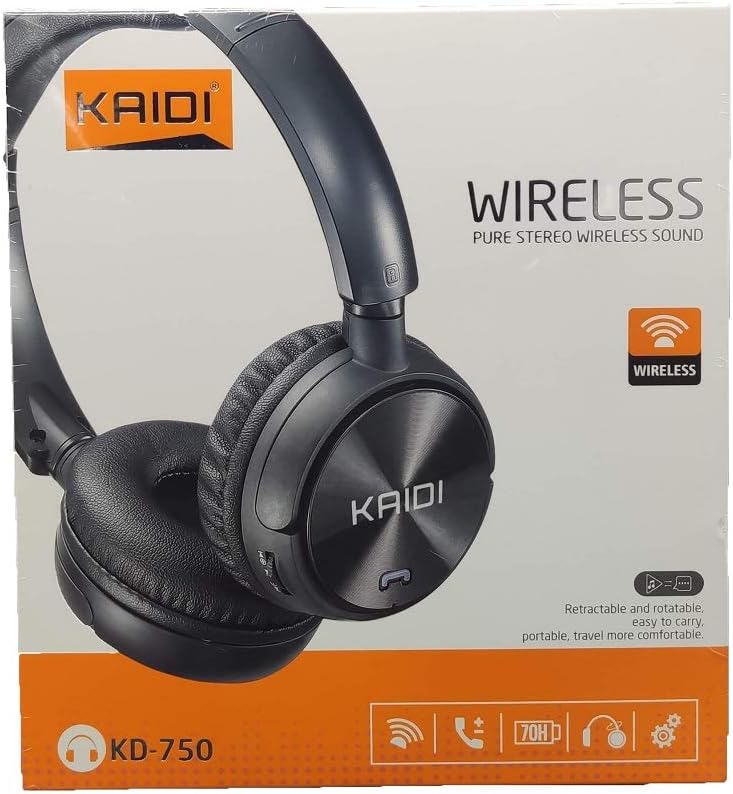
Image: Front view of the Kaidi KD-750 retail packaging, showing the headphones and branding.
3. Product Overview
Familiarize yourself with the various parts and controls of your Kaidi KD-750 headphones.

Image: Front view of the Kaidi KD-750 Bluetooth Headphones, showcasing the earcups with Kaidi logo and the adjustable headband.
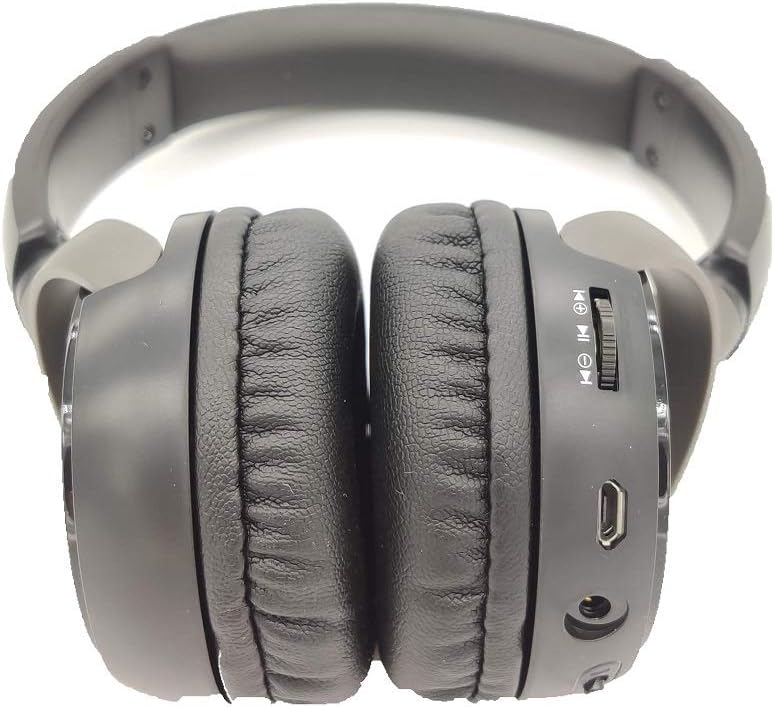
Image: Side view of the Kaidi KD-750 Bluetooth Headphones, highlighting the control buttons, charging port, and audio jack on the earcup.

Image: Back of the Kaidi KD-750 retail box, featuring a diagram of the headphone controls and key product features.
3.1. Controls and Ports
- Power Button / Multi-function Button: Power On/Off, Play/Pause, Answer/End Call.
- Volume Up / Next Track Button: Short press for Volume Up, Long press for Next Track.
- Volume Down / Previous Track Button: Short press for Volume Down, Long press for Previous Track.
- Mode Button (M): Switch between Bluetooth, FM Radio, and SD Card modes.
- Micro USB Charging Port: For charging the headphones.
- 3.5mm AUX Input: For wired connection using the included audio cable.
- Micro SD Card Slot: For playing music directly from a Micro SD card.
- Microphone: For hands-free calls.
4. Setup
4.1. Charging the Headphones
Before first use, fully charge your headphones.
- Connect the Micro USB end of the charging cable to the charging port on the headphones.
- Connect the USB-A end of the charging cable to a USB power adapter (not included) or a computer's USB port.
- The LED indicator will illuminate (usually red) during charging.
- Once fully charged (approximately 2 hours), the LED indicator will change color or turn off (refer to specific LED behavior in the specifications).
Note: The battery life is approximately 5 hours on a full charge.
4.2. Bluetooth Pairing
Pair your headphones with a Bluetooth-enabled device.
- Ensure the headphones are turned off.
- Press and hold the Power Button for approximately 3-5 seconds until the LED indicator flashes blue and red alternately, indicating pairing mode.
- On your device (smartphone, tablet, computer), enable Bluetooth and search for available devices.
- Select "KD-750" from the list of found devices.
- Once paired, the LED indicator will typically flash blue slowly or remain solid blue.
- If a password is required, enter "0000".
The effective Bluetooth range is approximately 10 meters (33 feet).
5. Operating Instructions
5.1. Power On/Off
- Power On: Press and hold the Power Button for 2-3 seconds until the LED indicator lights up.
- Power Off: Press and hold the Power Button for 3-4 seconds until the LED indicator turns off.
5.2. Music Playback (Bluetooth Mode)
- Play/Pause: Short press the Power Button.
- Next Track: Long press the Volume Up button.
- Previous Track: Long press the Volume Down button.
- Volume Up: Short press the Volume Up button.
- Volume Down: Short press the Volume Down button.
5.3. Phone Calls
- Answer Call: Short press the Power Button when an incoming call rings.
- End Call: Short press the Power Button during a call.
- Reject Call: Long press the Power Button when an incoming call rings.
- Redial Last Number: Double-press the Power Button.
5.4. Mode Switching (FM Radio / SD Card / AUX)
Press the Mode (M) Button to cycle through available modes: Bluetooth, FM Radio, and SD Card playback.
5.4.1. FM Radio Mode
- Switch to FM mode using the Mode (M) Button.
- Long press the Power Button to automatically scan and save available FM stations.
- Short press the Volume Up/Down buttons to adjust volume.
- Long press the Volume Up/Down buttons to switch between saved stations.
5.4.2. Micro SD Card Playback
- Insert a Micro SD card (with MP3 files) into the SD card slot.
- Switch to SD Card mode using the Mode (M) Button. The headphones will automatically begin playing music from the card.
- Use the Play/Pause, Volume Up/Down, and Next/Previous Track controls as in Bluetooth mode.

Image: Close-up view of the Micro SD card slot on the Kaidi KD-750 headphones.
5.4.3. AUX Wired Mode
- Connect one end of the included 3.5mm audio cable to the AUX input on the headphones.
- Connect the other end to the 3.5mm audio output of your device.
- The headphones will automatically switch to AUX mode.
- In AUX mode, controls on the headphones (volume, track control) may not function; use your connected device for control.
6. Maintenance and Care
- Clean the headphones with a soft, dry cloth. Do not use abrasive cleaners or solvents.
- Avoid exposing the headphones to extreme temperatures, humidity, or direct sunlight.
- Do not immerse the headphones in water or any other liquids.
- Store the headphones in a cool, dry place when not in use.
- Charge the headphones regularly, even if not used for extended periods, to maintain battery health.
7. Troubleshooting
7.1. Headphones do not power on.
Solution: The battery may be depleted. Connect the headphones to a power source using the USB charging cable and allow them to charge for at least 30 minutes before attempting to power on again.
7.2. Cannot pair with a Bluetooth device.
- Solution 1: Ensure the headphones are in pairing mode (LED flashing blue and red alternately).
- Solution 2: Make sure Bluetooth is enabled on your device and it is within 10 meters of the headphones.
- Solution 3: Turn off Bluetooth on your device, then turn it back on and try searching again.
- Solution 4: If previously paired, try "forgetting" or "unpairing" the headphones from your device's Bluetooth list and then re-pairing.
7.3. No sound or low volume.
- Solution 1: Check the volume levels on both the headphones and your connected device.
- Solution 2: Ensure the headphones are properly connected via Bluetooth or the 3.5mm AUX cable.
- Solution 3: If using AUX mode, ensure the cable is fully inserted into both the headphones and the audio source.
7.4. FM radio reception is poor.
Solution: Move to an open area away from obstructions or electronic interference. The 3.5mm audio cable can sometimes act as an antenna; try connecting it even if not using AUX mode for improved reception.
8. Specifications
| Bluetooth Version: | v4.2 |
| Supported Protocols: | AVRCP1.3, A2DP1.0, HFP1.5, HSP1.0 |
| Effective Range: | 10 meters (33 feet) |
| Working Frequency: | 2.402GHz - 2.480GHz |
| Battery Type: | Built-in 3.7V 300mAh Rechargeable Lithium Battery |
| Charging Voltage: | DC 4.2V - 5.5V |
| Charging Time: | Approximately 2 hours |
| Battery Duration: | Approximately 5 hours (playback) |
| Speaker Impedance: | 32 Ohms |
| Noise Control: | Passive Noise Cancellation |
| Connectivity Technology: | Bluetooth, 3.5mm Jack |
| Compatible Devices: | Any device supporting Bluetooth connectivity |
| Product Weight: | 190 g |
| Color: | Black |
9. Warranty and Support
The Kaidi KD-750 Bluetooth Headphones come with a standard manufacturer's warranty against defects in materials and workmanship. Please refer to the warranty card included with your purchase for specific terms and conditions, including the warranty period.
For technical support, troubleshooting assistance, or warranty claims, please contact your retailer or the official Kaidi customer service. Contact information can typically be found on the product packaging or the official Kaidi website.
Please retain your proof of purchase for warranty purposes.