
1. Product Overview
The Leadleds LED Sign Hat is a versatile baseball cap featuring an integrated LED display panel. This panel can be customized via a Bluetooth-connected smartphone application to show text, patterns, graffiti, and audio visualizations. It is designed for various occasions, offering a unique way to express messages or enhance visual appeal.
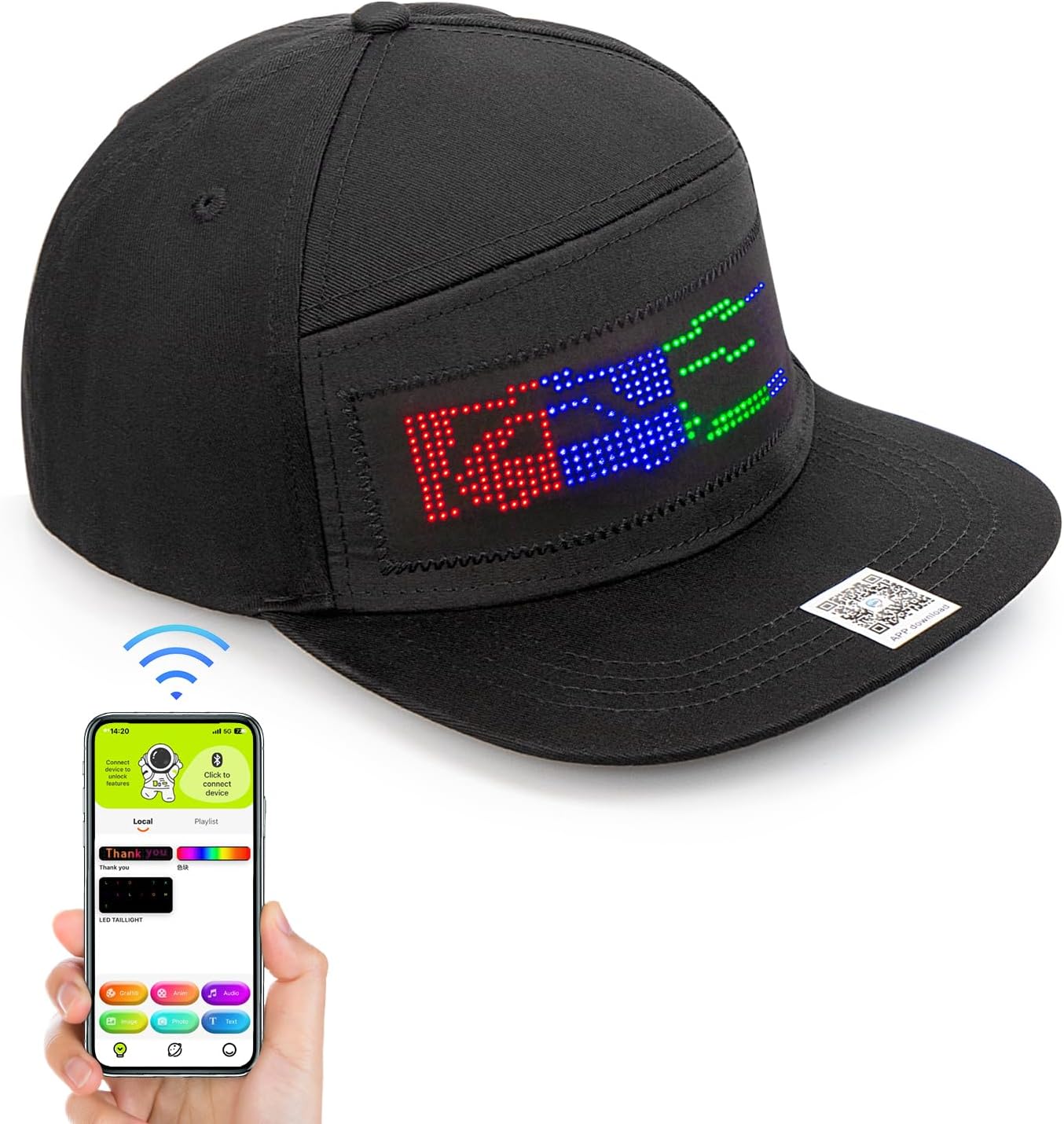
Image 1.1: The Leadleds LED Sign Hat shown alongside a smartphone demonstrating the control application interface.
2. Setup Guide
2.1 Charging the Device
Before initial use, ensure the LED Sign Hat is fully charged. Connect the hat's charging port to a standard USB power source using the provided charging cable. The LED indicator will show charging status.
2.2 Downloading the Application
Locate the QR code on the hat or in the packaging. Scan the QR code with your smartphone to download the dedicated control application. Alternatively, search for "LED Space" or a similar app name (as indicated in the product packaging) in your device's app store (Google Play Store for Android, Apple App Store for iOS).
2.3 Bluetooth Connection
- Ensure your smartphone's Bluetooth is enabled.
- Open the downloaded control application.
- Power on the LED Sign Hat.
- Within the app, navigate to the device connection section (often indicated by a Bluetooth icon or 'Connect Device').
- Select the LED Sign Hat from the list of available Bluetooth devices. A successful connection will typically be indicated by a change in the app's interface or a notification.
3. Operating Instructions
Once connected, the application provides various modes for customizing the LED display:
- Text Mode: Type custom messages to be displayed on the hat. You can often adjust font, color, scroll direction, and speed.
- Pattern Mode: Select from a library of pre-designed patterns or animations.
- Graffiti Mode: Draw custom designs directly within the app, which will then be displayed on the hat.
- Audio Mode: The LED display can react to ambient sound or music, creating dynamic visualizations.

Image 3.1: Examples of different display modes available for the LED Sign Hat, including animation, graffiti, audio visualization, and custom text.
3.1 Adjusting Display Settings
Within each mode, the app typically allows for adjustments such as:
- Brightness: Control the intensity of the LED lights.
- Speed: Adjust the speed of scrolling text or animations.
- Color: Change the color of text or patterns (if supported by the hat's LED panel).
Video 3.2: An official product video from Leadleds demonstrating the various display capabilities and dynamic effects of the LED Sign Hat in different settings.
4. Maintenance
4.1 Cleaning Instructions
The cap itself is made of 100% cotton and can be hand washed. Important: Before washing, you must carefully remove the LED panel and battery pack from the hat. Failure to do so will damage the electronic components.

Image 4.1: Illustration showing the removable LED panel and battery unit, which must be detached from the cap before cleaning.
4.2 Battery Care
The hat uses a rechargeable Lithium Ion battery. To prolong battery life:
- Avoid fully discharging the battery frequently.
- Store the hat in a cool, dry place when not in use.
- Charge the battery periodically if stored for extended periods.
5. Troubleshooting
| Problem | Possible Cause | Solution |
|---|---|---|
| Hat does not power on. | Battery is discharged. | Charge the hat fully using the provided USB cable. |
| Cannot connect via Bluetooth. | Bluetooth is off on phone or hat. App not open. | Ensure Bluetooth is enabled on both devices. Restart the app and hat. Try pairing again. |
| Display is dim or flickering. | Low battery. Loose connection. | Recharge the hat. Check that the LED panel is securely connected to the battery pack. |
| App crashes or does not load. | Outdated app version or operating system. | Ensure your app is updated to the latest version. Check your phone's operating system for updates. If issues persist, try reinstalling the app. |
6. Specifications
- Model Number: LLD-HAT1248BM-1
- Material Type: 100% Cotton
- Closure Type: Drawstring (Adjustable Snapback)
- Head Circumference: Adjustable for 22-27 inches
- Battery: 1 Lithium Ion battery (included)
- Care Instructions: Hand Wash Only (remove LED panel and battery)
- Item Weight: Approximately 4.97 ounces
- Water Resistance Level: Waterproof (referring to LED panel, but cap itself is not fully waterproof when electronics are installed)
- Sun Protection Factor (SPF): 20+

Image 6.1: The adjustable snapback closure of the hat, allowing for a comfortable fit for head circumferences between 22 and 27 inches.
7. Warranty & Support
7.1 Warranty Information
Specific warranty details for the Leadleds LED Sign Hat are not provided in this manual. Please refer to the retailer's return policy or contact Leadleds customer support for comprehensive warranty information regarding your purchase.
7.2 Customer Support
For further assistance, technical support, or inquiries, please contact Leadleds customer support through their official website or the retailer where the product was purchased. Keep your purchase receipt and model number (LLD-HAT1248BM-1) ready for faster service.