
1. Important Safety Information
Before operating this buzzer system, please read this manual thoroughly. It contains important operating instructions for safe use and awareness of RF energy and control for compliance with applicable standards and regulations.
2. Product Overview
The Retekess TM101 is a wireless buzzer system designed for interactive games, quizzes, and educational activities. It features a main display unit, multiple response buttons, and a remote control for easy management.

Image: The Retekess TM101 Wireless Buzzer System, showing the main display unit, four response buttons, and the remote control.
3. Package Contents
Verify that all items are present in your package:
- 1 x Display Host
- Response Buttons (quantity depends on model, e.g., 4 buttons for this model)
- 1 x Remote Control
- 1 x Power Adapter (for display)
- 1 x Mounting Bracket (for display)
- 1 x User Manual
- Note: 2 x AA batteries for each button are not included. 2 x 12V/23A batteries for the remote control are included.

Image: All components included in the Retekess TM101 package, laid out next to the product box.
4. Setup Instructions
4.1. Powering the Display Unit
- Connect the provided power adapter to the display unit's power input port.
- Plug the power adapter into a standard AC 100-240V electrical outlet.
- The display unit will power on automatically.
4.2. Installing Batteries in Buzzer Buttons
- Locate the battery compartment on the underside of each buzzer button.
- Open the battery compartment cover.
- Insert two (2) AA batteries into each buzzer, ensuring correct polarity (+/-).
- Close the battery compartment cover securely.
- Slide the ON/OFF switch to the "ON" position to activate the buzzer.

Image: Underside of a buzzer button showing the battery compartment and ON/OFF switch. Two AA batteries are shown next to it.
4.3. Remote Control Batteries
The remote control comes with two (2) 12V/23A batteries pre-installed. If replacement is needed, follow the instructions in the remote control's specific manual.
4.4. Display Placement
The display unit can be placed on a table using its removable stand or mounted on a wall. Ensure it is positioned for clear visibility by all participants.
5. Operating Instructions
5.1. System Overview
The TM101 system operates wirelessly with a transmission range of approximately 80 meters, utilizing 2.4 GHz wireless technology for stable signal transmission.
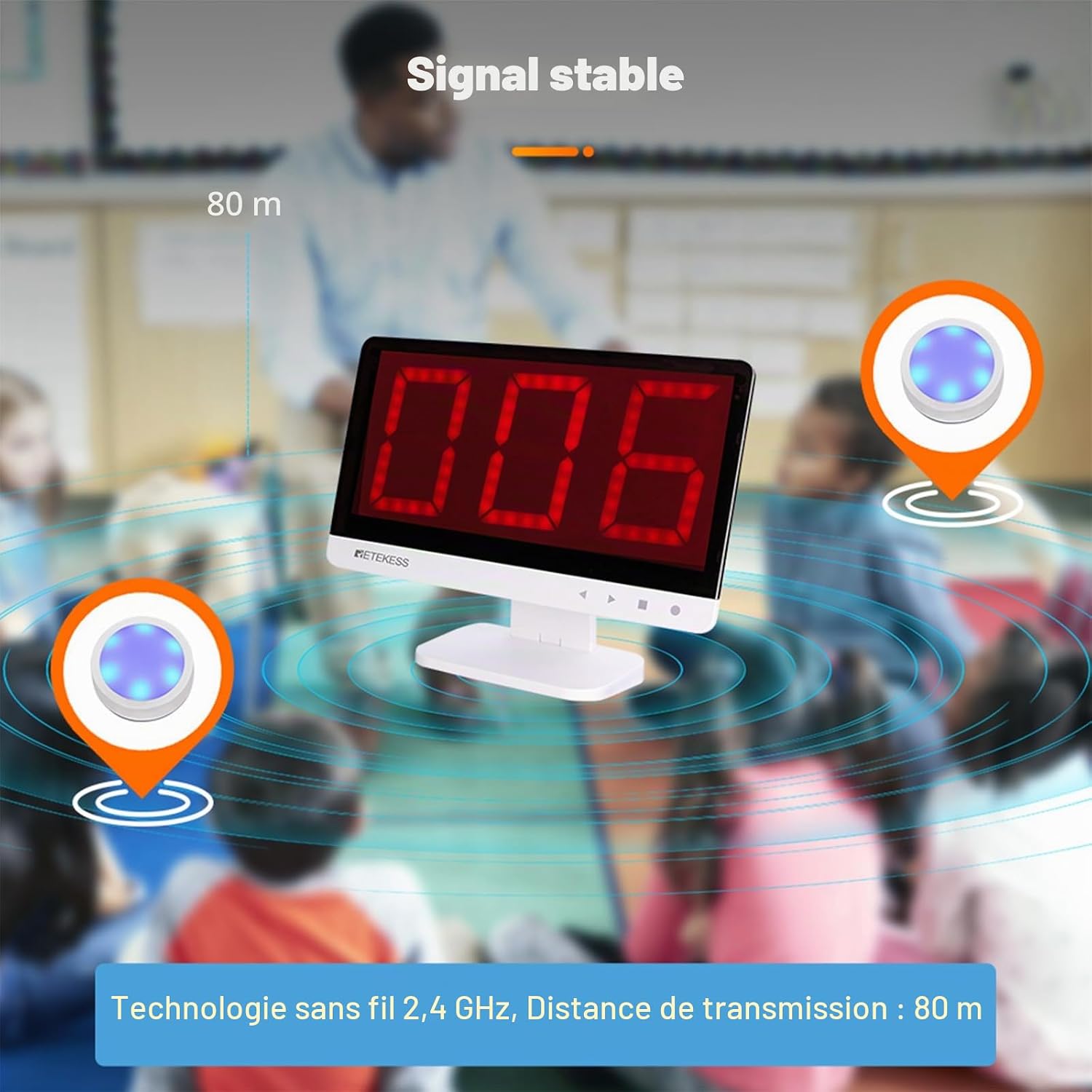
Image: Diagram illustrating the stable 2.4 GHz wireless signal transmission of the TM101 system over an 80-meter range in a classroom setting.
5.2. Buzzer Button Functionality
Each buzzer button features a large, easy-to-press surface with high sensitivity for quick response. The buttons illuminate and produce sound upon activation, allowing clear identification of the first responder.
- White: Standby mode.
- Blue: Start/Ready state.
- Green: Successful response.
- Red: Fault/Incorrect response.

Image: Four buzzer buttons illustrating their different illuminated states: White (Standby), Blue (Start), Green (Successful), and Red (Fault).
5.3. Remote Control Functions
The wireless remote control allows for convenient management of the game flow.
- Start: Initiates the game or round.
- Countdown Start: Begins a countdown timer for response.
- Timer/Thinking Time: Sets or manages the thinking time for participants.
- Reset: Clears the current response and resets the display for a new round.

Image: A hand holding the remote control, with a diagram showing its wireless signal and key functions: Start, Countdown Start, Timer/Thinking Time, and Reset.
5.4. Operating Modes
The system supports various operating modes:
- Normal Mode: Standard quiz mode where the first button pressed is registered.
- Voice Mode: Provides real-person HD voice broadcast for enhanced interaction.
- Elimination Mode: Allows for elimination based on responses, suitable for competitive quizzes.
5.5. Countdown Timer and Response Time
The countdown response time can be set from 1 to 999 seconds. This feature allows you to customize game control and prevent premature responses.
5.6. Volume Adjustment
The display unit offers 15 levels of adjustable volume for its crystal-clear 2.5 kHz sound. Adjust the volume to suit your environment and audience.

Image: Rear view of the display unit, showing sound waves emanating from it, indicating adjustable volume with 15 levels and 2.5 kHz clear sound.
5.7. Expanding the System
The display receiver can support up to 32 professional quiz buzzers, allowing for larger group participation.

Image: A classroom setting with the display unit and remote control, showing multiple buzzers (up to 32) wirelessly connected and active.
6. Maintenance
6.1. Cleaning
Wipe the display unit and buzzer buttons with a soft, dry cloth. Do not use abrasive cleaners or solvents, as these may damage the surfaces.
6.2. Battery Replacement
Replace AA batteries in the buzzer buttons when their performance diminishes. Ensure proper disposal of used batteries according to local regulations.
The remote control batteries (12V/23A) should be replaced as needed. Refer to the remote control's specific instructions for battery replacement.
6.3. Storage
When not in use for extended periods, store the system in a cool, dry place. Remove batteries from the buzzer buttons to prevent leakage.
7. Troubleshooting
- Buzzer not responding:
- Ensure batteries are correctly installed and not depleted.
- Check if the buzzer's ON/OFF switch is in the "ON" position.
- Verify the buzzer is within the 80m transmission range of the display unit.
- Display not powering on:
- Check the power adapter connection to both the display and the electrical outlet.
- Ensure the power outlet is functional.
- Voice prompts are too loud/in English:
- The system offers 15 levels of volume adjustment. Use the remote control or display unit controls to adjust the volume.
- The voice prompts are primarily in English. Language settings may not be adjustable on this model.
- Remote control not working:
- Ensure the remote control batteries are not depleted.
- Point the remote control towards the display unit.
8. Specifications
| Feature | Detail |
|---|---|
| Display Power Supply | Input: AC 100-240V, Output: DC 9V / 1A |
| Display Dimensions | 266 x 150 x 20 mm (10.5 x 5.9 x 0.8 inches) |
| Display Weight | 404 g (0.89 lbs) |
| Buzzer Button Dimensions | 100 x 100 x 30 mm (3.9 x 3.9 x 1.2 inches) |
| Buzzer Button Weight | 84 g (0.18 lbs) |
| Buzzer Button Power | 2 x AA batteries (not included) |
| Operating Distance | Approx. 80 meters (262 feet) |
| Remote Control Dimensions | 105 x 42 x 28 mm (4.1 x 1.7 x 1.1 inches) |
| Remote Control Weight | 62 g (0.14 lbs) |
| Remote Control Power | 2 x 12V/23A batteries (included) |
| Max. Buzzer Capacity | Up to 32 buzzers |
| Countdown Timer Range | 1 to 999 seconds |
| Material | Plastic |
| Color | White |
9. Warranty and Support
9.1. Manufacturer's Warranty
Retekess offers a 2-year warranty and a 30-day no-reason return policy. Beyond the warranty period, maintenance services are available, with buyers responsible for associated costs.
9.2. Customer Support
For any inquiries or support, please contact us on Amazon. We aim to respond within 12 hours. You can also visit the official Retekess Store on Amazon for more information.