
DINOKA B-368
DINOKA Bike Speedometer User Manual
Model: B-368 (631924260081)
Introduction
This manual provides comprehensive instructions for the DINOKA Wireless Bicycle Computer and Cycling Odometer, model B-368. This device is designed to track various cycling metrics, including current speed, distance, and time, offering a multi-functional LCD backlight display for clear readability in various conditions.

Front view of the DINOKA Wireless Bicycle Computer, showing its LCD display and control buttons.
Package Contents
Before proceeding with installation, please verify that all components listed below are present in your package:
- 1 x Bicycle Computer (Main Unit)
- 1 x Wireless Sensor
- 1 x Magnet
- 1 x Seat (Mounting Base)
- 2 x Stickers (for mounting)
- 1 x 23A Battery (for sensor)
- 1 x CR2032 Battery (for computer)
- 7 x Plastic Tie-wraps (for securing components)
- 1 x User Manual
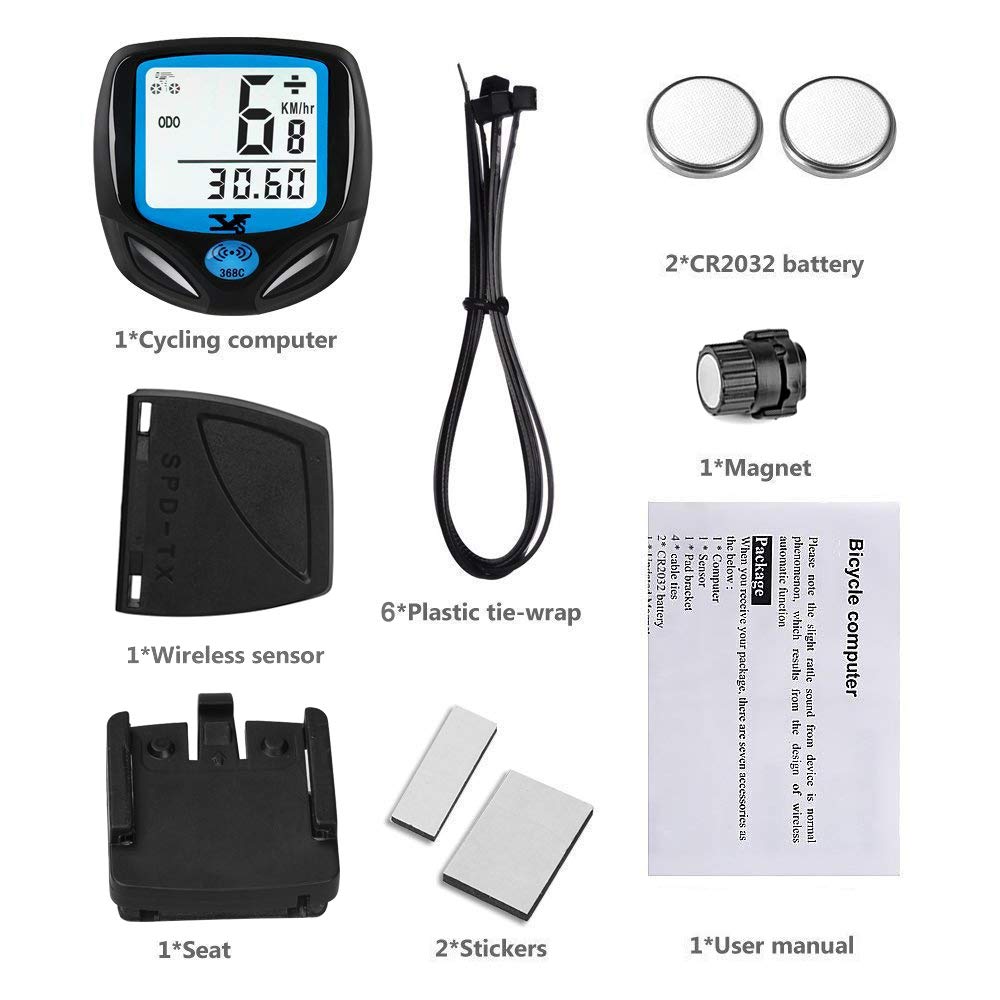
Image showing all components included in the DINOKA Bike Speedometer package, including the computer, sensor, magnet, mounting base, batteries, and ties.
Setup and Installation
1. Battery Installation
- Install the 23A battery into the wireless sensor.
- Install the CR2032 battery into the bicycle computer.
2. Reset and Pairing
Before first use, it is essential to reset and pair the computer to ensure accurate results. Refer to the specific instructions in the included user manual for the exact button sequence for resetting and pairing.
3. Mounting Components
- Install the Seat (Mounting Base): Secure the mounting base to your bicycle's handlebars or stem using the provided plastic tie-wraps.
- Mount the Wireless Sensor: Fix the wireless sensor onto the front fork of your bicycle.
- Mount the Magnet: Attach the magnet to a spoke on your front wheel.
- Positioning: Ensure the distance between the sensor and the magnet is approximately 3mm. The total distance between the sensor and the main computer unit should be less than 60cm for reliable signal reception. The magnet should face the upside or downside of the sensor, not the middle.

Illustration detailing the correct placement and distance requirements for the wireless sensor and magnet on the bicycle's front fork and wheel spoke, along with the computer unit on the handlebar.
4. Set Tire Circumference
Accurate speed and distance readings depend on correctly setting the tire circumference. Consult the included user manual for a table of common tire sizes and their corresponding circumference values, or measure your tire's circumference precisely. This setting is typically accessed through the computer's menu (SET function).
Operating Instructions
Functions Overview
The DINOKA Bike Speedometer offers a variety of functions to enhance your cycling experience:
- SPD: Current Speed
- ODO: Odometer (Total Distance)
- DST: Trip Distance
- MXS: Maximum Speed
- AVS: Average Speed
- TM: Elapsed Time (Trip Time)
- CLK: Clock (12H/24H format)
- SCAN: Automatic circulatory function (cycles through display modes)
- Comparison Prompt: Indicates if current speed is faster or slower than average ("+" or "-")
- Miles Set: Option to switch between Kilometers per hour (KM/hr) and Miles per hour (M/hr)
- FREEZE FRAME MEMORY: Records driving data at a specific point.

Visual representation of the various functions displayed on the bike computer's screen, including ODO, DST, SPD, TM, Sleep Mode, and Maximum Speed, along with the device's dimensions.
Automatic Wake-up and Sleep Mode
The device features an automatic wake-up function. It will automatically turn on from sleep mode when it senses vibration, typically from movement of the bicycle. The computer enters sleep mode after 300 seconds of inactivity to conserve battery life.
Day and Night Backlight
The LCD display features a backlight with distinct green and white colors to optimize visibility during both day and night conditions. This allows for clear reading of statistics regardless of ambient light.

Image illustrating the difference between Day Mode and Night Mode display on the DINOKA bike computer, showing enhanced visibility with backlight during low light conditions.
Maintenance
General Care
The DINOKA Bike Speedometer is designed to be waterproof, making it suitable for use in various weather conditions. To ensure longevity and optimal performance:
- Wipe the unit clean with a soft, damp cloth. Avoid abrasive cleaners or solvents.
- Ensure the battery compartments are securely closed to maintain water resistance.
- Avoid exposing the device to extreme temperatures for prolonged periods.
Maintenance Alert
The device includes a maintenance reminder function (MAINTENANCE ALERT). This feature can be set to prompt you for routine bicycle maintenance based on distance traveled, helping you keep your bike in optimal condition.
Troubleshooting
Protective Film on Display
A protective film is applied to the surface of the bicycle computer's display. For optimal clarity, please remove this film before use. If the film appears damaged due to logistics or transportation, it will not affect the device's functionality; simply tear it off.
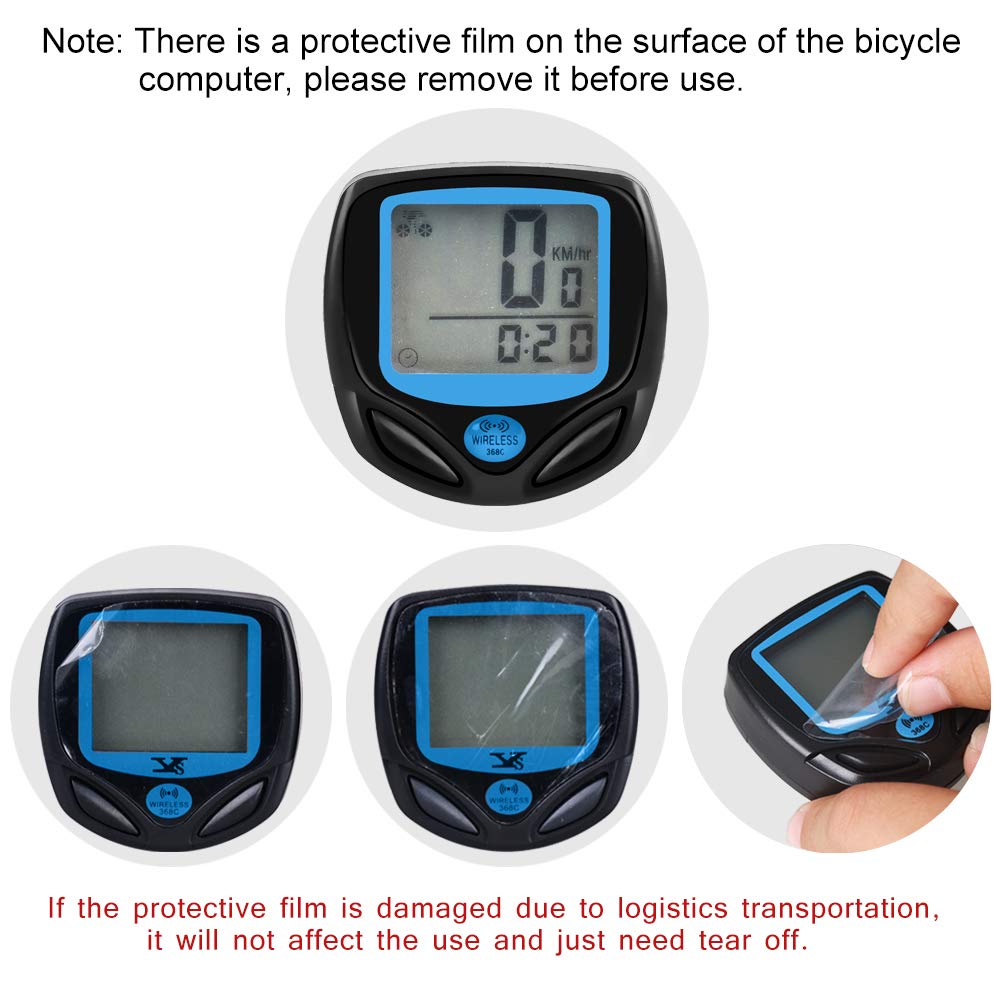
Series of images demonstrating the protective film on the bike computer's screen and the process of peeling it off for clear viewing.
Inaccurate Readings or No Signal
- Sensor and Magnet Distance: Ensure the distance between the wireless sensor and the magnet is approximately 3mm. If the gap is too wide, the signal may not be detected.
- Computer and Sensor Distance: The distance between the main computer unit and the wireless sensor should be less than 60cm. If they are too far apart, signal transmission may be interrupted.
- Battery Check: Verify that both the computer and sensor batteries are correctly installed and have sufficient charge.
- Reset and Pair: If issues persist, try resetting and re-pairing the computer and sensor as per the setup instructions.
Slight Rattle Sound
A slight rattle sound from the device is a normal phenomenon. This is a result of the design of the wireless automatic function, specifically related to the built-in ball switch that enables the auto wake-up feature.
Specifications
| Feature | Detail |
|---|---|
| Brand | DINOKA |
| Model Number | 631924260081 (B-368) |
| Color | Black |
| Display Type | LCD with Backlight |
| Sensor Type | Speed Sensor |
| Connectivity Technology | Wireless |
| Battery Cell Composition | Lithium Ion (23A for sensor, CR2032 for computer) |
| Mounting Type | Stem Mount / Handlebar Mount |
| Human Interface Input | Buttons |
| Dimensions | 56mm x 41mm x 20mm |
| Item Weight | 91 g |
| Manufacturer | 007KK |
Warranty and Support
For information regarding product warranty, technical support, or service inquiries, please refer to the contact details provided on the product packaging or the official DINOKA website. Keep your purchase receipt as proof of purchase for any warranty claims.