
Introduction
Thank you for choosing the Inwerang 5MP 4-in-1 Dome Super Hybrid Security Camera. This camera is designed for versatile surveillance applications, supporting HD-TVI, CVI, AHD, and traditional 960H CVBS (Analog) video output modes. Featuring a 2.8-12mm varifocal lens and 98ft IR night vision, it provides high-resolution imaging for both indoor and outdoor environments. This manual provides essential information for the proper installation, operation, and maintenance of your security camera.

A close-up view of the Inwerang 5MP Dome Security Camera, showcasing its varifocal lens and infrared LEDs.
Setup and Installation
Pre-installation Considerations
- DVR Compatibility: This camera's default video format is 5MP TVI @ 20fps. Before installation, confirm that your Digital Video Recorder (DVR) supports this format or the alternative formats (AHD, CVI, 960H) at compatible frame rates. If your DVR only supports 5MP@12.5fps, you will need to adjust the camera's output mode.
- Power Supply: The camera does not come with a power supply, video cable, or power cable. A 12V DC power supply (minimum 500mA recommended) is required.
- Location: The camera is rated IP66 waterproof for both indoor and outdoor use. Choose a mounting location that provides optimal viewing angles and protection from direct impact.
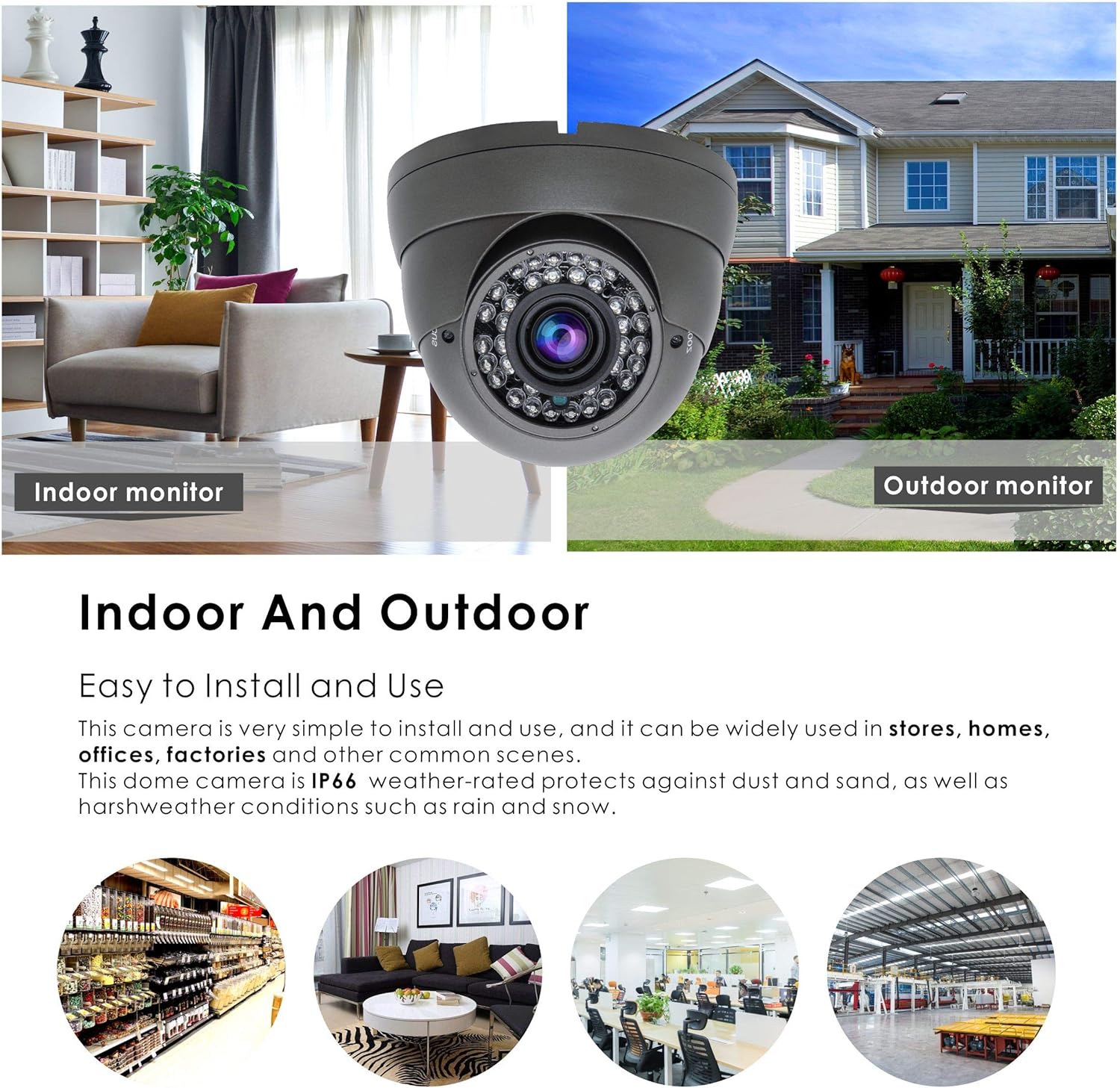
This image illustrates the versatility of the Inwerang dome camera, suitable for both indoor and outdoor surveillance applications.
Physical Installation
- Mounting: Securely mount the camera to a wall or ceiling using appropriate screws and anchors. Ensure the mounting surface can support the camera's weight.
- Cable Routing: Route the video and power cables safely, protecting them from environmental damage or tampering.
- Adjusting View: Loosen the adjustment screws on the camera body to position the lens for the desired field of view. The camera allows for 180-degree vertical and 360-degree horizontal adjustment. Tighten screws once adjusted.

This image provides the physical dimensions of the dome camera (approximately 10cm height, 12cm width) and indicates its 180-degree vertical and 360-degree horizontal adjustment capabilities.
Connecting to DVR and Power
- Connect the camera's video output (BNC connector) to an available video input on your DVR.
- Connect the camera's power input to a 12V DC power supply.
Video Mode Switching (4-in-1 Function)
This camera supports TVI, AHD, CVI, and 960H CVBS (Analog) video output modes. The default mode is 5MP TVI. To switch modes:
- Ensure the camera is powered on and connected to a monitor or DVR.
- Locate the joystick cable attached to the camera's video output cable.
- To switch modes: Move the joystick in the right direction (for TVI), left (for AHD), up (for CVBS/960H), or down (for CVI). Hold the joystick in the desired direction for approximately 5 seconds until the video signal changes.
- For 5MP@12.5fps DVRs: If your DVR only supports 5MP@12.5fps, first switch the camera to 960H mode using the joystick. Then, access the camera's OSD (On-Screen Display) menu (usually via your DVR's PTZ control) to select 5MP@12.5fps video output.

This diagram explains how to switch between TVI, AHD, CVI, and CVBS (960H) video output modes using the integrated joystick cable. It also shows the connection points for power and video.

This visual guide demonstrates how the Inwerang 4-in-1 camera connects to different types of Digital Video Recorders (DVRs), including TVI, AHD, CVI, and Analog 960H DVRs. A crucial notice regarding 5MP@20fps default and switching for 5MP@12.5fps DVRs is also highlighted.
Operating Instructions
Basic Operation
- Power On: Once connected to a power supply, the camera will automatically power on and begin transmitting video.
- Day/Night Vision: The camera features a High-Quality ICR (IR Cut Filter) and 36 powerful infrared LEDs, enabling automatic switching between color day vision and black-and-white night vision based on ambient light conditions. The IR range is up to 98 feet.
- Varifocal Lens Adjustment: The 2.8-12mm varifocal lens allows you to manually adjust the zoom and focus to achieve the desired field of view and clarity. This adjustment is typically done during installation.

This graphic compares different video resolutions, including Ultra HD (8MP), Super HD (5MP), Full HD (2MP/1080P), and HD (1MP/720P), illustrating the clarity provided by the 5MP camera.
Advanced Settings (OSD Menu)
The camera features an On-Screen Display (OSD) menu for advanced configuration. This menu is typically accessed through your DVR's PTZ (Pan-Tilt-Zoom) control interface. Consult your DVR's manual for instructions on how to access and navigate the OSD menu for connected cameras. Options may include fine-tuning image settings, noise reduction, and specific video output parameters.
Maintenance
- Cleaning: Regularly clean the camera lens and housing with a soft, damp cloth. Avoid abrasive cleaners or solvents that could damage the surface.
- Environmental Protection: While the camera is IP66 waterproof, ensure that all cable connections are properly sealed and protected from moisture to prevent damage.
- Cable Inspection: Periodically inspect cables for any signs of wear, damage, or loose connections.
Troubleshooting
| Problem | Possible Cause | Solution |
|---|---|---|
| No video signal or distorted image | Incorrect video output mode; incompatible DVR; loose cable connection; no power. | Verify camera's video output mode matches DVR input (use joystick to switch). Check all cable connections. Ensure 12V DC power supply is connected and functional. Confirm DVR supports 5MP TVI or the selected mode. |
| Poor night vision | Insufficient power; IR LEDs obstructed; camera not switching to night mode. | Ensure adequate power supply. Clear any obstructions in front of the IR LEDs. Check if the camera automatically switches to night mode in low light. |
| Image too dark/bright or color issues | Improper OSD settings; environmental lighting. | Access the camera's OSD menu via your DVR to adjust brightness, contrast, and other image settings. Ensure proper lighting in the surveillance area. |
Specifications
| Feature | Detail |
|---|---|
| Model Number | IWR5E318RBN |
| Video Output Modes | HD-TVI, AHD, CVI, 960H CVBS (Analog) |
| Video Capture Resolution | 5 MP (2560x1920) |
| Image Sensor | 1/2.5" 5MP CMOS |
| Lens | 2.8-12mm Varifocal Lens |
| Infrared LEDs | 36 pcs |
| IR Night Vision Range | Up to 98 feet (30 meters) |
| Frame Rate | 20 fps (default for 5MP TVI) |
| Power Requirement | 12V DC (Power adapter not included) |
| Power Consumption | 5 watts |
| Water Resistance Rating | IP66 (Waterproof) |
| Dimensions (L x W x H) | 4.6 x 4.6 x 3.9 inches (approx. 11.7 x 11.7 x 9.9 cm) |
| Weight | 1.2 pounds (approx. 0.54 kg) |
| Color | Black |
| Indoor/Outdoor Usage | Yes |
Warranty and Support
Specific warranty details for this product are not provided within this manual. For information regarding warranty coverage, technical support, or service inquiries, please contact Inwerang customer support directly through their official channels or the retailer from whom the product was purchased.
You may visit the Inwerang store on Amazon for more information: Inwerang Store