1. Introduction
This manual provides detailed instructions for the proper use and maintenance of your Lixada DMX512 2.4G Wireless Receiver. This device is designed to eliminate the need for DMX cables in stage lighting setups, offering a reliable wireless solution for controlling DMX-compatible lighting fixtures.
2. Product Overview
Key Features
- Wireless DMX512 control for stage lighting applications.
- Automatic 126-channel frequency hopping for strong anti-jamming capability, ensuring reliable operation.
- Up to 1000m (3280ft) wireless transmission distance with 23DBM high power output.
- Real-time signal data transmission with no noticeable delay.
- Operates on a 2.4G ISM frequency band.
Package Contents
- 1 x Lixada DMX512 2.4G Wireless Receiver
- 1 x Power Adapter
- 1 x User Manual (English)

Image 1: The Lixada DMX512 2.4G Wireless Receiver, a compact device with an antenna and an XLR connector.

Image 2: The DMX wireless receiver shown alongside its included power adapter.
3. Setup Instructions
3.1 Power Connection
- Connect the provided power adapter to the DMX receiver's power input port.
- Plug the power adapter into a standard electrical outlet. The receiver will power on automatically.
3.2 Connecting to DMX Fixtures
- Insert the DMX receiver directly into the 3-pin DMX input port of your stage lighting fixture (e.g., PAR light, moving head).
- Ensure the connection is secure to prevent signal loss.

Image 3: A detailed view of the 3-pin XLR connector on the DMX receiver, ready for connection to a lighting fixture.

Image 4: The DMX wireless receiver plugged into the DMX input of a stage lighting unit, illustrating a typical setup.
4. Operating Instructions
4.1 Pairing with a DMX Transmitter
For wireless operation, the DMX receiver must be paired with a compatible DMX transmitter (sold separately). The pairing process is typically automatic:
- Ensure both the DMX transmitter and receiver are powered on.
- The devices will automatically search for and establish a connection on an available channel within the 2.4G ISM frequency band.
- A stable connection is usually indicated by a specific LED status on both the transmitter and receiver. Refer to the device's LED indicator section (if present) for specific patterns and their meanings.
4.2 Signal Transmission
Once successfully paired, the receiver will wirelessly receive standard DMX512 protocol data from the transmitter. This data is then passed directly to the connected DMX lighting fixture, enabling remote control of its functions without physical DMX cabling.
5. Maintenance
5.1 Cleaning
Wipe the exterior of the device with a soft, dry cloth. Do not use liquid cleaners, abrasive materials, or solvents, as these can damage the finish or internal components.
5.2 Storage
Store the receiver in a cool, dry place, away from direct sunlight, high humidity, and extreme temperatures when not in use.
5.3 Handling
Avoid dropping the device or subjecting it to strong impacts. Do not attempt to disassemble or modify the receiver, as this will void any applicable warranty and may cause permanent damage.
6. Troubleshooting
6.1 No Signal / Intermittent Signal
- Check Power: Ensure both the receiver and the DMX transmitter are properly powered on and their power adapters are securely connected.
- Distance: Verify that the receiver is within the effective operational range (up to 1000m line-of-sight) of the transmitter. Walls, large metal objects, and other obstacles can significantly reduce range.
- Interference: Other 2.4G wireless devices (e.g., Wi-Fi routers, Bluetooth devices, cordless phones) can cause interference. Try repositioning the receiver or transmitter, or temporarily disabling other 2.4G devices to identify the source of interference.
- Pairing: Confirm that the receiver is correctly paired with the transmitter. If unsure, power cycle both devices and allow them to re-establish a connection.
6.2 Device Not Responding
- Power Cycle: Disconnect and reconnect the power to both the receiver and the DMX lighting fixture.
- DMX Connection Check: If using a DMX cable between the receiver and the fixture, ensure it is securely connected and not damaged.
- Fixture Compatibility: Ensure your lighting fixture is DMX512 compatible and configured correctly to receive DMX signals.
7. Specifications
| Feature | Specification |
|---|---|
| Interface | RS485 |
| Maximum Transmission Power | 23DBM |
| Transmission Distance | 1000m / 3280ft |
| Modulation Mode | GFSK |
| Working Frequency Range | 2.400-2.4835GHz, ISM, 126 channels |
| Sensitivity | -94dBm |
| Material | Stainless steel |
| Item Size (D * H) | 1.8 * 14cm / 0.7 * 5.5in |
| Item Weight | 76g / 2.7oz |
| Power Source | Corded Electric |
| Color | DMX 512 Receiver |
| Shape | Cylindrical |
| Finish Type | Powder Coated, Brushed |
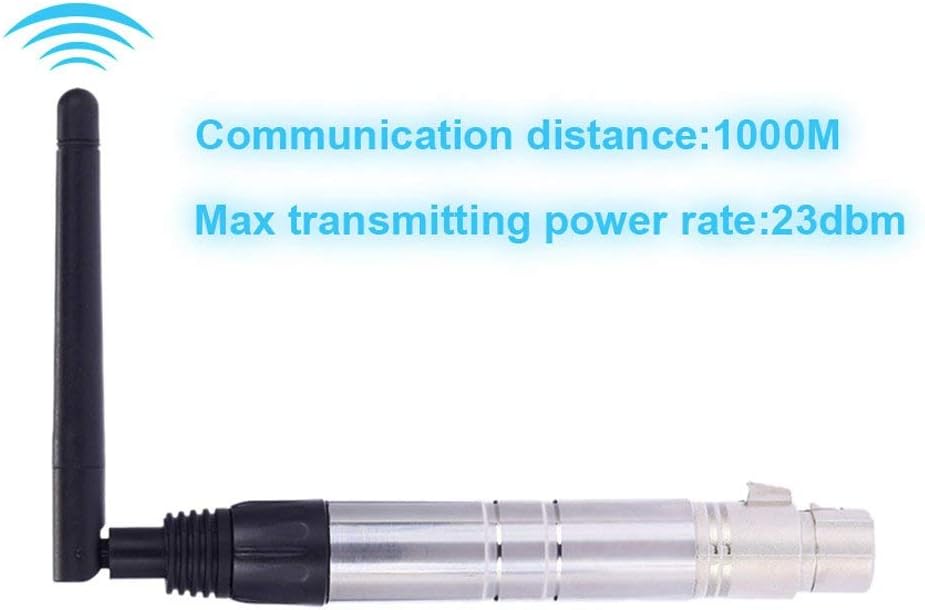
Image 5: Visual representation of the DMX receiver's communication distance (1000M) and maximum transmitting power (23dbm).
8. Warranty and Support
For warranty information or technical support regarding your Lixada DMX512 2.4G Wireless Receiver, please contact Lixada customer service through your original point of purchase. Do not attempt to repair the device yourself, as this may void your warranty and could lead to further damage or personal injury.


