
OneOdio Pro50
OneOdio Pro50 High Resolution Headphones User Manual
Model: Pro50
Introduction
Thank you for choosing the OneOdio Pro50 High Resolution Headphones. These professional monitor headphones are designed for exceptional sound quality, ideal for DJing, studio work, musical instrument practice, mixing, and general audio enjoyment. Featuring a 50mm dynamic driver, the Pro50 delivers balanced, high-fidelity audio with clear highs and tight lows.
This manual provides essential information for setting up, operating, and maintaining your headphones to ensure optimal performance and longevity.
Package Contents
Please check that all items are present in your package:
- OneOdio Pro50 Headphones
- 3.5mm Audio Cable
- 3.5mm to 6.35mm Curl Cord
- Carrying Pouch
- Instruction Manual
Setup
Connecting Your Headphones
The OneOdio Pro50 headphones feature dual input ports (3.5mm and 6.35mm) for versatile connectivity.
- Identify the correct cable: Use the 3.5mm audio cable for devices with a standard headphone jack (e.g., smartphones, laptops). Use the 3.5mm to 6.35mm curl cord for professional audio equipment (e.g., mixers, amplifiers, audio interfaces).
- Connect to headphones: Insert the smaller end of the chosen cable into either the 3.5mm or 6.35mm port on the headphone earcup.
- Connect to audio source: Insert the other end of the cable into the corresponding audio output port on your device.

Figure 1: Dual-port connection for various audio devices.
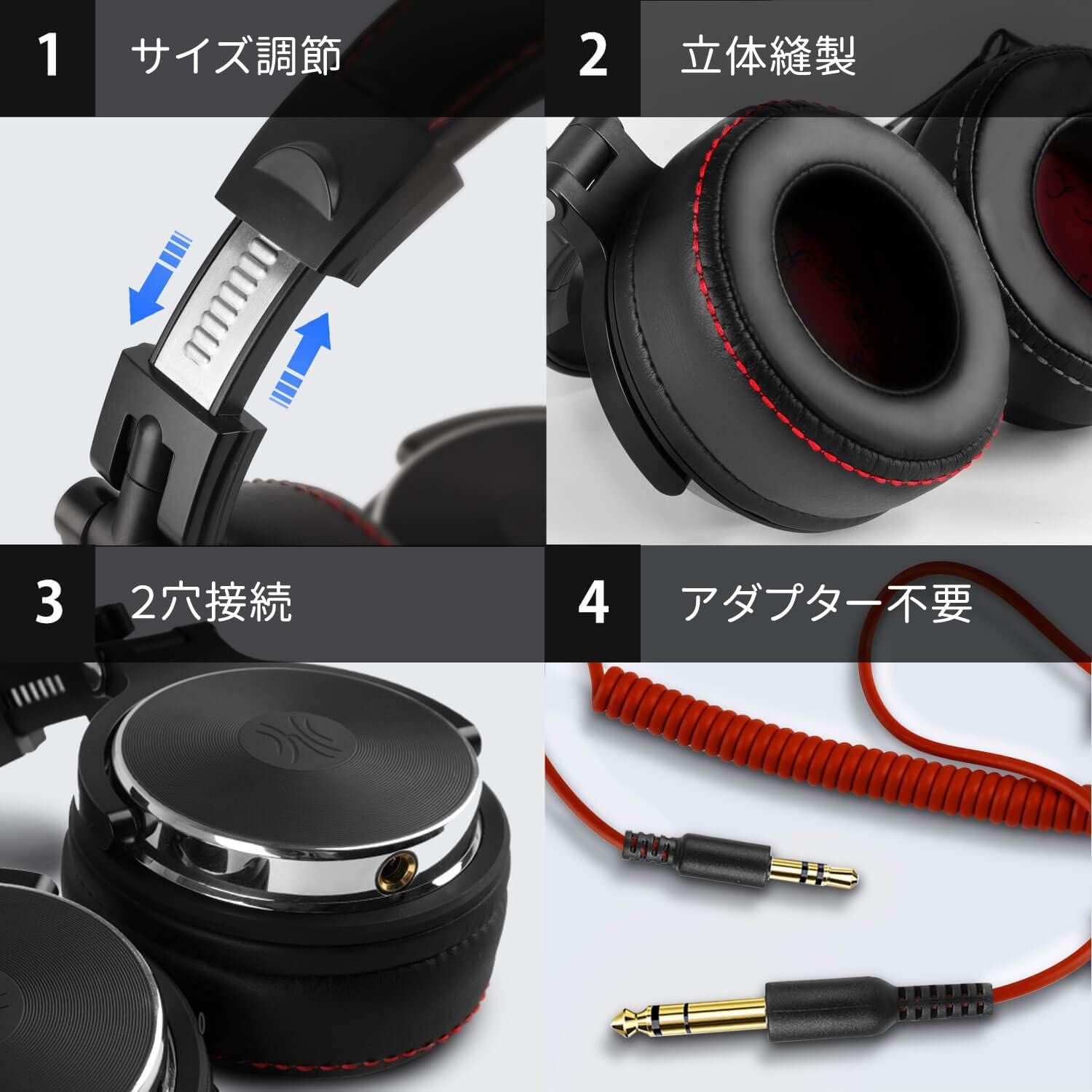
Figure 2: Detachable audio cables included with the headphones.
Operating Instructions
Wearing the Headphones
Adjust the headband to ensure a comfortable and secure fit. The earcups are designed to fully enclose your ears for optimal sound isolation and comfort during extended use. The soft, double-layered memory foam earpads contribute to stress-free wearing.

Figure 3: Comfortable memory foam earpads for extended wear.
Figure 4: Headband size adjustment for a personalized fit.
Single-Ear Monitoring
The earcups feature a 90-degree swivel mechanism, allowing for convenient single-ear monitoring, which is particularly useful for DJs and studio professionals.

Figure 5: Headphones folded for portability and swiveled for single-ear monitoring.
Music Sharing Function
Utilize the dual input ports to share audio with another pair of headphones. Connect your Pro50 headphones to an audio source, then connect a second pair of headphones to the unused input port on your Pro50.

Figure 6: Music sharing with another pair of headphones.
In-line Controls (if applicable)
Some versions of the 3.5mm audio cable may include an in-line microphone and media controls.
- Play/Pause: Press the button once.
- Next Track: Press the button twice.
- Previous Track: Press the button three times.
- Answer/End Call: Press the button once during an incoming call or active call.
- Reject Call: Press and hold the button during an incoming call.

Figure 7: In-line microphone and media controls.
Maintenance
Cleaning
To clean your headphones, gently wipe the earcups and headband with a soft, dry cloth. For the faux leather parts, a slightly damp cloth can be used, followed by immediate drying. Avoid using harsh chemicals or abrasive cleaners.
Cable and Earpad Replacement
The audio cables and earpads are detachable, allowing for easy replacement if they become worn or damaged. This feature extends the lifespan of your headphones.
Storage
When not in use, fold the headphones compactly and store them in the included carrying pouch to protect them from dust and damage.
Figure 8: Foldable design for compact storage.
Troubleshooting
- No Sound:
- Ensure the audio cable is securely connected to both the headphones and the audio source.
- Check the volume level on your audio source.
- Try a different audio cable or audio source to rule out cable or device issues.
- Sound Distortion:
- Lower the volume on your audio source.
- Ensure the audio cable is fully inserted and not damaged.
- Microphone Not Working (if applicable):
- Ensure the cable with the in-line microphone is being used.
- Check your device's audio settings to ensure the correct microphone input is selected.
Specifications
| Feature | Detail |
|---|---|
| Brand | OneOdio |
| Model Name | Pro50 |
| Driver Size | 50mm Dynamic Driver |
| Ear Placement | Over Ear |
| Impedance | 32 ohm |
| Connectivity Technology | Wired |
| Headphone Jack | 3.5mm + 6.35mm |
| Cable Features | Detachable |
| Noise Control | Sound Isolation |
| Weight | 200 g |
| Material | Plastic, Faux Leather |
| Specific Uses | Studio, Instrument Practice, Mixing, TV Watching, Movies |

Figure 9: 50mm dynamic driver for high-resolution audio.

Figure 10: Versatile applications for the Pro50 headphones.
Warranty and Support
For warranty information and customer support, please refer to the official OneOdio website or contact their customer service directly. Keep your purchase receipt as proof of purchase.
Online Support: Visit the OneOdio Store on Amazon for more product information and support resources.
Ask a question about this manual
Ask about setup, troubleshooting, compatibility, parts, safety, or missing instructions. Manuals+ will review the question and use this page’s manual context to help answer it.