
Introduction
The Feit Electric Smart Bulb (Model OM100/RGBW/CA/AG) is a 100W equivalent LED light bulb offering color-changing and tunable white functionalities. This smart bulb connects directly to your 2.4 GHz Wi-Fi network, eliminating the need for a separate hub. It is designed for seamless integration with smart home ecosystems, supporting voice control via Alexa and Google Assistant. Through the Feit Electric mobile app, users can effortlessly control lighting, adjust color temperature, dim brightness, set schedules, and create customized lighting groups to suit any mood or occasion. The bulb features a high Color Rendering Index (CRI) of 90+, ensuring colors appear realistic and vibrant. It fits standard E26 medium base sockets, making it a versatile and energy-efficient lighting solution.
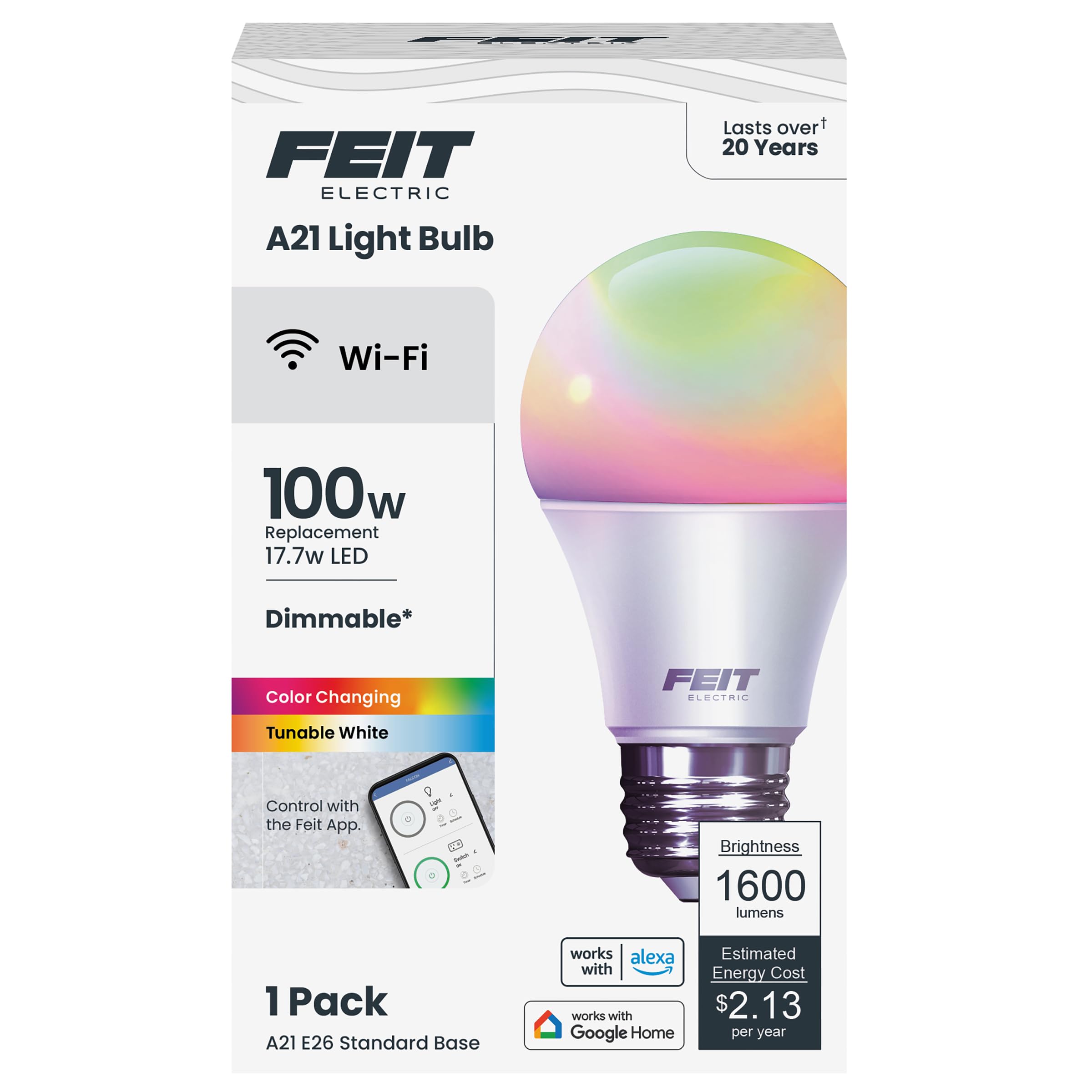
Figure 1: Feit Electric Smart Bulb OM100/RGBW/CA/AG
Setup
1. Installation
Carefully screw the Feit Electric Smart Bulb into any standard E26 medium base light socket. Ensure the power is off before installation. Once installed, turn on the power to the light fixture.
2. App Download and Connection
Download the official Feit Electric app from the App Store (iOS) or Google Play Store (Android). The app is essential for controlling the smart bulb's features. Ensure your mobile device is connected to a 2.4 GHz Wi-Fi network, as the bulb only supports this frequency. If your router combines 2.4 GHz and 5 GHz bands, you may need to adjust your router settings to connect specifically to the 2.4 GHz network for initial setup.

Figure 2: Download the Feit Electric App for Android and iOS
3. Pairing Process
To initiate pairing mode, turn the light bulb on and off several times until it begins to blink. This blinking indicates that the bulb is ready to be discovered by the Feit Electric app. Follow the in-app instructions to add your new smart bulb. If the bulb does not connect, try repeating the on/off sequence or restarting your Wi-Fi router.
Video 1: Illustrative video demonstrating the unboxing, installation, and pairing process of a Feit Electric Smart Bulb. Note: The video may feature a 60W equivalent bulb, but the setup steps are generally applicable.
Operating the Smart Bulb
1. App Control
Once connected, use the Feit Electric app to control your bulb. The app provides intuitive controls for:
- Remote Access: Turn lights on/off from anywhere.
- Dimming: Adjust brightness levels from 1% to 100%.
- Color Changing: Select from millions of colors to match your mood or decor.
- Tunable White: Adjust color temperature from warm white (2700K) to cool daylight (6500K).
- Scheduling: Set timers and schedules for automatic on/off times.
- Grouping: Control multiple bulbs simultaneously by creating groups.
- Device Sharing: Allow multiple users to control the bulbs.

Figure 3: Intuitive App Control features
2. Voice Control
The Feit Electric Smart Bulb is compatible with Amazon Alexa and Google Assistant. Link your Feit Electric account to your preferred voice assistant app. You can then use voice commands to turn lights on/off, adjust brightness, and change colors. For example, say "Alexa, turn living room light red" or "Hey Google, dim the bedroom light to 50%."

Figure 4: Voice Control with Alexa and Google Assistant
3. Color Changing and Tunable White
Utilize the color wheel in the Feit Electric app to select from a wide spectrum of colors. For functional lighting, switch to tunable white mode to adjust the color temperature from a warm, cozy glow to a bright, energetic daylight. This allows you to customize the ambiance of your space for any activity or time of day.

Figure 5: Match Your Mood with Color Changing and Tunable White options
Maintenance
The Feit Electric Smart Bulb is designed for long-lasting performance with an average life of 25,000 hours. No special maintenance is required beyond occasional dusting with a soft, dry cloth. Ensure the bulb is completely cool and the power is off before cleaning. Avoid using liquid cleaners or abrasive materials.
Troubleshooting
- Bulb Not Connecting to Wi-Fi: Ensure your router is broadcasting a 2.4 GHz Wi-Fi network. Some routers combine 2.4 GHz and 5 GHz bands; you may need to split these bands in your router settings to connect the bulb. Verify that the Wi-Fi security is set to WPA2 and consider locking the channel bandwidth to 20 MHz if connection issues persist.
- Bulb Disconnects Frequently: If the bulb occasionally drops offline, try turning the wall switch off for about 30 seconds and then back on. This can help reset the connection. Ensure the bulb is within range of your Wi-Fi router.
- App Issues: If the Feit Electric app is not functioning as expected, ensure it is updated to the latest version. You may also try reinstalling the app or restarting your mobile device.
- Power Outage: After a power outage, the bulb should automatically reconnect to your Wi-Fi network. If it does not, follow the steps for "Bulb Not Connecting to Wi-Fi" or perform a power cycle.
Specifications
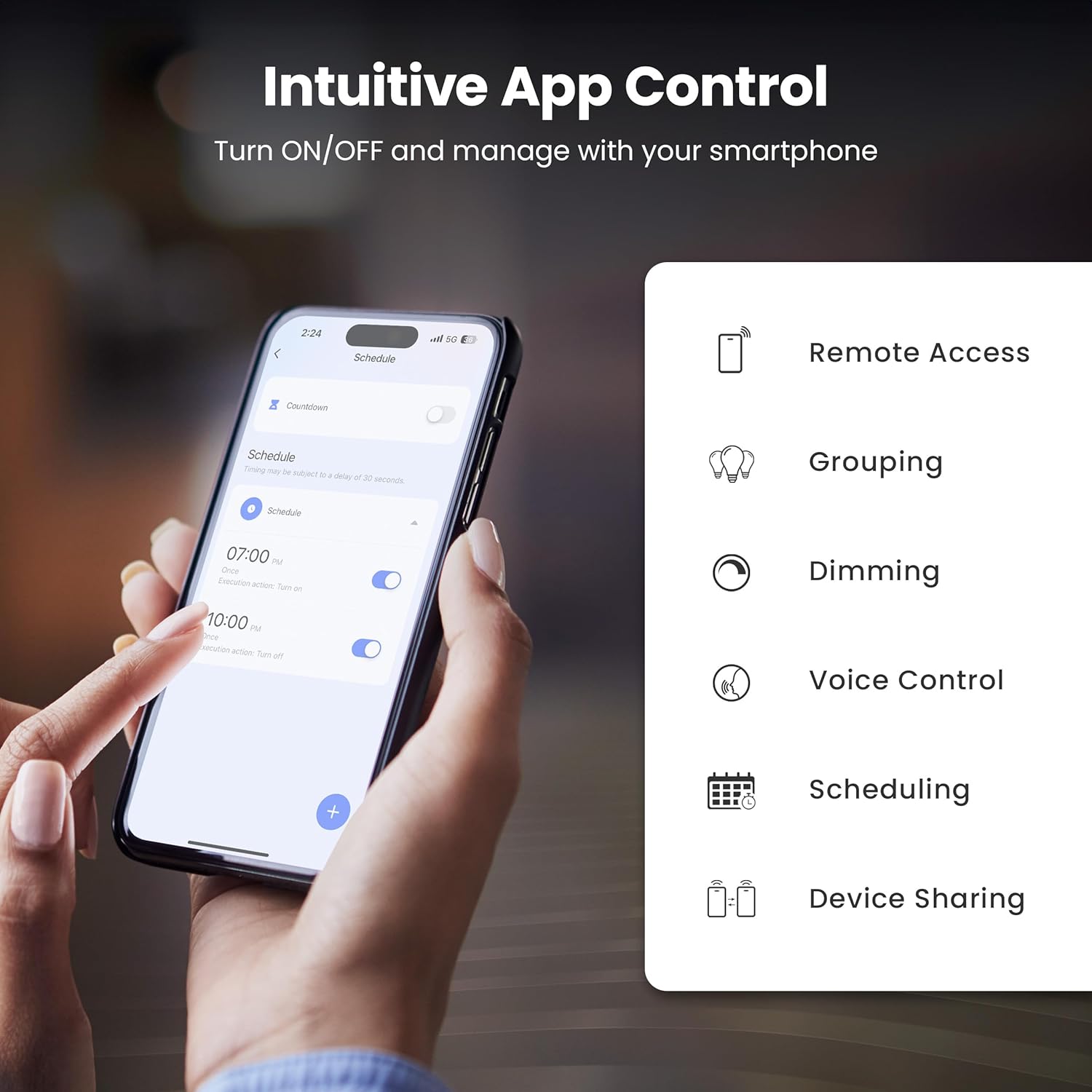
Figure 6: Feit Electric Smart Bulb Specifications Overview
| Feature | Detail |
|---|---|
| Brand | Feit Electric |
| Model Number | OM100/RGBW/CA/AG |
| Light Type | LED |
| Special Feature | Color Changing, Tunable White |
| Wattage | 17.7 Watts |
| Incandescent Equivalent | 100 Watts |
| Bulb Shape Size | A21 |
| Bulb Base | E26 Medium |
| Brightness | 1600 Lumens |
| Color Temperature | 2700K - 6500K (Tunable White) |
| Color Rendering Index (CRI) | 90 |
| Voltage | 120 Volts |
| Connectivity | 2.4 GHz Wi-Fi (No Hub Needed) |
| Smart Home Compatibility | Alexa, Google Assistant |
| Average Life | 25,000 Hours |
| Product Dimensions | 2.9"W x 5.3"H |
| Item Weight | 6.4 Ounces |
Warranty and Support
This Feit Electric Smart Bulb comes with a one-year warranty. For customer service or warranty claims, please contact Feit Electric at info@feit.com or call toll-free at 1-866-326-BULB. You can also visit the official Feit Electric help page for additional support and resources.

Figure 7: Feit Electric Customer Support Information
Visit the Feit Electric help page: https://help.feit.com/hc/en-us


