
Tecnock QY1802A
Tecnock RC Car Instruction Manual
Model: QY1802A
Introduction
Thank you for choosing the Tecnock 1:18 Scale 2WD Offroad RC Racing Car. This manual provides essential information for setting up, operating, and maintaining your RC car to ensure optimal performance and extended enjoyment. Please read this manual thoroughly before first use.

Figure 1: Tecnock 1:18 Scale RC Car, remote control, and product packaging.
What's in the Box
Verify that all items are present before proceeding with setup:
- Tecnock 1:18 Scale RC Car
- 2.4GHz Remote Control
- Built-in 1500mAh Rechargeable Battery (for RC Car)
- USB-C Charging Cable
- 2 x AA Batteries (for Remote Control)
- Screwdriver
- Instruction Manual (this document)

Figure 2: Included accessories: RC car, remote, batteries, USB-C charging cable, and screwdriver.
Setup Guide
1. Remote Control Battery Installation
- Locate the battery compartment on the back of the remote control.
- Use the provided screwdriver to open the battery cover.
- Insert 2 AA batteries, ensuring correct polarity (+/-).
- Replace the battery cover and secure it with the screw.
2. RC Car Charging
The RC car features a built-in rechargeable battery with convenient USB-C direct charging.
- Locate the USB-C charging port on the RC car.
- Connect the provided USB-C charging cable to the car's port.
- Plug the other end of the USB-C cable into a compatible USB power adapter (not included) or a computer USB port.
- The charging indicator light on the car will illuminate during charging and turn off when fully charged.
- A full charge provides up to 50 minutes of playtime.
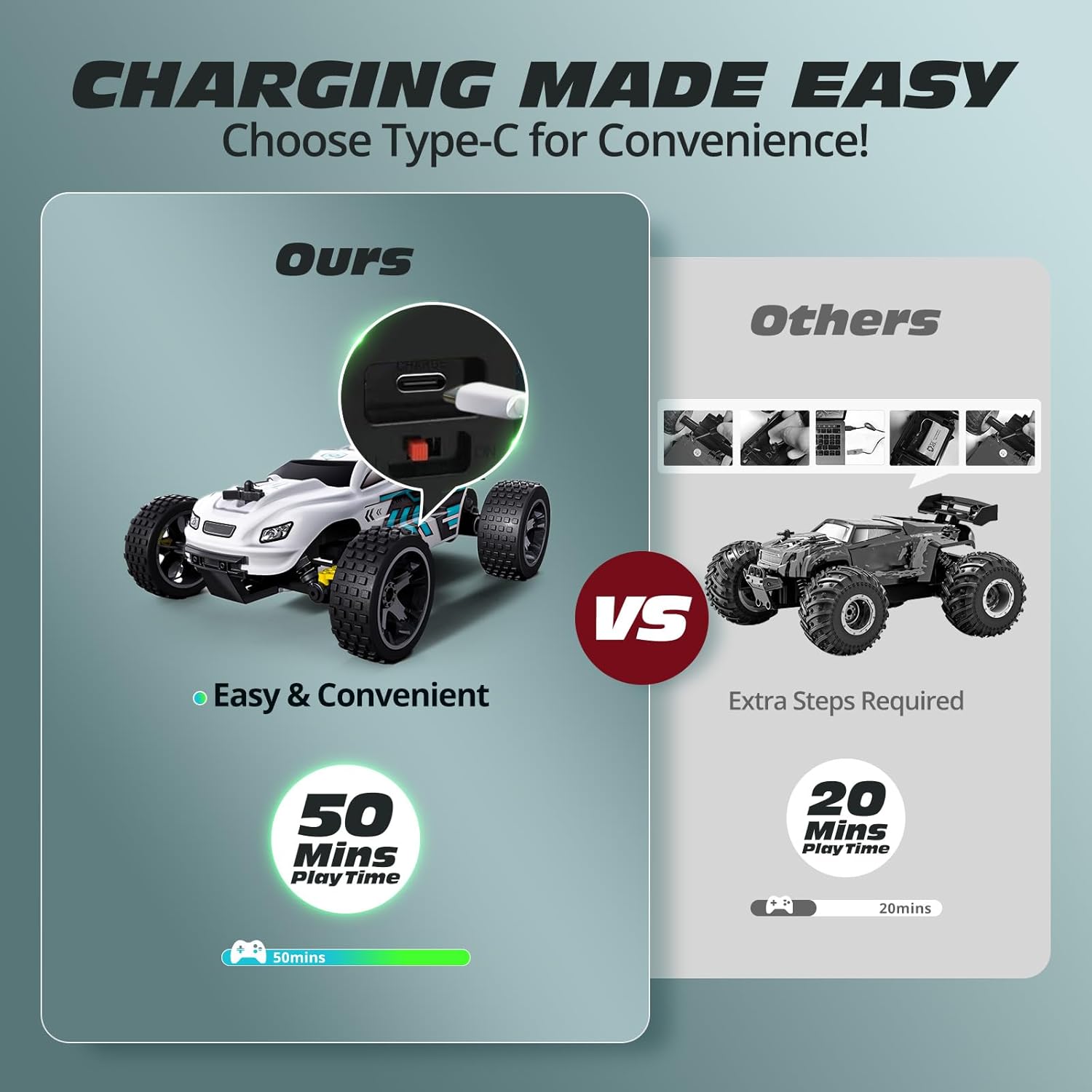
Figure 3: USB-C direct charging for convenience, eliminating the need to remove the battery.
3. Pairing the Remote Control with the RC Car
- Ensure both the RC car and the remote control are fully charged or have fresh batteries.
- Turn on the RC car using the power switch located on its chassis.
- Turn on the remote control using its power switch.
- The indicator light on the remote control will blink, then become solid once paired successfully. This indicates a stable 2.4GHz connection.
Operating the RC Car
Controls
- Throttle Trigger: Pull the trigger to move forward, push it away from you to brake or reverse.
- Steering Wheel: Turn the wheel left or right to steer the RC car.
- Steering Trim Dial: If the car veers left or right when the steering wheel is centered, adjust this dial until the car drives straight.

Figure 4: Key features of the RC car for enhanced performance and durability.
Driving Tips
- Start slowly to get a feel for the controls before attempting high speeds.
- The 2.4GHz remote system allows for stable, interference-free control up to approximately 98 feet (30 meters). Multiple cars can race simultaneously without signal issues.
- The car can reach speeds of up to 20 km/h.

Figure 5: Experience thrilling speeds of over 20 KM/H with your RC car.
All-Terrain Capability
Equipped with shock absorbers, a front bumper, and a durable rear spoiler, this RC car is designed for various terrains:
- Indoor Floors: Smooth and fast performance.
- Grass: Navigate short grass with ease.
- Sand: Enjoy offroad adventures on sandy surfaces.
- Stone Road: The sturdy PVC shell and slip-resistant tires provide stable performance.

Figure 6: The RC car is designed to perform across multiple terrains.
Multi-Car Racing
The 2.4GHz anti-interference system allows multiple Tecnock RC cars to race simultaneously without signal conflicts, enhancing group play.

Figure 7: Enjoy racing with friends and family thanks to the anti-interference technology.
Official Product Video
Video 1: Official Tecnock video demonstrating the high-speed RC car in action.
Maintenance
- Cleaning: After each use, especially on dusty or dirty terrains, gently wipe down the car with a soft, dry cloth. Avoid using water or chemical cleaners directly on electronic components.
- Storage: Store the RC car and remote control in a cool, dry place away from direct sunlight and extreme temperatures. Remove batteries from the remote control if storing for extended periods.
- Battery Care: Do not overcharge the car's battery. If the car will not be used for a long time, charge it partially (around 50%) before storage and recharge every few months to maintain battery health.
Troubleshooting
| Problem | Possible Cause | Solution |
|---|---|---|
| RC Car not responding to remote. | Low battery in car or remote; not paired; interference. | Charge car battery, replace remote batteries. Re-pair car and remote. Move away from other 2.4GHz devices. |
| Car drives slowly or stops. | Low car battery; motor obstruction. | Recharge car battery. Check wheels and motor for debris. |
| Car veers to one side. | Steering trim needs adjustment. | Adjust the steering trim dial on the remote control. |
| Short playtime. | Battery not fully charged; frequent high-speed use. | Ensure full charge. Reduce continuous high-speed driving. |
Specifications
- Model: QY1802A
- Scale: 1:18
- Drive System: 2WD (Two-Wheel Drive)
- Max Speed: Up to 20 KM/H
- Control Frequency: 2.4GHz
- Control Range: Approximately 98 feet (30 meters)
- Car Battery: Built-in 1500mAh (USB-C rechargeable)
- Playtime: Up to 50 minutes (per full charge)
- Remote Battery: 2 x AA batteries (included)
- Product Dimensions: 8.7 x 5.5 x 3.5 inches
- Item Weight: 1.19 pounds
- Recommended Age: 8 - 14 years
Warranty and Support
Tecnock products are designed for quality and durability. For any questions, technical support, or warranty claims, please contact Tecnock customer service through the retailer's platform or visit the official Tecnock brand store for more information.
We are committed to providing excellent customer satisfaction and support for your product.
Thank you for choosing Tecnock!
Related documentsQY1802A


Ask a question about this manual
Ask about setup, troubleshooting, compatibility, parts, safety, or missing instructions. Manuals+ will review the question and use this page’s manual context to help answer it.