
Introduction
This manual provides instructions for the setup and operation of your Alltro Replacement Remote Control. This remote is designed to function as a direct replacement for various Telefunken TV models without requiring any programming.
Product Overview
The Alltro Replacement Remote Control is a full-function remote designed for ease of use. It replicates the functionality of your original Telefunken TV remote.

Figure 1: Front view of the Alltro Replacement Remote Control, showing all buttons including power, number keys, volume, channel, menu, navigation, and special function keys.
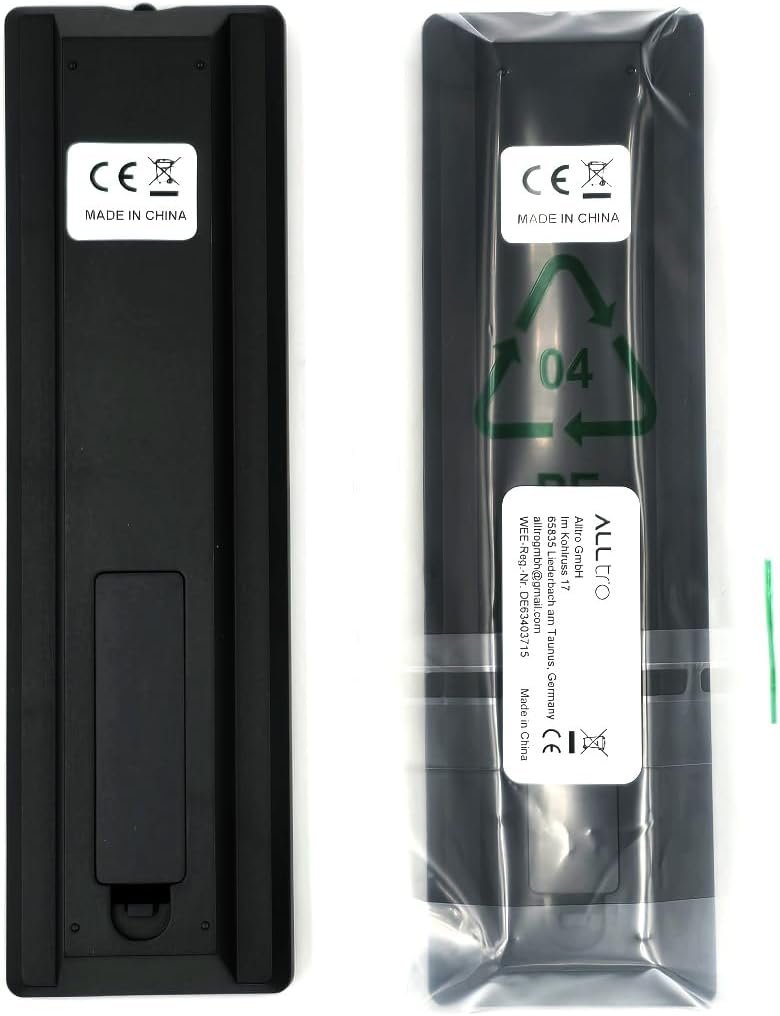
Figure 2: Back view of the Alltro Replacement Remote Control, illustrating the battery compartment cover and product labeling.
Key Features
- No programming required for immediate use.
- Full functionality for compatible Telefunken TV models.
- Direct replacement for original remote controls.
Setup
1. Battery Installation
- Locate the battery compartment on the back of the remote control (refer to Figure 2).
- Slide the battery compartment cover downwards or in the direction indicated by an arrow to open it.
- Insert two AAA alkaline batteries (not included), ensuring the positive (+) and negative (-) terminals match the markings inside the compartment.
- Replace the battery compartment cover by sliding it back into position until it clicks securely.
2. Initial Use
Once batteries are installed, the remote control is ready for use. No additional programming or pairing is required. Point the remote directly at your Telefunken TV and begin operation.
Operating Instructions
This remote control functions identically to your original Telefunken TV remote. Below are common functions:
- Power Button (●): Turns the TV on or off.
- Number Buttons (0-9): Directly select TV channels.
- Volume Up/Down (+V / -V): Adjusts the sound volume.
- Channel Up/Down (+P / -P): Changes TV channels sequentially.
- Mute Button (🔇): Mutes or unmutes the TV sound.
- MENU Button: Accesses the TV's main menu.
- Navigation Buttons (Up, Down, Left, Right): Navigates through menus and options.
- OK Button: Confirms selections in menus.
- BACK / EXIT Buttons: Returns to the previous screen or exits the current menu.
- Source/Input Button: Changes the input source (e.g., HDMI, AV).
Maintenance
- Cleaning: Use a soft, dry cloth to clean the remote control. Do not use liquid cleaners or abrasive materials.
- Battery Replacement: Replace batteries when the remote's response becomes sluggish or stops working. Always replace both batteries at the same time with new ones of the same type.
- Storage: If the remote will not be used for an extended period, remove the batteries to prevent leakage and damage.
Troubleshooting
| Problem | Possible Cause | Solution |
|---|---|---|
| Remote not working. | Dead or incorrectly inserted batteries. | Replace batteries with new ones, ensuring correct polarity (+/-). |
| Remote has short range or intermittent response. | Weak batteries; obstruction between remote and TV; remote sensor on TV is blocked. | Replace batteries. Ensure a clear line of sight to the TV's IR sensor. Remove any obstructions. |
| Certain buttons do not function. | Button stuck or damaged; TV model incompatibility (rare for this remote). | Gently press the button multiple times. If the issue persists, verify your TV model is listed as compatible. |
Specifications
- Brand: Alltro
- Model Number: XXIN-wjsxt-1259
- Compatible Devices: Telefunken Televisions (D42F182N2, D43F277R3C, D49F283B3C, D50F272B3C, DGQ32169HDRD, DLE32H127N3)
- Connectivity Technology: Radio Frequency
- Controller Type: Button Control
- Maximum Range: 10 Meters
- Battery Type: 2 x AAA Alkaline (not included)
- Special Features: No Programming Required
- Package Dimensions: 16 x 4.5 x 1.8 cm
- Weight: 60 g
Support
For further assistance or inquiries regarding your Alltro Replacement Remote Control, please contact your retailer or the manufacturer's customer support. Refer to your purchase documentation for specific contact details.