
1. Product Overview
This manual provides instructions for the Extolife Steam Mop Replacement Pads, designed for use with various Shark Lift-Away Pro and Genius Steam Pocket Mop Systems. These microfiber pads are engineered for effective cleaning of sealed hard floors.

Image 1.1: A set of Extolife steam mop replacement pads, including both triangular and rectangular shapes.
2. Compatibility
These replacement pads are compatible with the following Shark Steam Mop Systems and original pad part numbers:
- Shark Lift-Away Pro Steam Pocket Mop: S3973, S3973D, S3973WM
- Shark Genius Steam Pocket Mop System: S5001, S5002Q, S5003A, S5003CO, S5003D, S6001W, S6001WM, S6002, S6002C, S6003D, S6003W
- Compatible with Shark Part Numbers: P184WQ (rectangle pads) & P182W (triangle pads)

Image 2.1: Visual representation of pad types and compatible Shark steam mop models.
3. Features
The Extolife steam mop pads offer several key features for efficient floor cleaning:
- Premium Microfiber Material: Constructed from high-quality microfiber for effective dirt removal and strong water absorption.
- Washable and Reusable: Designed for repeated use, making them an economical and environmentally friendly choice.
- Quick Drying: The material facilitates rapid drying after use and washing.
- Advanced Mesh Lining: A sandwich mesh lining on the back of the pads accelerates steam flow outward, enhancing cleaning performance.
- Dirt Grip Technology: Loosens and lifts locked-in dirt, suitable for various sealed hard floors.
- Floor Protection: Will not scratch or stain floor surfaces.
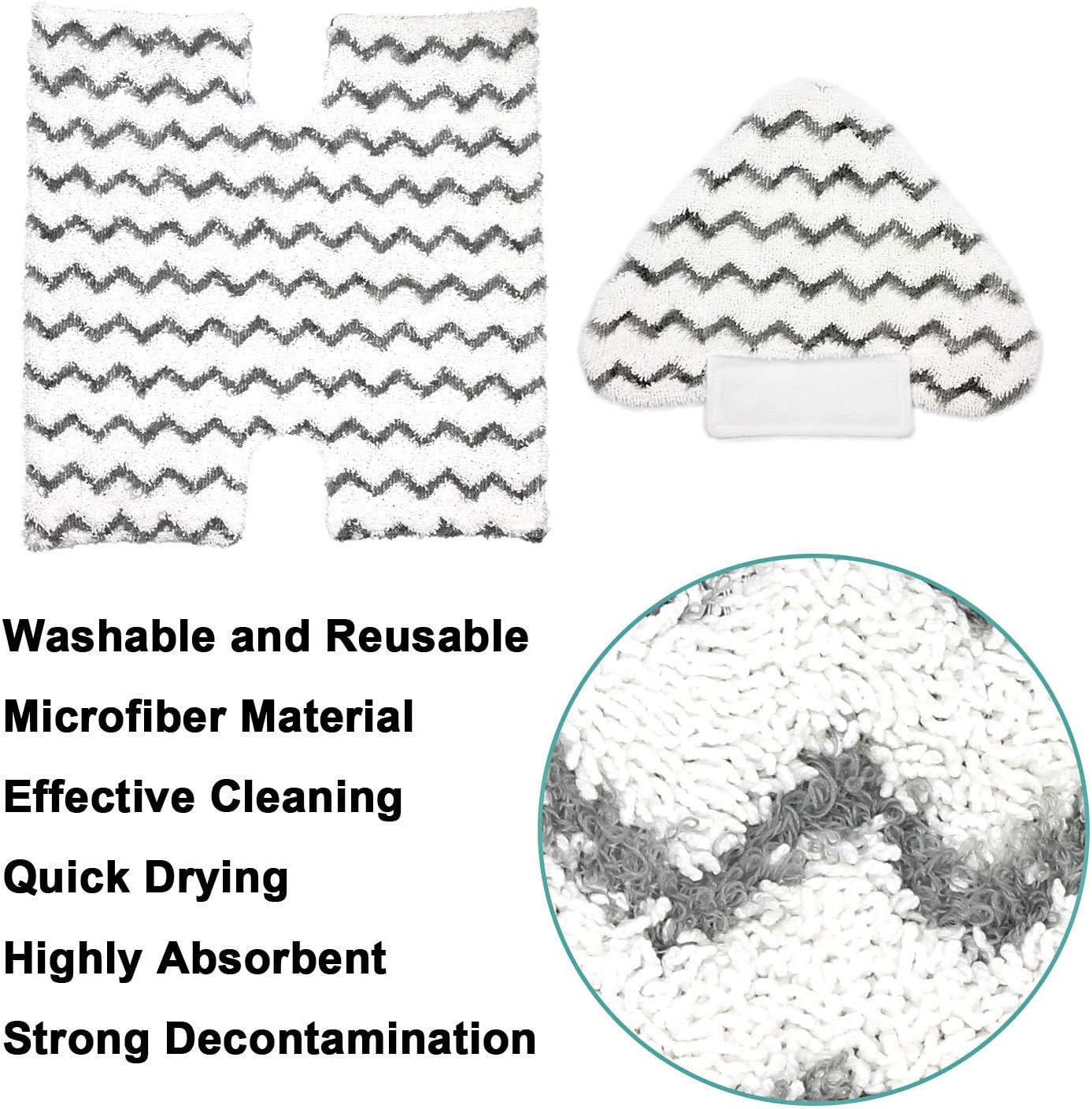
Image 3.1: Detailed view of pad features, including material and reusability.

Image 3.2: Illustration of the mesh lining for efficient steam distribution.
4. Setup and Installation
Installing the Extolife replacement pads is a straightforward process:
- Ensure your Shark steam mop is unplugged and cool before handling.
- Align the replacement pad with the mop head. The pads are designed to fit securely.
- Press the mop head firmly onto the pad until it is securely attached. Ensure all attachment points (e.g., Velcro strips) are engaged.
- For triangle pads, ensure proper alignment for cleaning corners and edges.

Image 4.1: Step-by-step visual guide for installing and replacing mop pads.
5. Operating Instructions
These pads are designed for cleaning all sealed hard floors. Always refer to your Shark steam mop's user manual for specific operating instructions.
- Fill your steam mop's water tank according to its instructions.
- Attach a clean Extolife replacement pad securely to the mop head.
- Plug in the steam mop and allow it to heat up until steam is ready.
- Begin cleaning by moving the mop across your sealed hard floors (e.g., marble, laminate, tile, wood floor).
- Replace the pad when it becomes saturated or visibly dirty to maintain cleaning effectiveness.

Image 5.1: Examples of sealed hard floor types suitable for cleaning with these pads.
6. Maintenance and Care
To ensure the longevity and effectiveness of your Extolife steam mop pads, follow these care instructions:
- Washing: The pads are machine washable. Wash them with similar colors in cold water. Do not use bleach or fabric softeners, as these can degrade the microfiber and reduce its cleaning ability.
- Drying: Tumble dry on low heat or line dry. Avoid high heat, which can damage the microfiber.
- Storage: Store clean, dry pads in a cool, dry place.

Image 6.1: The pads are machine washable for easy cleaning.
7. Troubleshooting
If you encounter issues with your steam mop pads, consider the following:
- Reduced Cleaning Performance: Ensure the pad is clean. A dirty or saturated pad will not clean effectively. Replace with a fresh pad.
- Pad Not Staying Attached: Verify that the pad is correctly aligned and firmly pressed onto the mop head's attachment points. Check for wear on the mop head's attachment mechanism or the pad itself.
- Streaking: This can occur if the pad is too dirty, if too much detergent (if any is used with your mop) is applied, or if the floor is not properly prepared. Ensure pads are clean and used with water only, as recommended for steam mops.
- No Steam or Insufficient Steam: This is typically an issue with the steam mop itself, not the pads. Refer to your Shark steam mop's user manual for troubleshooting steam output.
8. Specifications
| Feature | Detail |
|---|---|
| Material | Microfiber |
| Special Feature | Washable, Reusable |
| Recommended Use | Steam Cleaning Sealed Hard Floors |
| Package Contents | 3 Rectangle Pads, 3 Triangle Pads |
| Compatible Mop Systems | Shark Lift-Away Pro (S3973 series), Shark Genius (S5001, S5002, S5003, S6001, S6002, S6003 series) |
| Compatible Part Numbers | P184WQ, P182W |
| Item Weight | 0.53 Kilograms (1.17 pounds) |
| UPC | 740306555674 |
9. Warranty and Support
Extolife is committed to providing quality products and customer satisfaction. While specific warranty details are not provided in this manual, if you have any questions or concerns regarding your steam mop replacement pads, please contact Extolife customer service through your purchase platform or the official Extolife website for assistance.