1. Introduction
This manual provides essential instructions for the safe and effective use of your FITHOOD replacement battery. Please read this manual thoroughly before installation and operation to ensure optimal performance and safety. This battery is designed as a replacement for specific Acer Aspire 3 series laptops and compatible part numbers.
2. Compatibility Information
This FITHOOD replacement battery is compatible with the following Acer laptop models and battery part numbers. Please verify your laptop model and original battery part number before proceeding with installation.
Compatible Laptop Models:
- Acer Aspire 3 A315-21, A315-21-62YQ, A315-21-63F1, A315-21-969V, A315-21-43WX
- Acer Aspire 3 A315-31-C514, A315-31-C8WK, A315-31-P5M0
- Acer Aspire 3 A315-32-C7Q5, A315-32-C3WY
- Acer Aspire 3 A315-33-C9B2, A315-33-C9RA
- Acer Aspire 3 A315-34-P3LC
- Acer Aspire 3 A315-41-R001
- Acer Aspire 3 A315-42-R5Y2
- Acer Aspire 3 A315-51, A315-51-51SL, A315-51-32TV
- Acer Aspire 3 A315-21G-93L5
- Acer Aspire 3 A317-32-P09J, A317-32-P62H, A317-32-P38H
- Acer Aspire 1 A114-32-C8N6
- Acer Aspire 3 A314-31-C2L1, A314-31-P9B4
- Acer Aspire 3 A314-32-P2MA, A314-32-P3SL, A314-32-C3D3
- Acer Aspire 3 A314-33-P7NL
- Acer Aspire 3 A314-21-684V
- Acer Extensa 15 EX215-21-94ZY, EX215-31-C9SB, EX215-51G
Compatible Battery Part Numbers:
- AP16M5J
- KT.00205.004
- NX.GVWSA.002
3. Setup and Installation
Before installing the new battery, ensure your laptop is powered off and disconnected from any power source. It is recommended to consult your laptop's service manual for specific battery replacement procedures, as steps may vary by model.
General Installation Steps:
- Power Off and Disconnect: Completely shut down your laptop and unplug the AC adapter.
- Remove External Devices: Disconnect all external peripherals (USB devices, external monitors, etc.).
- Access Battery Compartment: Depending on your laptop model, you may need to remove screws from the bottom cover to access the internal battery.
- Remove Old Battery: Carefully disconnect the old battery's cable from the motherboard. Remove any screws securing the battery and lift it out.
- Insert New Battery: Place the FITHOOD replacement battery into the compartment. Ensure it is properly seated and secure it with any screws removed earlier.
- Connect Battery Cable: Carefully connect the new battery's cable to the motherboard connector.
- Reassemble Laptop: Replace the bottom cover and secure it with screws.
- Initial Charge: Connect the AC adapter and fully charge the new battery before its first use.
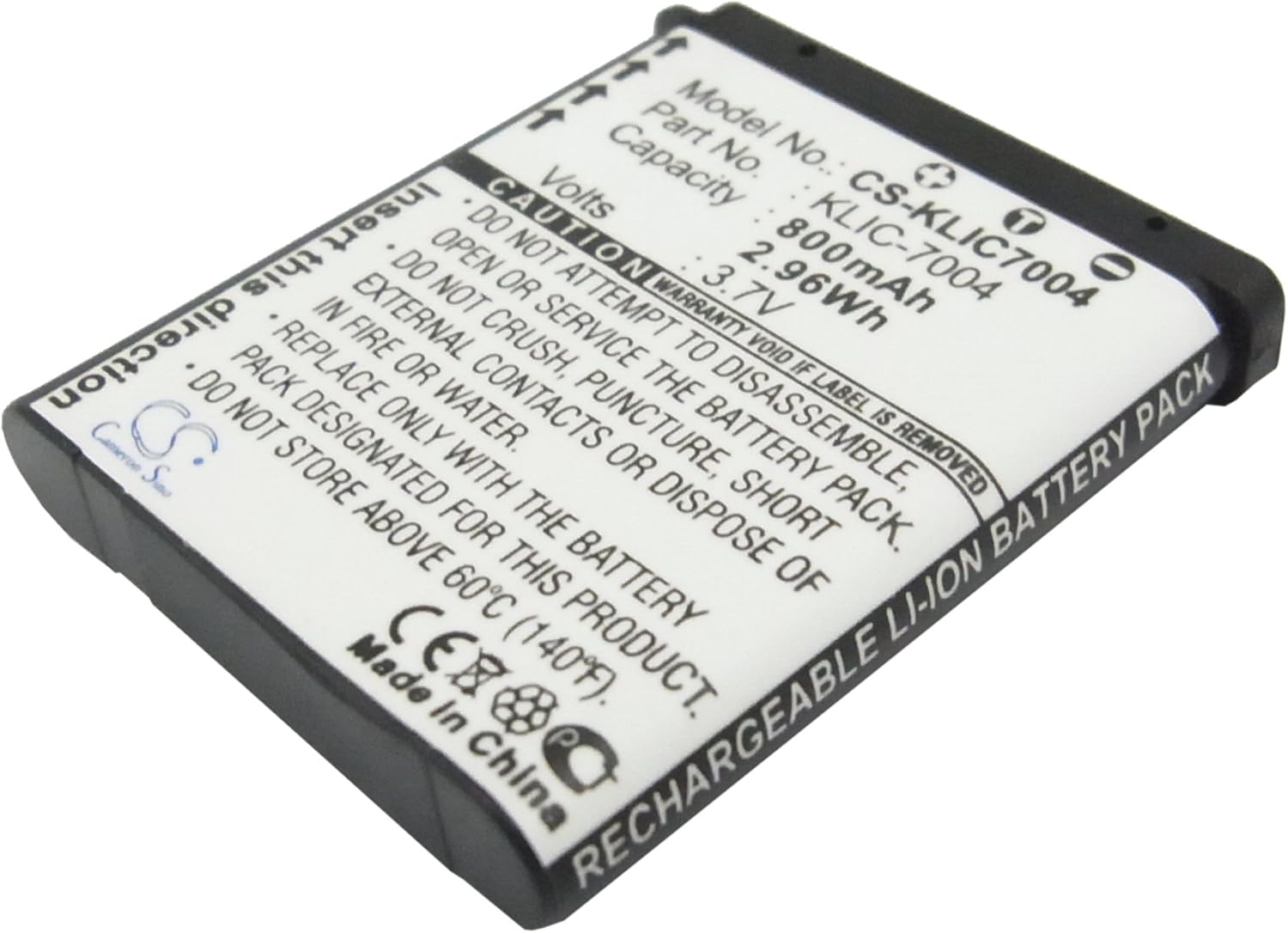
Image 1: Top view of a generic replacement battery. Note: The model number shown on this illustrative image (CS-KLIC7004) is not the product's model number (CS-ACS315NB).

Image 2: Angled view of a generic replacement battery, highlighting the connector pins.
4. Operating Instructions
For optimal performance and longevity of your new battery, follow these operating guidelines:
- First Use: The new battery pack must be fully charged before its first use. This helps calibrate the battery's charge indicator.
- Regular Charging: Charge the battery when the laptop indicates low power. Avoid frequently discharging the battery completely to 0% if possible, as this can reduce its lifespan.
- Temperature: Operate your laptop within normal room temperatures. Extreme heat or cold can negatively affect battery performance and lifespan.
- Power Management: Utilize your operating system's power management settings to optimize battery usage and extend runtime.
5. Maintenance and Storage
Proper maintenance and storage are crucial for extending the life of your battery.
- Cleaning: Keep the battery contacts clean. Use a dry, soft cloth to wipe away any dust or debris.
- Long-Term Storage: If storing the battery for an extended period, charge it to approximately 50-70% capacity. Store it in a cool, dry place.
- Temperature Limits: Do not store the battery above 60°C (140°F). High temperatures can cause irreversible damage.
- Avoid Moisture: Keep the battery away from water or damp environments.

Image 3: Bottom view of a generic replacement battery, showing a barcode and manufacturer details.

Image 4: Another bottom view of a generic replacement battery, with an 'Attention' label visible.
6. Troubleshooting
If you encounter issues with your new battery, consider the following steps:
- Battery Not Recognized: Ensure the battery cable is securely connected to the motherboard. Re-seat the battery if necessary.
- Not Charging: Verify that the AC adapter is functioning correctly and properly connected. Check laptop power settings.
- Short Battery Life: Ensure background applications are closed. Adjust screen brightness and power management settings.
- Incorrect Charge Indication: Perform a full charge and discharge cycle (calibrate the battery) to help the operating system accurately read the battery level.
If problems persist after attempting these steps, please contact customer support for further assistance.
7. Specifications
| Feature | Detail |
|---|---|
| Battery Type | Li-Polymer |
| Capacity | 4750mAh |
| Watt-Hours (Wh) | 36.58Wh |
| Voltage | 7.7V |
| Product Model Number | CS-ACS315NB |
| Dimensions | 260.90 x 88.44 x 5.42mm (10.27 x 0.21 x 3.48 inches) |
| Weight | 250g / 8.82oz |
| Certifications | ISO9001, RoHS, CE |
8. Safety Information
Adhere to the following safety precautions to prevent injury or damage:
- Do Not Disassemble: Never attempt to disassemble, open, or service the battery pack.
- Avoid Physical Damage: Do not crush, puncture, or dispose of the battery in fire or water.
- Prevent Short Circuits: Do not allow external contacts to short circuit.
- Temperature Exposure: Do not store above 60°C (140°F).
- Replacement: Replace only with the battery pack designated for this product.
- Disposal: Dispose of used batteries according to local regulations. Do not dispose of in household waste.
9. Warranty and Support
Specific warranty details for this product were not provided in the available information. Please refer to the retailer or manufacturer's website for warranty terms and conditions.
Customer Support:
If you have questions regarding compatibility, installation, or performance, please contact customer support. It is helpful to provide your battery details or pictures of your original battery for professional suggestions.