
Introduction
This manual provides instructions for the installation, operation, and maintenance of your MASO Car LCD Digital Multifunctional Clock. This device integrates a clock, thermometer, hygrometer, and voltage monitor, designed for use in 12V/24V vehicle systems. Please read this manual thoroughly before use to ensure proper functionality and longevity of the product.
Package Contents
- 1 x Digital Car Clock Thermometer Hygrometer Unit
- 1 x Car Charger (12V/24V cigarette lighter adapter)
- 1 x Mountable Bracket
- 1 x User Manual

Image: Overview of the MASO Car LCD Digital Multifunctional Clock package contents. It shows the main clock unit, the car charger with its cable, the external temperature sensor, and the mountable bracket.
Product Features
- 4-in-1 Functionality: Displays time, indoor/outdoor temperature, humidity, and car battery voltage.
- Temperature Measurement: Indoor range: -10°C to 60°C (14°F to 140°F); Outdoor range: -50°C to 158°C (-58°F to 158°F).
- Voltage Monitoring: Real-time display of automobile storage voltage with alarm for excessive or low voltage.
- Clock & Calendar: 12/24 hour system, 2000-2099 year calendar (year, month, date, hour, minute, week).
- Alarm & Snooze: Includes alarm and 5-minute snooze function.
- Weather Forecast: Provides a general weather forecast (for reference only).
- Backlight: Blue backlight activates when connected to the car's cigarette lighter (12V power supply).

Image: The MASO Car LCD Digital Multifunctional Clock showing its various display elements, including current time, indoor temperature, humidity, and car battery voltage.
Setup
- Mounting the Unit:
Attach the mountable bracket to a clean, flat surface on your dashboard using the adhesive tape provided on the back of the unit or bracket. Ensure the surface is free of dust and grease for optimal adhesion.

Image: The rear view of the clock unit, showing the protective film being peeled off the adhesive pad for mounting.
- Connecting Power:
Insert the car charger into your vehicle's 12V/24V cigarette lighter socket. Connect the other end of the charger cable to the power input port on the clock unit. The backlight will illuminate upon successful connection.
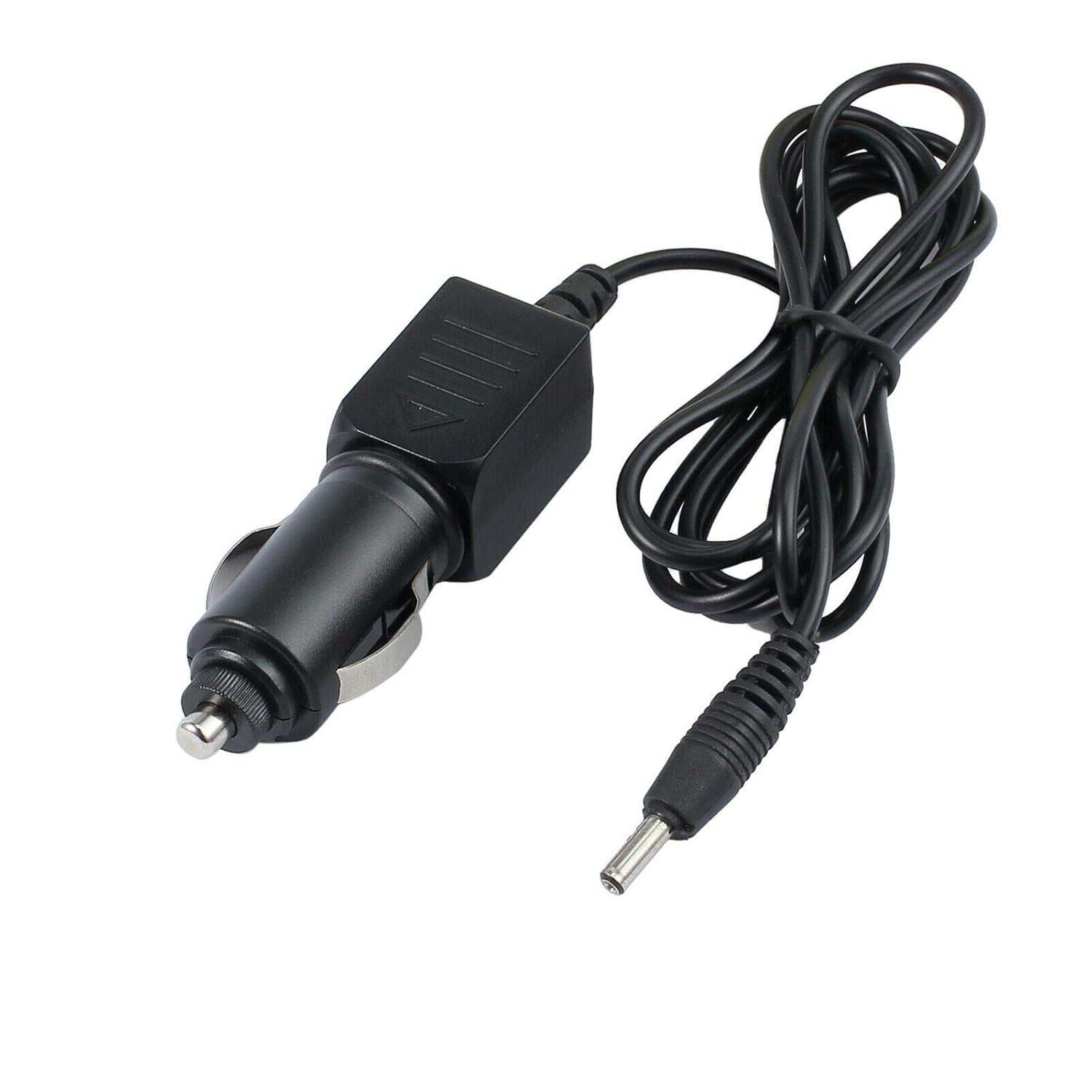
Image: The car charger adapter with its cable, used to power the clock unit via the vehicle's cigarette lighter socket.
- Positioning the External Sensor:
Route the external temperature sensor cable outside the vehicle, ensuring it is placed in an area not directly exposed to engine heat or direct sunlight, which could affect temperature readings. Secure the sensor using its adhesive backing.
Operating Instructions
Setting Time and Date
- Press the MODE button to cycle through display modes until the time setting is active.
- Use the UP and DOWN buttons to adjust the hour, minute, year, month, and day.
- Press MODE again to confirm each setting and move to the next.
Temperature Unit Conversion (°C/°F)
To switch between Celsius and Fahrenheit, locate the °C/°F button (often combined with another function button) and press it. The display will update accordingly.
Alarm and Snooze Function
- Press the ALARM button to enter alarm setting mode.
- Use the UP and DOWN buttons to set the desired alarm time.
- Press ALARM again to activate the alarm.
- When the alarm sounds, press any button to activate the 5-minute snooze function.
Backlight Operation
The backlight automatically turns on when the unit is connected to the car's 12V/24V cigarette lighter power supply.

Image: A comparison showing the clock display when powered off (dim) and powered on (bright blue backlight), illustrating the effect of the backlight.
Maintenance
- Cleaning: Use a soft, dry cloth to clean the display and casing. Do not use abrasive cleaners or solvents.
- Power Disconnection: Disconnect the unit from the cigarette lighter when not in use for extended periods to prevent battery drain.
- Sensor Care: Ensure the external temperature sensor is kept clean and free from obstructions for accurate readings.
Troubleshooting
| Problem | Possible Cause | Solution |
|---|---|---|
| Display is dim or unreadable. | Unit not connected to power, or poor visibility in direct sunlight. | Ensure the car charger is securely plugged into the cigarette lighter. Reposition the unit to avoid direct, harsh sunlight if possible. |
| Temperature readings are inaccurate. | External sensor improperly placed (e.g., near engine heat, direct sun) or damaged. | Relocate the external sensor to an area away from heat sources and direct sunlight. Check the sensor cable for damage. |
| Settings are lost when vehicle power is off. | This unit may not have internal memory retention when disconnected from continuous power. | This is expected behavior for some models. Re-set time/date upon reconnecting power if necessary. |
| Voltage alarm sounds frequently. | Vehicle battery voltage is consistently too high or too low. | Consult a vehicle technician to check your car's electrical system and battery health. |
Specifications
- Working Voltage: 12V-24V DC
- Indoor Temperature Range: -10°C to 60°C (14°F to 140°F)
- Outdoor Temperature Range: -50°C to 158°C (-58°F to 158°F)
- Temperature Accuracy: ±0.5°C
- Hygrometer Display: Yes
- Display Type: LCD
- Material: Plastic
- Dimensions (LxWxH): Approximately 12cm x 6cm x 2cm
- Weight: Approximately 240g
- Connectivity: USB (for power input)
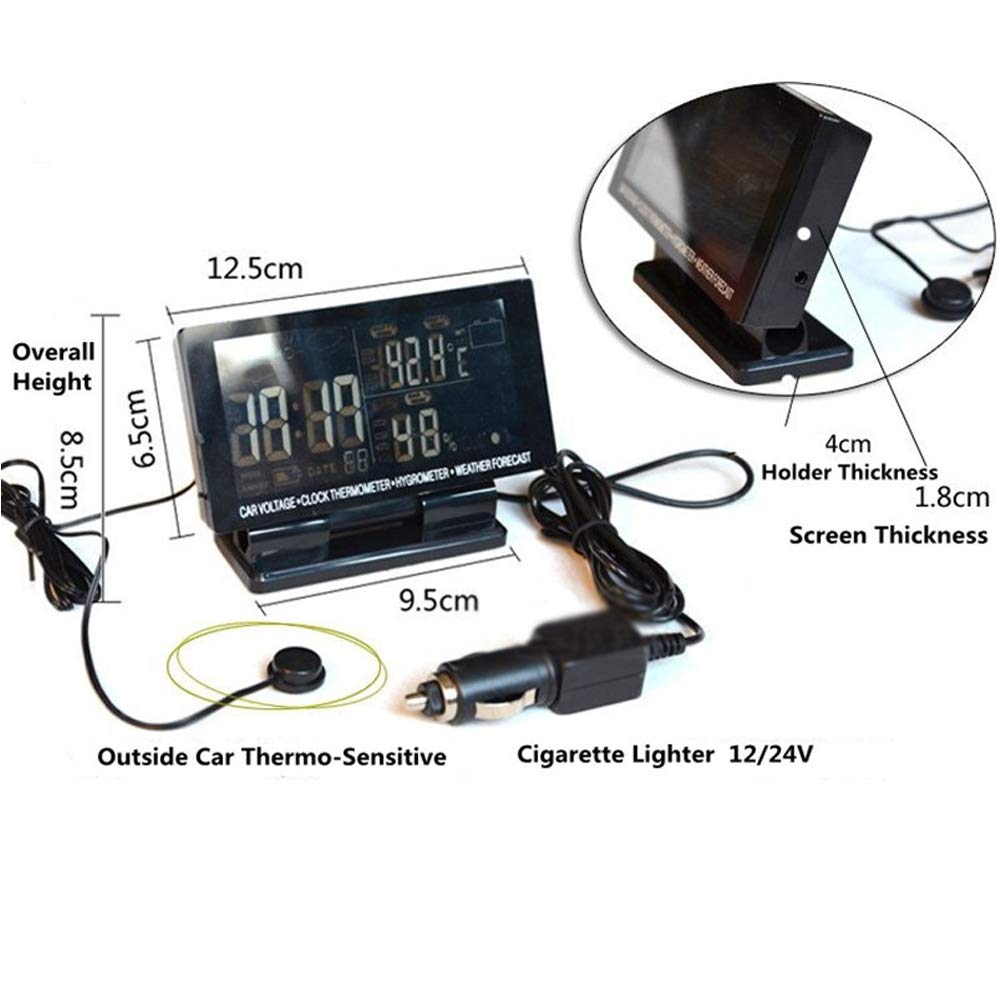
Image: A diagram illustrating the overall height, screen dimensions, and holder thickness of the MASO Car LCD Digital Multifunctional Clock, along with the external thermo-sensitive sensor and cigarette lighter connection.
Warranty and Support
This product comes with a 90-day free warranty from the date of purchase. If the product is damaged or cannot be used as intended, please contact MASO customer service for assistance and satisfactory solutions.
For technical support or warranty claims, please refer to the contact information provided with your purchase documentation or visit the official MASO website.