
1. Introduction
This manual provides instructions for the safe and effective use of your JUPIO NP-W126S compatible battery pack and USB charger set (Model CFU1001). This set includes two high-capacity Li-ion batteries designed for Fujifilm cameras and a convenient USB charger. Please read this manual thoroughly before use and retain it for future reference.
2. Important Safety Instructions
Failure to follow these safety instructions may result in fire, electric shock, injury, or damage to the product or property. Keep these instructions in a safe place for future reference.
- Connect the battery properly: Ensure correct polarity when inserting the battery into the charger or camera.
- Do not short-circuit: Avoid contact between the battery terminals and metal objects.
- Do not disassemble: Do not attempt to open, modify, or disassemble the battery or charger. There are no user-serviceable parts inside.
- Avoid exposure to water or heat: Do not expose the battery or charger to moisture, rain, or extreme temperatures (above 60°C / 140°F or below 0°C / 32°F).
- Keep away from children: Store batteries and charger out of reach of children.
- Use only specified charger: Only use the provided USB charger or a compatible charger designed for NP-W126S batteries.
- Proper disposal: Dispose of used batteries according to local regulations. Do not dispose of batteries in household waste or fire.
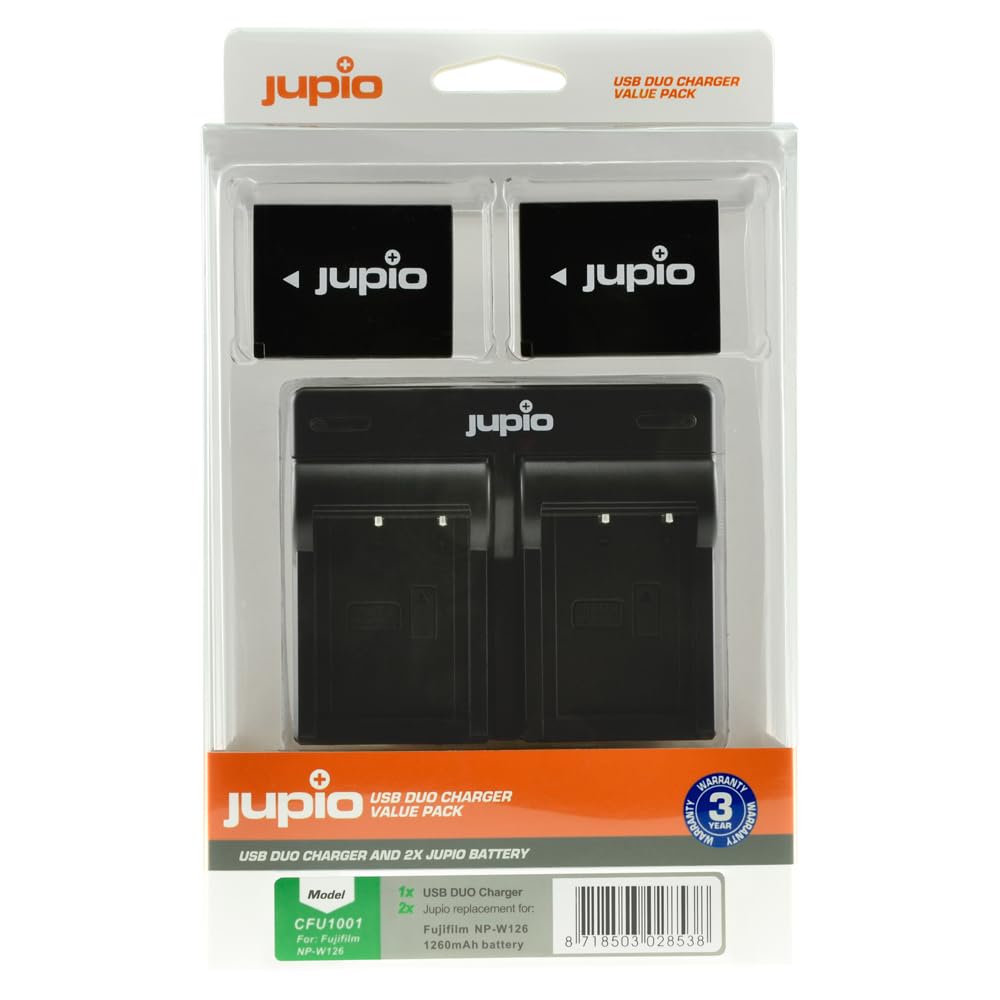
Image 1: Jupio NP-W126S compatible battery pack. This image shows a Jupio Li-ion battery pack, model CFU0017, compatible with Fujifilm NP-W126S. It displays the Jupio logo, company information, battery specifications (7.2V, 1260mAh, 9.1Wh), and safety warnings regarding proper connection, short-circuiting, disassembly, and exposure to water or heat. The CE mark and a crossed-out wheeled bin symbol are also visible, indicating compliance and proper disposal requirements. The battery features four gold-colored contact points.
3. Package Contents
Verify that all items are present in your package:
- 2 x JUPIO NP-W126S Compatible Li-ion Battery Packs (Model CFU0017)
- 1 x JUPIO USB Battery Charger
4. Setup
4.1. Charging the Batteries
- Insert the JUPIO NP-W126S battery into the charger slot, ensuring the contacts align correctly.
- Connect the USB charger to a compatible USB power source (e.g., computer USB port, USB wall adapter, power bank).
- The charger's indicator light will typically show the charging status (e.g., red for charging, green for fully charged). Refer to the charger's specific indicators if available.
- A full charge typically takes approximately 3.5 hours per battery.
- Once charging is complete, disconnect the charger from the power source and remove the battery.
4.2. Inserting Batteries into Your Camera
- Turn off your Fujifilm camera and ensure it is disconnected from any power source.
- Open the battery compartment cover on your camera.
- Insert the fully charged JUPIO NP-W126S battery into the compartment, aligning it with the correct orientation and contacts.
- Close the battery compartment cover securely.
5. Operating the Batteries
Once the battery is correctly inserted, your camera is ready for use. The battery life will vary depending on camera usage, settings, and environmental conditions.
- Power On/Off: Use your camera's power button to turn it on or off.
- Battery Level Indicator: Monitor the battery level indicator on your camera's screen or viewfinder to know when to recharge.
- Optimal Performance: For best performance, avoid fully discharging the battery frequently. Recharge when the camera indicates a low battery level.
6. Maintenance and Storage
- Cleaning: Use a dry, soft cloth to clean the battery terminals and charger contacts if necessary. Do not use liquids or abrasive cleaners.
- Storage: When not in use for extended periods, store batteries in a cool, dry place, ideally at around 50% charge. Avoid storing fully charged or fully discharged batteries for long durations.
- Temperature: Do not expose batteries to extreme temperatures, direct sunlight, or high humidity.
- Cycle Life: Li-ion batteries have a finite number of charge cycles. Over time, their capacity will naturally decrease.
7. Troubleshooting
| Problem | Possible Cause | Solution |
|---|---|---|
| Battery not charging. |
|
|
| Camera not powering on with charged battery. |
|
|
| Short battery life. |
|
|
8. Specifications
- Product Model: CFU1001 (Set of 2 Batteries + Charger)
- Battery Model: CFU0017 (Compatible with Fujifilm NP-W126S)
- Battery Type: Li-ion
- Battery Voltage: 7.2V (Output: 7.4V)
- Battery Capacity: 1260 mAh (9.1 Wh)
- Charger Type: USB Charger
- Charging Time: Approximately 3.5 hours per battery
- Connector Type: USB
- Product Dimensions (packaging): 10.11 x 8.51 x 3.1 cm
- Product Weight (packaging): 215 g
- Compatible Camera Models (Fujifilm): X-E4, X-Pro3, X-S10, X-T30, X-T4, X100V
- Manufacturer: JUPIO
- Made in: China
9. Warranty and Support
For warranty information or technical support, please refer to the JUPIO official website or contact your retailer. Keep your proof of purchase for any warranty claims.
Website: www.jupio.com

