
SupplySource A-V1008
User Manual: AC/DC Adapter for Anran 8 Channels DVR CCTV Security Network Mobile 960H
Brand: SupplySource | Model: A-V1008
1. Introduction and Overview
This manual provides essential information for the safe and effective use of your SupplySource AC/DC Adapter, specifically designed for Anran 8 Channels DVR CCTV Security Network Mobile 960H systems. This power supply unit (PSU) ensures reliable and stable power delivery to your compatible devices.
The adapter is engineered with high-quality materials and incorporates multiple safety features to protect your devices and ensure long-term performance.
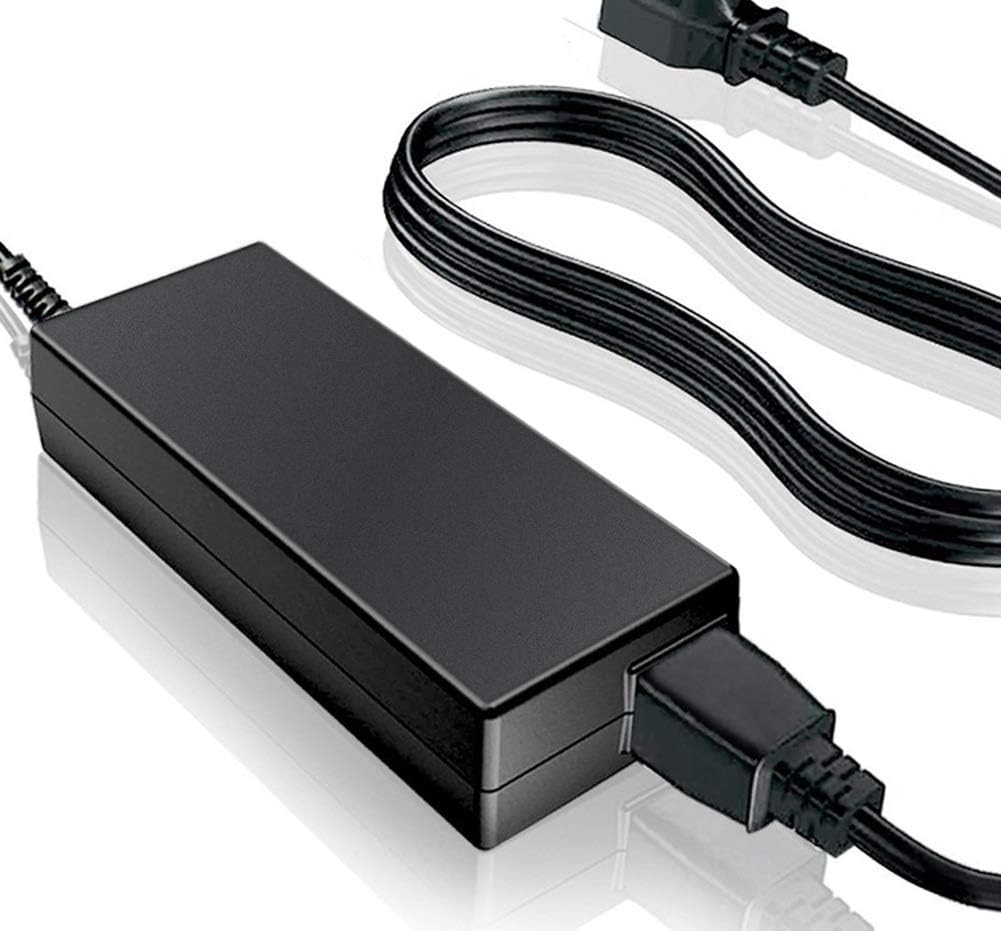
Figure 1: The SupplySource AC/DC Adapter, showing the main power brick and the attached power cord with a standard two-prong plug.
2. Safety Information
Please read and understand all safety instructions before using this product. Failure to follow these instructions may result in electric shock, fire, or damage to the product or connected devices.
- Compatibility Check: Before connecting, ensure the DC output voltage and tip size of this AC adapter are fully compatible with your Anran DVR system (P/N A-V1008). Incompatible power supplies can damage your device.
- Ventilation: When using the adapter for extended periods, ensure it is placed in a well-ventilated area. Avoid covering the adapter or placing it in enclosed spaces to prevent overheating.
- Surface Placement: Do not place the adapter directly on skin products or other materials that may impede heat dissipation.
- Protection Features: This adapter is manufactured with multiple smart features safeguarding against:
- IV (Incorrect Voltage): Protection against supplying incorrect voltage.
- SC (Short Circuit): Protection against short circuits.
- IO (Internal Overheating): Protection against internal overheating.
- Certifications: The charger is certified with CE and FCC, indicating compliance with relevant safety and electromagnetic compatibility standards.
- Environmental Conditions: Avoid exposing the adapter to water, moisture, extreme temperatures, or direct sunlight.
- Handling: Do not drop, disassemble, or attempt to repair the adapter yourself. Refer all servicing to qualified personnel.
3. Product Features
The SupplySource AC/DC Adapter is designed for optimal performance and durability:
- Wide Input Voltage Range: Supports an input voltage range of 100-240V, making it suitable for global use.
- Stable Output: Provides stable output voltage for consistent device operation.
- Advanced Protection: Includes automatic overload cut-off, over voltage cut-off, automatic thermal cut-off, and short circuit protection for enhanced safety.
- High-Quality Cable: The power cord is constructed from high-quality 3x0.5 mm copper core, ensuring excellent conductivity, antioxidant properties, and corrosion resistance, which effectively extends the life of the power supply.
- Durable Casing: The power supply's shell is made of flame retardant and high-temperature resistant ABS and PC synthetic materials, providing strength and wear resistance.
- Rigorous Testing: The power supply has undergone extensive aging tests to ensure reliability and sufficient power delivery.

Figure 2: Detailed view illustrating the internal components for stable output and protection, the high-quality copper core power cord, and the durable flame-retardant casing materials.
4. Setup Instructions
- Verify Compatibility: Before connecting, confirm that your Anran 8 Channels DVR CCTV Security Network Mobile 960H system requires a P/N A-V1008 compatible power supply. Check the input specifications on your device.
- Connect to Device: Locate the power input port on your Anran DVR. Carefully insert the barrel connector of the SupplySource AC/DC Adapter into this port. Ensure a snug and secure fit.
- Connect to Power Outlet: Plug the AC power cord of the adapter into a standard wall power outlet (100-240V AC).
- Power On: Once connected, your Anran DVR system should receive power and begin its normal startup sequence.
5. Operating Instructions
The SupplySource AC/DC Adapter operates automatically once connected to a power source and a compatible device. It is designed for continuous operation, providing stable power to your Anran DVR.
- Ensure the adapter is always placed in an area with adequate ventilation to prevent heat buildup.
- Avoid placing heavy objects on the power cord or adapter.
- If the adapter feels excessively hot to the touch, disconnect it immediately and allow it to cool down. Check for obstructions to ventilation.
6. Maintenance
Proper maintenance ensures the longevity and reliable performance of your AC/DC adapter:
- Cleaning: Disconnect the adapter from the power outlet and the device before cleaning. Use a soft, dry cloth to wipe the exterior. Do not use liquid cleaners or aerosols.
- Storage: When not in use for extended periods, store the adapter in a cool, dry place, away from direct sunlight and extreme temperatures. Coil the cable loosely; do not wrap it tightly around the adapter.
- Inspection: Periodically inspect the power cord and the adapter casing for any signs of damage, such as cuts, fraying, or cracks. If damage is observed, discontinue use and replace the adapter.
- Ventilation: Always ensure the adapter has proper ventilation during operation.
7. Troubleshooting
If you encounter issues with your SupplySource AC/DC Adapter, refer to the following common troubleshooting steps:
| Problem | Possible Cause | Solution |
|---|---|---|
| Device not powering on. |
|
|
| Adapter feels hot. |
|
|
If the problem persists after trying these steps, please contact the seller or manufacturer for further assistance.
8. Specifications
| Attribute | Detail |
|---|---|
| Brand | SupplySource |
| Model Number | A-V1008 (Compatible) |
| Input Voltage | 100-240V AC |
| Wattage | 5 watts |
| Connectivity Technology | DC Barrel |
| Connector Type | Barrel Connector |
| Compatible Devices | Anran 8 Channels DVR CCTV Security Network Mobile 960H |
| Mounting Type | Wall Mount |
| Certifications | CE, FCC |
| Manufacturer | SupplySource |
| ASIN | B07X5MB6VM |
9. What's in the Box
Upon opening your product packaging, you should find the following components:
- 1 x SupplySource AC/DC Adapter with integrated 11FT Power Cable
10. Warranty and Support
Specific warranty details are not provided within this manual. For information regarding warranty coverage, returns, or technical support, please contact the seller or manufacturer directly through your purchase platform or their official website.
Always refer to your purchase documentation for the most accurate and up-to-date support information.
Ask a question about this manual
Ask about setup, troubleshooting, compatibility, parts, safety, or missing instructions. Manuals+ will review the question and use this page’s manual context to help answer it.