1. Product Overview and Safety Information
The Ariete 2759 Handy Force RBT is a versatile 2-in-1 corded vacuum cleaner designed for efficient cleaning of various surfaces. It functions as both a vertical stick vacuum and a portable handheld vacuum, utilizing cyclonic technology for effective dust separation and a HEPA filter for enhanced air purification.
Important Safety Instructions:
- Read all instructions before using the appliance.
- This appliance is for domestic use only. Do not use outdoors or on wet surfaces.
- Always ensure the power cord is undamaged and unplug the appliance before cleaning or maintenance.
- Do not pick up flammable or combustible materials, hot ashes, or large, sharp objects.
- Keep hair, loose clothing, fingers, and all parts of the body away from openings and moving parts.
- Do not allow children to operate the vacuum cleaner.

Image 1.1: The Ariete 2759 Handy Force RBT in its full stick vacuum configuration, showcasing its sleek red and black design.
2. Package Contents
Carefully unpack all components and ensure you have received the following items:
- Main Vacuum Unit (motor and dustbin)
- Extension Tube (for stick vacuum configuration)
- Motorized Floor Brush
- Crevice Nozzle
- Fabric Brush
- Multi-function Brush
- User Manual


Image 2.1: Examples of included accessories, such as the crevice nozzle and brush tool, for specialized cleaning tasks.
3. Assembly
The Ariete 2759 Handy Force RBT can be assembled in two primary configurations: as a stick vacuum or as a handheld vacuum.
3.1. Stick Vacuum Assembly
- Insert the extension tube into the main vacuum unit until it clicks securely into place.
- Attach the motorized floor brush to the other end of the extension tube, ensuring it is firmly connected.
- Ensure all connections are secure before use.
3.2. Handheld Vacuum Assembly
- For handheld use, detach the extension tube from the main vacuum unit.
- Attach the desired accessory (e.g., crevice nozzle, fabric brush, multi-function brush) directly to the main vacuum unit's suction opening.
- Ensure the accessory is securely attached.

Image 3.1: The main vacuum unit configured for handheld use, demonstrating its compact form for cleaning elevated surfaces.
4. Operating Instructions
4.1. Powering On/Off
- Plug the power cord into a suitable electrical outlet (220V).
- Locate the power switch on the main vacuum unit.
- Press the power switch to turn the vacuum cleaner ON. Press it again to turn OFF.
4.2. Using as a Stick Vacuum
For floor cleaning, use the stick vacuum configuration with the motorized floor brush. This brush is suitable for various floor types, including terracotta, marble, stoneware, ceramic, and carpets.

Image 4.1: The motorized floor brush in operation, highlighting its integrated LED lights for improved visibility during cleaning.
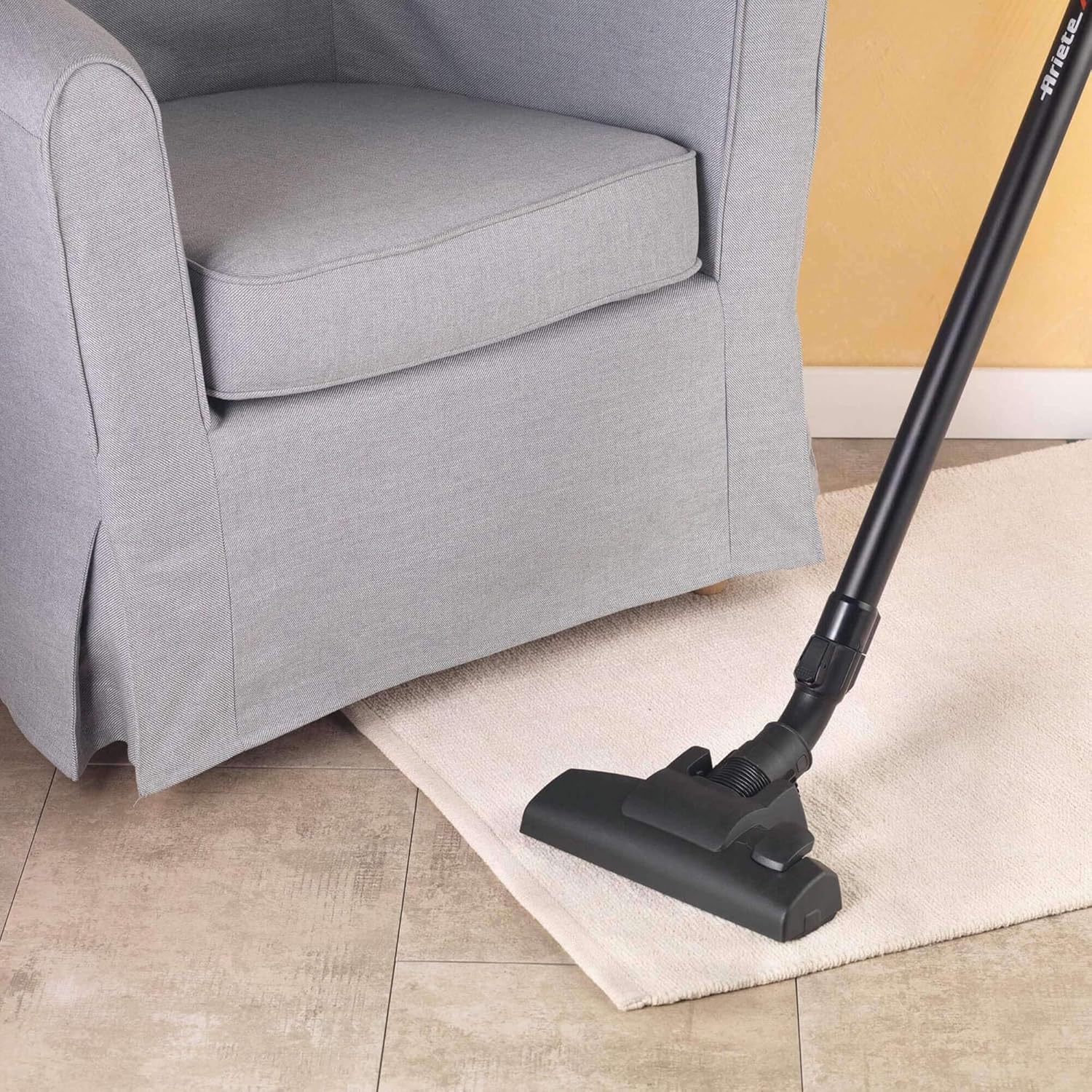
Image 4.2: The stick vacuum effectively cleaning a rug, demonstrating its maneuverability for different floor coverings.
4.3. Using as a Handheld Vacuum
For cleaning upholstery, car interiors, shelves, or tight spaces, use the handheld configuration with the appropriate accessory.

Image 4.3: The main unit with an attached nozzle, ready for handheld cleaning tasks.
5. Maintenance and Cleaning
Regular maintenance ensures optimal performance and extends the lifespan of your vacuum cleaner.
5.1. Emptying the Dustbin
- Ensure the vacuum cleaner is unplugged from the power outlet.
- Locate the dustbin release button or latch on the main unit.
- Remove the dustbin and empty its contents into a waste bin.
- Reattach the dustbin securely to the main unit.
5.2. Cleaning the HEPA Filter
The HEPA filter is washable and should be cleaned regularly to maintain suction power and air filtration efficiency.
- Unplug the vacuum cleaner.
- Remove the dustbin and then carefully extract the HEPA filter.
- Rinse the filter under cold running water until the water runs clear. Do not use detergents.
- Allow the filter to air dry completely for at least 24 hours before reinserting it. Do not use heat to dry.
- Ensure the filter is completely dry before placing it back into the vacuum cleaner.
5.3. Cleaning Brushes and Accessories
- Regularly check the motorized floor brush for tangled hair or debris. Use scissors to cut and remove any obstructions.
- Wipe down all accessories with a damp cloth as needed.
6. Troubleshooting
If you encounter issues with your Ariete 2759 Handy Force RBT, refer to the following common problems and solutions:
| Problem | Possible Cause | Solution |
|---|---|---|
| Vacuum does not turn on | Not plugged in; Power outlet fault; Power switch off | Check power cord connection; Test outlet with another appliance; Ensure power switch is ON |
| Loss of suction power | Full dustbin; Clogged filter; Blockage in hose/brush | Empty dustbin; Clean/dry HEPA filter; Remove any blockages from the hose or brush |
| Unusual noise | Blockage in brush or hose; Damaged component | Check for and remove blockages; If noise persists, contact customer support |
| Motorized brush not spinning | Tangled debris; Connection issue | Clean debris from brush roll; Ensure brush is securely attached |
7. Specifications
Technical details for the Ariete 2759 Handy Force RBT:
| Feature | Specification |
|---|---|
| Model Number | 2759 (GAL-130294) |
| Power | 600 Watts |
| Voltage | 220 Volts |
| Power Source | Corded Electric |
| Noise Level | 68 Decibels |
| Product Dimensions (L x W x H) | 28 x 15 x 68 cm |
| Item Weight | 2.7 Kilograms |
| Filter Type | HEPA Filter |
| Special Features | 2-in-1 functionality (stick and handheld), Cyclonic Technology |
| Included Components | Accessory kit (crevice nozzle, fabric brush, multi-function brush) |
8. Warranty and Support
For warranty information, please refer to the documentation provided at the time of purchase. This typically includes details on coverage duration and terms.
If you require technical assistance, spare parts, or have questions not covered in this manual, please contact Ariete customer support through their official website or the retailer from whom you purchased the product. Ensure you have your model number (2759 Handy Force RBT) and proof of purchase available when contacting support.


