
1. Introduction
Thank you for choosing the Maclean Energy MCE244 LED Lamp. This manual provides essential information for the safe installation, operation, and maintenance of your new LED lamp. Please read these instructions carefully before use and retain them for future reference.
2. Safety Instructions
- Electrical Safety: Installation must be performed by a qualified electrician in accordance with local wiring regulations. Ensure the power supply is disconnected before installation or maintenance.
- Voltage: This product operates on 240 Volts. Verify your power supply matches this requirement.
- Environment: The lamp is rated IP54, making it suitable for outdoor and indoor use. However, avoid submerging it in water or exposing it to extreme conditions beyond its rating.
- Heat: Do not cover the lamp or install it near flammable materials.
- Cleaning: Use a soft, dry cloth for cleaning. Do not use abrasive cleaners or solvents.
3. Product Components
The Maclean Energy MCE244 LED Lamp includes the following main components:
- LED Lamp Unit
- Integrated Infrared Motion Sensor
- Mounting Hardware (screws, wall plugs)
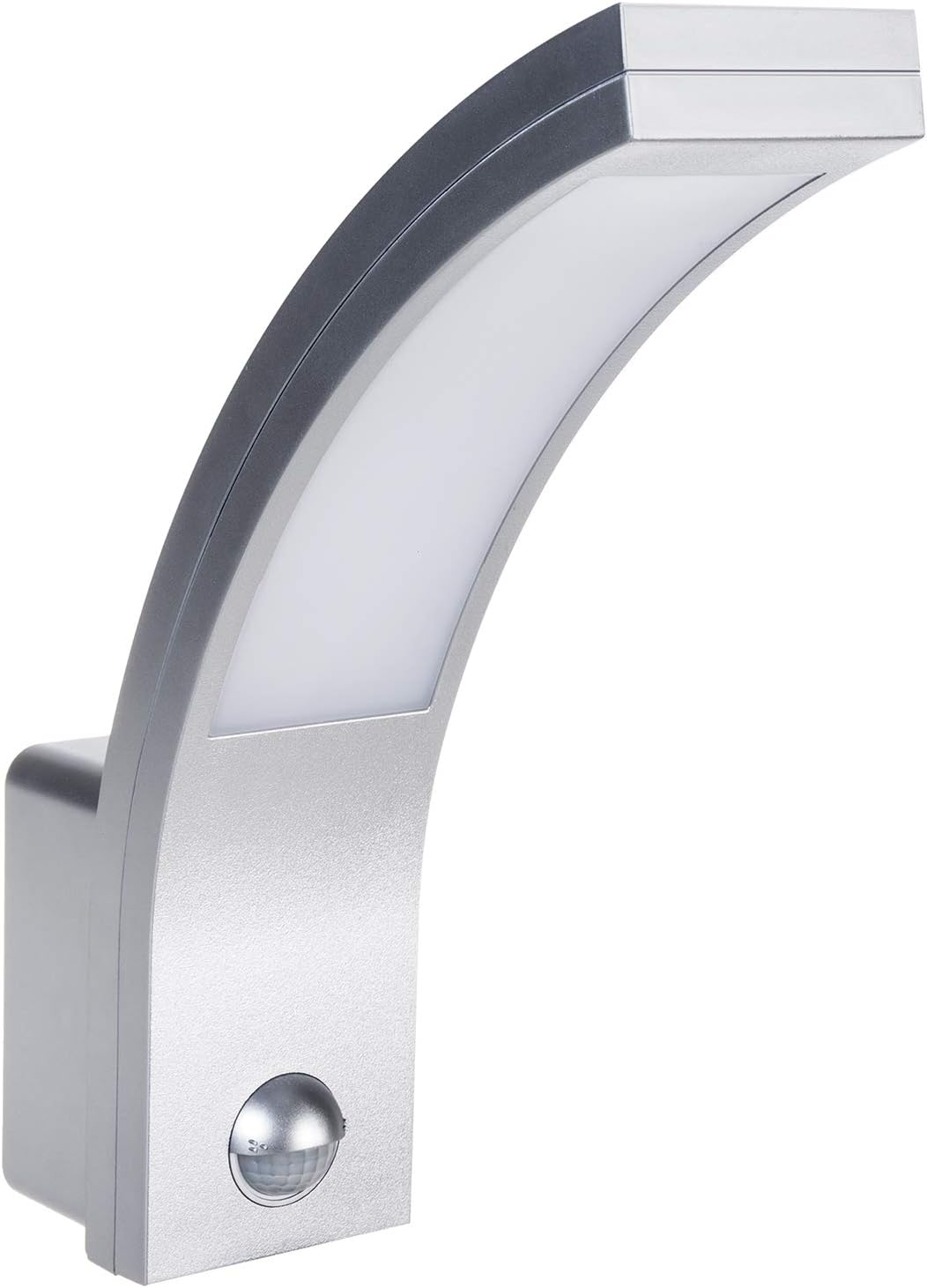
Figure 1: Front view of the Maclean Energy MCE244 LED Lamp.

Figure 2: Side view of the Maclean Energy MCE244 LED Lamp, highlighting its curved design.

Figure 3: Back view of the Maclean Energy MCE244 LED Lamp, showing product information and IP54 rating.
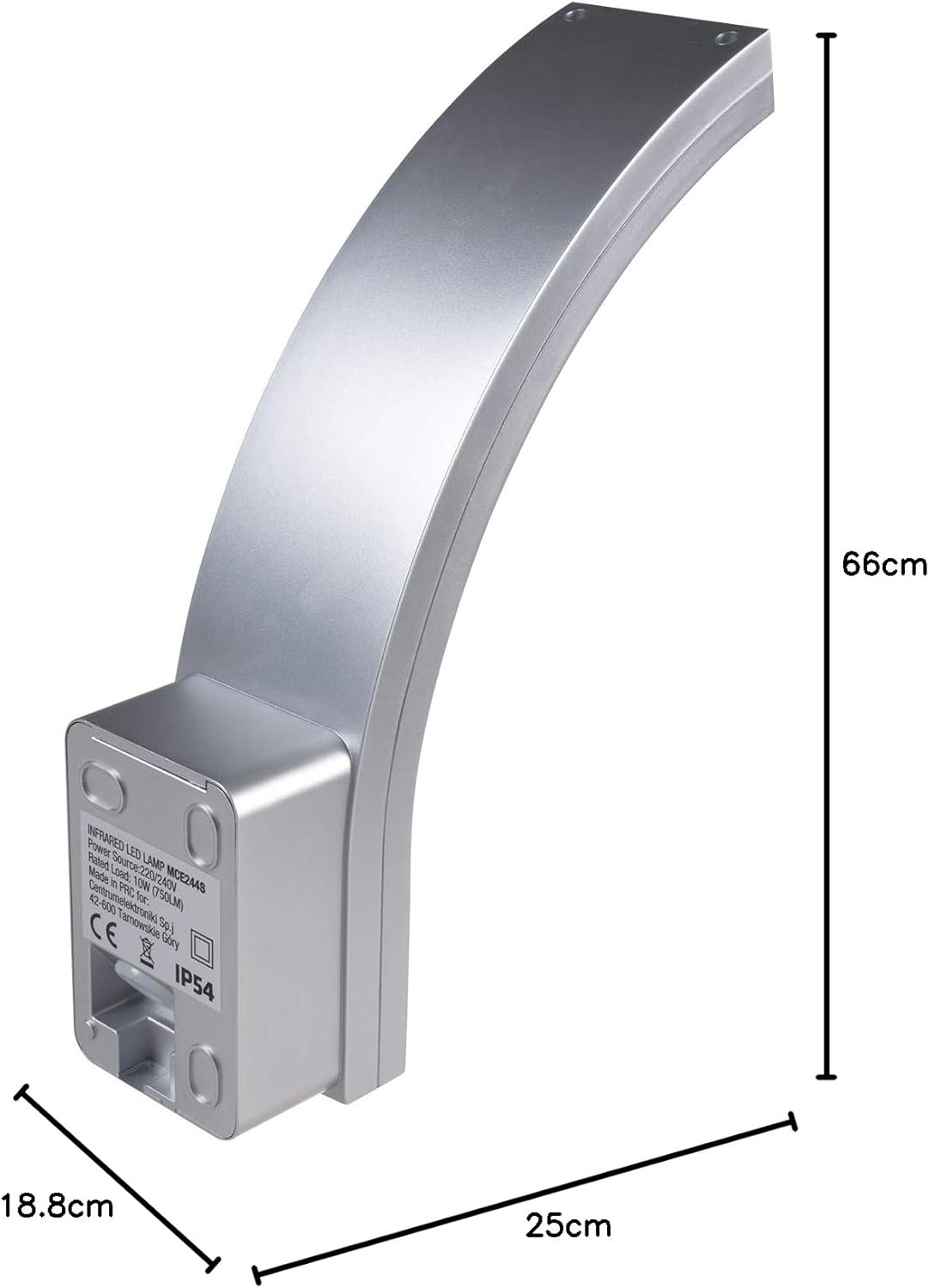
Figure 4: Dimensions of the Maclean Energy MCE244 LED Lamp: 66cm length, 18.8cm width, 25cm height.
4. Specifications
| Feature | Specification |
|---|---|
| Brand | Maclean |
| Model Number | MCE244 |
| Dimensions | 66 x 18.8 x 25 cm |
| Weight | 452 grams |
| IP Rating | IP54 (Waterproof, Dustproof) |
| Voltage | 240 Volts |
| Power | 10 Watts |
| Luminous Flux | 750 lm |
| Bulb Type | LED |
| Energy Class (EU) | A++ |
| Motion Sensor Angle | 140° |
| Motion Sensor Range | Up to 9 meters |
| Style | Modern |
| Material | Aluminum |
| Color | Silver |
| Power Source | Wired Electric |
| Special Features | Infrared Motion Sensor, Auto On/Off |
5. Installation
Important: Ensure the main power supply is switched off at the circuit breaker before beginning installation to prevent electric shock.
- Prepare the Mounting Surface: Choose a suitable wall location, ensuring it is stable and can support the lamp's weight.
- Mark Drilling Points: Use the lamp's mounting plate as a template to mark the drilling points on the wall.
- Drill Holes: Drill holes at the marked points and insert appropriate wall plugs (if necessary).
- Connect Wiring: Carefully connect the live (L) and neutral (N) wires from your electrical supply to the corresponding terminals on the lamp's connection block. Ensure all connections are secure.
- Mount the Lamp: Secure the lamp to the wall using the provided screws. Ensure it is firmly attached.
- Restore Power: Once installation is complete and all connections are secure, restore power at the circuit breaker.
6. Operation
The Maclean Energy MCE244 LED Lamp features an integrated infrared motion sensor and twilight sensor for automatic operation.
- Automatic Mode: The lamp will automatically turn on when motion is detected within its range and the ambient light level falls below the set threshold. It will turn off after a set delay if no further motion is detected.
- Manual Override: This model is designed for automatic operation. There is no manual override switch for continuous illumination.
7. Settings Adjustment
The motion and twilight sensor settings can be adjusted using the controls located on the lamp's sensor unit. These controls are typically small dials or screws that require a small screwdriver for adjustment.

Figure 5: Close-up of the sensor controls on the Maclean Energy MCE244 LED Lamp. The 'TIME' dial adjusts the illumination duration, and the 'LUX' dial adjusts the ambient light sensitivity.
- TIME (Illumination Duration): This dial controls how long the lamp remains illuminated after motion is detected and then ceases. Turn the dial to increase or decrease the duration.
- LUX (Ambient Light Sensitivity): This dial determines the ambient light level at which the sensor becomes active. Turn the dial towards the 'sun' icon for the lamp to activate in brighter conditions, or towards the 'moon' icon for it to activate only in darker conditions.
Adjust these settings incrementally and test the lamp's behavior to achieve your desired operation.
8. Maintenance
- Cleaning: Regularly clean the lamp's exterior with a soft, damp cloth. Do not use harsh chemicals or abrasive materials that could damage the finish or sensor.
- Sensor Check: Periodically check the motion sensor lens for any obstructions (e.g., dirt, spiderwebs) that might affect its performance.
- Bulb Replacement: This LED lamp features integrated LEDs and does not require bulb replacement. If the light source fails, the entire unit may need to be replaced.
9. Troubleshooting
| Problem | Possible Cause | Solution |
|---|---|---|
| Lamp does not turn on. | No power supply, incorrect wiring, LUX setting too high (too bright for activation), faulty sensor. | Check power supply and circuit breaker. Verify wiring connections. Adjust LUX setting. Contact a qualified electrician if issues persist. |
| Lamp stays on continuously. | Constant motion detected, TIME setting too long, LUX setting too low (always dark enough for activation), faulty sensor. | Ensure no constant motion in detection area. Adjust TIME setting. Adjust LUX setting. Check for sensor obstructions. |
| Lamp turns on/off randomly. | Interference from heat sources (e.g., vents, animals), sensor too sensitive, faulty sensor. | Relocate lamp away from heat sources. Adjust sensor sensitivity (if applicable). Clean sensor lens. |
| Motion detection range is poor. | Sensor obstructed, incorrect mounting height, environmental factors (e.g., extreme cold). | Clear sensor lens. Ensure proper mounting height (typically 1.8-2.5m). |
10. Disposal
This product should not be disposed of with household waste. Please recycle where facilities exist. Check with your local authority for recycling advice.
11. Warranty and Support
Maclean products are designed and manufactured to the highest quality standards. For warranty information or technical support, please refer to the documentation provided with your purchase or contact your retailer. Keep your proof of purchase for warranty claims.


