1. Product Overview
The Aiwa AWS200BT is a portable Bluetooth speaker designed to deliver clear and powerful audio. Featuring 30W output, FM radio, and dynamic RGB lighting, it is suitable for various environments, including outdoor use, thanks to its waterproof design. The speaker includes a rechargeable battery for extended listening pleasure.
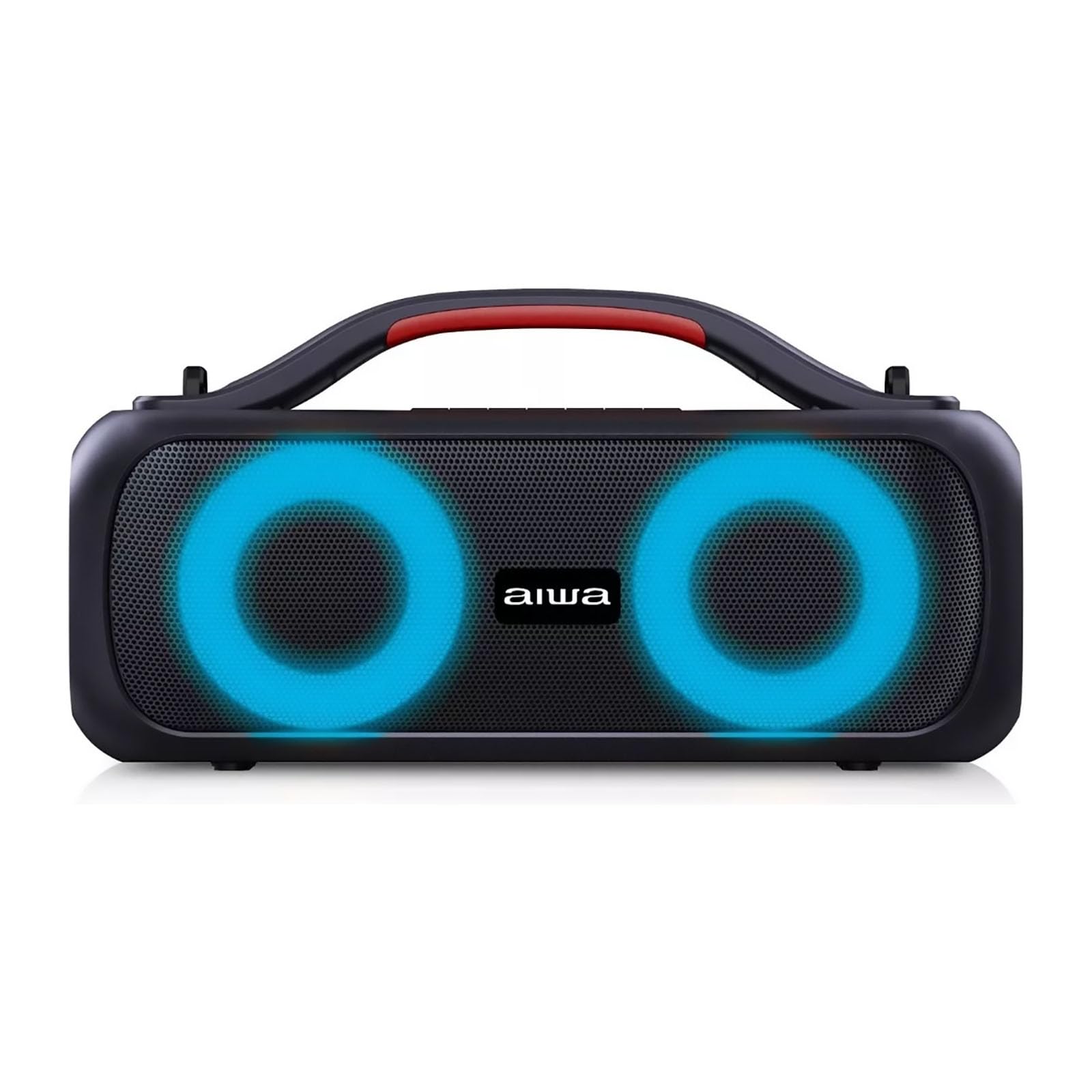
Image 1: Front view of the Aiwa AWS200BT Bluetooth Speaker, showcasing its robust design and speaker grilles.
2. Key Features
- Powerful Audio: 30W output for natural sound with clarity and precision.
- Bluetooth Connectivity: Seamless wireless connection to your devices.
- FM Radio: Built-in FM tuner for listening to your favorite stations.
- RGB Lighting: Dynamic LED lights enhance the listening experience.
- Waterproof Design: Suitable for outdoor use.
- Hands-Free Functionality: Integrated microphone for calls.
- Rechargeable Battery: Portable design with a long-lasting internal battery.
- Multiple Inputs: Supports USB and auxiliary cable connections.

Image 2: Side view of the Aiwa AWS200BT Bluetooth Speaker, showing the active RGB lighting around the speaker cones.
3. Package Contents
Please check the package for the following items:
- Aiwa AWS200BT Bluetooth Speaker
- Power Cable
- User Manual (this document)
4. Setup and First Use
- Charging the Speaker: Before first use, fully charge the speaker. Connect the provided power cable to the speaker's charging port and plug the other end into a power outlet. The charging indicator will illuminate.
- Powering On: Press and hold the Power button (⏻) for a few seconds until you hear an audible prompt and the RGB lights activate.
- Bluetooth Pairing:
- Ensure the speaker is in Bluetooth pairing mode (indicated by a flashing LED).
- On your mobile device, enable Bluetooth and search for available devices.
- Select "Aiwa AWS200BT" from the list.
- Once connected, you will hear a confirmation sound.
5. Operating Instructions
5.1. Basic Controls
- Power Button (⏻): Press and hold to power on/off. Short press to switch modes (Bluetooth, FM, AUX, USB).
- Volume Up (+): Short press to increase volume.
- Volume Down (-): Short press to decrease volume.
- Play/Pause (▶): Short press to play or pause music. In FM mode, short press to auto-scan stations.
- Next Track (⏭): Long press to skip to the next track. In FM mode, long press to go to the next preset station.
- Previous Track (⏮): Long press to go to the previous track. In FM mode, long press to go to the previous preset station.
- RGB Light Button: Short press to cycle through different light modes or turn off the lights.
5.2. Bluetooth Mode
After successful pairing (see Section 4), you can stream audio wirelessly from your Bluetooth-enabled device. Use the speaker's volume and track control buttons, or control directly from your device.
To disconnect, turn off Bluetooth on your device or press the Power button to switch modes.
5.3. FM Radio Mode
- Press the Power button (⏻) repeatedly until you enter FM Radio mode.
- Short press the Play/Pause button (▶) to initiate an automatic scan for available FM stations. The speaker will save these stations.
- Use the Next Track (⏭) and Previous Track (⏮) buttons (long press) to navigate through the saved stations.
5.4. AUX Input Mode
Connect an external audio device using a 3.5mm auxiliary cable (not included) to the AUX input port. Press the Power button (⏻) to switch to AUX mode. Audio will play from the connected device.
5.5. USB Playback Mode
Insert a USB flash drive containing MP3 audio files into the USB port. The speaker will automatically switch to USB mode and begin playback. Use the track control buttons to navigate your music.
5.6. RGB Lighting Control
Press the dedicated RGB Light button to cycle through various lighting effects or to turn the lights off. The lights synchronize with the music playback.
6. Maintenance and Care
- Keep the speaker away from extreme temperatures, direct sunlight, and dust.
- Clean the speaker with a soft, dry cloth. Do not use abrasive cleaners or solvents.
- Ensure all ports are properly sealed when using the speaker in wet environments to maintain its waterproof integrity.
- Store the speaker in a cool, dry place when not in use for extended periods.
7. Troubleshooting
| Problem | Possible Cause | Solution |
|---|---|---|
| Speaker does not power on. | Low battery or no power. | Charge the speaker using the provided power cable. Ensure the power outlet is functional. |
| Cannot pair via Bluetooth. | Speaker not in pairing mode, or device Bluetooth is off. | Ensure the speaker is in Bluetooth mode (flashing LED). Turn off and on Bluetooth on your device. Move devices closer. |
| No sound or low volume. | Volume too low on speaker or connected device. Incorrect input mode. | Increase volume on both the speaker and your device. Verify the correct input mode (Bluetooth, AUX, USB, FM). |
| FM radio reception is poor. | Weak signal. | Relocate the speaker to an area with better signal reception. |
8. Specifications
| Model Name | AWS200BT |
| Brand | Aiwa |
| Speaker Type | Woofer / Subwoofer |
| Amplification Type | Active |
| Output Power | 30W |
| Connectivity | Bluetooth, USB, AUX |
| Special Features | FM Radio, RGB Lights, Waterproof, Hands-Free, Rechargeable Battery |
| Dimensions (L x W x H) | 39 x 21 x 18 cm |
| Weight | 3 kg |
| Power Source | Battery Powered (Rechargeable) |
| Color | Black |
9. Warranty and Support
For warranty information and technical support, please refer to the official Aiwa website or contact your local distributor. Keep your purchase receipt for warranty claims.
Official Aiwa Website: www.aiwa.com