
1. Introduction
Thank you for choosing the SKY LAND EM-1266 Home Use Foldable Treadmill. This manual provides essential information for the safe assembly, operation, maintenance, and troubleshooting of your new fitness equipment. Please read this manual thoroughly before using the treadmill to ensure proper function and to maximize your workout experience.
The EM-1266 treadmill is designed for home use, offering a blend of quality and performance. Its foldable design allows for easy storage, making it suitable for various living spaces. Key features include a powerful DC motor, a wide running surface, and a user-friendly control panel with multiple programs.
2. Safety Information
Important Safety Precautions:
- Always consult with a physician before starting any new exercise program.
- Read all instructions in this manual before using the treadmill.
- Keep children and pets away from the treadmill during operation.
- Place the treadmill on a flat, stable surface with adequate clearance around it.
- Wear appropriate athletic footwear and clothing.
- Do not use the treadmill if it is damaged or malfunctioning.
- Always use the safety key during operation. Attach the clip to your clothing.
Maximum User Weight Capacity:
The maximum user weight for this treadmill is 100 kg. For optimal performance and longevity, it is recommended to subtract 25 kg from the maximum user weight to determine the ideal user weight. For example, if the maximum user weight is 100 kg, the ideal maximum user weight is 75 kg (100 kg - 25 kg = 75 kg).
3. Package Contents
Before assembly, ensure all components are present and undamaged. The package includes:
- SKY LAND EM-1266 Treadmill main unit
- Assembly tools
- User Manual
- Safety Key
- Power Cord
4. Setup and Assembly
The SKY LAND EM-1266 treadmill is designed for straightforward assembly. Assembly tools are included in the package.
4.1 Unfolding the Treadmill
The treadmill features a hydraulic unfold assist system for safe and gradual lowering of the running deck.
- Ensure the treadmill is placed on a level surface.
- Gently push the running deck downwards. The hydraulic assist will control the descent until it is fully flat.
- Ensure the deck is securely locked in the flat position before use.
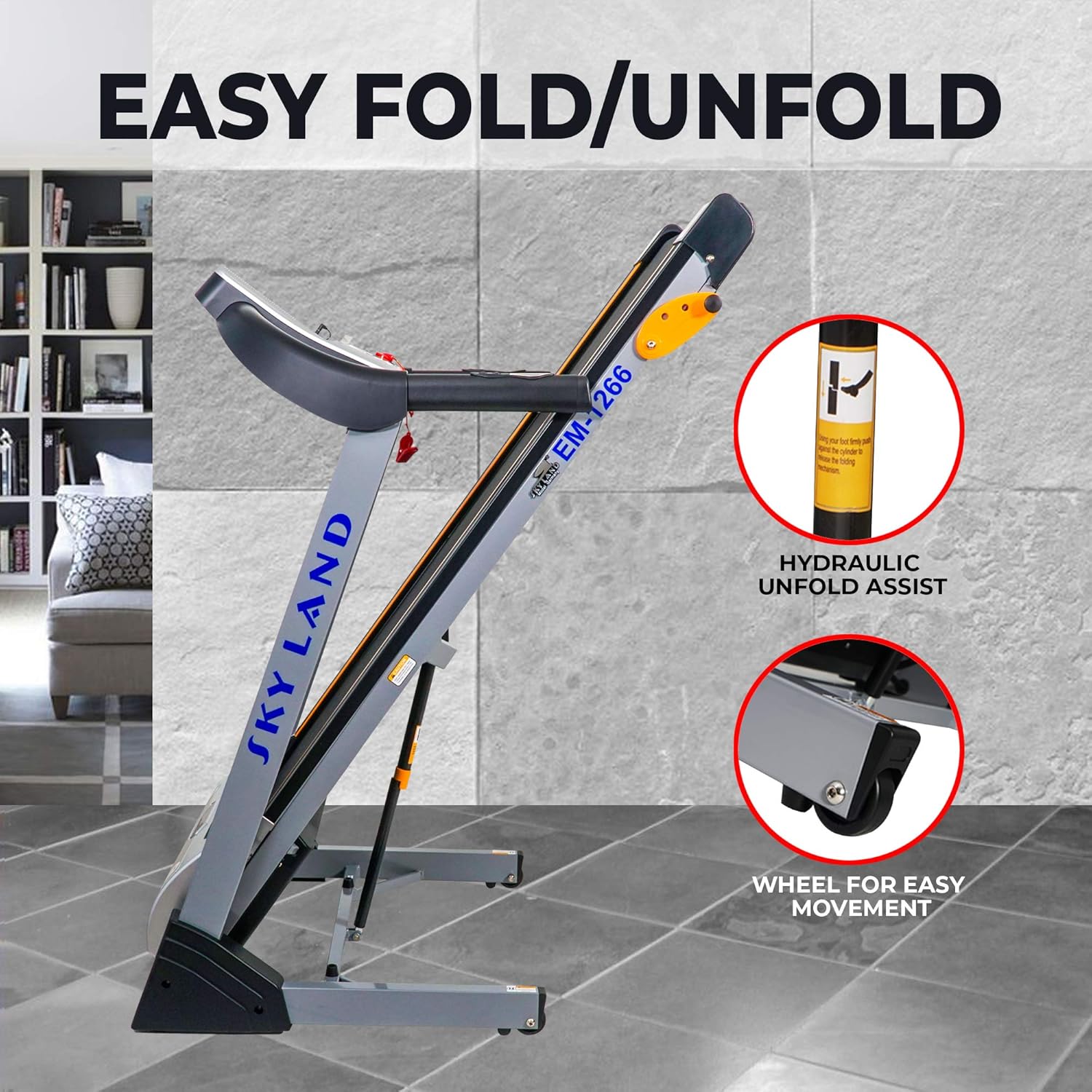
Image: Easy Fold/Unfold mechanism with hydraulic assist and transport wheels.
4.2 Folding the Treadmill for Storage
To save space, the treadmill can be easily folded.
- Ensure the treadmill is turned off and unplugged.
- Lift the running deck until it clicks into the upright, locked position.
- The treadmill is equipped with wheels for easy movement. Tilt the folded treadmill and roll it to your desired storage location.
4.3 Connecting Power
Connect the power cord to the treadmill and then to a standard electrical outlet. Ensure the power switch is in the OFF position before plugging in.
5. Operating Instructions
The EM-1266 treadmill features a user-friendly control panel and various workout options.

Image: Control panel with Blue LCD Display, cup holders, pulse sensors, programs, and speed shortcut keys.
5.1 Control Panel and Display
The treadmill features a 5-inch blue LCD display that shows essential workout data such as speed, time, distance, calories, and heart rate. The control panel includes:
- Start/Stop Buttons: To begin and end your workout.
- Speed Adjustment: Buttons on the handlebar and quick access buttons on the console (e.g., 4, 6, 8, 10, 12 KM/HR) allow for easy speed changes.
- Program Selection: Access preset programs (P1-P9), user-defined programs (U1-U3), and heart rate control programs (H1-H3).
- Pulse Sensors: Integrated into the handlebars to monitor your heart rate.
- MP3 Interface: Connect your device to play music through the integrated speaker.
- Bluetooth Connectivity: For connecting to compatible fitness apps or devices.
- Cup Holders: For convenience during your workout.
5.2 Starting a Workout
- Plug in the treadmill and turn on the power switch.
- Attach the safety key clip to your clothing and insert the safety key into its slot on the console.
- Step onto the side rails of the treadmill.
- Press the 'Start' button. The belt will begin to move at a low speed.
- Gradually increase the speed using the speed adjustment buttons to your desired pace.
- To stop, press the 'Stop' button or pull the safety key.
5.3 Manual Incline Adjustment
The EM-1266 features a 3-level manual incline, adjustable up to 3%.

Image: Manual incline feature, adjustable up to 3%.
- Ensure the treadmill is stopped and unplugged before adjusting the incline.
- Locate the incline adjustment mechanism at the rear of the treadmill deck.
- Manually adjust the incline to one of the three available levels.
- Ensure the incline is securely set before resuming your workout.
5.4 Programs and Features
- Preset Programs (P1-P9): Offer varied speed and incline profiles for different workout goals.
- User-Defined Programs (U1-U3): Allow you to create and save your custom workout routines.
- Heart Rate Control Programs (H1-H3): Adjust speed to maintain a target heart rate zone. Use the hand pulse sensors for accurate readings.
- Body Fat Test: A feature to estimate body fat percentage (refer to the console instructions for details).
6. Maintenance
Regular maintenance ensures the longevity and optimal performance of your treadmill.
- Cleaning: Wipe down the treadmill after each use with a damp cloth to remove sweat and dust. Avoid abrasive cleaners.
- Belt Lubrication: The running belt and deck are made of high-elasticity and density compressed wood with a rubber cushion. Periodically check the running belt for proper lubrication. Refer to the specific lubrication instructions in the full manual (if provided separately) or contact customer support for guidance.
- Belt Tension and Alignment: Check the running belt tension and alignment regularly. Adjust if necessary according to the instructions in the full manual.
- Power Cord Inspection: Regularly inspect the power cord for any damage.
- General Inspection: Periodically check all bolts and nuts to ensure they are tight.
7. Troubleshooting
If you encounter issues with your treadmill, refer to the following common troubleshooting steps:
- Treadmill does not power on:
- Ensure the power cord is securely plugged into both the treadmill and the wall outlet.
- Check if the power switch on the treadmill is in the 'ON' position.
- Verify that the wall outlet is functional by plugging in another device.
- Check the circuit breaker in your home.
- Running belt does not move:
- Ensure the safety key is properly inserted into the console.
- Press the 'Start' button.
- Check for any obstructions under the running belt.
- Inaccurate heart rate readings:
- Ensure your hands are firmly gripping the pulse sensors.
- Make sure your hands are clean and free of lotions.
- Unusual noises or vibrations:
- Stop the treadmill immediately.
- Inspect the running belt for damage or misalignment.
- Check all assembly bolts for tightness.
- If the issue persists, contact customer support.
For more complex issues or repairs, please contact SKY LAND customer support.
8. Specifications
Detailed specifications for the SKY LAND EM-1266 Treadmill:
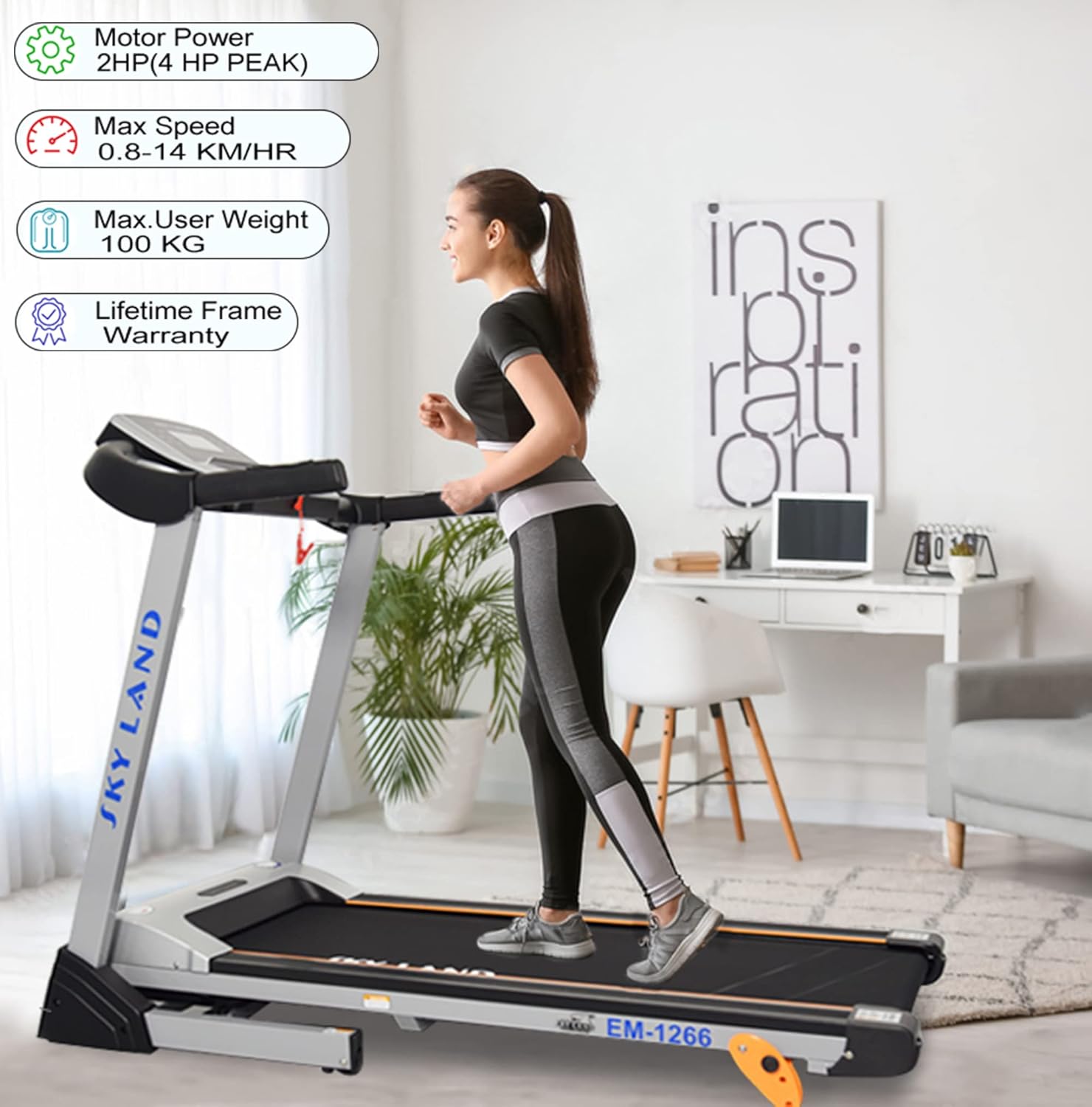
Image: Key performance features of the treadmill.
| Feature | Specification |
|---|---|
| Model Number | EM-1266 |
| Motor Power | DC 2.0 HP (4 HP Peak) |
| Speed Range | 0.8 - 14 KM/HR |
| Running Surface | 43 x 120 cm (430 x 1200 mm) |
| Incline | 3-level Manual Incline (up to 3%) |
| Display Type | 5-inch Blue LCD |
| Programs | 12 (P1-P9 Preset, U1-U3 User-defined, H1-H3 Heart Rate Control) |
| Max User Weight | 100 kg |
| Assembled Dimensions (L x W x H) | 135 x 72 x 120 cm |
| Folded Dimensions (L x W x H) | 90 x 74 x 132.5 cm (900 x 740 x 1325 mm) |
| Item Weight | 44 kg |
| Frame Material | Steel Alloy |
| Special Features | Foldable, Hydraulic Unfold Assist, Transport Wheels, Hand Pulse Sensors, MP3 Interface, Bluetooth |

Image: Front view of the SKY LAND EM-1266 Treadmill.

Image: Wide running surface (1250x430mm).
9. Warranty Information
The SKY LAND EM-1266 Treadmill comes with a Lifetime Frame Warranty. For details regarding other components and warranty claims, please refer to the warranty card included with your product or contact customer support.
10. Customer Support
For any inquiries, technical assistance, or service requests, please contact SKY LAND customer support:

Image: SKY LAND Services & Support Contact Information.
- WhatsApp: +971543084588, +971565015399
- Phone (U.A.E.): +97142269180
- Email: customercare@topskyland.com
- Website: www.topskyland.com
