
1. Introduction
This manual provides detailed instructions for the installation, operation, and maintenance of your Aux ASW-24B2/FFR1 JSERIE Mini-Split Air Conditioner. This 220V Wi-Fi enabled unit offers 24,000 BTU cooling/heating capacity, suitable for areas between 25 to 36 square meters. Key features include self-cleaning, anti-fungus mode, and automatic restart for enhanced comfort and convenience. Please read this manual thoroughly before using the appliance.
2. Safety Information
For your safety and to prevent damage to the unit, always observe the following precautions:
- Electrical Safety: Ensure the unit is connected to a dedicated 220V-1-60Hz power supply. Do not use extension cords or multi-outlet adapters.
- Installation: Installation must be performed by a qualified professional to prevent electric shock, fire, or injury. Improper installation voids the warranty.
- Operation: Do not insert fingers or objects into the air inlet/outlet. Do not operate the unit with wet hands.
- Maintenance: Always disconnect power to the unit before performing any cleaning or maintenance.
- Children: Keep children away from the unit and remote control. This appliance is not intended for use by persons with reduced physical, sensory or mental capabilities, or lack of experience and knowledge, unless they have been given supervision or instruction.
3. Product Overview
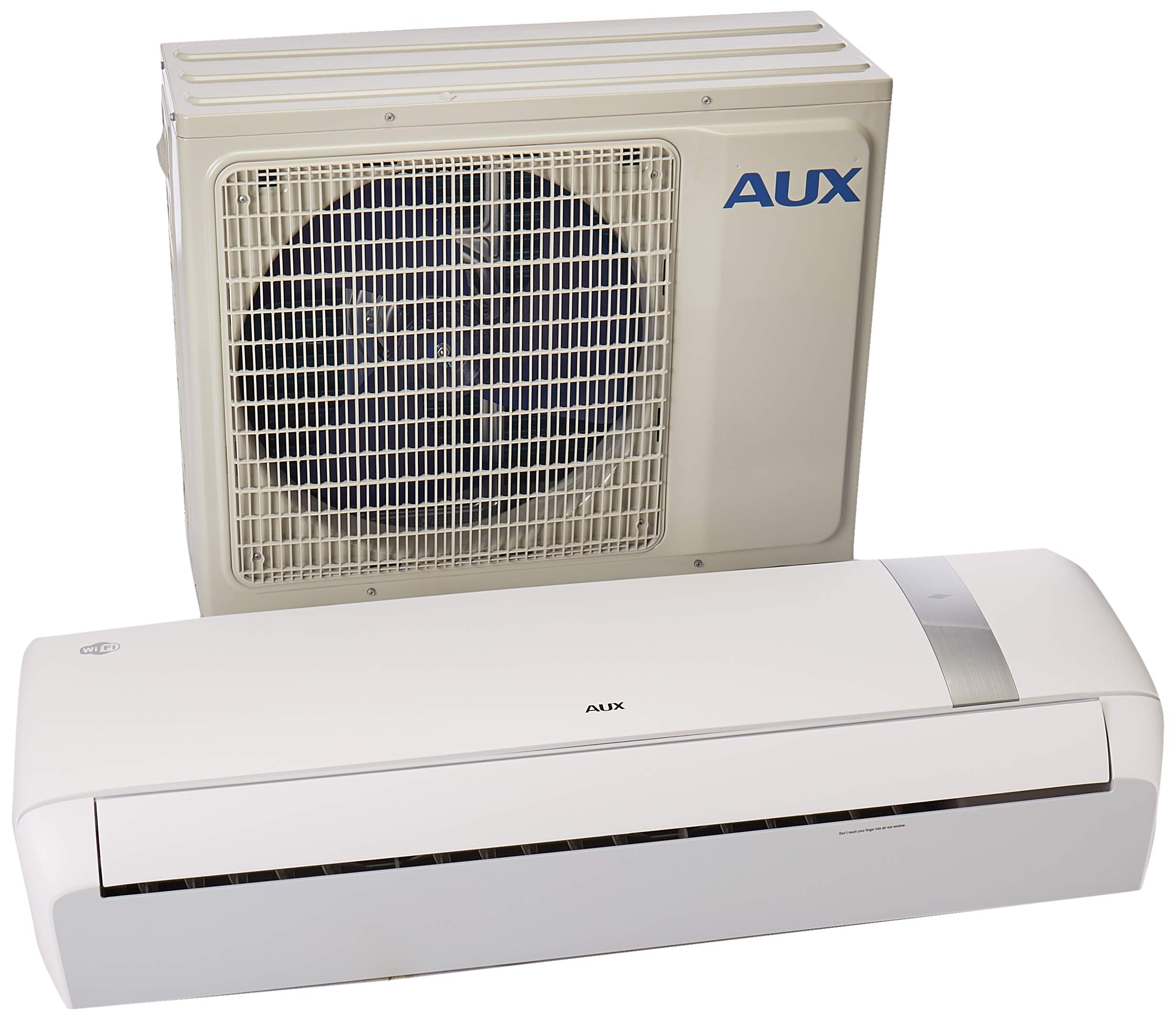
The Aux ASW-24B2/FFR1 JSERIE Mini-Split system is designed for efficient climate control. It comprises an indoor evaporator unit and an outdoor condenser unit, working together to provide cooling and heating. The unit also features integrated Wi-Fi connectivity for smart control via a mobile application.
Remote Control
This image displays the remote control for the Aux ASW-24B2/FFR1 JSERIE Mini-Split Air Conditioner. The remote is white with a large LCD screen at the top for displaying settings. Below the screen, the "AUX" brand logo is visible. The buttons are light green, with a prominent central blue power button. Each button controls a specific function of the air conditioner:
- Power Button (Blue): Turns the air conditioner unit on or off.
- °C/°F Button: Toggles the temperature display between Celsius and Fahrenheit.
- MODE Button: Cycles through various operating modes such as Cool, Heat, Fan, Dry, and Auto.
- SPEED Button: Adjusts the fan speed (e.g., Low, Medium, High, Auto).
- SWING (Horizontal) Button: Controls the horizontal movement of the air louvers.
- SWING (Vertical) Button: Controls the vertical movement of the air louvers.
- TURBO Button: Activates a rapid cooling or heating function for quick temperature changes.
- TIMER Button: Used to set the automatic on/off times for the unit.
- iFavor Button: Recalls and applies a user-defined personalized favorite setting.
- iFeel Button: Activates a function where the remote control senses the ambient temperature at its location and adjusts the unit's operation accordingly for localized comfort.
- HEALTH Button: Engages specific health-related functions, such as air purification or ionizer (if equipped).
- SLEEP Button: Activates a sleep mode that automatically adjusts temperature and fan speed for comfortable sleep and energy saving.
- iClean Button: Initiates the self-cleaning cycle of the indoor unit.
- Anti-FUNGUS Button: Activates a mode designed to prevent the growth of mold and mildew within the indoor unit.
- DISPLAY Button: Turns the LED display on the indoor unit on or off.
4. Setup and Installation
The Aux ASW-24B2/FFR1 is a split-system air conditioner, meaning it has separate indoor and outdoor units. Proper installation is crucial for performance and safety.
- Professional Installation: Due to the complexity of refrigerant lines, electrical connections, and mounting, it is mandatory that installation be performed by a certified HVAC technician. This ensures compliance with local codes, proper functioning, and maintains the product warranty.
- Power Supply: The unit requires a 220V-1-60Hz electrical power source. Ensure the installation site has the appropriate wiring and circuit breaker capacity.
- Components: The product package includes both the indoor evaporator unit and the outdoor condenser unit, along with necessary installation accessories.
- Wi-Fi Setup: After the physical installation is complete and the unit is powered on, refer to the dedicated Wi-Fi setup guide or the Aux smart home application for instructions on connecting your air conditioner to your home network.
5. Operating Instructions
Basic Operation
- Power On/Off: Press the blue Power button on the remote control to turn the unit on or off.
- Select Mode: Press the MODE button repeatedly to cycle through available operating modes: Auto, Cool, Dry, Fan, and Heat.
- Adjust Temperature: Use the temperature up/down buttons (typically located near the power button) to set your desired temperature.
- Adjust Fan Speed: Press the SPEED button to select the desired fan speed (Auto, Low, Medium, High).
- Louver Control: Use the SWING buttons to adjust the direction of the airflow, both horizontally and vertically.
Special Functions
- TURBO: Activates maximum cooling or heating for rapid temperature change.
- TIMER: Set a specific time for the unit to turn on or off automatically. Refer to the detailed timer setting instructions in the full manual for precise programming.
- iFavor: Saves and recalls your preferred operating settings (mode, temperature, fan speed, swing) with a single button press.
- iFeel: The remote control measures the ambient temperature at its location and sends this data to the indoor unit, optimizing comfort around the remote's position.
- HEALTH: Engages air purification or other health-related features to improve indoor air quality.
- SLEEP: Automatically adjusts temperature and fan speed during sleep for optimal comfort and energy saving.
- DISPLAY: Toggles the LED display on the indoor unit on or off for undisturbed rest.
Wi-Fi Connectivity
Your ASW-24B2/FFR1 unit supports Wi-Fi control. Download the official Aux smart home application on your smartphone or tablet. Follow the in-app instructions to pair your device with the air conditioner. This allows for remote control, scheduling, and monitoring from anywhere with an internet connection.
6. Maintenance
Regular maintenance ensures optimal performance, energy efficiency, and longevity of your air conditioner.
- Air Filter Cleaning: Clean the air filters every two weeks or more frequently if the unit is used heavily or in dusty environments. Refer to the full manual for instructions on how to remove and clean filters. Dirty filters reduce airflow and efficiency.
- Self-Cleaning (iClean): Utilize the iClean function on your remote control to activate the unit's self-cleaning cycle. This process helps to remove accumulated dust and moisture from the evaporator coil, preventing mold and odor buildup.
- Anti-Fungus Mode: Activate the Anti-FUNGUS mode periodically to inhibit mold and mildew growth within the indoor unit, contributing to healthier air quality.
- Outdoor Unit: Keep the outdoor condenser unit free from obstructions, leaves, and debris. Periodically clean the coils with a soft brush or vacuum cleaner to ensure proper heat exchange.
- Professional Check-up: Schedule an annual professional inspection and cleaning by a qualified technician. This can identify potential issues early and ensure the unit operates at peak efficiency.
7. Troubleshooting
Before contacting service, check the following common issues and their solutions:
| Problem | Possible Cause | Solution |
|---|---|---|
| Unit does not turn on | No power supply, remote control batteries low, circuit breaker tripped. | Check power connection, replace remote batteries, reset circuit breaker. |
| Insufficient cooling/heating | Dirty air filters, blocked outdoor unit, wrong mode selected, temperature setting too high/low, doors/windows open. | Clean air filters, clear obstructions from outdoor unit, select correct operating mode, adjust temperature, ensure room is sealed. |
| Unusual noise | Loose parts, foreign objects inside unit, refrigerant issues. | Turn off unit and inspect for obvious obstructions. If noise persists or is loud, contact service. |
| Water leakage from indoor unit | Clogged drain pipe, improper installation, frozen evaporator coil. | Check and clear the drain pipe. If issue persists, contact a professional technician. |
| Wi-Fi connection issues | Router issues, incorrect Wi-Fi password, unit too far from router, app not updated. | Restart your Wi-Fi router, re-enter password in the app, ensure unit is within Wi-Fi range, update the Aux app. |
8. Specifications
| Feature | Detail |
|---|---|
| Brand | Aux |
| Model Name | ASW-24B2/FFR1 220V WIF JSERIE |
| Cooling Capacity | 24,000 British Thermal Units (BTUs) |
| Voltage | 220 Volts |
| Power Source | Corded Electric |
| Special Features | Heating and Cooling Function, Wi-Fi Connectivity, Self-Cleaning (iClean), Anti-Fungus Mode, Automatic Restart, iFeel, iFavor, Sleep Mode |
| Form Factor | Mini-Split |
| Control Method | Touch Control (Remote) |
| Installation Method | Split System |
| Included Components | Evaporator (Indoor Unit) and Condenser (Outdoor Unit) |
| Recommended Coverage Area | 25 to 36 m² (approximate) |
| Product Weight | 58 Grams (Note: This weight likely refers to a component, not the full system. Full system weight will be significantly higher.) |
9. Warranty and Support
Your Aux ASW-24B2/FFR1 Mini-Split Air Conditioner comes with a Limited Warranty. Please refer to the warranty card included with your product for specific terms, conditions, and duration of coverage. The warranty typically covers manufacturing defects under normal use.
For technical support, service, or warranty claims, please contact your authorized Aux dealer or customer service center. It is essential to keep your purchase receipt or proof of purchase as it will be required for any warranty service.


