
Scangrip 03.5690
Contents
Scangrip MAG PRO Rechargeable Work Light (Model 03.5690) Instruction Manual
Your guide to safe and effective use.
1. Introduction
The Scangrip MAG PRO is a versatile rechargeable work light designed for professional use. It features COB LEDs for powerful illumination, a stepless dimmer function, and a flexible lamp head. This manual provides essential information for the proper setup, operation, and maintenance of your MAG PRO work light.

Figure 1: Side view of the Scangrip MAG PRO Work Light, highlighting its ergonomic design.
2. Product Features
- Dual Light Sources: Equipped with COB LEDs for a main work light (up to 600 lumens) and a focused spot light (150 lumens).
- Stepless Dimmer: Adjust light intensity from 10% to 100% for optimal illumination in any situation.
- Flexible Lamp Head: The lamp head can tilt up to 180 degrees, allowing precise light positioning.
- Hands-Free Operation: Features three strong built-in magnetic holders and two retractable hanging hooks for flexible mounting options.
- Battery Indicator: A front-facing indicator displays the remaining battery life.
- Durable Design: IP54 certified for resistance against dust and water splashes, suitable for demanding work environments.

Figure 2: The MAG PRO Work Light mounted magnetically under a car hood, illustrating hands-free operation with its integrated magnets and hooks.
3. Setup
3.1 Initial Charging
Before first use, fully charge the Scangrip MAG PRO work light. A USB charging cable is included. Connect the cable to the charging port on the device and to a suitable USB power adapter (not included).
- The battery indicator on the front will show charging progress.
- A full charge typically takes approximately 4 hours.
- Ensure the charging port is clean and dry before connecting the cable.

Figure 3: The MAG PRO Work Light displaying its charging port and battery level indicator, emphasizing practical charging and battery monitoring.
4. Operating Instructions
4.1 Power On/Off and Light Mode Selection
- Press the power button once to turn on the main COB work light.
- Press the power button a second time to switch to the spot light.
- Press the power button a third time to turn the light off.
4.2 Adjusting Brightness (Dimmer Function)
The main COB work light features a stepless dimmer:
- When the main COB light is on, press and hold the power button. The light intensity will gradually increase or decrease.
- Release the button when the desired brightness level is reached.
- The dimmer operates between 10% and 100% output.

Figure 4: The MAG PRO Work Light illustrating its continuous dimming function from 10% to 100% and its 600 lumen maximum output for professional illumination.
4.3 Positioning the Work Light
- Flexible Head: Adjust the lamp head up to 180 degrees to direct light precisely where needed.
- Magnetic Mounting: Utilize the three strong magnets on the base and back of the light to attach it to metallic surfaces for hands-free operation.
- Hanging Hooks: Extend the two retractable hooks to hang the light in various locations.

Figure 5: The MAG PRO Work Light providing clear, uniform illumination under a car hood, demonstrating its superior light quality compared to traditional flashlights for precise work.
5. Maintenance
5.1 Cleaning
- Wipe the light with a soft, damp cloth. Do not use harsh chemicals or abrasive cleaners.
- Ensure the charging port is free of dust and debris.
5.2 Battery Care
- To prolong battery life, avoid fully discharging the battery frequently.
- If storing the light for an extended period, charge it to approximately 50% every few months.
- Operate the light within the recommended temperature range of -10°C to +40°C.
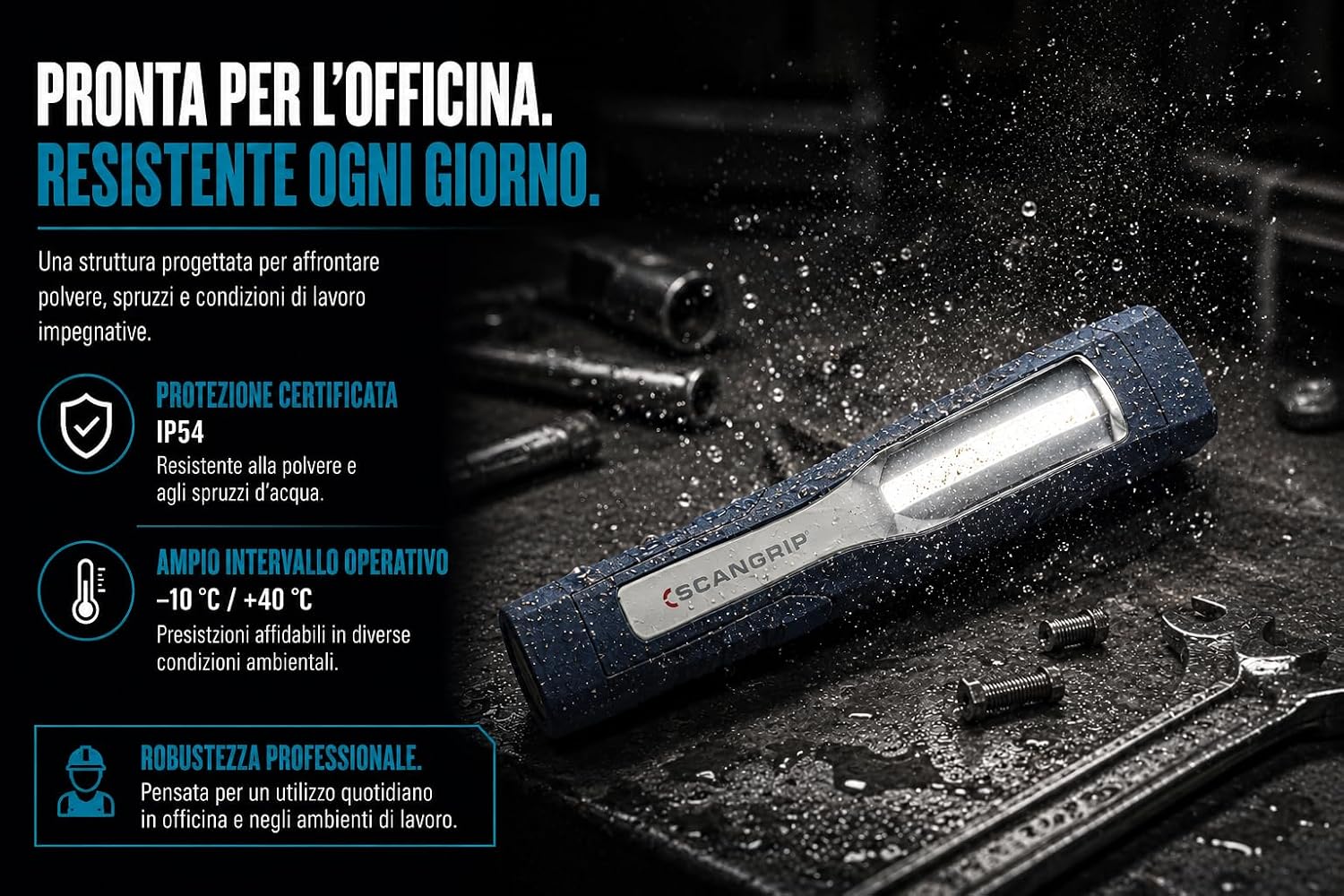
Figure 6: The MAG PRO Work Light in a challenging environment, highlighting its IP54 certified protection against dust and water splashes, and its robust design for daily workshop use.
6. Troubleshooting
- Light not turning on: Check battery level and ensure the device is charged.
- Light is dim: Adjust the dimmer function. If still dim, recharge the battery.
- Charging issues: Ensure the USB cable is securely connected and the power source is functional. Check the charging port for obstructions.
If problems persist, please contact Scangrip customer support.
7. Specifications
| Feature | Specification |
|---|---|
| Model Number | 03.5690 |
| Light Source | COB LED (Main), LED (Spot) |
| Luminous Flux (Main Light) | 60-600 Lumens (Dimmable) |
| Luminous Flux (Spot Light) | 150 Lumens |
| Illuminance (Main Light @0.5m) | 90-900 Lux |
| Illuminance (Spot Light @0.5m) | 2,000 Lux |
| Beam Angle | 120° |
| Battery Type | 1 Lithium Ion (included) |
| Battery Capacity | 2600 mAh (approximate) |
| Voltage | 3.7 Volts |
| Operating Time | Up to 15 hours (depending on brightness) |
| Charging Time | Approx. 4 hours |
| Ingress Protection (IP) | IP54 |
| Operating Temperature | -10°C to +40°C |
| Material | ABS |
| Item Weight | 330 g |
| Dimensions (L x W x H) | 261mm x 95mm x 65mm (approximate) |
8. Warranty and Support
The Scangrip MAG PRO Work Light is covered by a manufacturer's warranty against defects in materials and workmanship. For specific warranty terms and conditions, please refer to the documentation included with your product or visit the official Scangrip website.
For technical support, troubleshooting assistance, or warranty claims, please contact Scangrip customer service through their official channels. Keep your proof of purchase for warranty validation.
Documents and downloads
Ask a question about this manual
Ask about setup, troubleshooting, compatibility, parts, safety, or missing instructions. Manuals+ will review the question and use this page’s manual context to help answer it.