
1. Introduction
This manual provides essential instructions for the safe and effective use of your SupplySource AC/DC Adapter, designed specifically for the Edison Professional BZ1000 Bluetooth Speaker. Please read this manual thoroughly before use and retain it for future reference.
2. Safety Information
To ensure safe operation and prevent damage, observe the following safety guidelines:
- Voltage Compatibility: Ensure the input voltage range of 100-240V is compatible with your power outlet.
- Proper Connection: Connect the adapter securely to the speaker and power outlet. Loose connections can cause overheating or malfunction.
- Environmental Conditions: Do not expose the adapter to water, excessive moisture, or extreme temperatures. Use in a well-ventilated area.
- Damage Inspection: Regularly inspect the adapter and power cord for any signs of damage. Do not use if the cord is frayed or the adapter casing is cracked.
- Overload Protection: The adapter features safeguards against incorrect voltage, short circuits, and internal overheating. However, avoid overloading the adapter.
- Children and Pets: Keep the adapter out of reach of children and pets.
- Disassembly: Do not attempt to disassemble or repair the adapter yourself. Refer all servicing to qualified personnel.
3. Product Overview
The SupplySource AC/DC Adapter is designed to provide reliable power to your Edison Professional BZ1000 speaker. It features a barrel tip connector for compatibility.
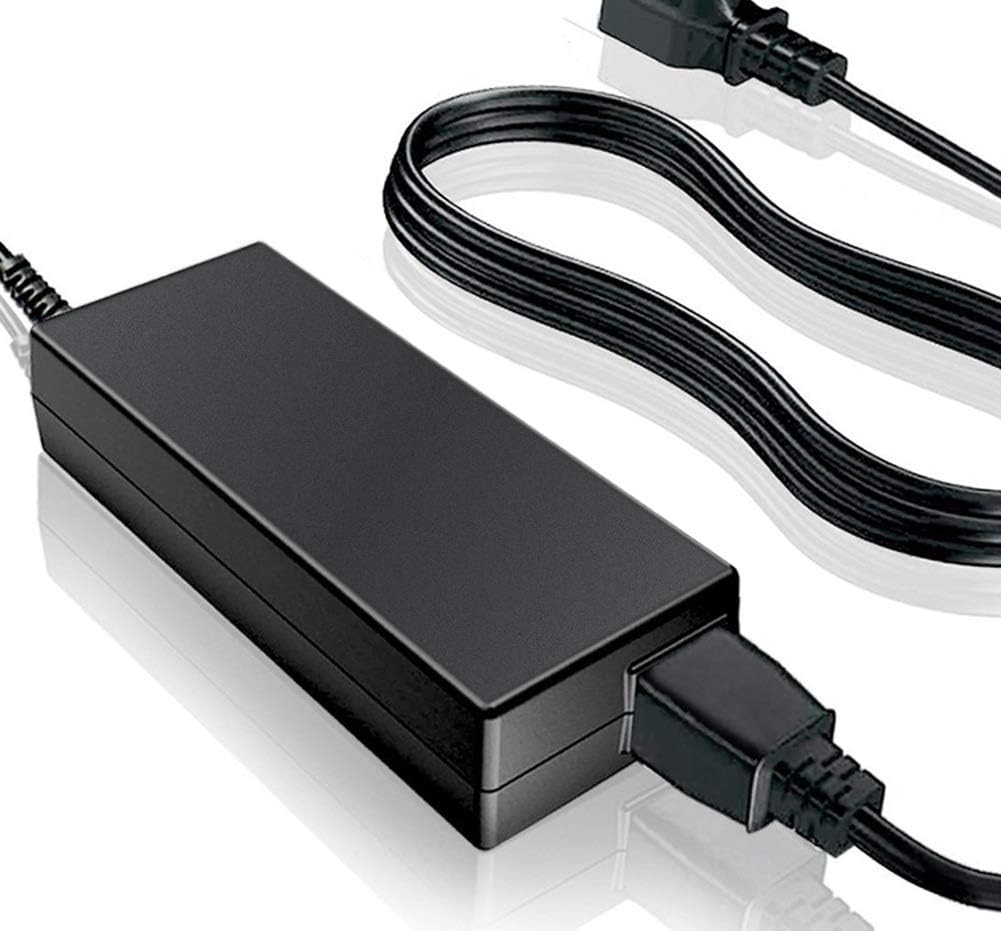
Figure 1: SupplySource AC/DC Adapter and Power Cord. This image displays the main adapter unit and its detachable power cord, ready for connection.

Figure 2: Adapter Features and Construction. This image highlights key features including stable output voltage, automatic overload/over-voltage/thermal/short circuit protection, the high-quality copper core power cord, and the flame-retardant ABS/PC synthetic shell material.
Key features include:
- Stable output voltage.
- Automatic overload cut-off.
- Over voltage cut-off.
- Automatic thermal cut-off.
- Short circuit protection.
- High-quality 3x0.5 mm copper core power cord, resistant to oxidation and corrosion.
- Flame-retardant and high-temperature resistant ABS and PC synthetic shell materials for durability.
4. Setup Instructions
- Unpack: Carefully remove the AC/DC adapter and power cord from its packaging.
- Connect Power Cord: Insert the 2-pin connector of the power cord firmly into the AC input port of the adapter.
- Connect to Speaker: Insert the barrel tip connector of the adapter's output cable into the power input port of your Edison Professional BZ1000 speaker. Ensure a snug fit.
- Connect to Power Outlet: Plug the other end of the power cord into a standard 100-240V AC wall outlet.
- Verify Power: Once connected, your speaker should indicate that it is receiving power or charging, depending on its design.
5. Operating Instructions
The SupplySource AC/DC Adapter operates automatically once connected. It provides continuous power to your Edison Professional BZ1000 speaker and charges its internal battery if applicable.
- Power On/Off: The adapter itself does not have an on/off switch. Power is controlled by plugging/unplugging from the wall outlet or by the speaker's own power controls.
- Charging: When connected, the adapter will charge the speaker's battery. Refer to your Edison Professional BZ1000 speaker's manual for specific charging indicators and times.
- Continuous Use: The adapter is designed for continuous use to power your speaker.
6. Maintenance
Proper maintenance ensures the longevity and safe operation of your adapter:
- Cleaning: Disconnect the adapter from the power outlet and speaker before cleaning. Use a soft, dry cloth to wipe the exterior. Do not use liquid cleaners or solvents.
- Storage: When not in use for extended periods, store the adapter in a cool, dry place, away from direct sunlight and extreme temperatures. Coil the power cord loosely to prevent damage.
- Inspection: Periodically check the power cord and adapter casing for any signs of wear, cuts, or damage. Replace the adapter if any damage is observed.
7. Troubleshooting
If you encounter issues with your adapter, refer to the following common troubleshooting steps:
| Problem | Possible Cause | Solution |
|---|---|---|
| No power to speaker |
|
|
| Adapter feels hot |
|
|
| Speaker not charging |
|
|
If the problem persists after attempting these solutions, contact customer support.
8. Specifications
| Feature | Detail |
|---|---|
| Brand | SupplySource |
| Model Name | BZ1000 (Compatible with Edison Professional BZ1000) |
| Input Voltage Range | 100-240V AC |
| Wattage | 500 Watts |
| Connector Type | Barrel Connector |
| Main Power Connector Type | 2 Pin |
| Compatible Devices | Edison Professional BZ1000 Speakers |
| Material | Metal, Plastic (Flame-retardant ABS and PC synthetic materials) |
| Safety Certifications | CE, FCC (as per product information) |
| Protection Features | Incorrect Voltage (IV), Short Circuit (SC), Internal Overheating (IO), Over Voltage Cut-off, Automatic Thermal Cut-off |
9. Warranty and Support
For warranty information and customer support, please refer to the documentation provided with your purchase or contact SupplySource directly through their official channels. Ensure you have your product model (BZ1000) and purchase details available when seeking support.
This adapter is a replacement unit. Please verify compatibility with your device model before purchase and use.