
1. Introduction
The YouthWhisper Lite Bone Conduction Headphones offer an open-ear listening experience, transmitting sound through your cheekbones. This design allows you to remain aware of your surroundings while enjoying audio, making them suitable for various activities such as running, cycling, hiking, and daily use. The headphones are lightweight, sweat-resistant, and feature Bluetooth 5.0 connectivity.
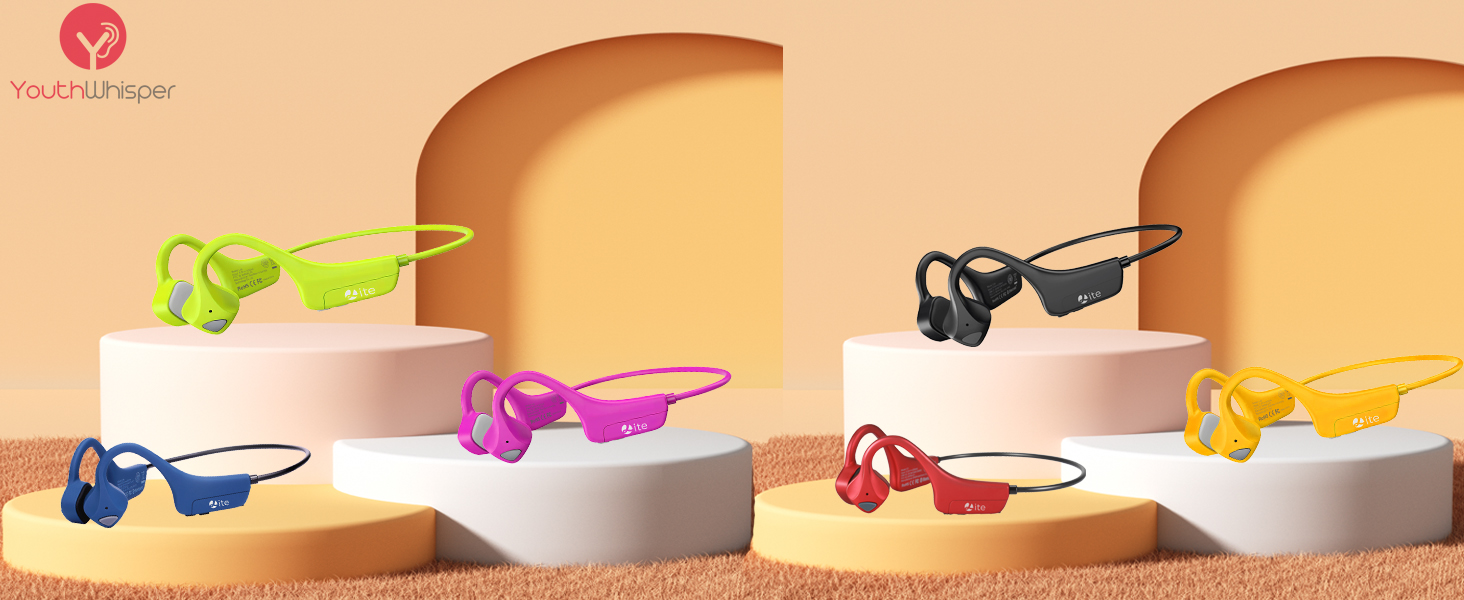
Image: YouthWhisper Lite Bone Conduction Headphones, highlighting the open-ear design.
2. Package Contents
Please verify that all items are present in your package:
- YouthWhisper Lite Bone Conduction Headphones
- USB Charging Cable
- User Manual
- Sponge Earplugs
Video: An unboxing demonstration showing the contents of the YouthWhisper Lite headphones package, including the headphones, charging cable, user manual, and earplugs.
3. Product Overview
The YouthWhisper Lite headphones are designed for comfort and durability. They feature a flexible titanium frame and intuitive controls.
3.1 Components and Controls
- Anti-vibration silicone: Ensures comfortable contact with the skin.
- Multi-function button: For power, play/pause, and call management.
- Volume buttons: Adjust audio volume.
- Micro-USB port: For charging the device.

Image: A close-up view of the YouthWhisper Lite Bone Conduction Headphones, showcasing the overall design and the 'Lite' branding.
Video: A detailed overview of the EKEN Bone Conduction Headphones, highlighting features such as its 25g weight, Bluetooth 5.0, 200mAh battery with 20 days standby time, IP54 sweat resistance, flexible titanium frame, anti-vibration silicone, volume buttons, multi-function button, and Micro-USB port.
4. Setup
4.1 Charging the Headphones
Before first use, fully charge the headphones. Connect the provided USB charging cable to the Micro-USB port on the headphones and to a compatible USB power source. The LED indicator will show charging status.
- Charging Time: Approximately 2 hours.
- Battery Life: Up to 6 hours of music play, 8 hours of phone calls, or 20 days standby time.

Image: YouthWhisper Lite Bone Conduction Headphones displayed with text indicating 'Long Battery Life', '6 hours music play', '8 hours phone call', and '20 days standby time'.
4.2 Bluetooth Pairing
Follow these steps to pair your headphones with a Bluetooth-enabled device:
- Step 1: Press and hold the Power/Multi-function button for 3 seconds. The LED indicator will flash alternately in red and blue, indicating pairing mode.
- Step 2: On your device (smartphone, tablet, etc.), open the Bluetooth settings menu.
- Step 3: Search for available devices and select "YWLite" to connect. Once connected, the LED indicator will typically show a solid blue light or flash slowly.

Image: A visual guide demonstrating the four steps to use the YouthWhisper Lite headphones, including pressing the power button, searching for "YWLite" in Bluetooth settings, adjusting position on the cheekbone, and controlling volume.
5. Operating Instructions
5.1 Wearing the Headphones
Place the headphones with the transducers resting on your cheekbones, just in front of your ears. The band should wrap around the back of your head. Adjust for a comfortable and secure fit.

Image: A woman comfortably wearing YouthWhisper Lite Bone Conduction Headphones, emphasizing the 'Comfortable Wearing' aspect with icons for 'Ear Free', 'Lightweight', and 'Soft Pad'.
5.2 Basic Functions
- Power On/Off: Press and hold the Multi-function button.
- Play/Pause: Press the Multi-function button once.
- Volume Up/Down: Use the dedicated volume buttons.
- Next Track: Press and hold the Volume Up button.
- Previous Track: Press and hold the Volume Down button.
5.3 Call Management
- Answer/End Call: Press the Multi-function button once.
- Reject Call: Press and hold the Multi-function button.

Image: Two individuals running on a road, with a car approaching in the background, illustrating the 'Awareness of Safety' benefit of open-ear headphones.

Image: A split image showing a child in the background and a woman in the foreground wearing headphones while cooking, emphasizing 'Awareness of Surrounding' and the ability to hear family members.
Video: A person running outdoors while wearing the YouthWhisper Lite Bone Conduction Headphones, demonstrating their secure fit and the ability to hear ambient sounds during exercise.
6. Maintenance
The YouthWhisper Lite headphones are sweat-resistant (IP54 rated). To ensure longevity:
- Wipe the headphones clean with a soft, dry cloth after each use, especially after intense workouts.
- Avoid submerging the headphones in water.
- Store in a cool, dry place away from direct sunlight and extreme temperatures.

Image: YouthWhisper Lite Bone Conduction Headphones covered in water droplets, with text 'Sweat Resistant Waterproof IP65', demonstrating their durability against moisture.
7. Troubleshooting
| Problem | Possible Solution |
|---|---|
| Headphones do not power on. | Ensure the headphones are fully charged. |
| Cannot pair with device. | Ensure headphones are in pairing mode (LED flashing red/blue). Turn off and on Bluetooth on your device. Move closer to the device. |
| No sound or low volume. | Adjust volume on both headphones and connected device. Ensure headphones are correctly positioned on cheekbones. If in a noisy environment, use the provided earplugs. |
| Intermittent connection. | Reduce distance between headphones and device. Avoid obstacles. Ensure no other devices are interfering with the Bluetooth signal. |
8. Specifications
| Feature | Specification |
|---|---|
| Model Name | Lite |
| Brand | YouthWhisper |
| Connectivity Technology | Wireless (Bluetooth 5.0) |
| Bluetooth Range | 10 Meters |
| Battery Life | 8 Hours (calls), 6 Hours (music) |
| Standby Time | 20 Days |
| Charging Time | 2 Hours |
| Water Resistance Level | Water Resistant (IP54) |
| Item Weight | 0.88 Ounces |
| Material | Foam, Metal, Plastic |
| Control Type | Button Control |
| Special Features | Lightweight, Microphone Included, Sports & Exercise, Water Resistant |
9. Warranty and Support
YouthWhisper products are designed for reliability and performance. For warranty information or technical support, please refer to the contact details provided with your purchase or visit the official YouthWhisper website.
Optional protection plans are available for extended coverage. Please check your purchase details for more information.