1. Product Overview
This document provides instructions for the JustFine replacement remote control, designed for use with various Sony Bravia LCD LED HD television models. This remote is pre-programmed and requires no additional setup beyond battery installation.
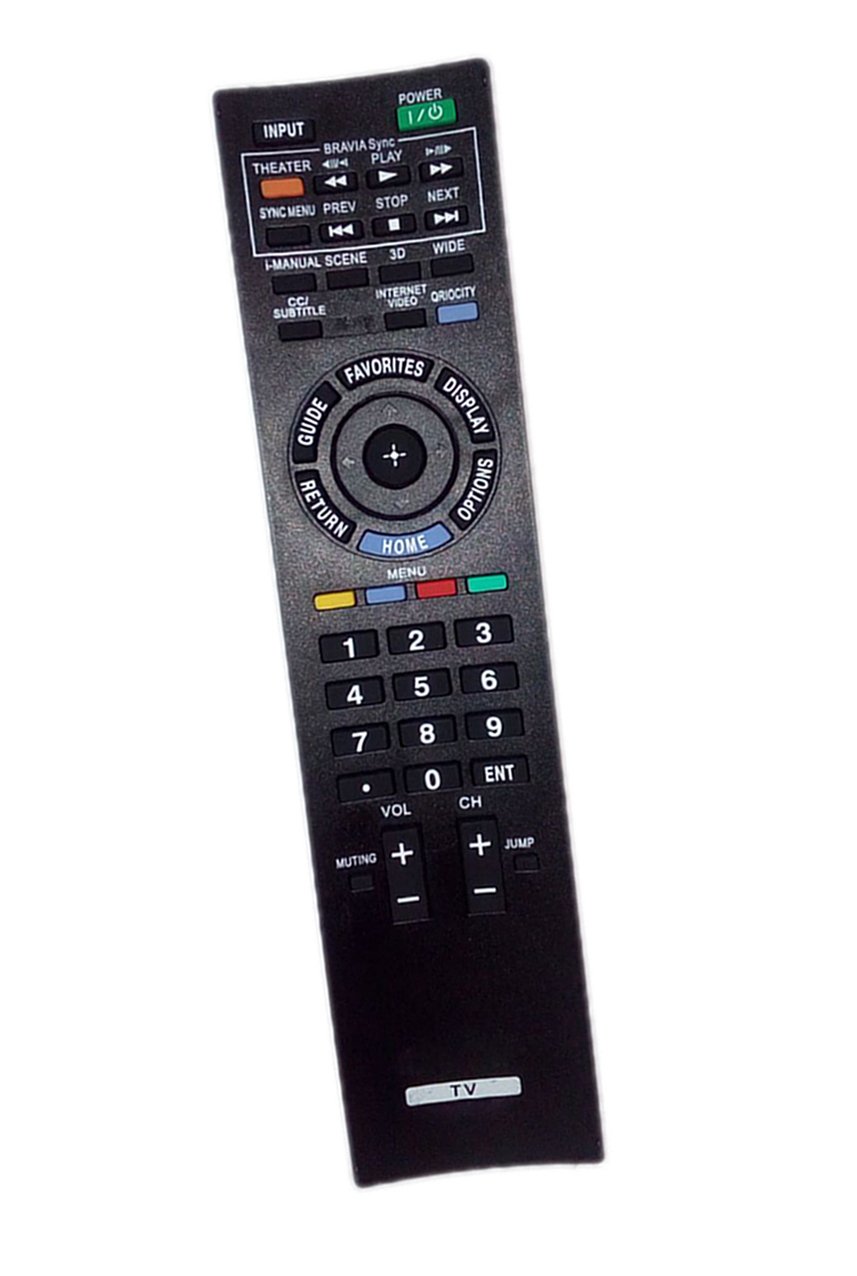
Image 1: The JustFine replacement remote control, shown in its packaging.
2. Setup
2.1 Battery Installation
- Locate the battery compartment on the back of the remote control.
- Slide the battery compartment cover downwards or press the latch and lift to open.
- Insert two AAA batteries (not included), ensuring the positive (+) and negative (-) terminals align correctly with the markings inside the compartment.
- Replace the battery compartment cover, ensuring it clicks securely into place.
Once batteries are installed, the remote control is ready for use with compatible Sony Bravia TVs.
3. Operating Instructions
This replacement remote control is pre-programmed to function with a range of Sony Bravia LCD LED HD TV models. No additional programming or pairing is required. Simply point the remote at your television and press the desired function button.
3.1 Compatible TV Models
This remote is compatible with, but not limited to, the following Sony Bravia TV models:
- KDL-60EX500
- KDL-40EX505
- KDL32BX300
- KDL-55HX801P
- KDL-40EX710
- KDL-55EX500
- KDL-40EX715
- KDL60EX700
- KDL-32EX305
- KDL-60EX705
- KDL-55EX703
- KDL-60EX703
- KDL32EX715
- KDL52EX701
- XBR52LX900
- KDL-46EX605
- KDL46EX705
4. Maintenance
4.1 Cleaning
To clean the remote control, use a soft, dry cloth. For stubborn dirt, lightly dampen the cloth with water. Avoid using harsh chemicals or abrasive cleaners, as these can damage the remote's surface or internal components.
4.2 Battery Replacement
If the remote control's performance degrades or it stops responding, replace the batteries. Always replace both batteries at the same time with new ones of the same type (AAA). Do not mix old and new batteries or different battery types.
5. Troubleshooting
- Remote not responding: Ensure batteries are correctly installed and not depleted. Replace batteries if necessary. Check for any obstructions between the remote and the TV's infrared receiver.
- Specific buttons not working: While this remote is designed for broad compatibility, some advanced or TV-specific functions may not be supported. If basic functions like power, volume, and channel work, but others do not, this may be expected behavior for a universal replacement remote.
- Buttons feel 'mushy' or unresponsive: This can sometimes occur with prolonged use. Ensure the buttons are clean and free of debris. If the issue persists, it may indicate internal wear.
6. Specifications
| Brand | JustFine |
| Model Number | 721353805998 |
| Product Dimensions | 4.53 x 1.57 x 1.38 inches |
| Item Weight | 2.72 ounces |
| Color | Black |
| Special Feature | Ergonomic |
| Max Number of Supported Devices | 1 |
| Compatible Devices | Television |
7. Warranty and Support
7.1 Warranty Information
This product is sold with a 30-day quality warranty. This warranty covers manufacturing defects and ensures the product functions as described under normal use.
7.2 Customer Support
For any problems, questions, or support needs regarding this replacement remote control, please contact us via email. We offer hassle-free returns and are committed to assisting our customers.