Introduction
Welcome to the user manual for your Urbanista Sydney Wireless Speaker. This guide provides essential information on setting up, operating, maintaining, and troubleshooting your device. The Urbanista Sydney is a pocket-sized, splash-proof speaker featuring Bluetooth 5.0 connectivity and up to 5 hours of playtime, designed for portable audio enjoyment.
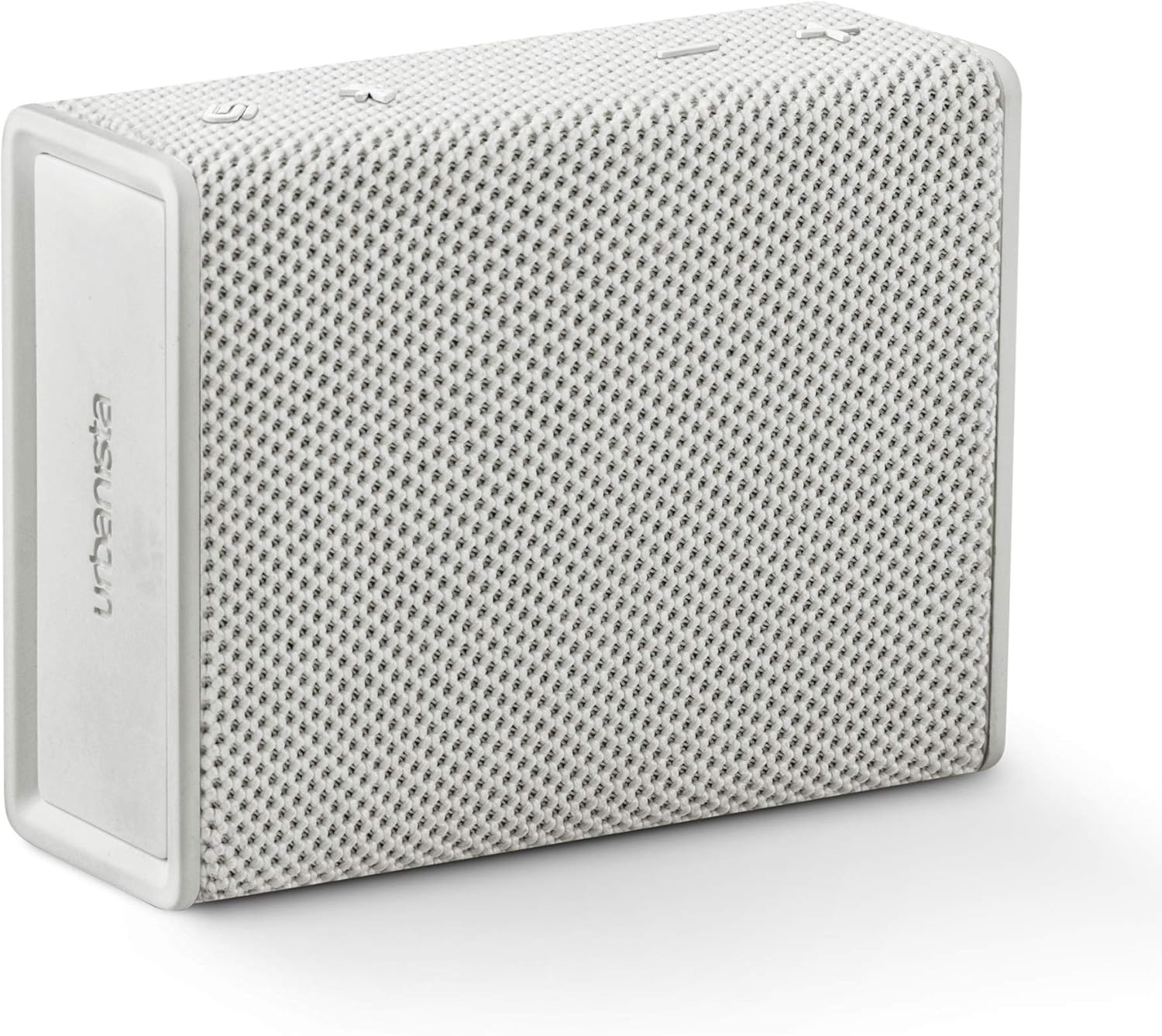
Image: The Urbanista Sydney Wireless Speaker in white, showcasing its compact and minimalist design.
Product Overview
The Urbanista Sydney speaker is designed for ease of use and portability. It features intuitive controls and robust construction for various environments.

Image: An illustration of the Urbanista Sydney speaker with icons indicating its key features: up to 5 hours total playtime, up to 30 days standby time, Bluetooth 5.0, IPX5 water resistance, and compatibility with Android and iOS devices.
Key Features:
- Bluetooth 5.0: For stable and efficient wireless connectivity.
- 5-Hour Play Time: Enjoy extended audio playback on a single charge.
- IPX5 Splash-Proof: Resistant to water splashes from any direction, suitable for outdoor use.
- Pocket-Sized Design: Lightweight and compact for easy portability.
- Stereo Pairing: Connect two Sydney speakers for an enhanced stereo sound experience.

Image: A person's hand holding the Urbanista Sydney speaker, illustrating its small and portable size.
Setup
1. Charging the Speaker
Before first use, fully charge your Urbanista Sydney speaker. Connect the provided charging cable to the speaker's charging port and a suitable USB power source. The charging indicator light will show the charging status. A full charge takes approximately 1.5 hours.
2. Powering On/Off
- To Power On: Press and hold the power button located on the speaker until the indicator light illuminates.
- To Power Off: Press and hold the power button again until the indicator light turns off.
3. Bluetooth Pairing
- Ensure the speaker is powered on and within pairing mode (indicator light flashing).
- On your device (smartphone, tablet, etc.), enable Bluetooth.
- Search for available Bluetooth devices and select "Urbanista Sydney" from the list.
- Once connected, the indicator light on the speaker will become solid, and you will hear an audible confirmation.
4. Connecting Two Speakers (Stereo Pairing)
For an immersive stereo sound experience, you can connect two Urbanista Sydney speakers together.
- Ensure both Urbanista Sydney speakers are powered on and not connected to any other Bluetooth device.
- On one speaker, press and hold the designated pairing button (refer to speaker diagram for exact button, typically the Bluetooth button) until you hear a pairing tone.
- Repeat this step on the second speaker.
- The speakers will automatically search for and connect to each other. Once connected, one speaker will act as the left channel and the other as the right channel.
- Now, connect your device to one of the paired Sydney speakers via Bluetooth as described in step 3.

Image: Two Urbanista Sydney speakers demonstrating the second-speaker pairing feature for stereo sound, with a Bluetooth logo and sound wave graphic.
Operating the Speaker
Basic Controls
- Play/Pause: Press the Play/Pause button once to play or pause audio.
- Volume Up: Press the '+' button to increase volume.
- Volume Down: Press the '-' button to decrease volume.
- Next Track: Press and hold the '+' button to skip to the next track.
- Previous Track: Press and hold the '-' button to go to the previous track.
Splash-Proof Functionality (IPX5)
The Urbanista Sydney speaker is rated IPX5, meaning it is protected against low-pressure water jets from any direction. This makes it suitable for use in environments where it might be exposed to splashes, such as by a pool or during light rain. It is not designed to be submerged in water.

Image: A collection of Urbanista Sydney speakers in various colors positioned near a swimming pool, demonstrating their suitability for splash-prone environments.
Maintenance
Cleaning
To clean your Urbanista Sydney speaker, use a soft, dry, or slightly damp cloth. Avoid using abrasive cleaners, solvents, or harsh chemicals, as these can damage the speaker's finish and internal components.
Storage
When not in use for extended periods, store the speaker in a cool, dry place away from direct sunlight and extreme temperatures. Ensure the speaker is fully charged before storing to prolong battery life.
Troubleshooting
If you encounter issues with your Urbanista Sydney speaker, refer to the following common problems and solutions:
- Speaker does not power on:
- Ensure the speaker is fully charged. Connect it to a power source and allow it to charge for at least 15 minutes before attempting to power on again.
- Verify that the power button is being pressed and held correctly.
- No sound or low volume:
- Check the volume levels on both the speaker and your connected device.
- Ensure the speaker is properly paired and connected to your device via Bluetooth.
- If using stereo pairing, ensure both speakers are correctly linked and connected to your device.
- Bluetooth pairing issues:
- Make sure the speaker is in pairing mode (indicator light flashing).
- Disable and re-enable Bluetooth on your device.
- Move the speaker closer to your device and away from potential interference sources.
- Forget the speaker from your device's Bluetooth list and attempt to pair again.
- Poor sound quality:
- Ensure the speaker is within the effective range of your Bluetooth device (typically up to 10 meters).
- Check for any physical obstructions between the speaker and your device.
- Try playing audio from a different source or device to rule out source-related issues.
Specifications
Detailed technical specifications for the Urbanista Sydney Wireless Speaker:
| Brand | Urbanista |
| Model Number | 36772 |
| Speaker Type | Surround Sound (2.0 Channel Configuration) |
| Special Feature | Portable |
| Recommended Uses | Music, Beach, Park, Outdoor Activities |
| Compatible Devices | Smartphone (Android and iOS) |
| Color | White |
| Item Weight | 300 Grams (10.6 ounces) |
| Water Resistance | IPX5 (Splash-Proof) |
| Control Method | Touch |
| Wireless Communication Technology | Bluetooth 5.0 |
| Speaker Size | 40 Millimeters |
| Power Source | Battery Powered (1 Lithium Ion battery required) |
| Charging Time | 1.5 Hours |
| Speaker Maximum Output Power | 10 Watts |
| Product Dimensions | 4.02 x 1.73 x 4.96 inches |
Safety Information
Please read and follow these safety guidelines to ensure safe operation and prolong the life of your speaker:
- Do not expose the speaker to extreme temperatures, direct sunlight, or high humidity.
- Avoid dropping or subjecting the speaker to strong impacts.
- Do not attempt to disassemble, repair, or modify the speaker yourself. This will void the warranty.
- Keep the speaker away from medical devices, as it contains magnets that may interfere with pacemakers or other medical equipment.
- Dispose of the speaker and its battery responsibly according to local regulations.
Warranty and Support
The Urbanista Sydney Wireless Speaker comes with a Limited Warranty. For specific warranty terms and conditions, please refer to the documentation included with your purchase or visit the official Urbanista website.
For further assistance, technical support, or to view frequently asked questions, please visit the Urbanista support page:


