1. Introduction
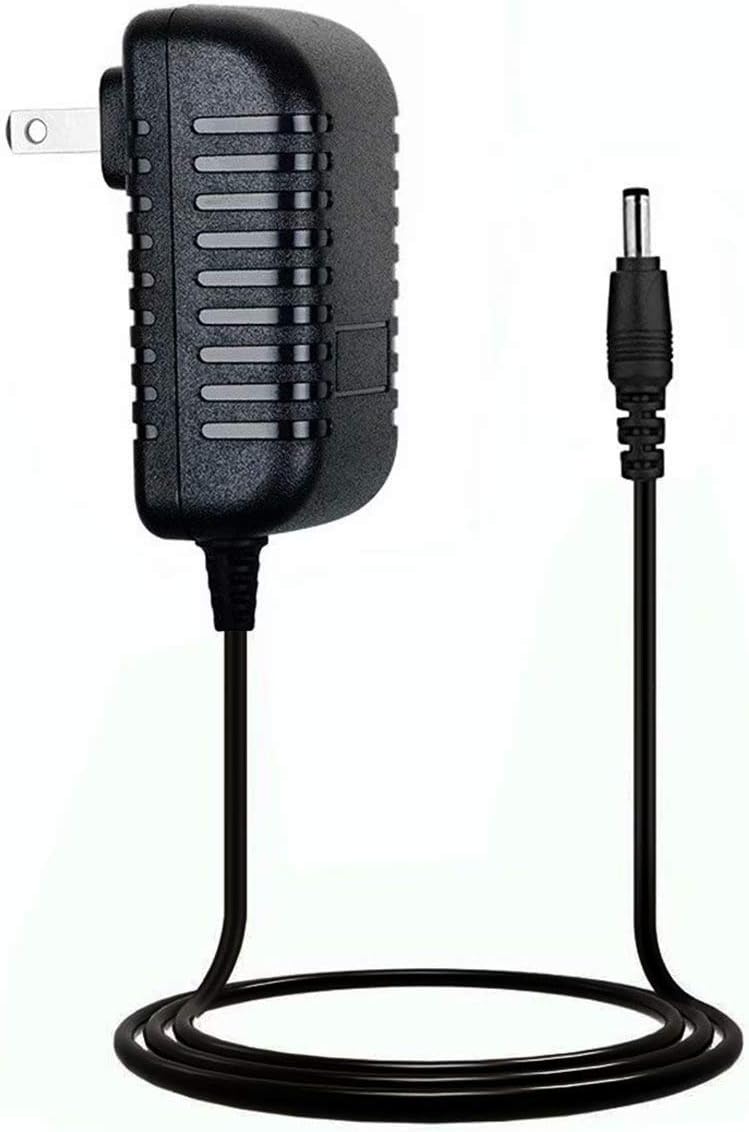
This manual provides essential instructions for the safe and effective use of your MPKKE LK-DC 060100 AC Adapter. This adapter is designed to provide power to compatible Body Power Dual Trainer equipment. Please read this manual thoroughly before use and retain it for future reference.
2. Safety Information
Observe the following safety precautions to prevent injury or damage to the adapter and connected equipment:
- Do not expose the adapter to water, moisture, or extreme temperatures.
- Do not disassemble or modify the adapter. This may cause electric shock or fire.
- Ensure the voltage and current ratings of your device match the adapter's output specifications.
- Use only with the intended Body Power Dual Trainer equipment.
- Keep out of reach of children.
- Unplug the adapter from the wall outlet when not in use for extended periods.
- Avoid placing heavy objects on the power cord.
3. Package Contents
Verify that all items are present in the package:
- 1 x MPKKE LK-DC 060100 AC Adapter
4. Setup Instructions
- Inspect the Adapter: Before connecting, visually inspect the adapter and its cable for any signs of damage. Do not use if damaged.
- Connect to Device: Locate the power input port on your Body Power Dual Trainer. Insert the barrel connector of the AC adapter firmly into this port.
- Connect to Power Outlet: Plug the AC adapter's wall plug into a standard, grounded electrical outlet. Ensure the outlet is easily accessible.

5. Operating Instructions
Once the adapter is properly connected to both your Body Power Dual Trainer and a power outlet, the equipment should receive power. Refer to your Body Power Dual Trainer's manual for specific operating instructions for the fitness equipment itself.
- Ensure the adapter is securely plugged into both the device and the wall outlet.
- If the device does not power on, check all connections and the power outlet.
6. Maintenance
Proper maintenance ensures the longevity and safe operation of your AC adapter:
- Cleaning: Disconnect the adapter from the power outlet and the device before cleaning. Use a soft, dry cloth to wipe the adapter. Do not use liquid cleaners or aerosols.
- Storage: When not in use, store the adapter in a cool, dry place, away from direct sunlight and moisture. Avoid tightly coiling the cable to prevent damage.
- Inspection: Periodically check the cable and connectors for any signs of wear, cuts, or bends. Replace the adapter if any damage is observed.

7. Troubleshooting
If you encounter issues with your AC adapter, refer to the following common problems and solutions:
| Problem | Possible Cause | Solution |
|---|---|---|
| Device not powering on. | Adapter not fully plugged in. Power outlet not functioning. Adapter or cable damage. | Ensure all connections are secure. Test the outlet with another device. Inspect adapter for damage; replace if necessary. |
| Adapter feels unusually hot. | Overload or internal fault. | Unplug immediately. Ensure device compatibility. If problem persists, discontinue use and replace. |
| Intermittent power to device. | Loose connection or damaged cable. | Check connections. Inspect cable for damage. Replace if cable is frayed or damaged. |
8. Specifications
Technical specifications for the MPKKE LK-DC 060100 AC Adapter:
- Model Number: LK-DC 060100
- Brand: MPKKE
- Connector Type: Barrel Connector
- Material: Metal (internal components)
- Item Weight: 2.08 ounces (0.06 Kilograms)
- Package Dimensions: 5.08 x 4.61 x 1.14 inches
- Date First Available: August 18, 2019
9. Warranty and Support
For warranty information or technical support, please refer to the documentation provided with your purchase or contact the manufacturer directly. Keep your purchase receipt as proof of purchase.
Manufacturer: Mpkke