
Introduction
This manual provides instructions for the JustFine Universal Replacement Remote Control, designed for use with various Insignia LED, LCD, HDMI, and HDTV models. This remote is pre-programmed and requires no additional setup beyond battery installation. Please read this manual thoroughly to ensure proper operation and longevity of your remote control.
Setup
1. Battery Installation
The remote control requires two AAA batteries (not included). Follow these steps to install them:
- Locate the battery compartment on the back of the remote control.
- Press down on the latch and slide the battery cover off.
- Insert two new AAA batteries, ensuring the positive (+) and negative (-) terminals align correctly with the markings inside the compartment.
- Slide the battery cover back into place until it clicks securely.
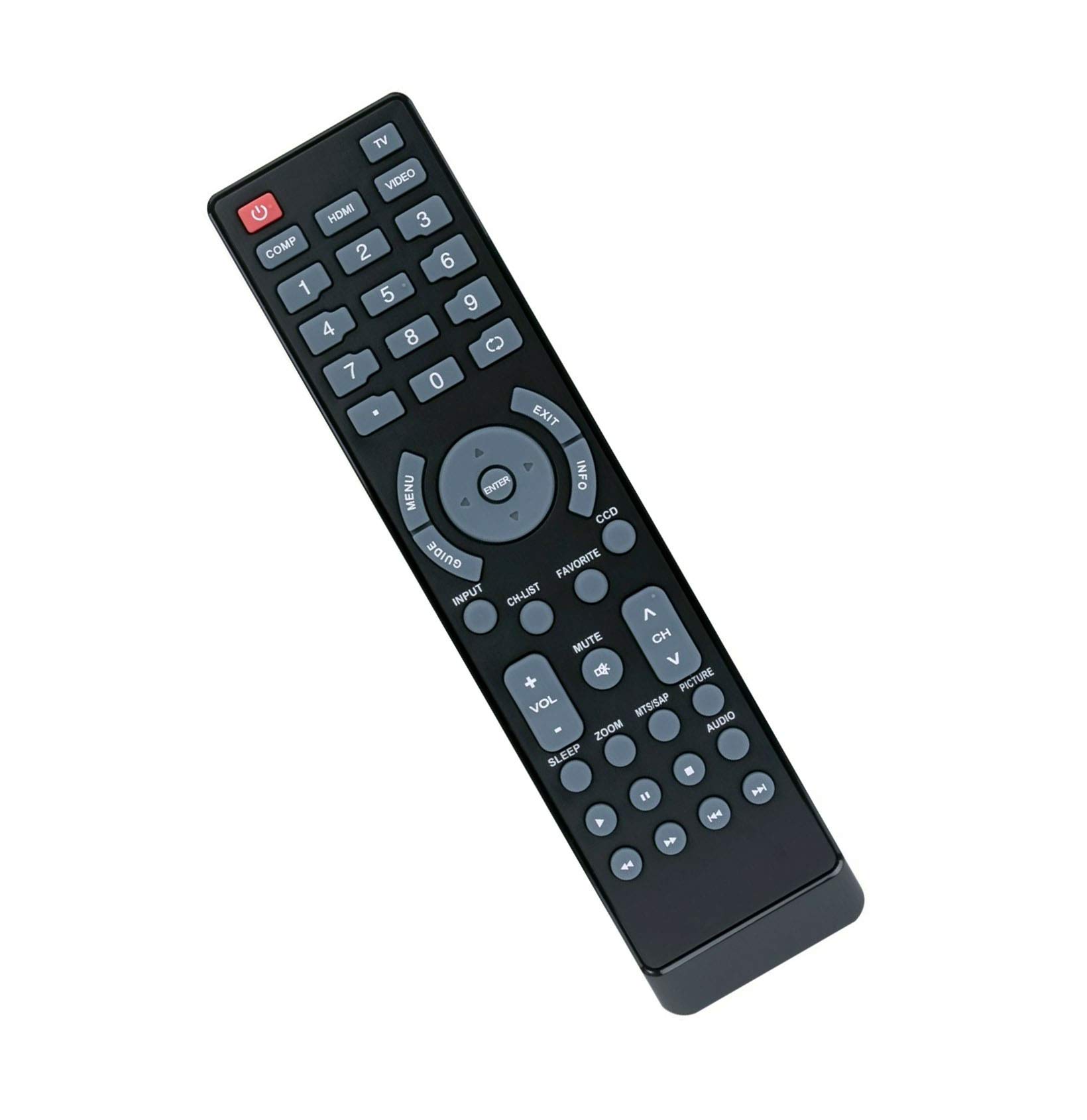
Figure 1: Rear view of the remote control with the battery cover removed, revealing the two AAA battery slots. Ensure batteries are inserted with correct polarity.
2. Initial Use
This remote control is pre-programmed for compatible Insignia TV models. No additional programming or syncing is required. Once batteries are installed, the remote is ready for immediate use.
Operating Instructions
Point the remote control directly at your Insignia TV's infrared sensor. Ensure there are no obstructions between the remote and the TV.

Figure 2: Front view of the remote control, highlighting the layout of all functional buttons, including power, number pad, navigation, volume, and channel controls.
Key Functions:
- Power (■): Turns the TV on or off.
- Number Pad (0-9): Directly select channels.
- VOL (+/-): Adjusts the volume level.
- CH (▲/▼): Changes channels up or down.
- MUTE: Mutes or unmutes the TV audio.
- INPUT/SOURCE: Cycles through available input sources (HDMI, AV, Component, etc.).
- MENU: Accesses the TV's main menu.
- Navigation Buttons (Up, Down, Left, Right, ENTER): Navigate through menus and confirm selections.
- EXIT: Exits the current menu or on-screen display.
- GUIDE: Displays the electronic program guide (if supported by your TV).
- INFO: Displays information about the current program or input.
- Playback Controls (Play, Pause, Stop, Rewind, Fast Forward): For use with compatible media players or TV functions.
Video Demonstration:
This video provides a visual overview of the remote control's design and button functions, illustrating how to navigate and operate your television.
Maintenance
Battery Replacement:
Replace batteries when the remote's responsiveness decreases or if it stops functioning. Always replace both batteries at the same time with new AAA batteries. Do not mix old and new batteries, or different types of batteries.
Cleaning:
To clean the remote control, wipe it with a soft, dry cloth. Do not use liquid cleaners or abrasive materials, as these can damage the remote's surface or internal components.
Troubleshooting
- Remote not responding:
- Check if the batteries are inserted correctly with the correct polarity.
- Replace old batteries with new ones.
- Ensure there are no obstructions between the remote and the TV's infrared sensor.
- Make sure you are pointing the remote directly at the TV.
- Some buttons are unresponsive:
- This could indicate low battery power. Try replacing the batteries.
- Ensure the remote is clean and free from debris that might obstruct button presses.
Specifications
- Brand: JustFine
- Compatible Devices: Insignia LED, LCD, HDMI, HDTV (e.g., NS24E730A12B, NS-F27C, NS-L55X-10A, NS-39L700A12, NS-L19Q-10A, NS-42E859A11, NS-LCD26A, NS-27FTV, NS-42LCD, NS-P42Q-10A, NS-LBD32X-10A, NS-19E450A11, NS-20FTV, NS-LCD19-09CA, NS-LCD19F, NS-42L780A12, NS-46L780A12, NS-55L780A12, NS-L32Q09-10A, NS-L47Q09-10A, NS-L322Q-10A, NS-L42Q120-10A, NS-L46Q120-10A)
- Connectivity Technology: Infrared
- Controller Type: Button Control
- Special Feature: Ergonomic design
- Product Dimensions: 4.53 x 1.57 x 1.38 inches
- Item Weight: 2.72 ounces
- Power Source: 2 x AAA Batteries (not included)
Warranty and Support
This product comes with a 30-day quality warranty, a money-back guarantee, and hassle-free returns. For any problems or inquiries, please contact the seller directly for assistance.