
Sengled E1C-NB6W_2PK
Sengled Smart Outlet Instruction Manual
Model: E1C-NB6W_2PK
1. Introduction
The Sengled Smart Outlet (Model: E1C-NB6W_2PK) is designed to expand your smart home capabilities by allowing you to control traditional appliances and devices remotely. This smart plug integrates seamlessly with compatible smart hubs and voice assistants like Amazon Alexa and Google Assistant, offering convenient control and scheduling options for your home electronics.

Image: Two Sengled Smart Outlets, showcasing their compact design and power indicator light.
2. Key Features
- Expand Your Smart Home: Connects with a Sengled Smart Hub or other compatible devices. A hub is required for outlet use.
- Voice Control: Works with Amazon Alexa, Google Assistant, and IFTTT for hands-free control. Connection to a compatible hub is required.
- Add a Schedule: Easily set timers and schedules for connected devices, such as holiday lights or lamps.
- Easy to Install: Compact design allows for simple plug-in installation and setup via the in-app guide.
- Make Any Device Smarter: Control lamps, fans, air conditioners, coffee makers, and other home electronics using the Sengled Home app, whether you are at home or away.

Image: Visual representation of the key features of the Sengled Smart Outlet.
3. Setup and Installation
Setting up your Sengled Smart Outlet is a straightforward process. A compatible smart hub is required for the outlet to function. Follow these steps for successful installation and connection:
- Scan the QR Code: Locate the QR code on your smart plug. This is often used for initial device identification within the app.
- Connect Smart Hub and Install Plug: Ensure your Sengled Smart Hub (or other compatible hub like SmartThings, Amazon Echo with built-in Zigbee hub) is properly set up and connected to your network. Plug the Sengled Smart Outlet into a standard wall outlet.
- Follow In-App Guide: Download and open the Sengled Home app (or your compatible hub's app). Follow the on-screen instructions within the app to add and configure your new smart plug. This typically involves searching for new devices.
- Personalize Scene Schedule and More: Once connected, you can personalize settings, create schedules, and integrate the plug into smart home routines.

Image: Step-by-step guide for installing the Sengled Smart Socket.
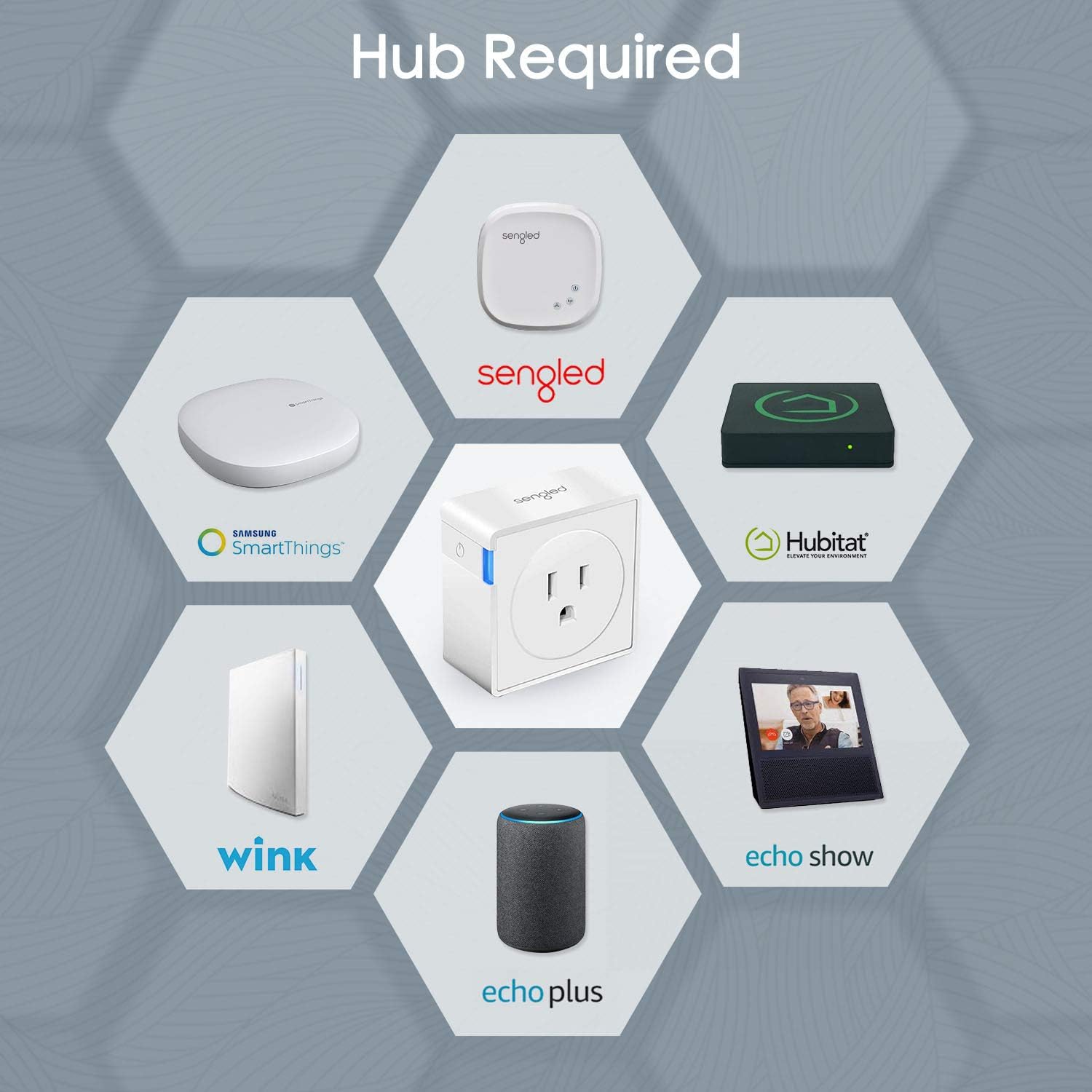
Image: Compatible smart hubs required for the Sengled Smart Outlet.
3.1. Integrating with Amazon Alexa
For voice control and seamless integration with your Amazon Alexa ecosystem, follow these steps:
- Enable Sengled Home Skill: Open the Amazon Alexa app, navigate to "Skills & Games," search for "Sengled Home," and enable the skill.
- Link Your Sengled Account: Follow the prompts to link your Sengled account with your Amazon Alexa account. You will need your Sengled login credentials.
- Discover Devices: Once the account is linked, Alexa will discover your Sengled Smart Outlets. You can then assign them to rooms or groups for easier control.
- Voice Commands: You can now use voice commands such as "Alexa, turn on the living room lights" (if your smart plug is named "living room lights").
Video: This video demonstrates how to set up Sengled smart devices with Amazon Alexa, including enabling the skill, linking accounts, and discovering devices for voice control.
4. Operating the Smart Outlet
Once installed and connected, the Sengled Smart Outlet offers multiple ways to control your devices:
- App Control: Use the Sengled Home app (or your compatible hub's app) on your smartphone or tablet to turn devices on/off, set schedules, and manage groups from anywhere with an internet connection.
- Voice Control: Integrate with Amazon Alexa or Google Assistant to control connected devices using simple voice commands. For example, "Hey Google, turn off the coffee maker."
- Scheduling and Timers: Create custom schedules for your devices to automatically turn on or off at specific times. This is ideal for automating lights, coffee makers, or other appliances.

Image: Demonstrates controlling the smart outlet via smartphone app and voice commands with smart speakers.

Image: Example of setting a timer schedule for a coffee maker using the smart outlet.
5. Maintenance
The Sengled Smart Outlet requires minimal maintenance to ensure optimal performance and longevity:
- Cleaning: Use a soft, dry cloth to wipe the exterior of the smart plug. Do not use liquid cleaners or abrasive materials.
- Placement: Ensure the smart plug is used in a dry indoor environment, away from excessive heat, humidity, or direct sunlight.
- Ventilation: Do not obstruct the ventilation holes (if any) and ensure adequate airflow around the device.
- Firmware Updates: Periodically check the Sengled Home app for any available firmware updates for your smart plug. Keeping the firmware updated ensures the best performance and security.
6. Troubleshooting
If you encounter issues with your Sengled Smart Outlet, try the following troubleshooting steps:
- Plug Not Responding:
- Ensure the smart plug is securely plugged into a working electrical outlet.
- Check if your smart hub is online and functioning correctly.
- Verify your Wi-Fi network is stable and the hub is connected.
- Try unplugging the smart plug for 10 seconds and then plugging it back in to reset it.
- Voice Control Issues:
- Confirm that the Sengled Home skill is enabled and your account is linked in the Alexa or Google Home app.
- Ensure your voice assistant device (e.g., Echo Dot) is online and responsive.
- Try re-discovering devices in your voice assistant app.
- Use the exact name you assigned to the smart plug in your app when giving voice commands.
- Scheduling Problems:
- Double-check the schedule settings in the Sengled Home app to ensure they are configured correctly.
- Verify that the smart plug has a stable connection to the hub and internet.
- Connectivity Issues:
- Ensure the smart plug is within range of your smart hub.
- Minimize interference from other electronic devices.
- If issues persist, consider resetting the smart plug to factory defaults (refer to the Sengled app or manufacturer's website for specific instructions) and re-pairing it.
7. Specifications
| Feature | Detail |
|---|---|
| Brand | Sengled |
| Model Number | E1C-NB6W_2PK |
| Item Weight | 3.1 ounces |
| Product Dimensions | 3.32 x 3.32 x 3.32 inches |
| Plug Format | Type B |
| Switch Type | 1-way |
| Mounting Type | Plug-In Mount |
| Special Features | Not Dimmable |
| Material | Plastic |
| UPC | 840696101915 |

Image: Detailed dimensions of the Sengled Smart Socket.
8. Warranty and Support
For warranty information, technical support, or further assistance with your Sengled Smart Outlet, please refer to the official Sengled website or contact their customer service directly.
- Official Website: Visit the Sengled official website for the most up-to-date support resources, FAQs, and contact information.
- Brand Store: Explore the Sengled Brand Store on Amazon for additional product information and support.
- Customer Service: Contact Sengled customer support for personalized assistance with product issues or inquiries.

Image: Sengled company logo.
Related documentsE1C-NB6W_2PK


Ask a question about this manual
Ask about setup, troubleshooting, compatibility, parts, safety, or missing instructions. Manuals+ will review the question and use this page’s manual context to help answer it.