1. Introduction
This instruction manual provides important information for the safe and efficient use of your MPKKE AC Power Adapter Cord. This adapter is designed to provide power to compatible AT&T cordless phone main bases, specifically models EL52300, EL52303, and EL52306. Please read this manual thoroughly before use and retain it for future reference.
2. Safety Information
- Ensure the power adapter is compatible with your device's voltage and current requirements before connecting.
- Do not expose the adapter to water, moisture, or extreme temperatures.
- Avoid using the adapter if the cord or plug is damaged.
- Do not attempt to open or repair the adapter. Refer all servicing to qualified personnel.
- Unplug the adapter from the power outlet when not in use for extended periods.
- Keep out of reach of children.
3. Package Contents
- 1 x MPKKE AC Power Adapter Cord (Model: MK-36)
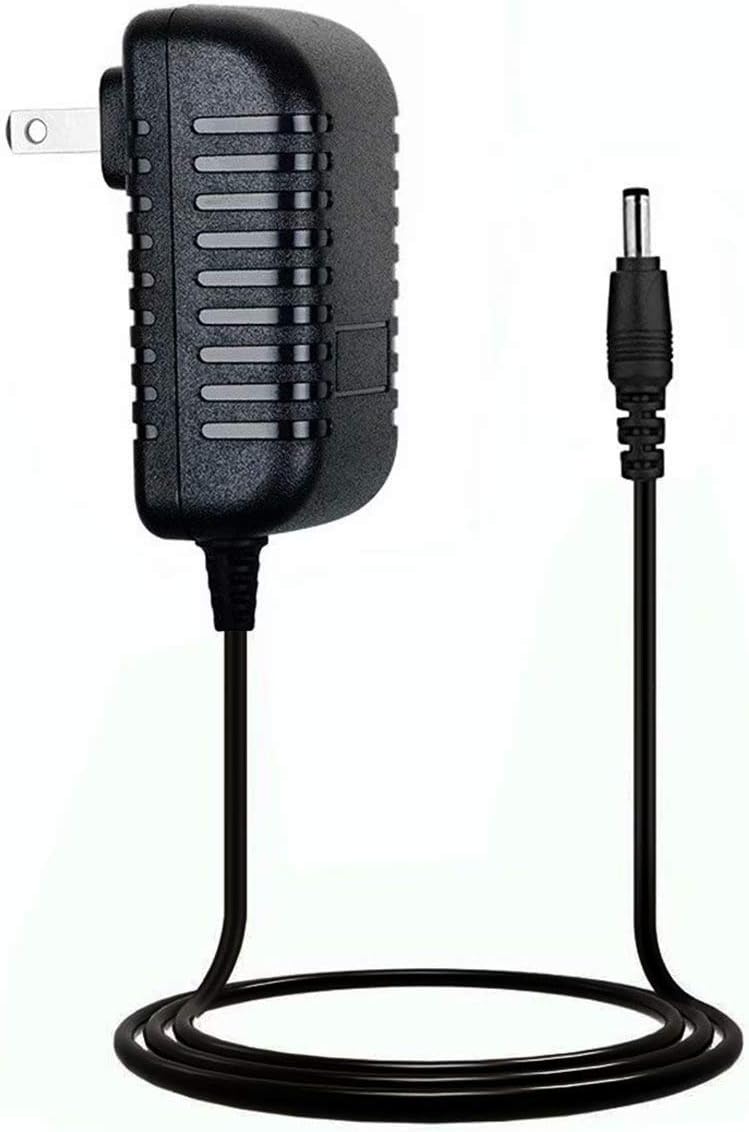
Image 1: The MPKKE AC Power Adapter Cord, showing the main adapter unit with a two-prong US plug and the attached DC barrel connector cable.

Image 2: Side view of the MPKKE AC Power Adapter Cord, highlighting the textured casing and the attached cable with its barrel connector.

Image 3: Top view of the MPKKE AC Power Adapter Cord, showing the AC ADAPTER label and some technical specifications printed on the unit, along with the barrel connector.
4. Setup
- Verify Compatibility: Ensure your AT&T cordless phone main base (models EL52300, EL52303, EL52306) requires a power adapter with a barrel connector and matches the voltage/current specifications of this adapter.
- Connect to Device: Insert the barrel connector end of the MPKKE AC Power Adapter Cord into the power input port on your AT&T cordless phone main base. Ensure a snug and secure fit.
- Connect to Power Outlet: Plug the two-prong AC plug of the adapter into a standard 100-240V AC wall outlet.
- Power On: Your cordless phone base should now receive power. Refer to your phone's manual for specific power-on indicators.
5. Operating Instructions
The MPKKE AC Power Adapter Cord operates automatically once connected to a power source and a compatible device. It provides continuous power to your AT&T cordless phone main base, allowing it to function as intended. No user interaction is required for its operation beyond initial connection.
6. Maintenance
- Cleaning: Disconnect the adapter from the power outlet and the device before cleaning. Use a soft, dry cloth to wipe the exterior. Do not use liquid cleaners or solvents.
- Storage: When not in use, store the adapter in a cool, dry place, away from direct sunlight and moisture. Avoid tightly coiling the cable to prevent damage.
- Inspection: Periodically inspect the adapter cord and plug for any signs of wear, cuts, or damage. If damage is observed, discontinue use immediately.
7. Troubleshooting
| Problem | Possible Cause | Solution |
|---|---|---|
| No power to phone base |
|
|
| Adapter does not fit phone base |
|
|
8. Specifications
- Brand: MPKKE
- Model Number: MK-36
- Input Voltage: 240 Volts (compatible with 100-240V AC outlets)
- Connector Type: Barrel connector
- Item Weight: 1.76 ounces (0.05 Kilograms)
- Package Dimensions: 4.65 x 4.06 x 1.02 inches
9. Warranty and Support
For warranty information or technical support regarding your MPKKE AC Power Adapter Cord, please refer to the seller's return policy or contact the manufacturer directly through their official channels. Keep your purchase receipt as proof of purchase.


